
Rewindo - Reverse Video Maker
Play any video backwards
Diseñada para iPhone
Gratis · Compras en la aplicación
- Clasificación por edad4+
- CategoríaFoto y vídeo
- DesarrolladorHiroki Sugiyama
- IdiomasJaponés+ 1 más
- Tamaño33,7 MB
Enlaza a la página oficial de App Store
Download.org no aloja ningún archivo de Rewindo - Reverse Video Maker. El botón abre la página de la aplicación en App Store, donde la publica Hiroki Sugiyama. Ficha comprobada por última vez el 13/11/2026.
Capturas de pantalla


Acerca de
El desarrollador no ha proporcionado este texto en tu idioma.
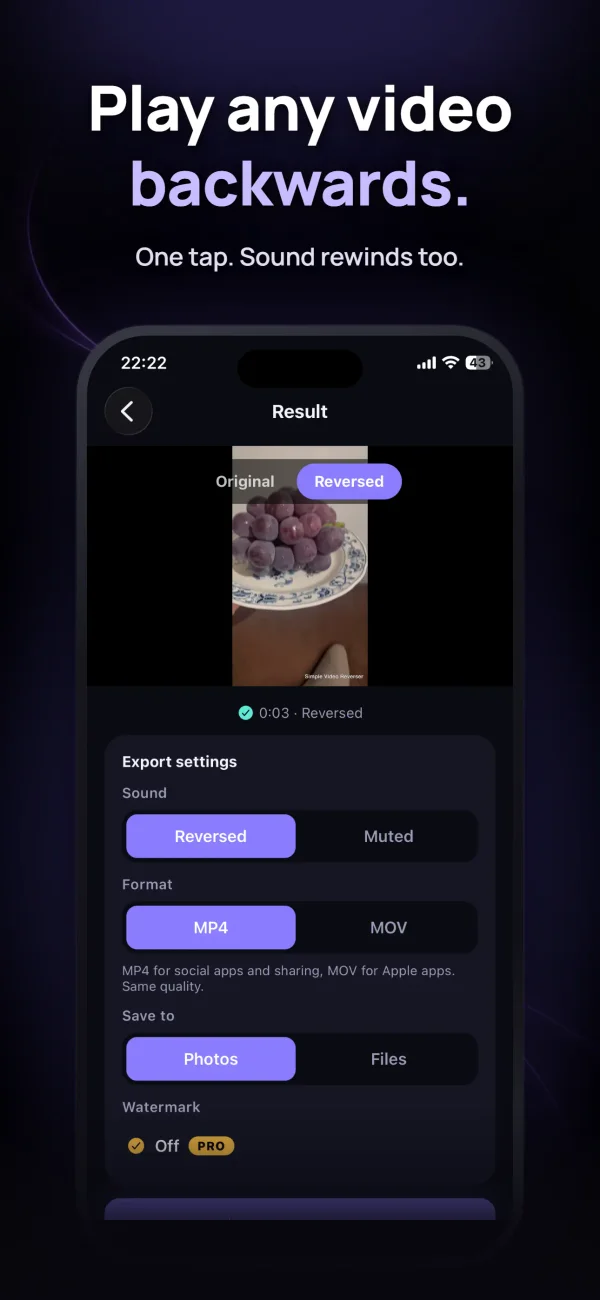
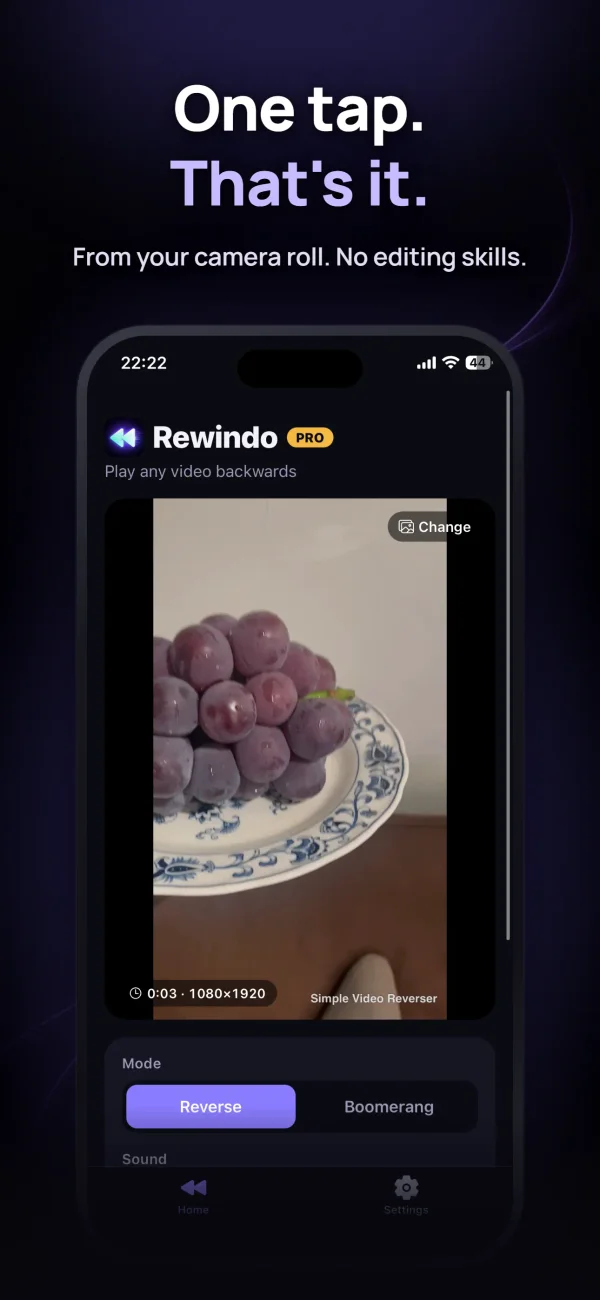
Rewindo turns any video from your camera roll into a reversed clip, picture and sound, with a single tap.
Jumps become landings. Spills clean themselves up. Runners go backwards. Pick a video, tap "Reverse it", and rewind reality. No setup, no account.
Features
- Pick one video from your camera roll and reverse it
- Sound is reversed too (or choose Muted)
- Progress and time remaining while it works, and you can cancel anytime
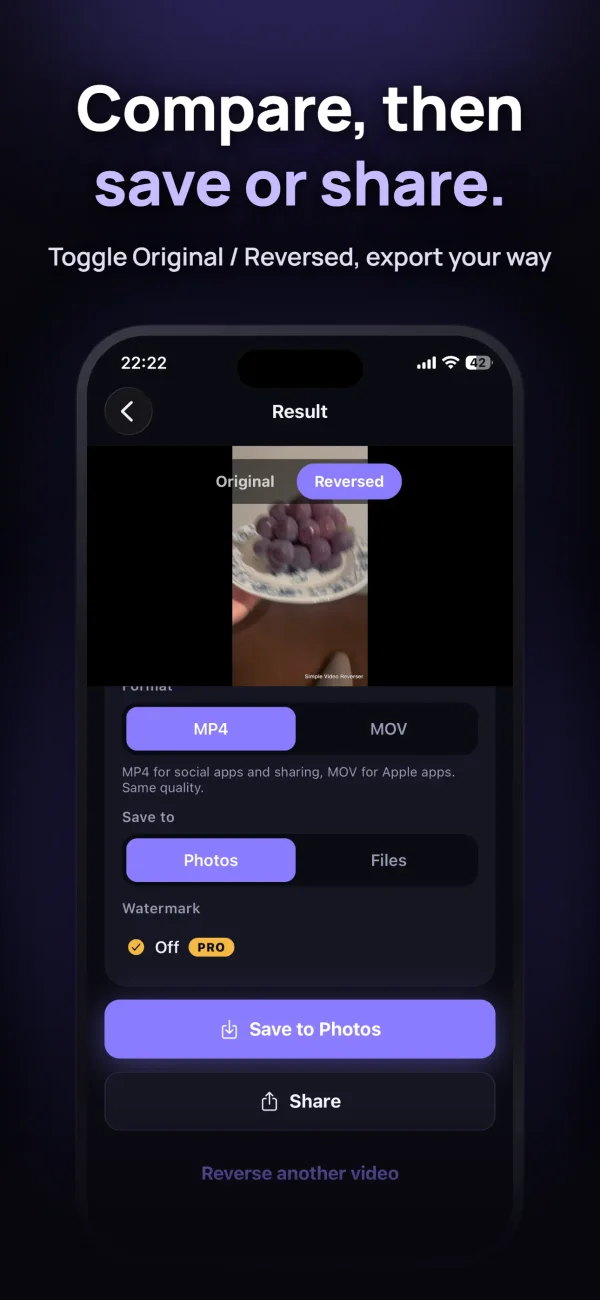
- Result screen with an Original / Reversed toggle, so you can compare before you save
- Save to Photos, or share straight to social media and messages
- See the length of the result before you start
- If a video can't be processed, Rewindo tells you why (format, length, storage, and more)
- A clean dark design that puts your video first
PRO (one-time purchase)
- No watermark
- No length limit
- Boomerang: forward then backwards in one clip, loops seamlessly
- Speed: 0.25x / 0.5x slow-motion reverse or 1.5x / 2x fast reverse
- Buy once, keep forever. No subscription, no extra fees
Free
- Reverse the first 30 seconds of any video (longer videos are trimmed to the first 30 seconds)
- Reversed or muted sound
- Compare, save as MP4 or MOV to Photos or Files, and share
- Exports include a small watermark in the corner
Privacy
Everything runs on your iPhone. Your videos are never uploaded to a server, there is no account, and it works offline. Photo library access is used only to pick a video and to save the result.
Great for
- TikTok, Reels, and Shorts ideas
- Jumps, dives, splashes, confetti: anything that looks amazing in reverse
- Kids and pets, made a little bit magical
- Magic-trick and time-warp effects
For iPhone (iOS 16.4 or later).
Novedades
Versión 1.0.2 · 10/9/2026
- Addressed an issue where the app could quit partway through reversing large videos, such as 4K or screen recordings
- Reduced redundant video decoding while reversing
- The preview now pauses while a video is being processed, for more stable performance
Privacidad de la aplicación
Lo que Hiroki Sugiyama declara en App Store sobre cómo esta aplicación gestiona los datos.
-
Datos no vinculados a ti
Pueden recopilarse, pero no se vinculan a tu identidad.
- Compras
- Identificadores
- Datos de uso
Las prácticas de privacidad pueden variar, por ejemplo, según las funciones que uses o tu edad.
Información
- Vendedor
- Hiroki Sugiyama
- Categoría
- Foto y vídeo
- Versión
- 1.0.2
- Actualizado
- 10/9/2026
- Publicado
- 4/9/2026
- Tamaño
- 33,7 MB
- Requiere
- iOS 16.4 o posterior
- Clasificación por edad
- 4+
- Precio
- Gratis
- Compras en la aplicación
- Sí
- Idiomas
- Japonés, Inglés
- Copyright
- © 2026 Hiroki Sugiyama
Quizá también te guste
-
 memofilmTus recuerdos, en movimiento.
-
 KeepOne: Similar Photo CleanerFoto y vídeo
-
 Vídeo al revés: Editor simpleInvierte clips y audio
-
 Simple Video ReverserFoto y vídeo
-
 MetaClean: GPS & EXIF RemoverFoto y vídeo
-
 Tape, it Black|Mask with TapeFoto y vídeo
-
 Rewind: Reverse Video LoopsFoto y vídeo
-
 HushCut - Auto Silence RemoverFoto y vídeo
-
 Filmgate - Cinematic CameraFoto y vídeo
-
 おあそびカメラ - こども写真・光のお絵かき・タイムラプスFoto y vídeo