
Rewindo - Reverse Video Maker
Play any video backwards
Conçue pour iPhone
Gratuit · Achats intégrés
- Classification d’âge4+
- CatégoriePhoto et vidéo
- DéveloppeurHiroki Sugiyama
- LanguesJaponais+ 1 de plus
- Taille33,7 Mo
Renvoie vers la page App Store officielle
Download.org n’héberge aucun fichier de Rewindo - Reverse Video Maker. Le bouton ouvre la page de l’application sur App Store, où Hiroki Sugiyama la publie. Fiche vérifiée pour la dernière fois le 13/11/2026.
Captures d’écran


À propos
Le développeur n’a pas fourni ce texte dans votre langue.
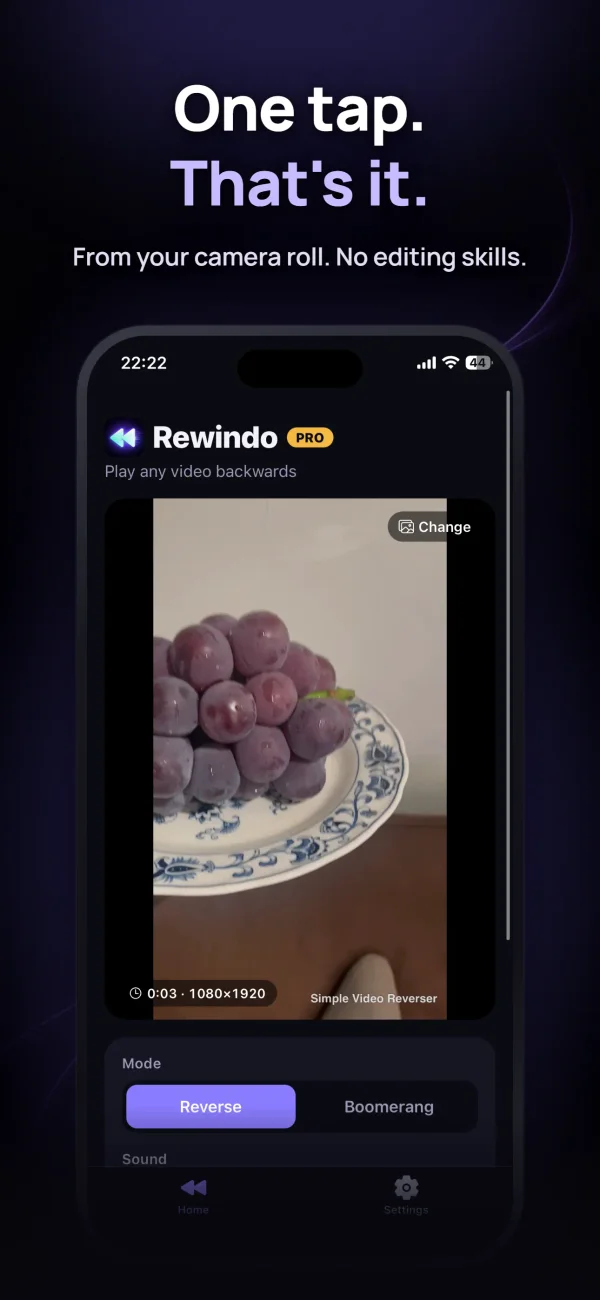
Rewindo turns any video from your camera roll into a reversed clip, picture and sound, with a single tap.
Jumps become landings. Spills clean themselves up. Runners go backwards. Pick a video, tap "Reverse it", and rewind reality. No setup, no account.
Features
- Pick one video from your camera roll and reverse it
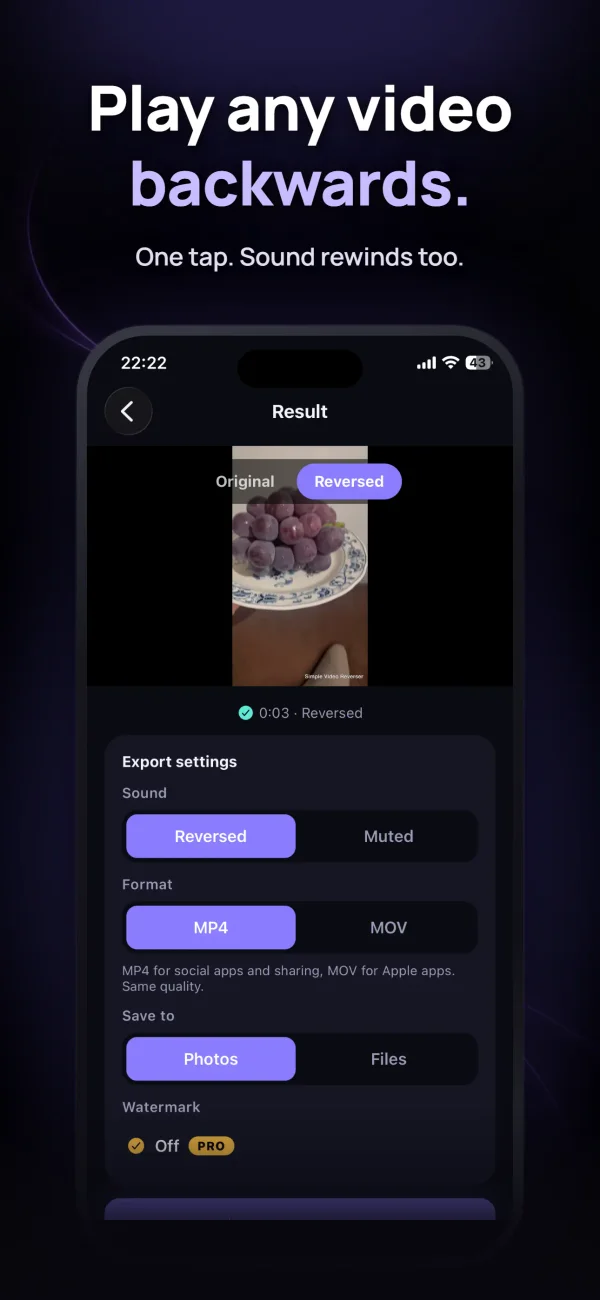
- Sound is reversed too (or choose Muted)
- Progress and time remaining while it works, and you can cancel anytime
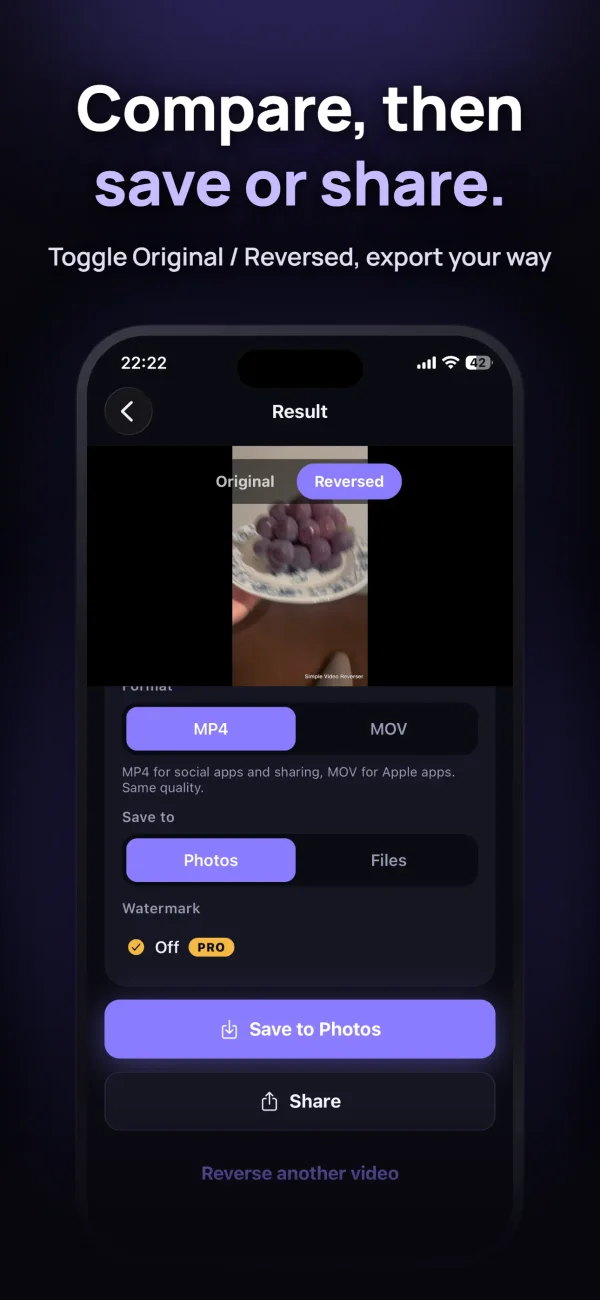
- Result screen with an Original / Reversed toggle, so you can compare before you save
- Save to Photos, or share straight to social media and messages
- See the length of the result before you start
- If a video can't be processed, Rewindo tells you why (format, length, storage, and more)
- A clean dark design that puts your video first
PRO (one-time purchase)
- No watermark
- No length limit
- Boomerang: forward then backwards in one clip, loops seamlessly
- Speed: 0.25x / 0.5x slow-motion reverse or 1.5x / 2x fast reverse
- Buy once, keep forever. No subscription, no extra fees
Free
- Reverse the first 30 seconds of any video (longer videos are trimmed to the first 30 seconds)
- Reversed or muted sound
- Compare, save as MP4 or MOV to Photos or Files, and share
- Exports include a small watermark in the corner
Privacy
Everything runs on your iPhone. Your videos are never uploaded to a server, there is no account, and it works offline. Photo library access is used only to pick a video and to save the result.
Great for
- TikTok, Reels, and Shorts ideas
- Jumps, dives, splashes, confetti: anything that looks amazing in reverse
- Kids and pets, made a little bit magical
- Magic-trick and time-warp effects
For iPhone (iOS 16.4 or later).
Nouveautés
Version 1.0.2 · 10/09/2026
- Addressed an issue where the app could quit partway through reversing large videos, such as 4K or screen recordings
- Reduced redundant video decoding while reversing
- The preview now pauses while a video is being processed, for more stable performance
Confidentialité de l’application
Ce que Hiroki Sugiyama déclare sur l’App Store au sujet du traitement des données par cette application.
-
Données n’établissant aucun lien avec vous
Peuvent être collectées, mais ne sont pas liées à votre identité.
- Achats
- Identifiants
- Données d’utilisation
Les pratiques en matière de confidentialité peuvent varier, notamment en fonction des fonctionnalités que vous utilisez ou de votre âge.
Informations
- Vendeur
- Hiroki Sugiyama
- Catégorie
- Photo et vidéo
- Version
- 1.0.2
- Mis à jour
- 10/09/2026
- Publié
- 04/09/2026
- Taille
- 33,7 Mo
- Nécessite
- iOS 16.4 ou version ultérieure
- Classification d’âge
- 4+
- Prix
- Gratuit
- Achats intégrés
- Oui
- Langues
- Japonais, Anglais
- Copyright
- © 2026 Hiroki Sugiyama
Vous aimerez peut-être aussi
-
 memofilmVos souvenirs, en mouvement.
-
 KeepOne: Similar Photo CleanerPhoto et vidéo
-
 Vidéo inversée : ÉditeurClips à l'envers avec le son
-
 Simple Video ReverserPhoto et vidéo
-
 MetaClean: GPS & EXIF RemoverPhoto et vidéo
-
 Tape, it Black|Mask with TapePhoto et vidéo
-
 Rewind: Reverse Video LoopsPhoto et vidéo
-
 HushCut - Auto Silence RemoverPhoto et vidéo
-
 Filmgate - Cinematic CameraPhoto et vidéo
-
 おあそびカメラ - こども写真・光のお絵かき・タイムラプスPhoto et vidéo