
Rewindo - Reverse Video Maker
Play any video backwards
Designed for iPhone
In-app purchases
- Age rating4+
- CategoryPhoto & Video
- DeveloperHiroki Sugiyama
- LanguagesJapanese+ 1 more
- Size33.7 MB
Links to the official App Store page
Download.org hosts no file of Rewindo - Reverse Video Maker. The button opens its official App Store page, published by Hiroki Sugiyama. Listing last checked on Nov 13, 2026.
Screenshots


About
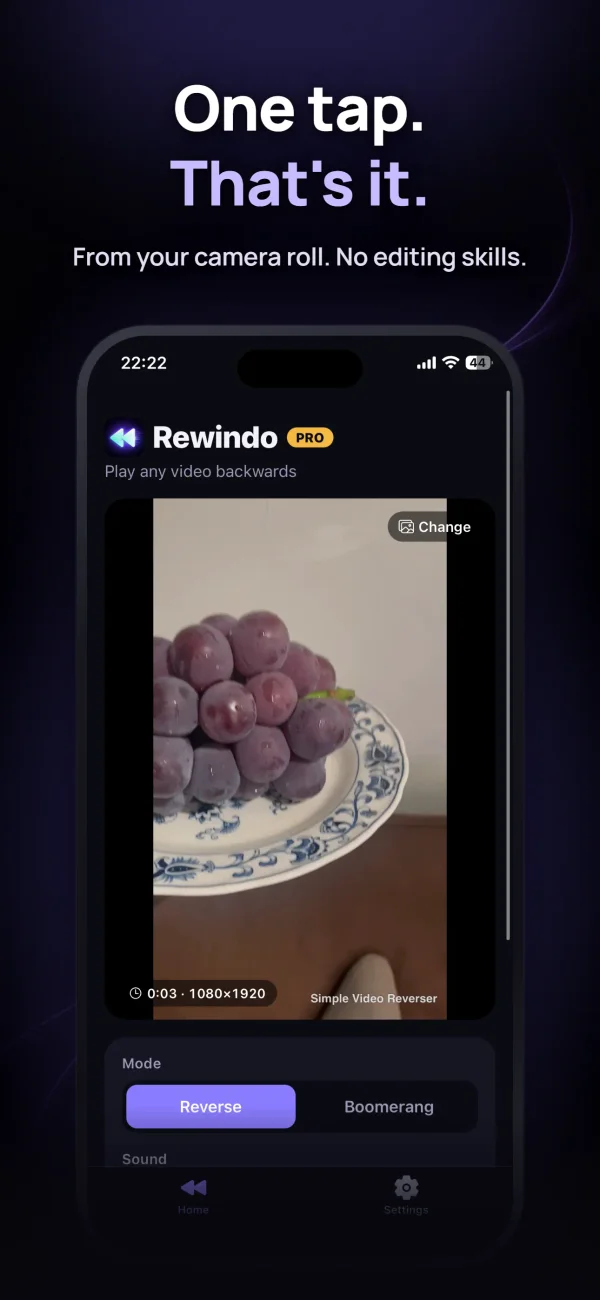
Rewindo turns any video from your camera roll into a reversed clip, picture and sound, with a single tap.
Jumps become landings. Spills clean themselves up. Runners go backwards. Pick a video, tap "Reverse it", and rewind reality. No setup, no account.
Features
- Pick one video from your camera roll and reverse it
- Sound is reversed too (or choose Muted)
- Progress and time remaining while it works, and you can cancel anytime
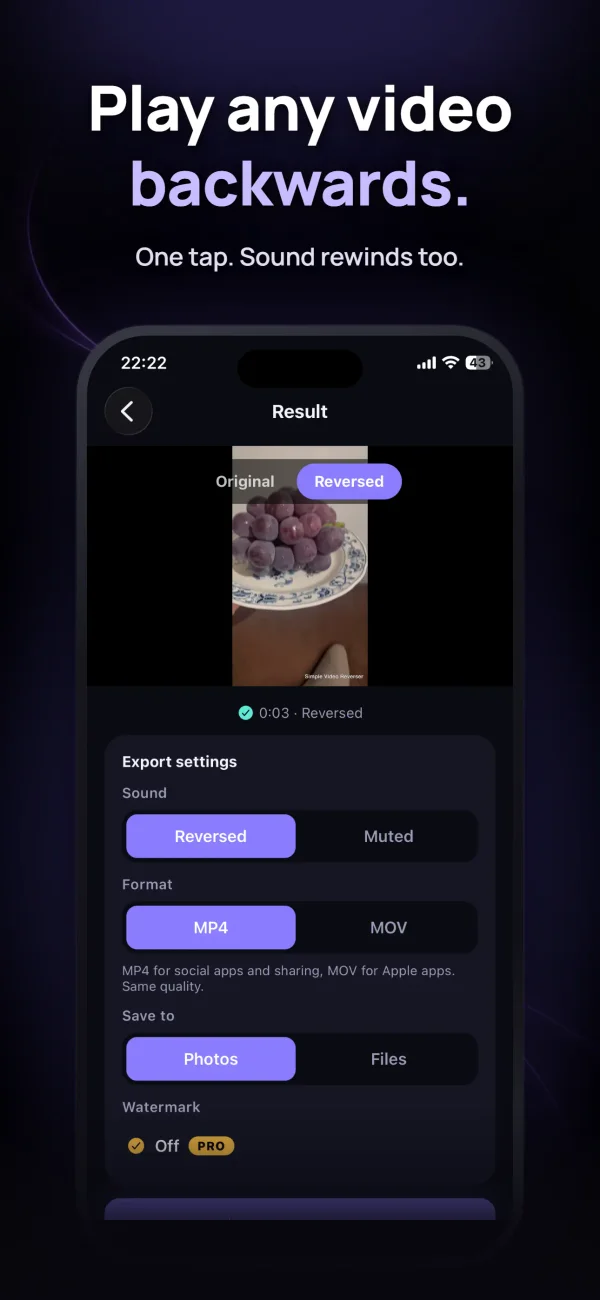
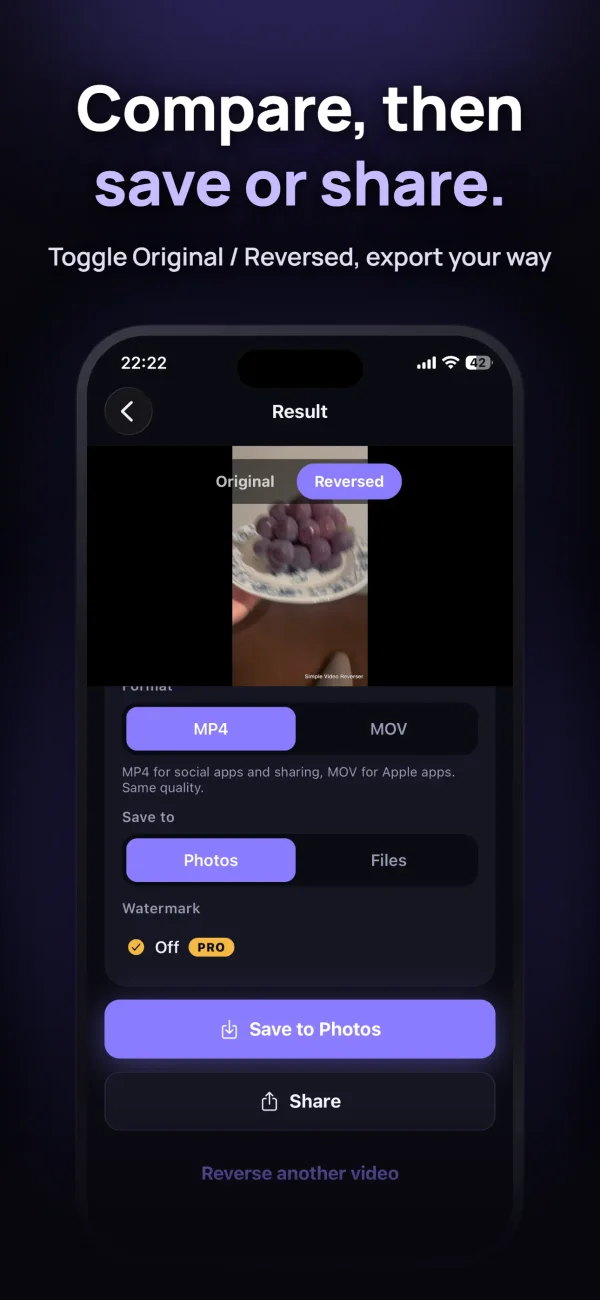
- Result screen with an Original / Reversed toggle, so you can compare before you save
- Save to Photos, or share straight to social media and messages
- See the length of the result before you start
- If a video can't be processed, Rewindo tells you why (format, length, storage, and more)
- A clean dark design that puts your video first
PRO (one-time purchase)
- No watermark
- No length limit
- Boomerang: forward then backwards in one clip, loops seamlessly
- Speed: 0.25x / 0.5x slow-motion reverse or 1.5x / 2x fast reverse
- Buy once, keep forever. No subscription, no extra fees
Free
- Reverse the first 30 seconds of any video (longer videos are trimmed to the first 30 seconds)
- Reversed or muted sound
- Compare, save as MP4 or MOV to Photos or Files, and share
- Exports include a small watermark in the corner
Privacy
Everything runs on your iPhone. Your videos are never uploaded to a server, there is no account, and it works offline. Photo library access is used only to pick a video and to save the result.
Great for
- TikTok, Reels, and Shorts ideas
- Jumps, dives, splashes, confetti: anything that looks amazing in reverse
- Kids and pets, made a little bit magical
- Magic-trick and time-warp effects
For iPhone (iOS 16.4 or later).
What’s new
Version 1.0.2 · Sep 10, 2026
- Addressed an issue where the app could quit partway through reversing large videos, such as 4K or screen recordings
- Reduced redundant video decoding while reversing
- The preview now pauses while a video is being processed, for more stable performance
App privacy
What Hiroki Sugiyama declares on the App Store about how this app handles data.
-
Data not linked to you
May be collected but is not linked to your identity.
- Purchases
- Identifiers
- Usage data
Privacy practices may vary, for example with the features you use or your age.
Information
- Seller
- Hiroki Sugiyama
- Category
- Photo & Video
- Version
- 1.0.2
- Updated
- Sep 10, 2026
- Released
- Sep 4, 2026
- Size
- 33.7 MB
- Requires
- iOS 16.4 or later
- Age rating
- 4+
- In-app purchases
- Yes
- Languages
- Japanese, English
- Copyright
- © 2026 Hiroki Sugiyama
You might also like
-
 memofilmYour memories, in motion.
-
 KeepOne: Similar Photo CleanerSwipe to delete, free up space
-
 Video Reverser: Rewind ClipsPlay Backwards with Audio
-
 Simple Video ReverserReverse Any Video Instantly
-
 MetaClean: GPS & EXIF RemoverRemove location & EXIF data
-
 Tape, it Black|Mask with TapeRedact photos with black tape
-
 Rewind: Reverse Video LoopsReverse & loop video maker
-
 HushCut - Auto Silence RemoverVideo Trimmer for Podcast/Vlog
-
 Filmgate - Cinematic CameraPhoto & Pro Video Controls
-
 おあそびカメラ - こども写真・光のお絵かき・タイムラプスPhoto & Video