ScanPDF: PDF Scanner
Documents, OCR & image export
Diseñada para iPhone
Gratis · Compras en la aplicación
- Clasificación por edad4+
- CategoríaProductividad
- DesarrolladorClément Béchu
- IdiomasInglés+ 1 más
- Tamaño4,2 MB
Enlaza a la página oficial de App Store
Download.org no aloja ningún archivo de ScanPDF: PDF Scanner. El botón abre la página de la aplicación en App Store, donde la publica Clément Béchu. Ficha comprobada por última vez el 12/11/2026.
Capturas de pantalla
Acerca de
El desarrollador no ha proporcionado este texto en tu idioma.
Scan documents to PDF and convert PDFs into images.
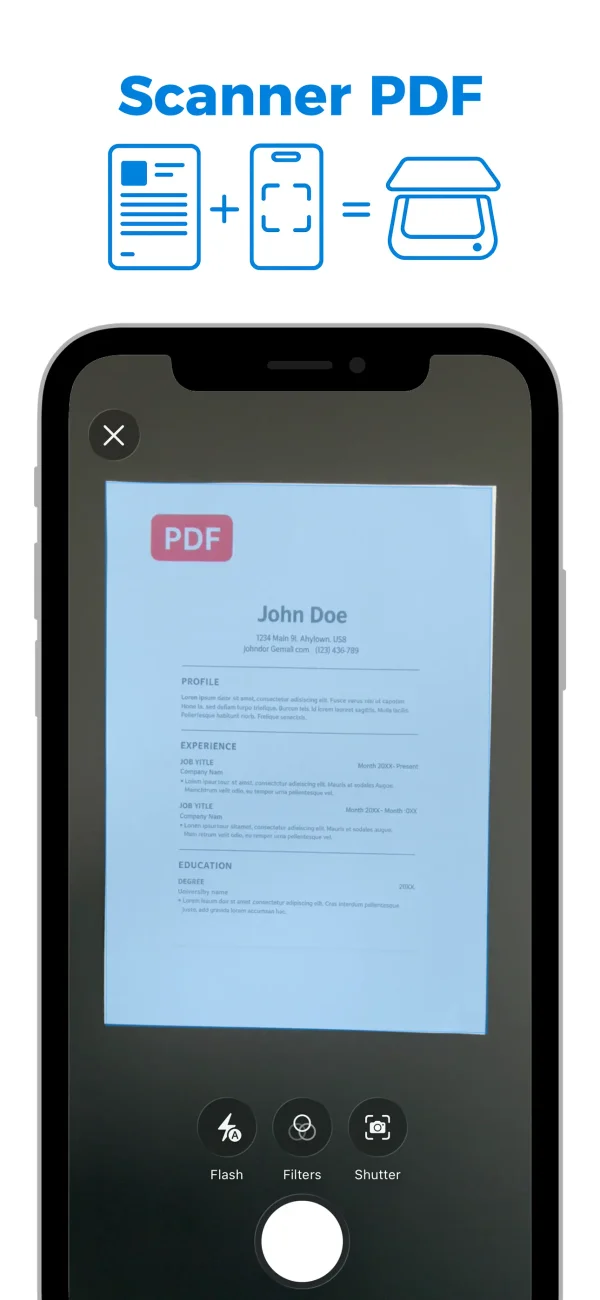
Turn your iPhone into a document scanner with ScanPDF. Scan pages, adjust their framing, add your signature, and share PDF files in just a few steps.
From class notes and receipts to invoices, contracts, and personal paperwork, keep your documents handy for school, work, and everyday life.
SCAN AND CREATE PDFs
• Scan documents using your iPhone camera.
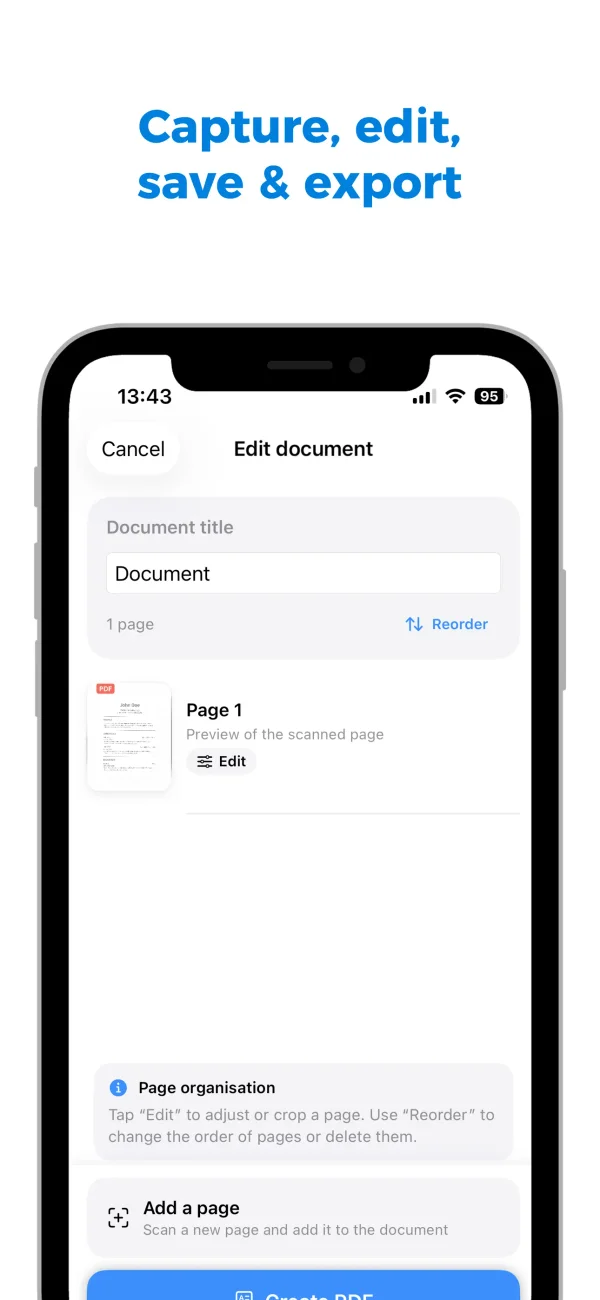
• Combine multiple pages into one PDF.
• Adjust page framing and orientation.
• Preview your documents before sharing.
EXTRACT TEXT FROM YOUR DOCUMENTS
Use optical character recognition (OCR) to extract text from scanned pages. Copy and reuse the text without typing it all again.
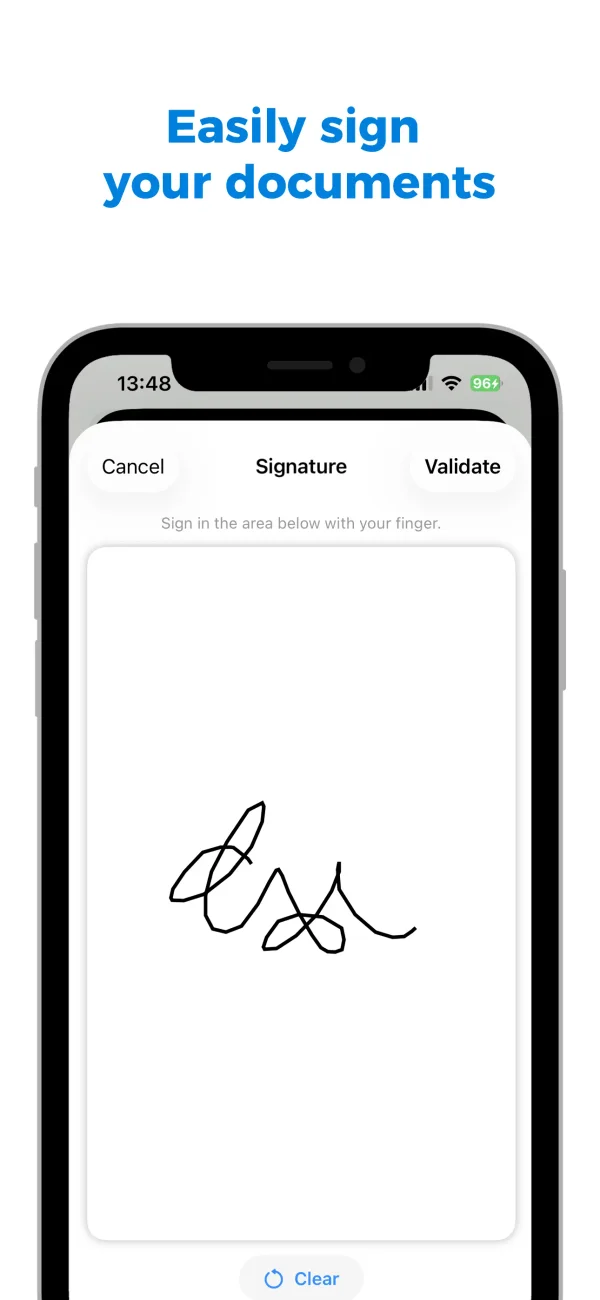
ADD YOUR SIGNATURE
Draw your signature and place it on your pages before creating your PDF.
CONVERT PDFs TO JPG OR PNG — PRO
Import a PDF or open a document already saved in the app. Convert each page into an image, then save or share individual images or all pages at once.
SAVE AND SHARE
• Find your saved documents in the app’s history.
• Store your scans locally on your device.
• Share PDFs through Mail, Messages, or other compatible apps.
• Scan and process documents offline, without uploading them to an online conversion service.
SCANPDF PRO
A Pro subscription lets you:
• Create PDFs without watermarks.
• Convert PDFs into JPG or PNG images.
• Enjoy unlimited access to Pro features.
• Use the app without ads.
Choose a monthly or annual subscription. Pricing and billing periods are displayed in the app before purchase.
SUBSCRIPTION INFORMATION
Payment is charged to your Apple Account at confirmation of purchase. Your subscription renews automatically unless you cancel at least 24 hours before the end of the current period. Your account is charged for renewal within 24 hours before the current period ends.
You can manage or cancel your subscription in your App Store account settings after purchase.
Terms of Use (EULA): https://www.apple.com/legal/internet-services/itunes/dev/stdeula/
Terms: https://www.123mobile.fr/scanpdf/conditions.html
Privacy Policy: https://www.123mobile.fr/scanpdf/politique.html
Novedades
Versión 1.03 · 22/10/2026
• Convert PDFs into JPG or PNG images with ScanPDF Pro.
• Save or share converted pages individually or all at once.
Privacidad de la aplicación
Lo que Clément Béchu declara en App Store sobre cómo esta aplicación gestiona los datos.
-
No se recopilan datos
El desarrollador no recopila ningún dato de esta aplicación.
Las prácticas de privacidad pueden variar, por ejemplo, según las funciones que uses o tu edad.
Información
- Vendedor
- Clement Bechu
- Categoría
- Productividad
- Versión
- 1.03
- Actualizado
- 22/10/2026
- Publicado
- 11/12/2025
- Tamaño
- 4,2 MB
- Requiere
- iOS 17.6 o posterior
- Clasificación por edad
- 4+
- Precio
- Gratis
- Compras en la aplicación
- Sí
- Idiomas
- Inglés, Francés
- Copyright
- © 123 Mobile
Quizá también te guste
-
 Escanear Documentos : PDFscanEscáner PDF: convertir fotos
-
 OptiDocProductividad
-
 Fuel Log MPG - Fuel LogOCR Ticket y Registro de Km
-
 DocuPDF – Scanner & EditorProductividad
-
 Sign PDF: Scan & Sign DocsProductividad
-
 DocuScanner – PDF ScannerProductividad
-
 Link.zip- Guardar enlacesGuarda y organiza enlaces
-
 i11fleetProductividad
-
 PDF Scanner & Doc EditorProductividad
-
 PDF Converter - PDF Scanner.Educación