
- Clasificación por edad4+
- CategoríaProductividad
- DesarrolladorHaruki Murasaki
- IdiomasInglés
- Tamaño7,7 MB
Es posible que Sill Notes no esté disponible en App Store en este momento
No se pudo acceder a la ficha de la tienda en nuestra última comprobación. El enlace sigue llevando a la página oficial de App Store.
Capturas de pantalla
Acerca de
El desarrollador no ha proporcionado este texto en tu idioma.
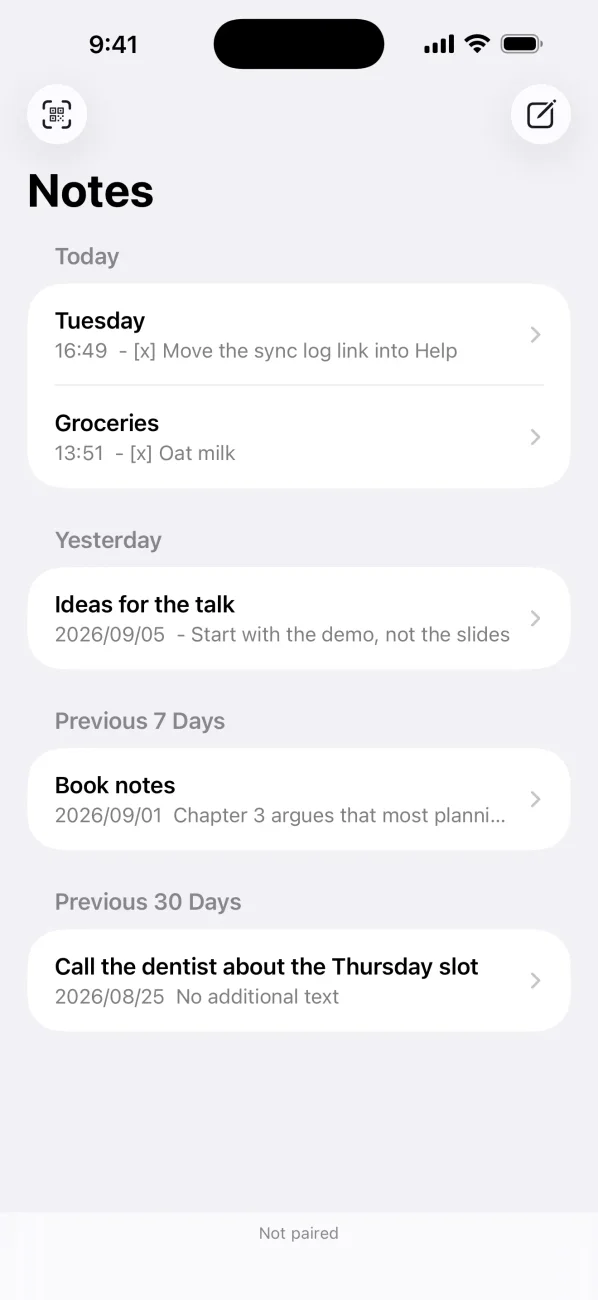
Sill is a small notepad for things you want to put down quickly and find again later.
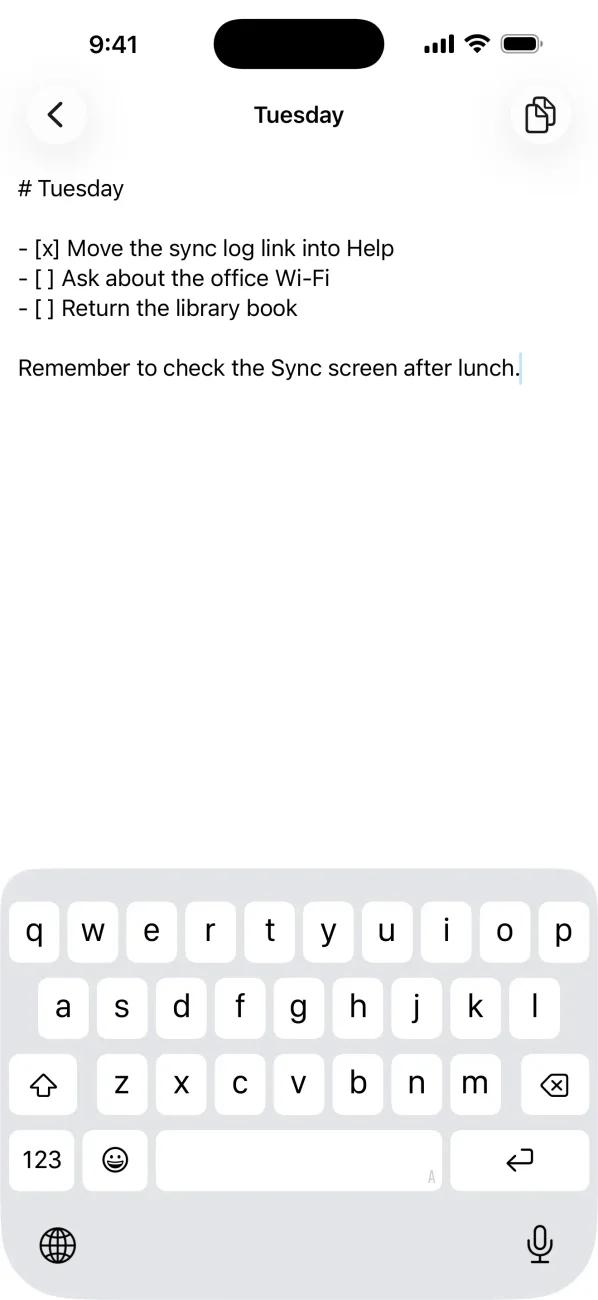
Notes are plain Markdown and stay plain. No smart quotes, no auto-capitalization, no hidden formatting: what you type is what is stored, and you can copy any note out as text at any time.
Everything lives on your iPhone in a single local database. There is no account to create and no server in between, so Sill opens instantly and works the same with or without a network.
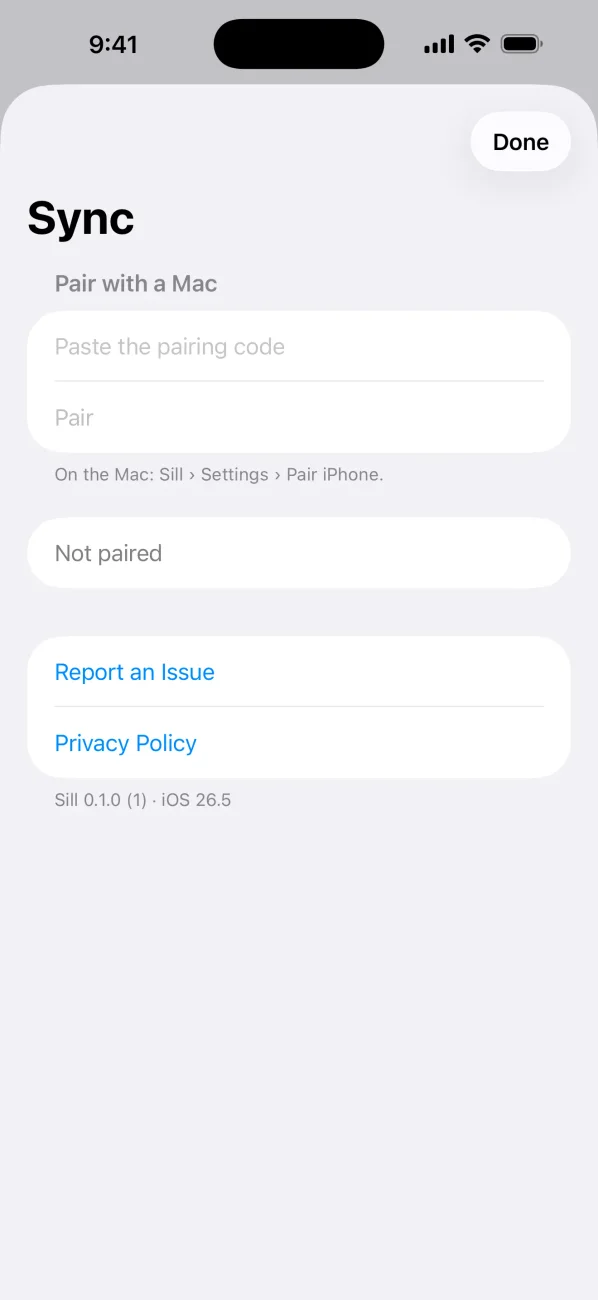
If you also use the free Sill app for Mac, pair the two once by scanning a QR code. From then on they sync directly whenever they are near each other, over your local network or peer-to-peer Wi-Fi, with mutual TLS between the two devices. Nothing passes through the internet. The Mac app is optional: Sill on iPhone is a complete notepad on its own.
A formatting bar above the keyboard adds headings, bold, italic, code, lists and checklists, all as plain Markdown. Return continues bullets, numbers and checkboxes.
Copy as Markdown pastes as real lists and emphasis into Slack, Mail, Notes and Docs, and as the exact text everywhere else.
Quiet: no analytics, no ads, no notifications, no third-party SDKs. Sill collects no data at all.
Sill is free and open source under the MIT license. Source code, issue tracker and the Mac app: github.com/mrskiro/sill
Novedades
Versión 0.3.0 · 21/9/2026
A formatting bar above the keyboard: headings, bold, italic, code, bulleted and numbered lists, checklists and indentation, written as plain Markdown.
Notes render their Markdown as you type: headings, emphasis and code are styled in place, while the text itself stays exactly what you wrote.
Copy as Markdown now also puts rich text on the clipboard, so a note pasted into Slack, Mail, Notes or Docs keeps its lists and emphasis.
Privacidad de la aplicación
Lo que Haruki Murasaki declara en App Store sobre cómo esta aplicación gestiona los datos.
-
No se recopilan datos
El desarrollador no recopila ningún dato de esta aplicación.
Las prácticas de privacidad pueden variar, por ejemplo, según las funciones que uses o tu edad.
Información
- Vendedor
- Haruki Murasaki
- Categoría
- Productividad
- Versión
- 0.3.0
- Actualizado
- 21/9/2026
- Publicado
- 15/9/2026
- Tamaño
- 7,7 MB
- Requiere
- iOS 26.0 o posterior
- Clasificación por edad
- 4+
- Idiomas
- Inglés
- Copyright
- © 2026 mrskiro
Quizá también te guste
-
 Remind & RecordProductividad
-
 Smart Notes Taker : NotepadProductividad
-
 ExpandNoteProductividad
-
 ZenLog: Minimalist Daily NotesProductividad
-
 Jot - NotesProductividad
-
 Librixa: Reading TrackerProductividad
-
 NeuroNookProductividad
-
 TenetsProductividad
-
 Dazzy: Day Planner & To-DoProductividad
-
 Metis: Markdown NotesProductividad