
- Batasan usia4+
- KategoriProduktivitas
- PengembangHaruki Murasaki
- BahasaInggris
- Ukuran7,7 MB
Tertaut ke halaman resmi App Store
Download.org tidak menyimpan file Sill Notes apa pun. Tombol ini membuka halaman aplikasi di App Store, tempat Haruki Murasaki menerbitkannya. Halaman terakhir diperiksa pada 18/11/2026.
Tangkapan layar
Tentang
Pengembang belum menyediakan teks ini dalam bahasa Anda.
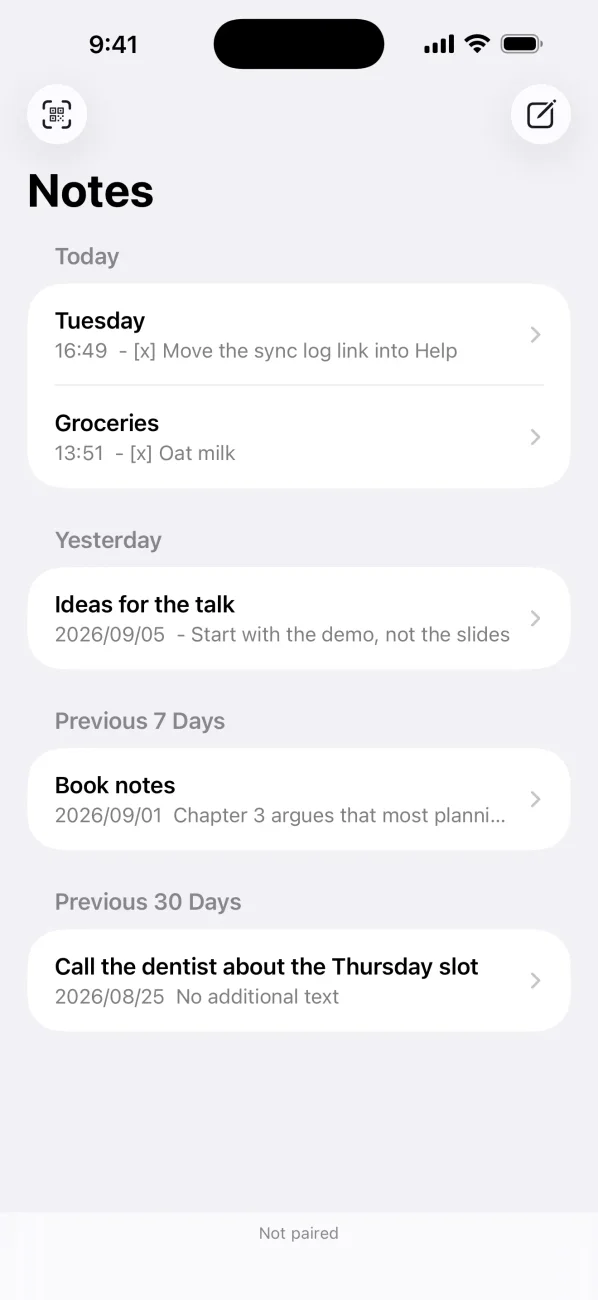
Sill is a small notepad for things you want to put down quickly and find again later.
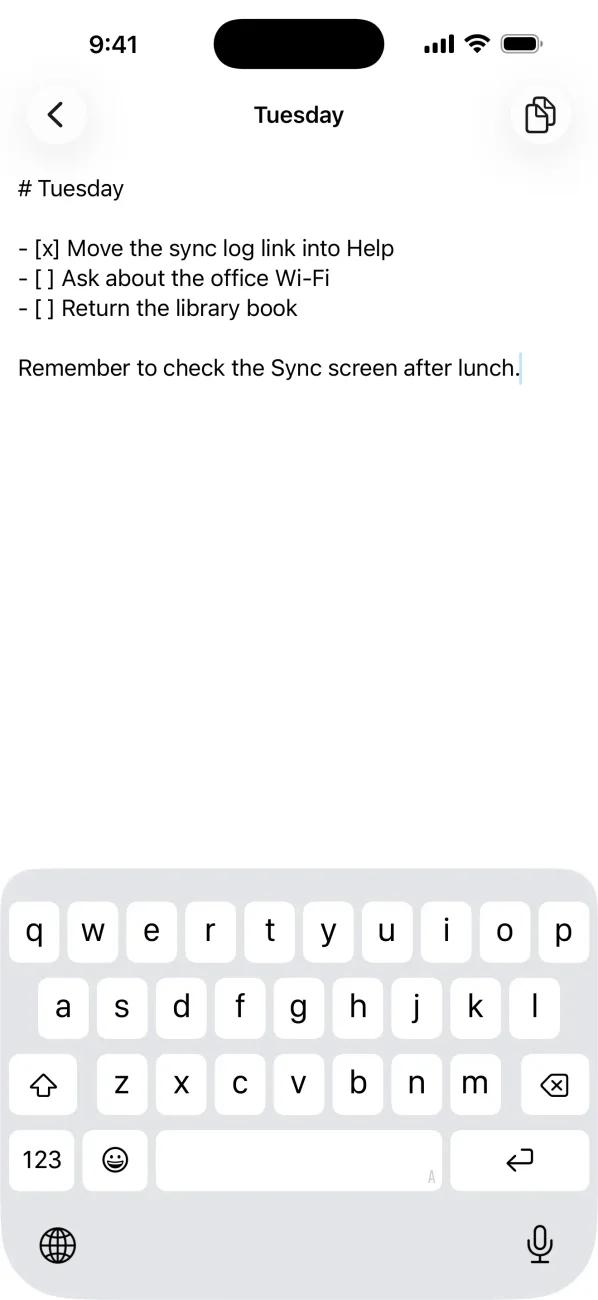
Notes are plain Markdown and stay plain. No smart quotes, no auto-capitalization, no hidden formatting: what you type is what is stored, and you can copy any note out as text at any time.
Everything lives on your iPhone in a single local database. There is no account to create and no server in between, so Sill opens instantly and works the same with or without a network.
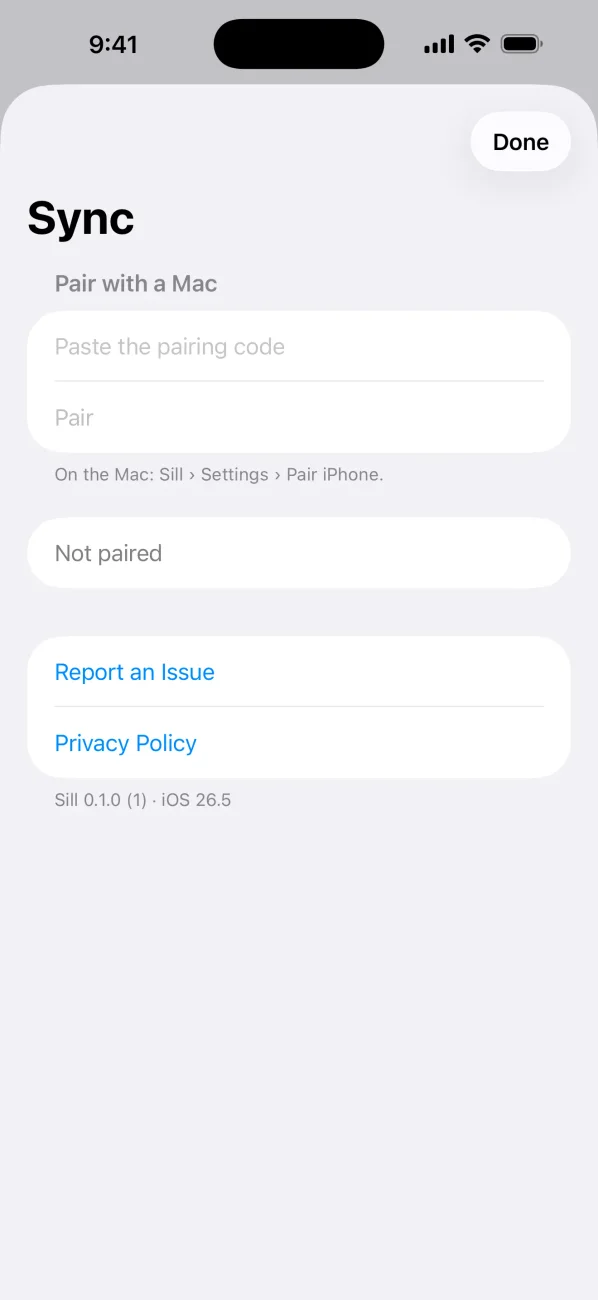
If you also use the free Sill app for Mac, pair the two once by scanning a QR code. From then on they sync directly whenever they are near each other, over your local network or peer-to-peer Wi-Fi, with mutual TLS between the two devices. Nothing passes through the internet. The Mac app is optional: Sill on iPhone is a complete notepad on its own.
A formatting bar above the keyboard adds headings, bold, italic, code, lists and checklists, all as plain Markdown. Return continues bullets, numbers and checkboxes.
Copy as Markdown pastes as real lists and emphasis into Slack, Mail, Notes and Docs, and as the exact text everywhere else.
Quiet: no analytics, no ads, no notifications, no third-party SDKs. Sill collects no data at all.
Sill is free and open source under the MIT license. Source code, issue tracker and the Mac app: github.com/mrskiro/sill
Yang baru
Versi 0.3.0 · 21/9/2026
A formatting bar above the keyboard: headings, bold, italic, code, bulleted and numbered lists, checklists and indentation, written as plain Markdown.
Notes render their Markdown as you type: headings, emphasis and code are styled in place, while the text itself stays exactly what you wrote.
Copy as Markdown now also puts rich text on the clipboard, so a note pasted into Slack, Mail, Notes or Docs keeps its lists and emphasis.
Privasi aplikasi
Yang dinyatakan Haruki Murasaki di App Store tentang cara aplikasi ini menangani data.
-
Data tidak dikumpulkan
Pengembang tidak mengumpulkan data apa pun dari aplikasi ini.
Praktik privasi dapat bervariasi, misalnya berdasarkan fitur yang Anda gunakan atau usia Anda.
Informasi
- Penjual
- Haruki Murasaki
- Kategori
- Produktivitas
- Versi
- 0.3.0
- Diperbarui
- 21/9/2026
- Dirilis
- 15/9/2026
- Ukuran
- 7,7 MB
- Memerlukan
- iOS 26.0 atau yang lebih baru
- Batasan usia
- 4+
- Harga
- Gratis
- Bahasa
- Inggris
- Hak cipta
- © 2026 mrskiro
Mungkin Anda juga suka
-
 Remind & RecordProduktivitas
-
 Smart Notes Taker : NotepadProduktivitas
-
 ExpandNoteProduktivitas
-
 ZenLog: Minimalist Daily NotesProduktivitas
-
 Jot - NotesProduktivitas
-
 Librixa - Reading TrackerTrack books, build a habit
-
 NeuroNookProduktivitas
-
 TenetsProduktivitas
-
 Dazzy: Day Planner & To-DoProduktivitas
-
 Metis: Markdown NotesProduktivitas