
- Classification d’âge4+
- CatégorieProductivité
- DéveloppeurHaruki Murasaki
- LanguesAnglais
- Taille7,7 Mo
Sill Notes n’est peut-être pas disponible sur App Store pour le moment
La fiche de la boutique était inaccessible lors de notre dernière vérification. Le lien mène toujours à la page App Store officielle.
Captures d’écran
À propos
Le développeur n’a pas fourni ce texte dans votre langue.
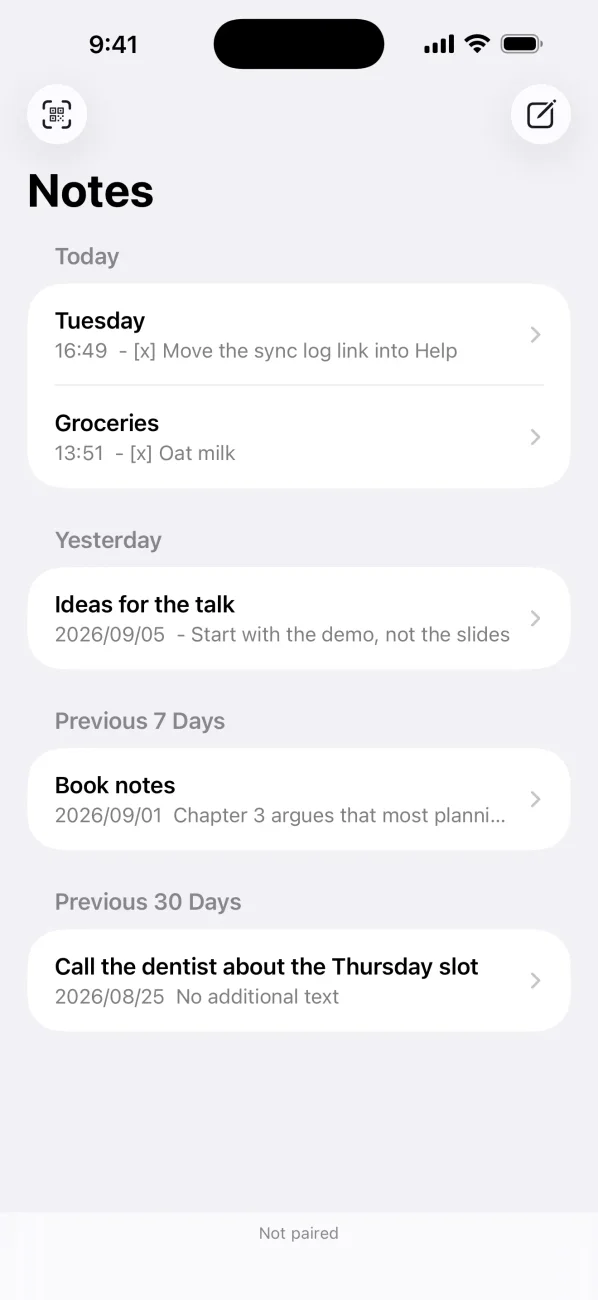
Sill is a small notepad for things you want to put down quickly and find again later.
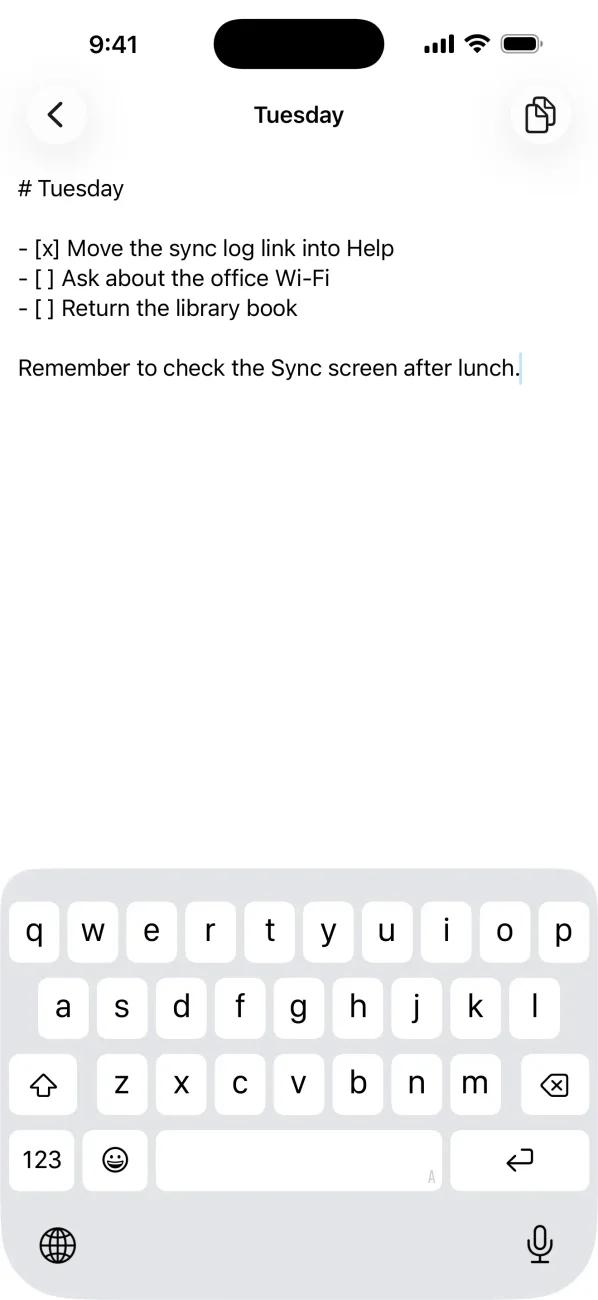
Notes are plain Markdown and stay plain. No smart quotes, no auto-capitalization, no hidden formatting: what you type is what is stored, and you can copy any note out as text at any time.
Everything lives on your iPhone in a single local database. There is no account to create and no server in between, so Sill opens instantly and works the same with or without a network.
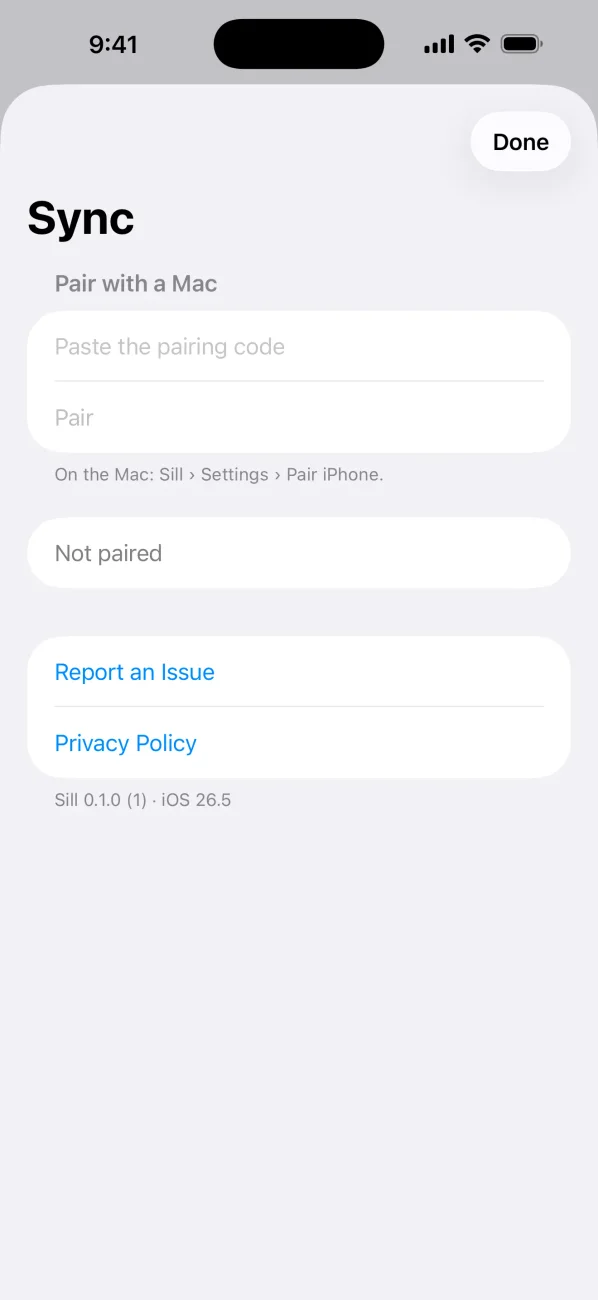
If you also use the free Sill app for Mac, pair the two once by scanning a QR code. From then on they sync directly whenever they are near each other, over your local network or peer-to-peer Wi-Fi, with mutual TLS between the two devices. Nothing passes through the internet. The Mac app is optional: Sill on iPhone is a complete notepad on its own.
A formatting bar above the keyboard adds headings, bold, italic, code, lists and checklists, all as plain Markdown. Return continues bullets, numbers and checkboxes.
Copy as Markdown pastes as real lists and emphasis into Slack, Mail, Notes and Docs, and as the exact text everywhere else.
Quiet: no analytics, no ads, no notifications, no third-party SDKs. Sill collects no data at all.
Sill is free and open source under the MIT license. Source code, issue tracker and the Mac app: github.com/mrskiro/sill
Nouveautés
Version 0.3.0 · 21/09/2026
A formatting bar above the keyboard: headings, bold, italic, code, bulleted and numbered lists, checklists and indentation, written as plain Markdown.
Notes render their Markdown as you type: headings, emphasis and code are styled in place, while the text itself stays exactly what you wrote.
Copy as Markdown now also puts rich text on the clipboard, so a note pasted into Slack, Mail, Notes or Docs keeps its lists and emphasis.
Confidentialité de l’application
Ce que Haruki Murasaki déclare sur l’App Store au sujet du traitement des données par cette application.
-
Données non collectées
Le développeur ne collecte aucune donnée à partir de cette application.
Les pratiques en matière de confidentialité peuvent varier, notamment en fonction des fonctionnalités que vous utilisez ou de votre âge.
Informations
- Vendeur
- Haruki Murasaki
- Catégorie
- Productivité
- Version
- 0.3.0
- Mis à jour
- 21/09/2026
- Publié
- 15/09/2026
- Taille
- 7,7 Mo
- Nécessite
- iOS 26.0 ou version ultérieure
- Classification d’âge
- 4+
- Langues
- Anglais
- Copyright
- © 2026 mrskiro
Vous aimerez peut-être aussi
-
 Remind & RecordProductivité
-
 Smart Notes Taker : NotepadProductivité
-
 ExpandNoteProductivité
-
 ZenLog: Minimalist Daily NotesProductivité
-
 Jot - NotesProductivité
-
 Librixa: Reading TrackerProductivité
-
 NeuroNookProductivité
-
 TenetsProductivité
-
 Dazzy: Day Planner & To-DoProductivité
-
 Metis: Markdown NotesProductivité