- Clasificación por edad4+
- CategoríaFoto y vídeo
- Desarrollador福民 冯
- IdiomasInglés+ 2 más
- Tamaño2,2 MB
Enlaza a la página oficial de App Store
Download.org no aloja ningún archivo de Snap Censor. El botón abre la página de la aplicación en App Store, donde la publica 福民 冯. Ficha comprobada por última vez el 6/11/2026.
Capturas de pantalla
Acerca de
El desarrollador no ha proporcionado este texto en tu idioma.
Snap Censor is a minimal, privacy-first screenshot censoring tool.
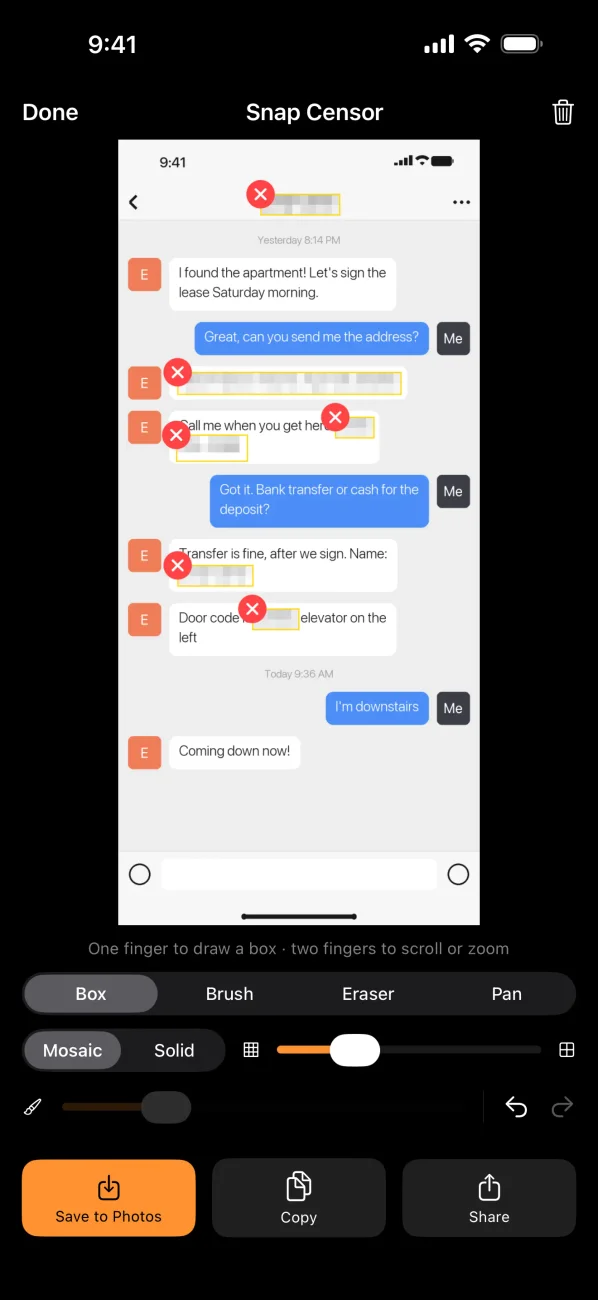
iOS Markup has no real mosaic — hiding private info means painting over it crudely. Snap Censor does it in two steps: box or brush over the area, then save.
CORE FEATURES
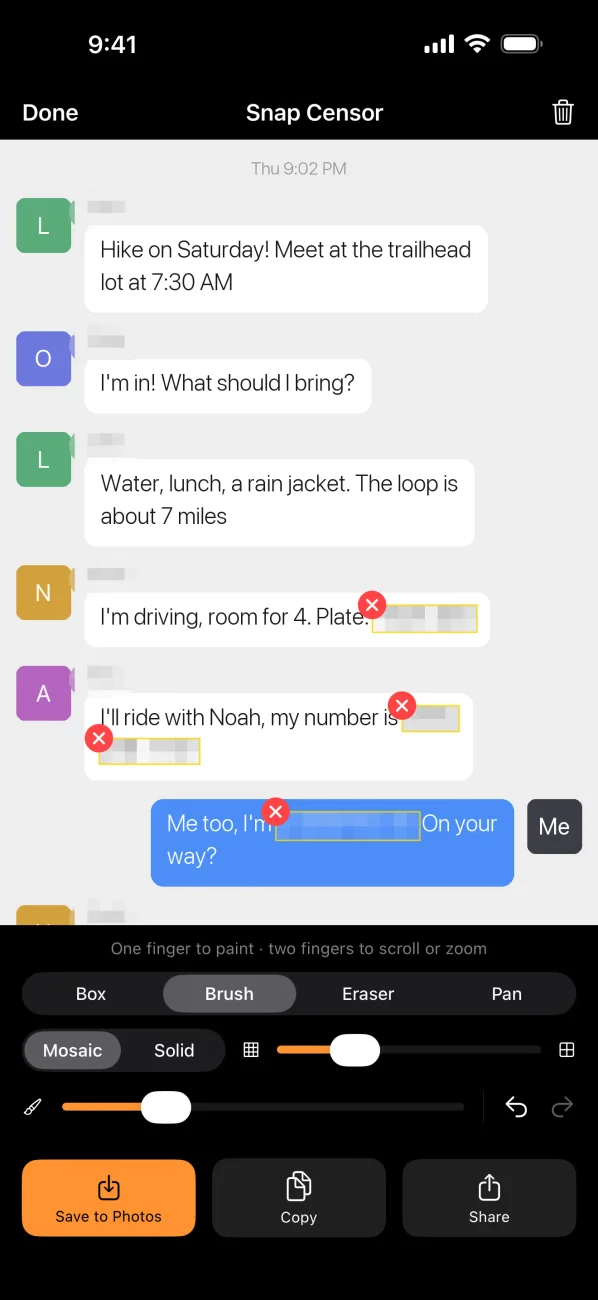
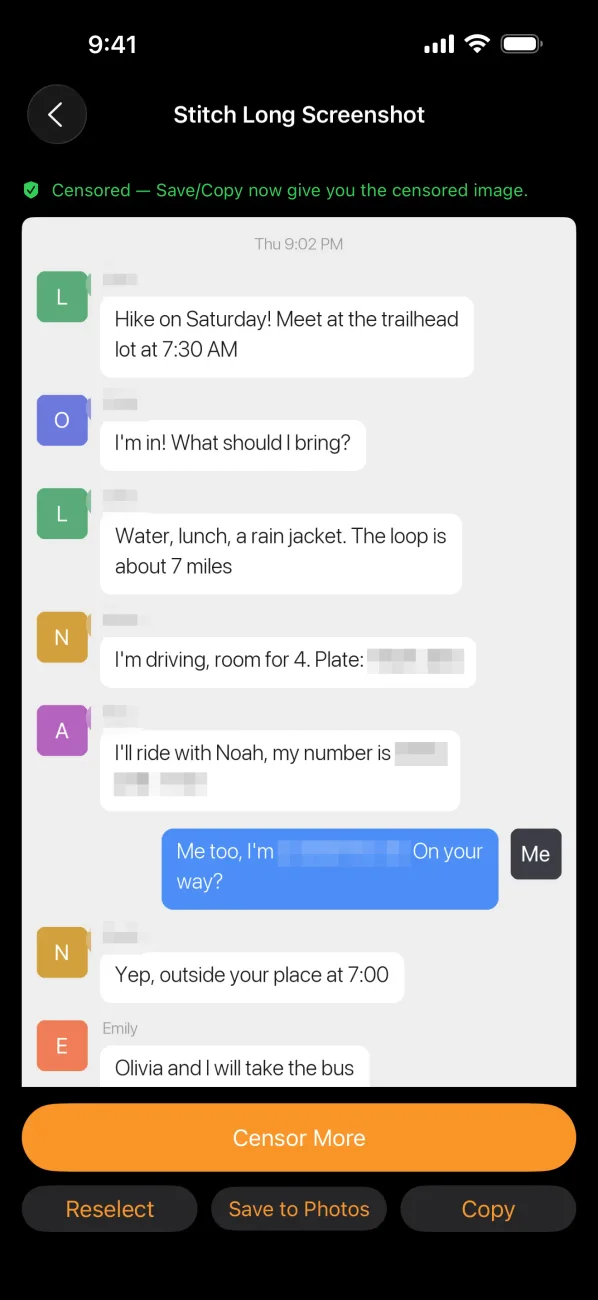
• Censor: drag a box, or use Brush to paint over anything and Eraser to wipe it back. Mosaic or solid block, adjustable strength and brush size, undo/redo. Long images scroll and zoom with two fingers while you censor.
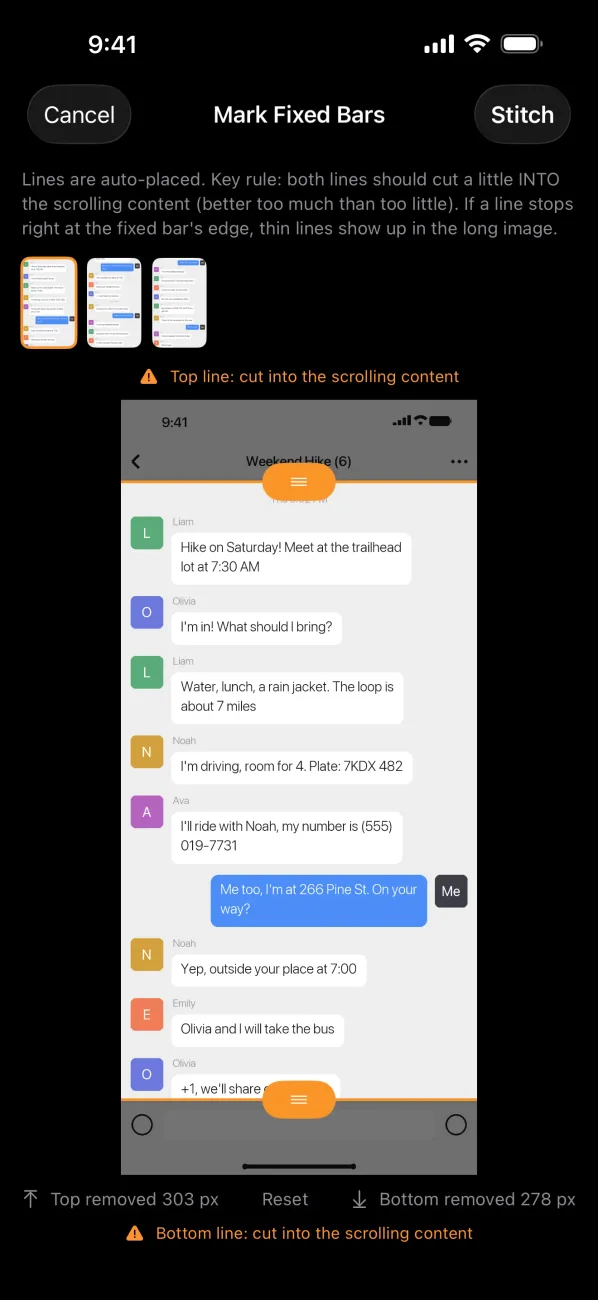
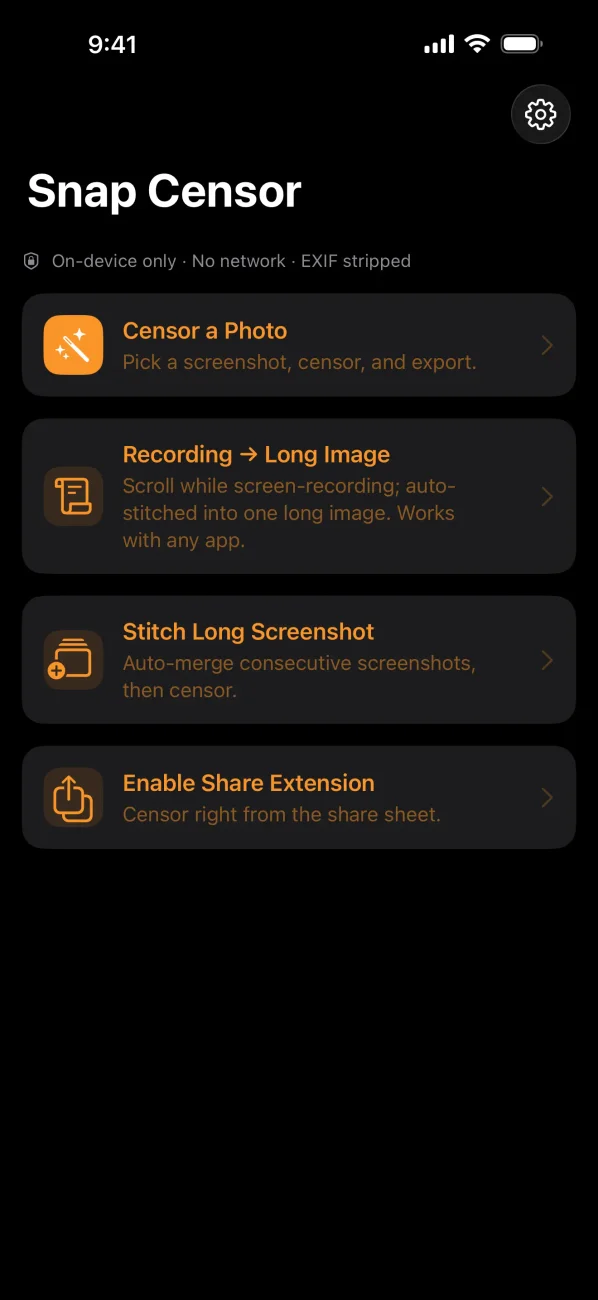
• Stitch long screenshots: multi-select screenshots, mark the fixed bars at the top and bottom, and overlaps are detected and removed into one clean long image. Choose which to include, reorder, and fine-tune any seam by hand.
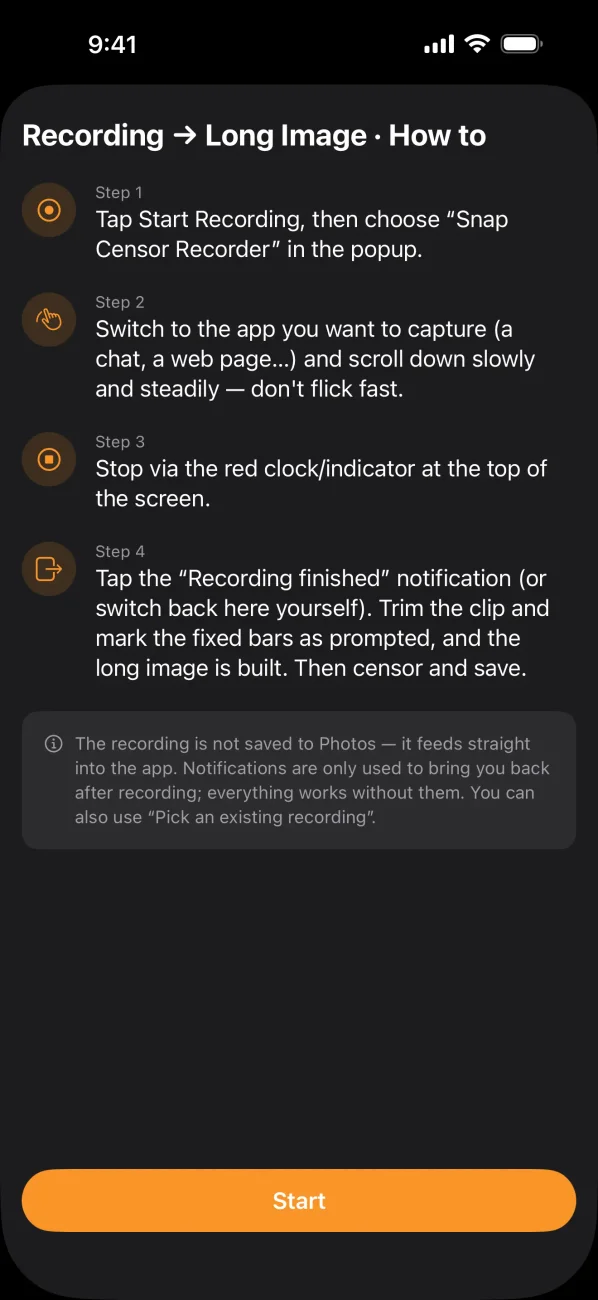
• Recording → Long Image: iOS doesn't let third-party apps auto-scroll other apps, so you scroll while screen-recording. Start recording from the app, tap the notification to come back when you stop, pick the clip, and the long image is built — works with any app.
• Share extension: censor right from the system share sheet, then Save & Close to save to Photos.
• Export: save to Photos, copy, or share — EXIF/GPS metadata is stripped automatically.
PRIVACY FIRST
• Everything is processed on your device. The app requests no network access.
• No data is collected or uploaded.
• Uses heavy pixelation or solid blocks only (not light blur that can be reversed).
• Notifications are only used to bring you back when a recording finishes. They are generated on-device; no server is involved.
Available in English, Simplified Chinese and Traditional Chinese.
Novedades
Versión 1.2 · 31/10/2026
This update:
• Long-image censoring, rebuilt: tall images fit the screen width; scroll and zoom with two fingers; box or brush with one finger — no more switching modes
• Smoother Recording → Long Image: when you stop recording, a “Recording finished” notification takes you back to the app in one tap. Processing is faster and uses far less memory, so longer recordings work
• Easier to finish: tap Done when you're through. Leaving without saving now asks first, with a one-tap "Save to Photos & Close". After censoring a stitched image, Save/Copy give you the censored version
• Mosaic strength now scales with image size, so large photos are covered just as well. Use Solid for passwords and card numbers
• Better stitching: both fixed-bar lines are placed slightly into the content to avoid thin lines; screenshots of different heights are aligned too; uncertain seams are flagged for you to check
• Share sheet: "Save & Close" saves the censored image straight to Photos
• Traditional Chinese added. English app name and permission prompts on English devices; devices set to other languages now get the English interface
• Fixes: the eraser could wipe a box's cover; the editor's top buttons were sometimes untappable; some share-sheet labels were unreadable in Light Mode; no message when an image was still in iCloud
• Other stability and performance improvements
As always: fully on-device, no network, no data collected.
Feedback: maplefeng1110@gmail.com
Privacidad de la aplicación
Lo que 福民 冯 declara en App Store sobre cómo esta aplicación gestiona los datos.
-
No se recopilan datos
El desarrollador no recopila ningún dato de esta aplicación.
Las prácticas de privacidad pueden variar, por ejemplo, según las funciones que uses o tu edad.
Información
- Vendedor
- 福民 冯
- Categoría
- Foto y vídeo
- Versión
- 1.2
- Actualizado
- 31/10/2026
- Publicado
- 24/10/2026
- Tamaño
- 2,2 MB
- Requiere
- iOS 16.0 o posterior
- Clasificación por edad
- 4+
- Precio
- Gratis
- Idiomas
- Inglés, Chino tradicional, Chino simplificado
- Copyright
- © 冯福民
Quizá también te guste
-
 随手打码 - 视频马赛克Foto y vídeo
-
 Saksak - Photo MosaicFoto y vídeo
-
 HideCutFoto y vídeo
-
 Rectangular MosaicFoto y vídeo
-
 KaoKeshi - Face BlurFoto y vídeo
-
 图片马赛克:照片模糊水印打码隐私保护Foto y vídeo
-
 Mosa: Mosaico y Difuminar FotoTú eliges qué desaparece
-
 AutoBlur - Difumina vídeosCaras y matrículas offline
-
 Clasificados - PrivacidadMosaico de fotos, desenfoque
-
 LiviGrid - Live Photo & PuzzleFoto y vídeo