- Classification d’âge4+
- CatégoriePhoto et vidéo
- Développeur福民 冯
- LanguesAnglais+ 2 de plus
- Taille2,2 Mo
Renvoie vers la page App Store officielle
Download.org n’héberge aucun fichier de Snap Censor. Le bouton ouvre la page de l’application sur App Store, où 福民 冯 la publie. Fiche vérifiée pour la dernière fois le 06/11/2026.
Captures d’écran
À propos
Le développeur n’a pas fourni ce texte dans votre langue.
Snap Censor is a minimal, privacy-first screenshot censoring tool.
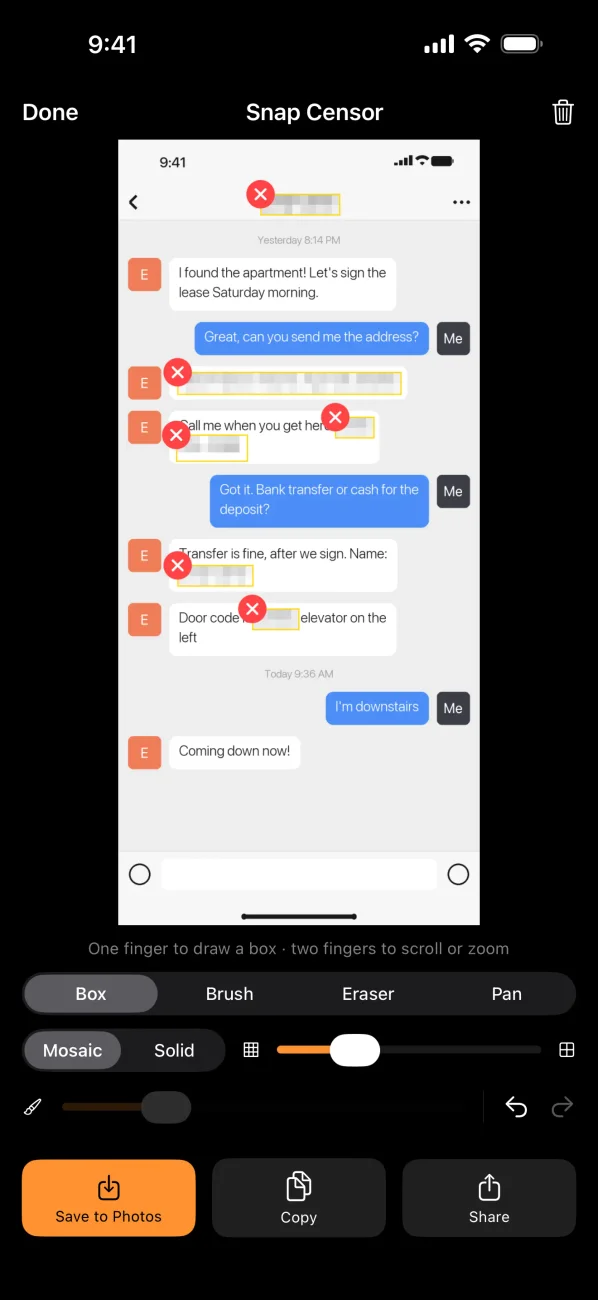
iOS Markup has no real mosaic — hiding private info means painting over it crudely. Snap Censor does it in two steps: box or brush over the area, then save.
CORE FEATURES
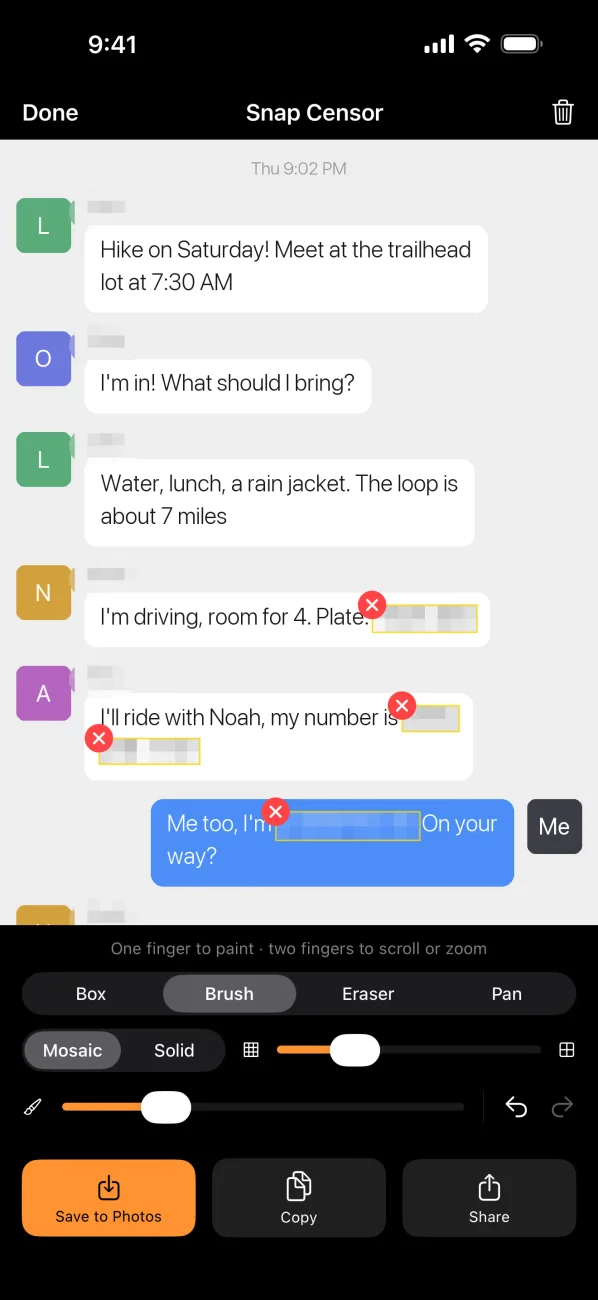
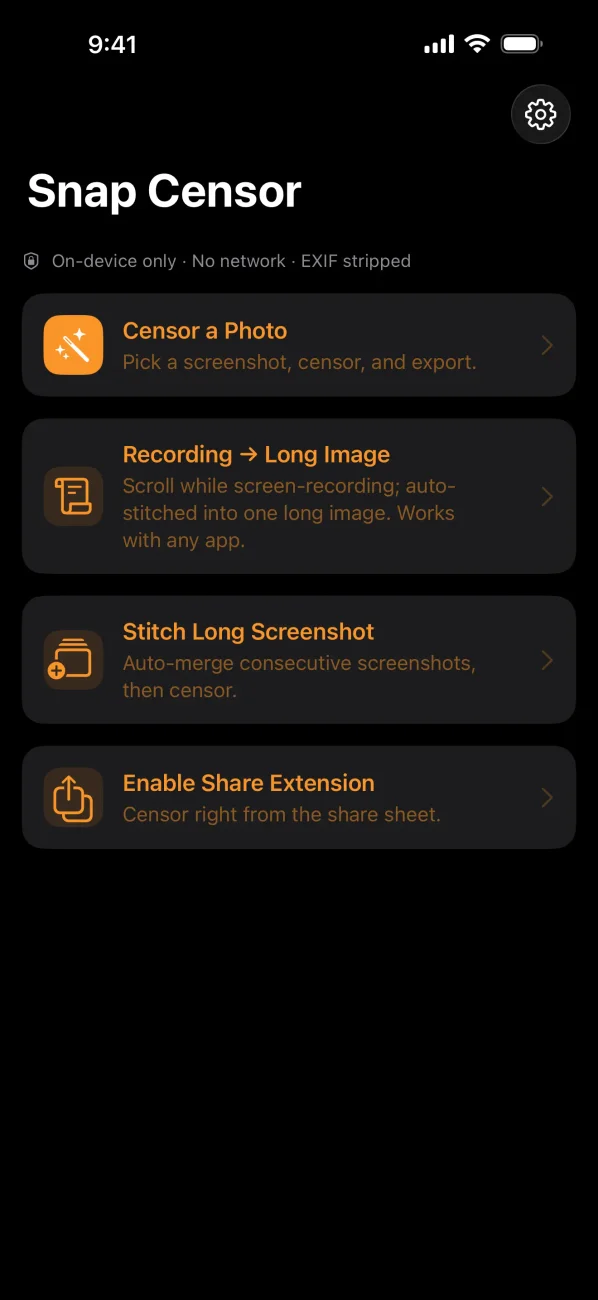
• Censor: drag a box, or use Brush to paint over anything and Eraser to wipe it back. Mosaic or solid block, adjustable strength and brush size, undo/redo. Long images scroll and zoom with two fingers while you censor.
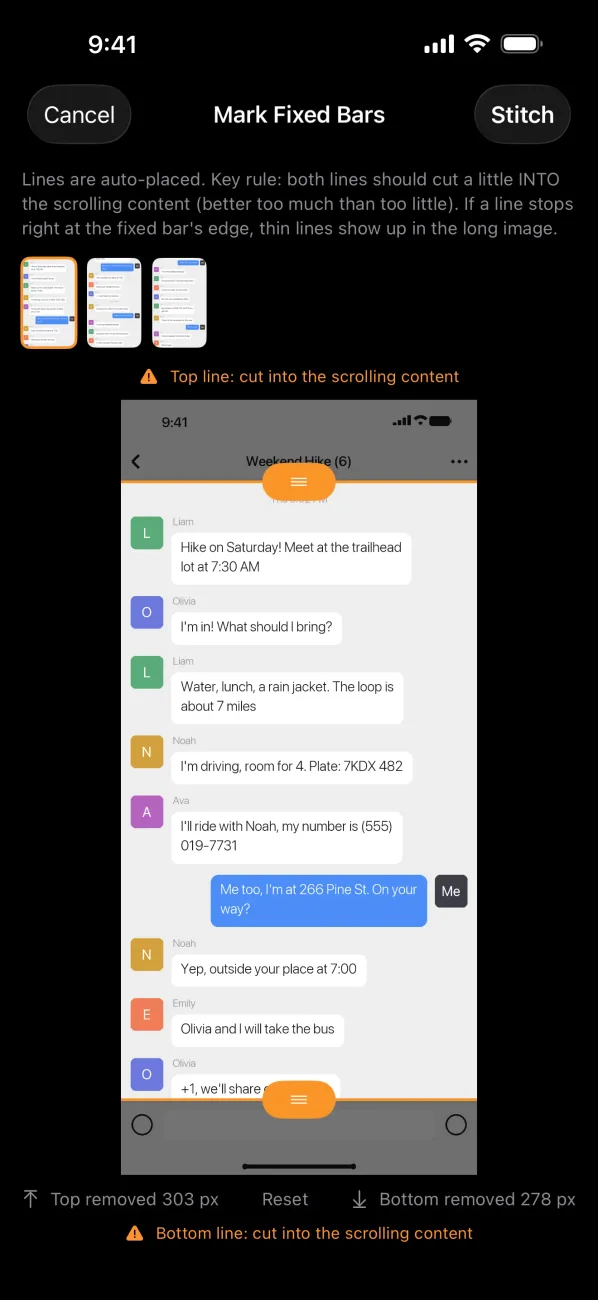
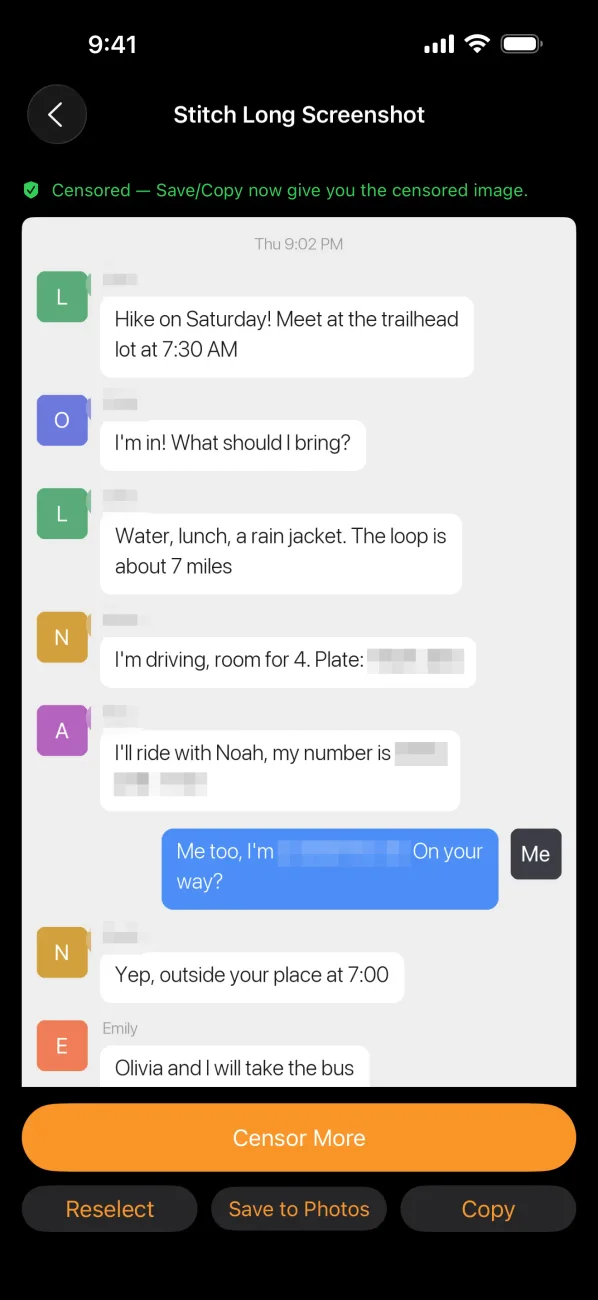
• Stitch long screenshots: multi-select screenshots, mark the fixed bars at the top and bottom, and overlaps are detected and removed into one clean long image. Choose which to include, reorder, and fine-tune any seam by hand.
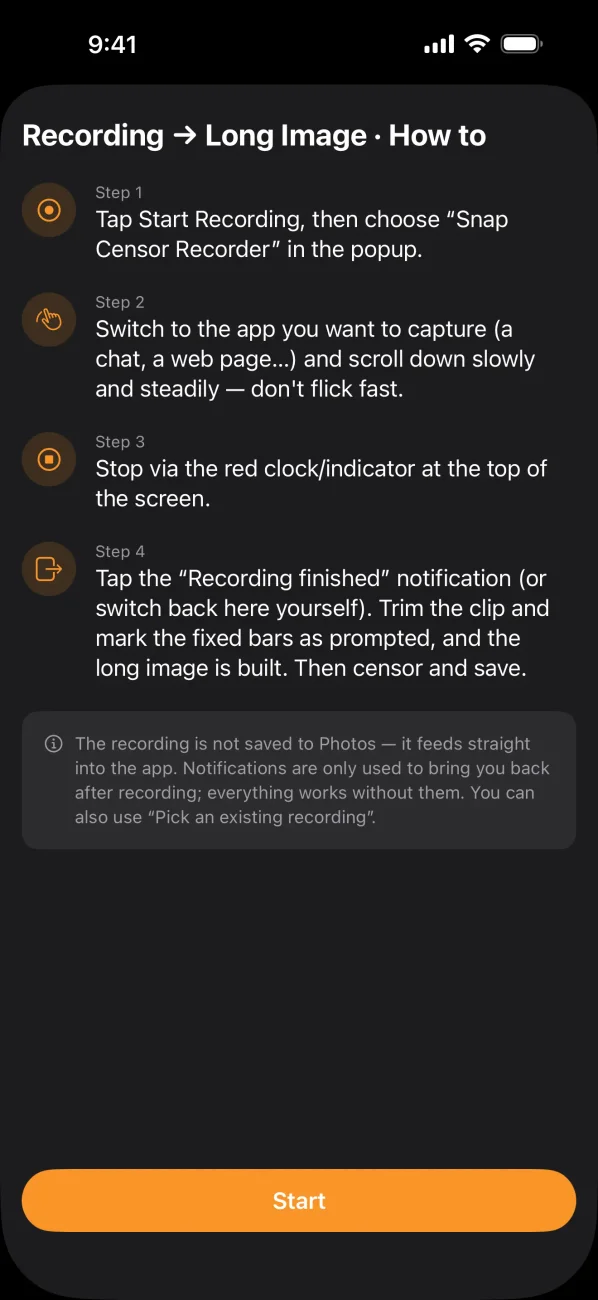
• Recording → Long Image: iOS doesn't let third-party apps auto-scroll other apps, so you scroll while screen-recording. Start recording from the app, tap the notification to come back when you stop, pick the clip, and the long image is built — works with any app.
• Share extension: censor right from the system share sheet, then Save & Close to save to Photos.
• Export: save to Photos, copy, or share — EXIF/GPS metadata is stripped automatically.
PRIVACY FIRST
• Everything is processed on your device. The app requests no network access.
• No data is collected or uploaded.
• Uses heavy pixelation or solid blocks only (not light blur that can be reversed).
• Notifications are only used to bring you back when a recording finishes. They are generated on-device; no server is involved.
Available in English, Simplified Chinese and Traditional Chinese.
Nouveautés
Version 1.2 · 31/10/2026
This update:
• Long-image censoring, rebuilt: tall images fit the screen width; scroll and zoom with two fingers; box or brush with one finger — no more switching modes
• Smoother Recording → Long Image: when you stop recording, a “Recording finished” notification takes you back to the app in one tap. Processing is faster and uses far less memory, so longer recordings work
• Easier to finish: tap Done when you're through. Leaving without saving now asks first, with a one-tap "Save to Photos & Close". After censoring a stitched image, Save/Copy give you the censored version
• Mosaic strength now scales with image size, so large photos are covered just as well. Use Solid for passwords and card numbers
• Better stitching: both fixed-bar lines are placed slightly into the content to avoid thin lines; screenshots of different heights are aligned too; uncertain seams are flagged for you to check
• Share sheet: "Save & Close" saves the censored image straight to Photos
• Traditional Chinese added. English app name and permission prompts on English devices; devices set to other languages now get the English interface
• Fixes: the eraser could wipe a box's cover; the editor's top buttons were sometimes untappable; some share-sheet labels were unreadable in Light Mode; no message when an image was still in iCloud
• Other stability and performance improvements
As always: fully on-device, no network, no data collected.
Feedback: maplefeng1110@gmail.com
Confidentialité de l’application
Ce que 福民 冯 déclare sur l’App Store au sujet du traitement des données par cette application.
-
Données non collectées
Le développeur ne collecte aucune donnée à partir de cette application.
Les pratiques en matière de confidentialité peuvent varier, notamment en fonction des fonctionnalités que vous utilisez ou de votre âge.
Informations
- Vendeur
- 福民 冯
- Catégorie
- Photo et vidéo
- Version
- 1.2
- Mis à jour
- 31/10/2026
- Publié
- 24/10/2026
- Taille
- 2,2 Mo
- Nécessite
- iOS 16.0 ou version ultérieure
- Classification d’âge
- 4+
- Prix
- Gratuit
- Langues
- Anglais, Chinois traditionnel, Chinois simplifié
- Copyright
- © 冯福民
Vous aimerez peut-être aussi
-
 随手打码 - 视频马赛克Photo et vidéo
-
 Saksak - Photo MosaicPhoto et vidéo
-
 HideCutPhoto et vidéo
-
 Rectangular MosaicPhoto et vidéo
-
 KaoKeshi - Face BlurPhoto et vidéo
-
 图片马赛克:照片模糊水印打码隐私保护Photo et vidéo
-
 Mosa: Mosaïque & Flouter PhotoVous choisissez quoi masquer
-
 AutoBlur - Flouter vidéoVisages & plaques hors ligne
-
 Classé - ConfidentialitéMosaïque de photos, flou
-
 LiviGrid - Live Photo & PuzzlePhoto et vidéo