SoloPDF
Clean local-first PDF reader
Diseñada para iPhone, iPad, Mac, iPod touch
Gratis
- Clasificación por edad4+
- CategoríaProductividad
- Desarrollador向东 李
- IdiomasInglés
- Tamaño17,4 MB
Enlaza a la página oficial de App Store
Download.org no aloja ningún archivo de SoloPDF. El botón abre la página de la aplicación en App Store, donde la publica 向东 李. Ficha comprobada por última vez el 23/11/2026.
Capturas de pantalla


Acerca de
El desarrollador no ha proporcionado este texto en tu idioma.
SoloPDF is a clean, fast, fully local PDF reader and offline document toolkit — no ads, no account, nothing ever uploaded.
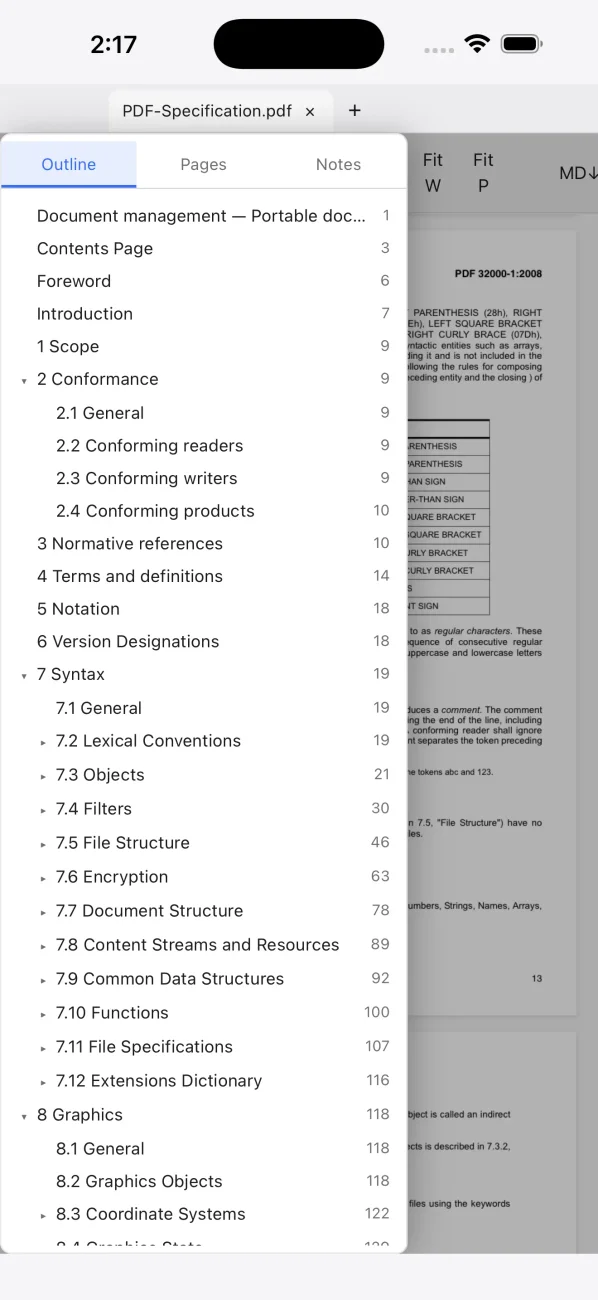
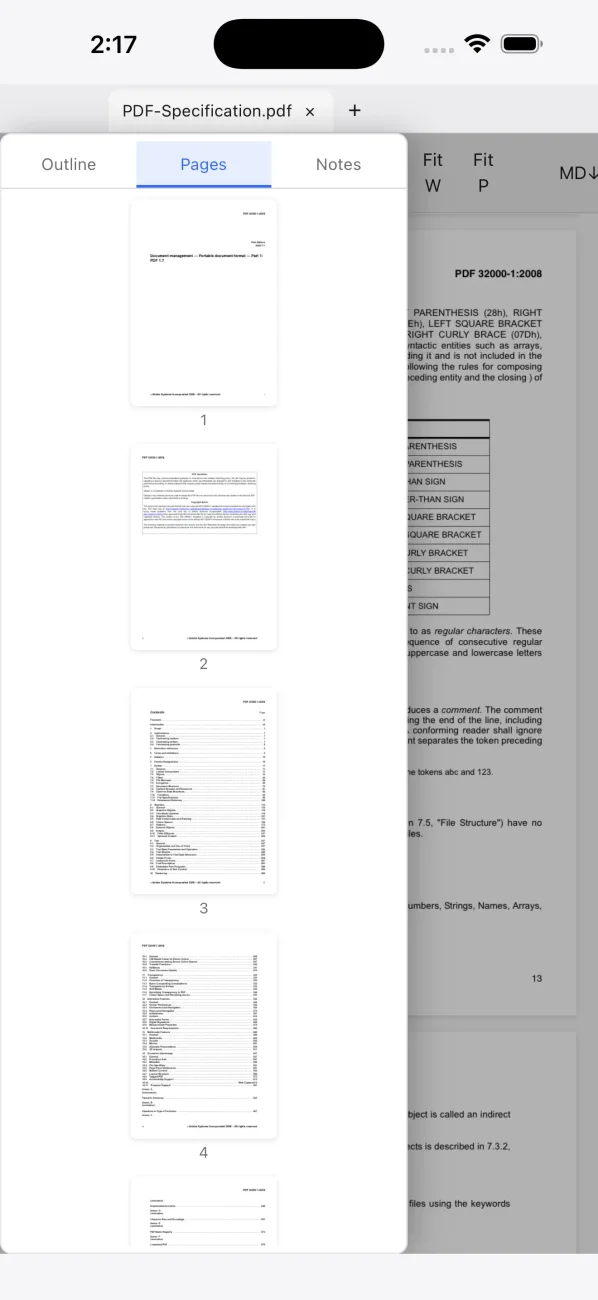
• Reading & Visual Diff: multiple tabs, outline, page thumbnails, full-text search, two-page spread, split view, word-level text comparison, plus pixel Red/Cyan overlay and A/B Blink Compare for scanned contracts and CAD drawings. Huge files open instantly.
• Highlights become notes: highlight any text and the annotation is saved as a companion Markdown file (.annotations.md) right next to the PDF — open, edit, and version it with SoloMD, Obsidian, VS Code, or Git. solopdf:// deep links jump straight back to the exact passage.
• Academic & Study Superpowers: box-select formulas into LaTeX or tables into Markdown / CSV; aggregate #tags across multiple papers into a Cross-PDF Topic Digest; export flashcards to Anki (.tsv) or Obsidian Spaced Repetition.
• Scan Mastery & Offline Toolkit (strictly copy-out, original files are never modified): 17-step in-memory batch pipeline, scan Auto-Deskew & border cleanup, Sauvola adaptive B&W binarization (removes camera shadows), 2-up scan split, blank page removal, smart outline generator, N-up & saddle-stitch booklet imposition, watermarks & Bates numbering, auto-crop margins, lossless image extraction, true content-stream redaction, metadata sanitization, form filling & flattening, and X.509 / PKCS#7 digital signature verification & signing.
• Review & Measurement: 8 localized vector stamps + dynamic author/date stamps; calibrated scale ruler for measuring distance, perimeter, and polygon area.
• Optional Tip Jar: 100% of SoloPDF features are free forever. Three optional one-time tip tiers (Buy a Coffee / Buy a Lunch / Generous Support, non-renewing) unlock the "Supporter" badge.
Everything runs on your device. No data collection.
Novedades
Versión 1.1.2 · 20/11/2026
What's New:
• Paged-Mode Navigation & Touch Swipe: added horizontal swipe page turning in PDF paged mode, fixed toolbar prev/next buttons and page number sync, and enabled numeric keypad for page-number input on mobile
• Native Vector PDF Printing: switched macOS printing to native PDFKit (crisp vector output with auto-scale & auto-rotate, fixing alignment issues) and added native AirPrint support on iOS
• macOS Native Menu Bar: added standard File (Open, Print, Close Tab), Edit (Find), View (Zoom, Fullscreen), and Settings menu items
• Fixed layout settings (continuous/paged, single/facing spread) in Settings not applying immediately to open tabs
Privacidad de la aplicación
Lo que 向东 李 declara en App Store sobre cómo esta aplicación gestiona los datos.
-
No se recopilan datos
El desarrollador no recopila ningún dato de esta aplicación.
Las prácticas de privacidad pueden variar, por ejemplo, según las funciones que uses o tu edad.
Información
- Vendedor
- 向东 李
- Categoría
- Productividad
- Versión
- 1.1.2
- Actualizado
- 20/11/2026
- Publicado
- 10/7/2026
- Tamaño
- 17,4 MB
- Requiere
- iOS 15.0 o posterior
- Clasificación por edad
- 4+
- Precio
- Gratis
- Idiomas
- Inglés
- Copyright
- © 2026 doaipm
Quizá también te guste
-
 Iris DriveProductividad
-
 Dhinote - Structured NotesProductividad
-
 Sheaf: Offline OCR & DocumentsProductividad
-
 Vizor – Web SourcesProductividad
-
 Atomic KBProductividad
-
 Tuck: recuerda tus capturasCaptura, comparte, recuerda
-
 AI DictationProductividad
-
 Breakin': Agenda de turnosDiario, pausas y temporizador
-
 Voice to Text: AI TranscribeProductividad
-
 SlideJot - Lighter Than NotesProductividad