SoloPDF
Clean local-first PDF reader
Conçue pour iPhone, iPad, Mac, iPod touch
Gratuit
- Classification d’âge4+
- CatégorieProductivité
- Développeur向东 李
- LanguesAnglais
- Taille17,4 Mo
Renvoie vers la page App Store officielle
Download.org n’héberge aucun fichier de SoloPDF. Le bouton ouvre la page de l’application sur App Store, où 向东 李 la publie. Fiche vérifiée pour la dernière fois le 24/11/2026.
Captures d’écran


À propos
Le développeur n’a pas fourni ce texte dans votre langue.
SoloPDF is a clean, fast, fully local PDF reader and offline document toolkit — no ads, no account, nothing ever uploaded.
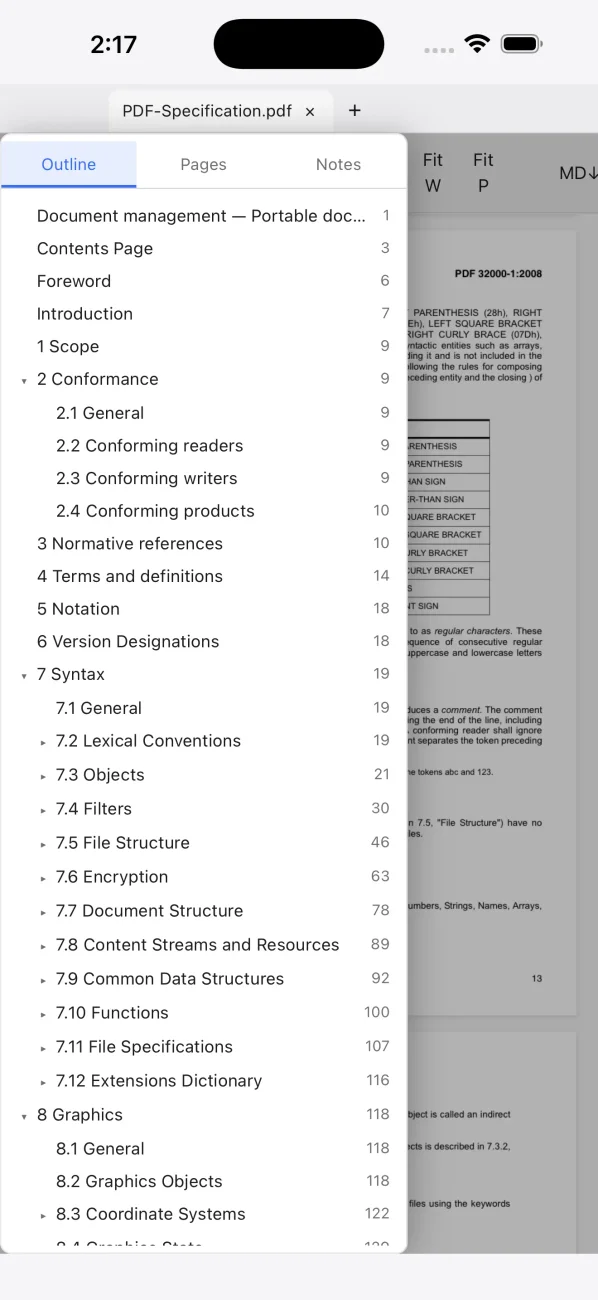
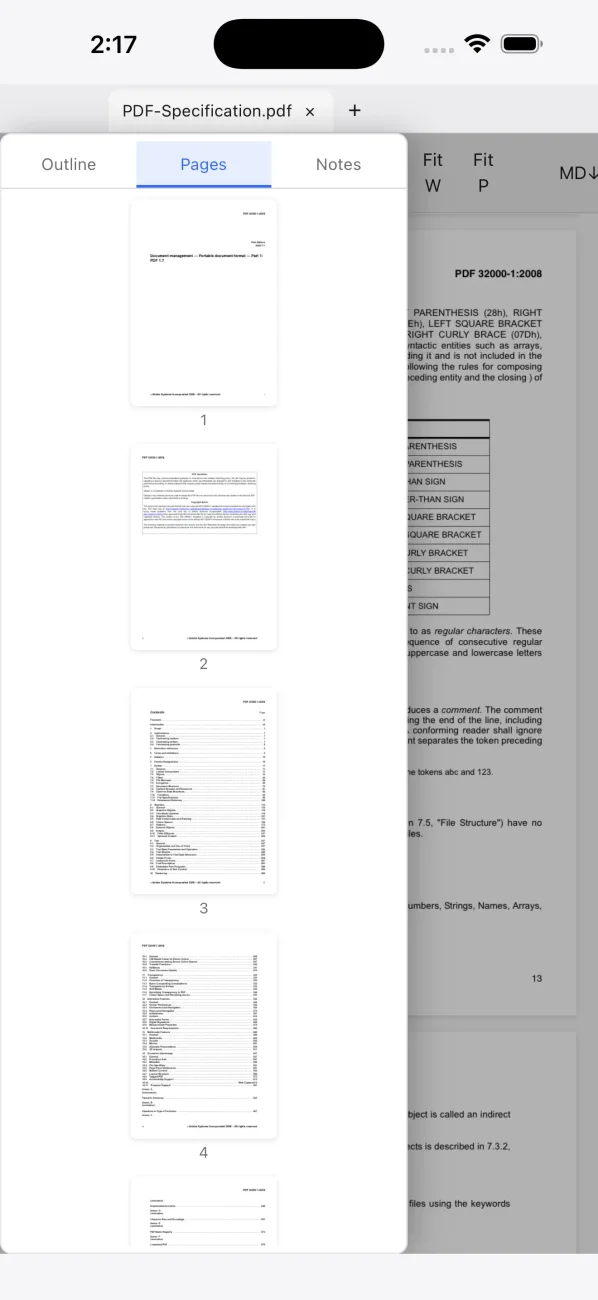
• Reading & Visual Diff: multiple tabs, outline, page thumbnails, full-text search, two-page spread, split view, word-level text comparison, plus pixel Red/Cyan overlay and A/B Blink Compare for scanned contracts and CAD drawings. Huge files open instantly.
• Highlights become notes: highlight any text and the annotation is saved as a companion Markdown file (.annotations.md) right next to the PDF — open, edit, and version it with SoloMD, Obsidian, VS Code, or Git. solopdf:// deep links jump straight back to the exact passage.
• Academic & Study Superpowers: box-select formulas into LaTeX or tables into Markdown / CSV; aggregate #tags across multiple papers into a Cross-PDF Topic Digest; export flashcards to Anki (.tsv) or Obsidian Spaced Repetition.
• Scan Mastery & Offline Toolkit (strictly copy-out, original files are never modified): 17-step in-memory batch pipeline, scan Auto-Deskew & border cleanup, Sauvola adaptive B&W binarization (removes camera shadows), 2-up scan split, blank page removal, smart outline generator, N-up & saddle-stitch booklet imposition, watermarks & Bates numbering, auto-crop margins, lossless image extraction, true content-stream redaction, metadata sanitization, form filling & flattening, and X.509 / PKCS#7 digital signature verification & signing.
• Review & Measurement: 8 localized vector stamps + dynamic author/date stamps; calibrated scale ruler for measuring distance, perimeter, and polygon area.
• Optional Tip Jar: 100% of SoloPDF features are free forever. Three optional one-time tip tiers (Buy a Coffee / Buy a Lunch / Generous Support, non-renewing) unlock the "Supporter" badge.
Everything runs on your device. No data collection.
Nouveautés
Version 1.2.0 · 23/11/2026
What's New:
• Lightweight Academic Library: toggle between Cover Grid and Academic Table view showing title, author, year, venue, DOI, tags, and reading status (Unread / Reading / Read), with batch metadata extraction and DOI/arXiv lookup
• BibTeX Library Export/Import & Global Quick Cite (Cmd+Shift+K): export your library to references.bib, import .bib files to auto-link local PDFs, and search papers from anywhere to copy LaTeX / Pandoc / BibTeX / APA / GB/T 7714 citations
• Citation Penetration & Pin-to-Split: previewing an in-text reference like [12] automatically matches papers in your local library to open or view side-by-side; pin any Figure, Table, or Equation preview directly to a split pane
• Touch Pinch/Double-Tap Zoom & Native Printing: added pinch-to-zoom and double-tap zoom on mobile, plus native vector printing across macOS and iOS
Confidentialité de l’application
Ce que 向东 李 déclare sur l’App Store au sujet du traitement des données par cette application.
-
Données non collectées
Le développeur ne collecte aucune donnée à partir de cette application.
Les pratiques en matière de confidentialité peuvent varier, notamment en fonction des fonctionnalités que vous utilisez ou de votre âge.
Informations
- Vendeur
- 向东 李
- Catégorie
- Productivité
- Version
- 1.2.0
- Mis à jour
- 23/11/2026
- Publié
- 10/07/2026
- Taille
- 17,4 Mo
- Nécessite
- iOS 15.0 ou version ultérieure
- Classification d’âge
- 4+
- Prix
- Gratuit
- Langues
- Anglais
- Copyright
- © 2026 doaipm
Vous aimerez peut-être aussi
-
 Iris DriveProductivité
-
 Dhinote - Structured NotesProductivité
-
 Sheaf: Offline OCR & DocumentsProductivité
-
 Vizor – Web SourcesProductivité
-
 Atomic KBProductivité
-
 Tuck - Screenshot RemindersProductivité
-
 AI DictationProductivité
-
 Breakin': Shift Work PlannerProductivité
-
 Voice to Text: AI TranscribeProductivité
-
 SlideJot - Lighter Than NotesProductivité