SoloPDF
Clean local-first PDF reader
Dirancang untuk iPhone, iPad, Mac, iPod touch
Gratis
- Batasan usia4+
- KategoriProduktivitas
- Pengembang向东 李
- BahasaInggris
- Ukuran17,4 MB
Tertaut ke halaman resmi App Store
Download.org tidak menyimpan file SoloPDF apa pun. Tombol ini membuka halaman aplikasi di App Store, tempat 向东 李 menerbitkannya. Halaman terakhir diperiksa pada 23/11/2026.
Tangkapan layar


Tentang
Pengembang belum menyediakan teks ini dalam bahasa Anda.
SoloPDF is a clean, fast, fully local PDF reader and offline document toolkit — no ads, no account, nothing ever uploaded.
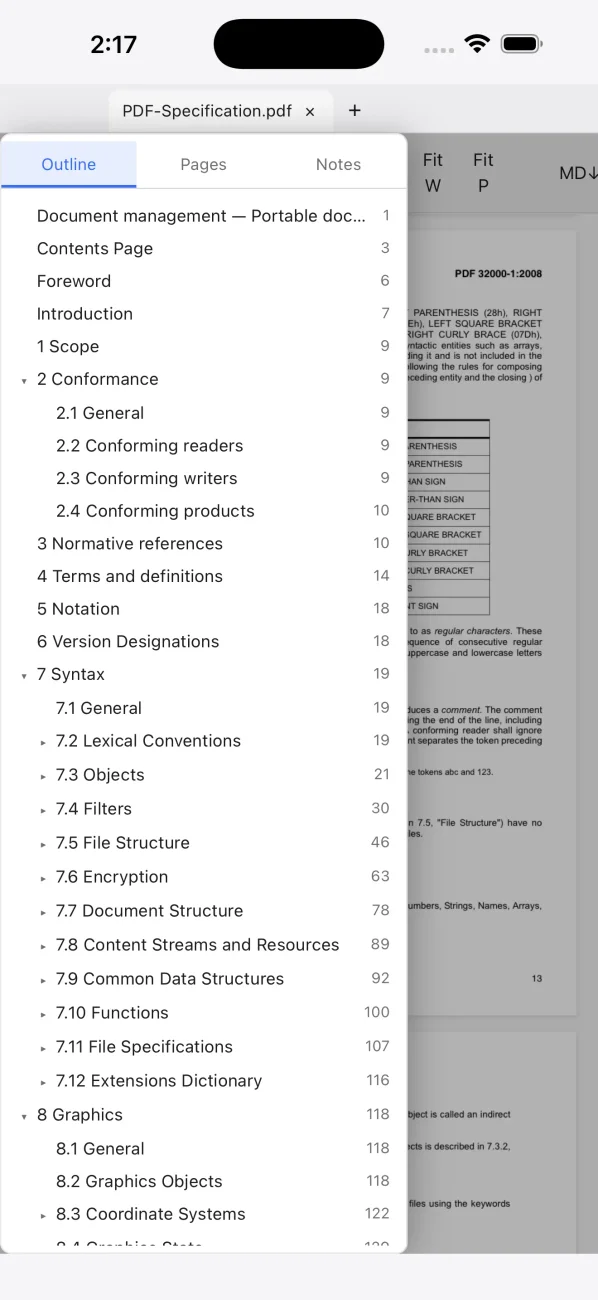
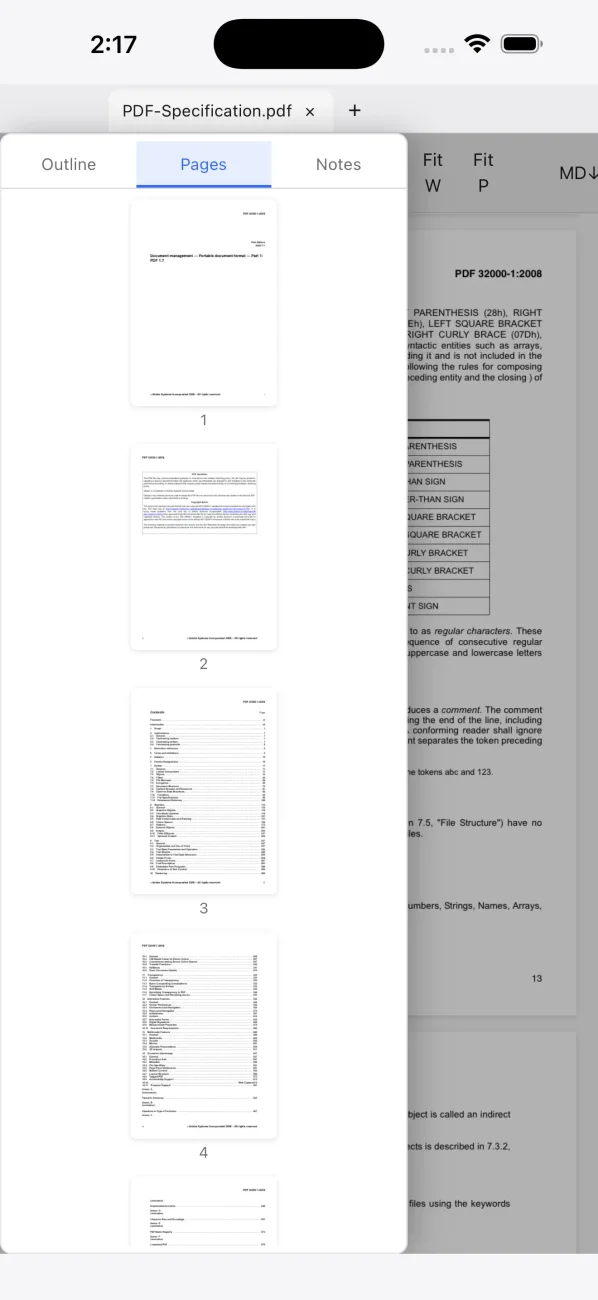
• Reading & Visual Diff: multiple tabs, outline, page thumbnails, full-text search, two-page spread, split view, word-level text comparison, plus pixel Red/Cyan overlay and A/B Blink Compare for scanned contracts and CAD drawings. Huge files open instantly.
• Highlights become notes: highlight any text and the annotation is saved as a companion Markdown file (.annotations.md) right next to the PDF — open, edit, and version it with SoloMD, Obsidian, VS Code, or Git. solopdf:// deep links jump straight back to the exact passage.
• Academic & Study Superpowers: box-select formulas into LaTeX or tables into Markdown / CSV; aggregate #tags across multiple papers into a Cross-PDF Topic Digest; export flashcards to Anki (.tsv) or Obsidian Spaced Repetition.
• Scan Mastery & Offline Toolkit (strictly copy-out, original files are never modified): 17-step in-memory batch pipeline, scan Auto-Deskew & border cleanup, Sauvola adaptive B&W binarization (removes camera shadows), 2-up scan split, blank page removal, smart outline generator, N-up & saddle-stitch booklet imposition, watermarks & Bates numbering, auto-crop margins, lossless image extraction, true content-stream redaction, metadata sanitization, form filling & flattening, and X.509 / PKCS#7 digital signature verification & signing.
• Review & Measurement: 8 localized vector stamps + dynamic author/date stamps; calibrated scale ruler for measuring distance, perimeter, and polygon area.
• Optional Tip Jar: 100% of SoloPDF features are free forever. Three optional one-time tip tiers (Buy a Coffee / Buy a Lunch / Generous Support, non-renewing) unlock the "Supporter" badge.
Everything runs on your device. No data collection.
Yang baru
Versi 1.1.2 · 20/11/2026
What's New:
• Paged-Mode Navigation & Touch Swipe: added horizontal swipe page turning in PDF paged mode, fixed toolbar prev/next buttons and page number sync, and enabled numeric keypad for page-number input on mobile
• Native Vector PDF Printing: switched macOS printing to native PDFKit (crisp vector output with auto-scale & auto-rotate, fixing alignment issues) and added native AirPrint support on iOS
• macOS Native Menu Bar: added standard File (Open, Print, Close Tab), Edit (Find), View (Zoom, Fullscreen), and Settings menu items
• Fixed layout settings (continuous/paged, single/facing spread) in Settings not applying immediately to open tabs
Privasi aplikasi
Yang dinyatakan 向东 李 di App Store tentang cara aplikasi ini menangani data.
-
Data tidak dikumpulkan
Pengembang tidak mengumpulkan data apa pun dari aplikasi ini.
Praktik privasi dapat bervariasi, misalnya berdasarkan fitur yang Anda gunakan atau usia Anda.
Informasi
- Penjual
- 向东 李
- Kategori
- Produktivitas
- Versi
- 1.1.2
- Diperbarui
- 20/11/2026
- Dirilis
- 10/7/2026
- Ukuran
- 17,4 MB
- Memerlukan
- iOS 15.0 atau yang lebih baru
- Batasan usia
- 4+
- Harga
- Gratis
- Bahasa
- Inggris
- Hak cipta
- © 2026 doaipm
Mungkin Anda juga suka
-
 Iris DriveProduktivitas
-
 Dhinote - Structured NotesProduktivitas
-
 Sheaf: Offline OCR & DocumentsProduktivitas
-
 Vizor – Web SourcesProduktivitas
-
 Atomic KBProduktivitas
-
 Tuck - Screenshot RemindersProduktivitas
-
 AI DictationProduktivitas
-
 Breakin': Jadwal Kerja ShiftJurnal harian & timer fokus
-
 Voice to Text: AI TranscribeProduktivitas
-
 SlideJot - Lighter Than NotesProduktivitas