Speed Bar - Floating window
Monitor speed and traffic
Diseñada para iPhone, iPad, iPod touch
0,99 €
- Clasificación por edad4+
- CategoríaUtilidades
- Desarrollador淑娇 徐
- IdiomasInglés+ 1 más
- Tamaño12,4 MB
Enlaza a la página oficial de App Store
Download.org no aloja ningún archivo de Speed Bar - Floating window. El botón abre la página de la aplicación en App Store, donde la publica 淑娇 徐. Ficha comprobada por última vez el 24/11/2026.
Capturas de pantalla


Acerca de
El desarrollador no ha proporcionado este texto en tu idioma.
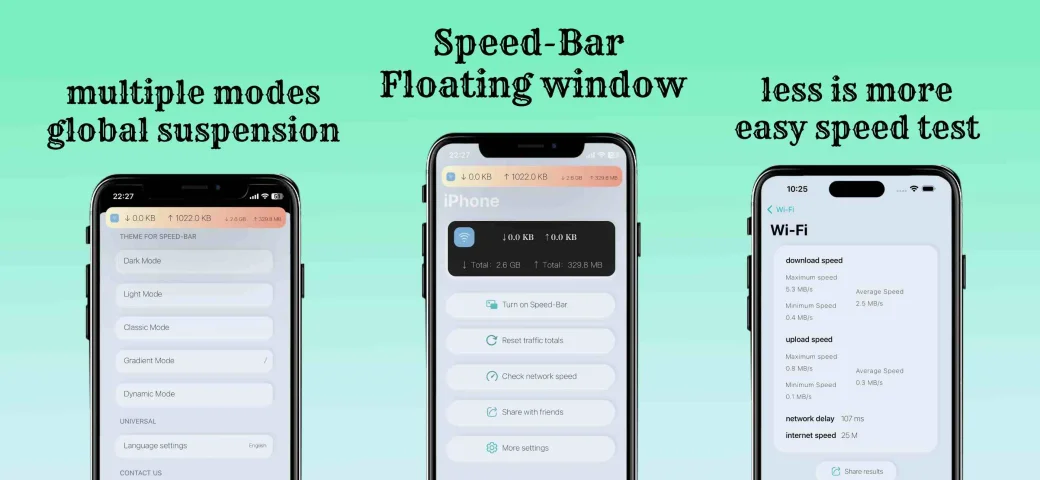
Speed bar - Global network speed floating window, real-time monitoring system network upload/download speed and traffic usage.
design concept:
Simple and elegant interface with simple operation, design a simple but not simple real-time traffic monitoring APP.
1. About why I want to make "Speed Bar"?
Because the monthly data package will exceed a lot, it is very troublesome. I really want to know where my data is spent and which apps will consume a lot of my data. Through the "speed bar", you can check the current network speed consumption in real time, which is very convenient for my daily backtracking. I also hope that more users can use it together.
2. How to use it?
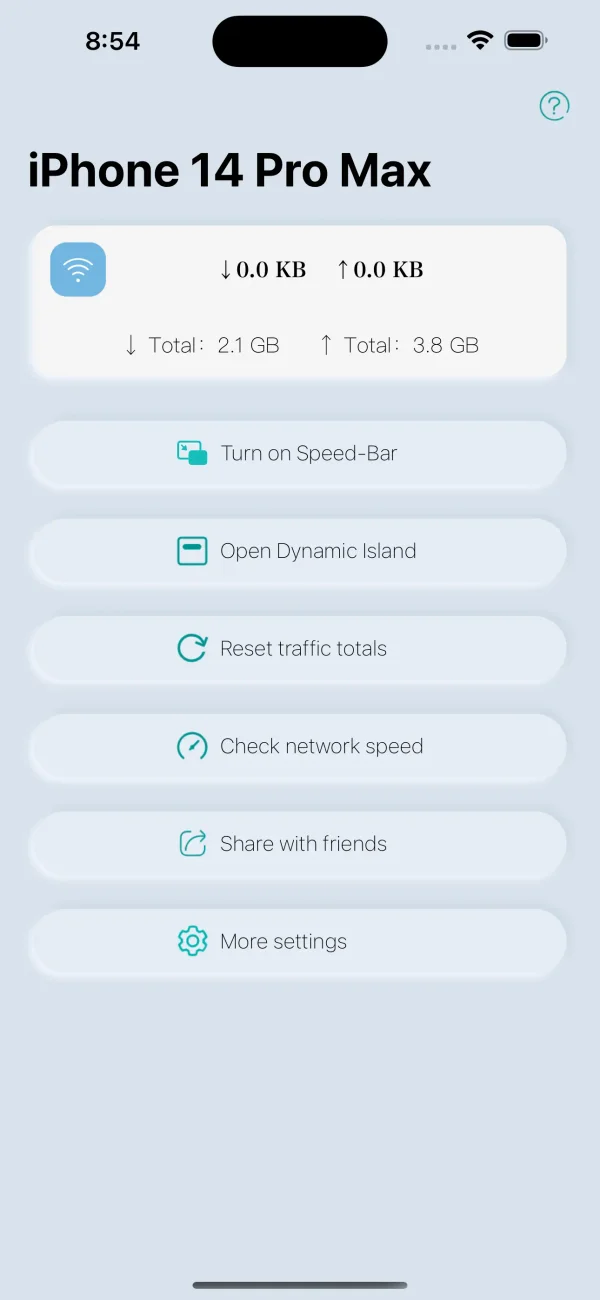
Download the APP, open the APP and click the "Start Real-time Floating" button to use the real-time network speed detection.
3. How to calculate the data?
It is calculated by the data obtained from the ifaddrs network card information, and the accuracy of the data depends on the feedback from the base station. If the environment of the mobile phone changes, the data may change.
4. How to levitate?
Click the "Start real-time suspension" button on the home page to exit the APP for real-time viewing. The floating window supports sliding to hide, click to open the App and other functions.
5. How to clear statistics?
Click the "Reset Traffic Total" button on the homepage to clear the current total and restart the calculation. It is convenient to record any moment you want to count at any time.
6. How to measure the network speed?
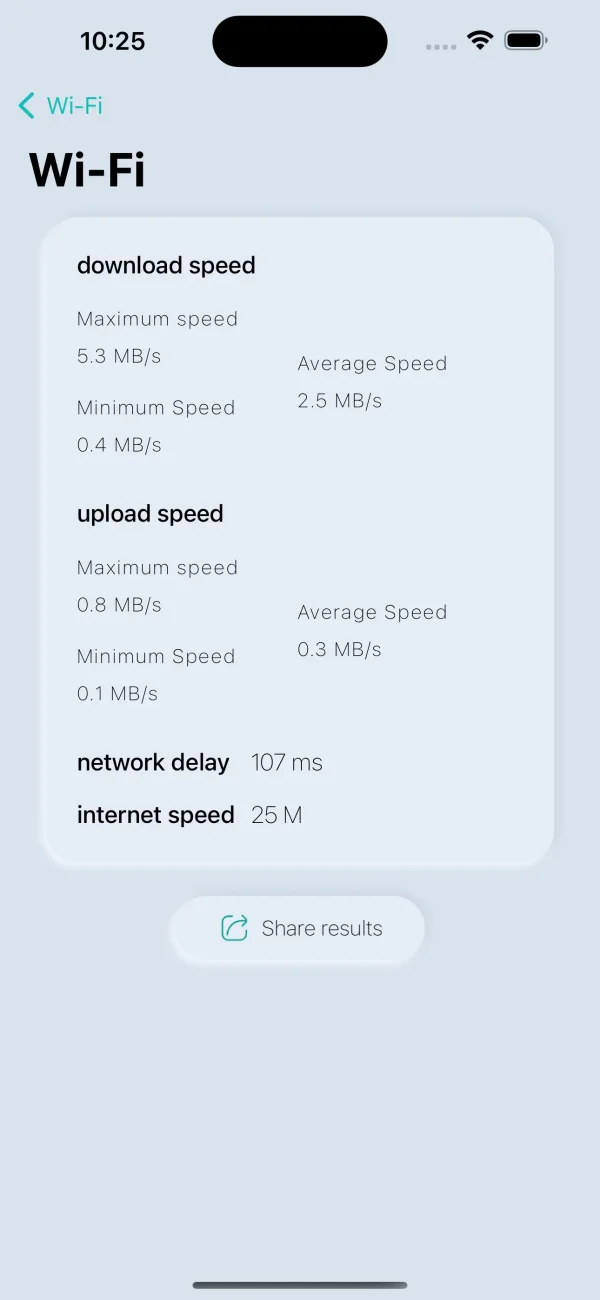
Click the "Detect Network Delay" button on the homepage to measure the network speed and view the specific data. The speed test results support sharing.
7. How to use widgets?
The current version does not plan to add the widget function, but we will launch the widget function soon, you can look forward to it.
8. About privacy
We care about your privacy very much, and we guarantee this through actions (not just verbal promises): network data is only used for APP algorithm calculation rate and speed measurement, and we will not collect any information from you.
9. About us
If you have good ideas and suggestions, you can leave a message through the APP comments, and I will always pay attention to your ideas and suggestions.
Novedades
Versión 1.4 · 26/3/2024
This update:
Optimize some interactions;
Fix known problems;
Privacidad de la aplicación
Lo que 淑娇 徐 declara en App Store sobre cómo esta aplicación gestiona los datos.
-
No se recopilan datos
El desarrollador no recopila ningún dato de esta aplicación.
Las prácticas de privacidad pueden variar, por ejemplo, según las funciones que uses o tu edad.
Información
- Vendedor
- 淑娇 徐
- Categoría
- Utilidades
- Versión
- 1.4
- Actualizado
- 26/3/2024
- Publicado
- 11/6/2023
- Tamaño
- 12,4 MB
- Requiere
- iOS 13.0 o posterior
- Clasificación por edad
- 4+
- Precio
- 0,99 €
- Idiomas
- Inglés, Chino simplificado
- Copyright
- © 卢丰
Quizá también te guste
-
 Network Speed WindowUtilidades
-
 iJumper - launcherUtilidades
-
 All In One Usage MonitorUtilidades
-
 NetMonitor+Utilidades
-
 My Data Usage Widget ProMonitorear WiFi Móvil Celular
-
 BeeData Widget - Data MonitorUtilidades
-
 Summa – Precision Made SimpleUtilidades
-
 Linu - Interactive MessagingUtilidades
-
 猫咪说 - 猫语翻译器 | 猫咪测试Utilidades
-
 IronMCCUtilidades