Speed Bar - Floating window
Monitor speed and traffic
Designed for iPhone, iPad, iPod touch
$0.99
- Age rating4+
- CategoryUtilities
- Developer淑娇 徐
- LanguagesEnglish+ 1 more
- Size12.4 MB
Links to the official App Store page
Download.org hosts no file of Speed Bar - Floating window. The button opens its official App Store page, published by 淑娇 徐. Listing last checked on Nov 24, 2026.
Screenshots


About
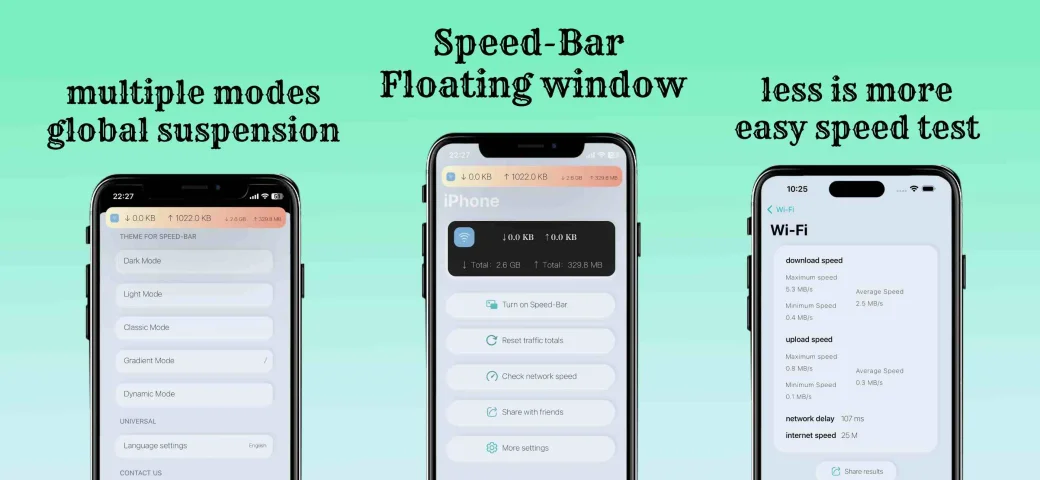
Speed bar - Global network speed floating window, real-time monitoring system network upload/download speed and traffic usage.
design concept:
Simple and elegant interface with simple operation, design a simple but not simple real-time traffic monitoring APP.
1. About why I want to make "Speed Bar"?
Because the monthly data package will exceed a lot, it is very troublesome. I really want to know where my data is spent and which apps will consume a lot of my data. Through the "speed bar", you can check the current network speed consumption in real time, which is very convenient for my daily backtracking. I also hope that more users can use it together.
2. How to use it?
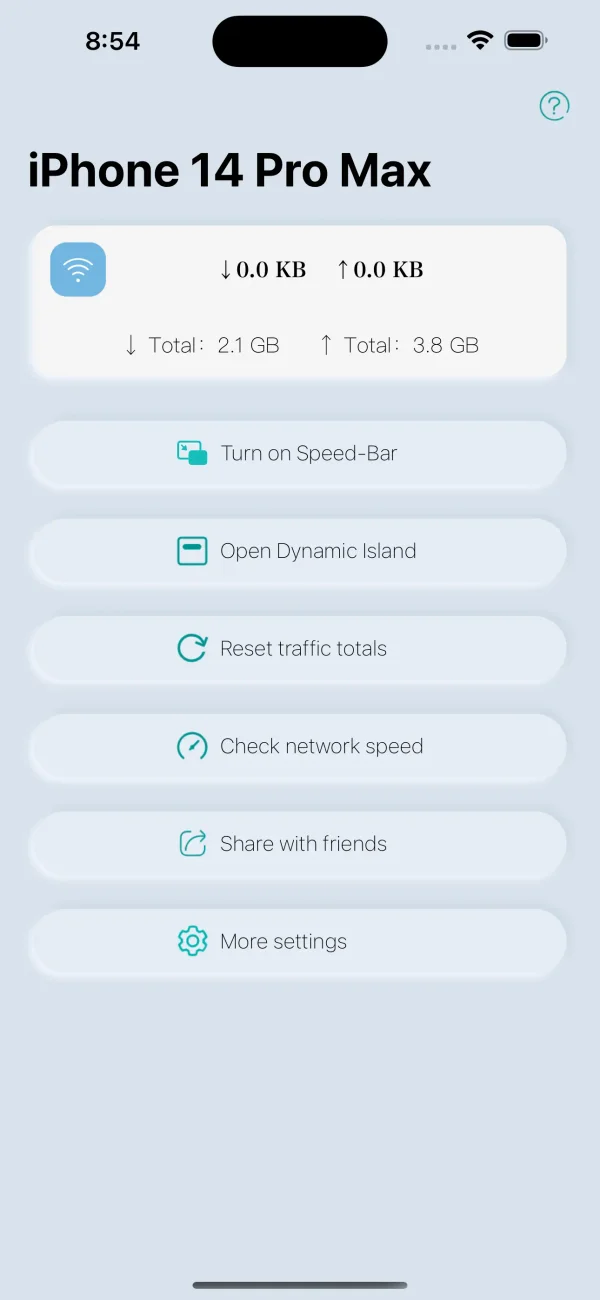
Download the APP, open the APP and click the "Start Real-time Floating" button to use the real-time network speed detection.
3. How to calculate the data?
It is calculated by the data obtained from the ifaddrs network card information, and the accuracy of the data depends on the feedback from the base station. If the environment of the mobile phone changes, the data may change.
4. How to levitate?
Click the "Start real-time suspension" button on the home page to exit the APP for real-time viewing. The floating window supports sliding to hide, click to open the App and other functions.
5. How to clear statistics?
Click the "Reset Traffic Total" button on the homepage to clear the current total and restart the calculation. It is convenient to record any moment you want to count at any time.
6. How to measure the network speed?
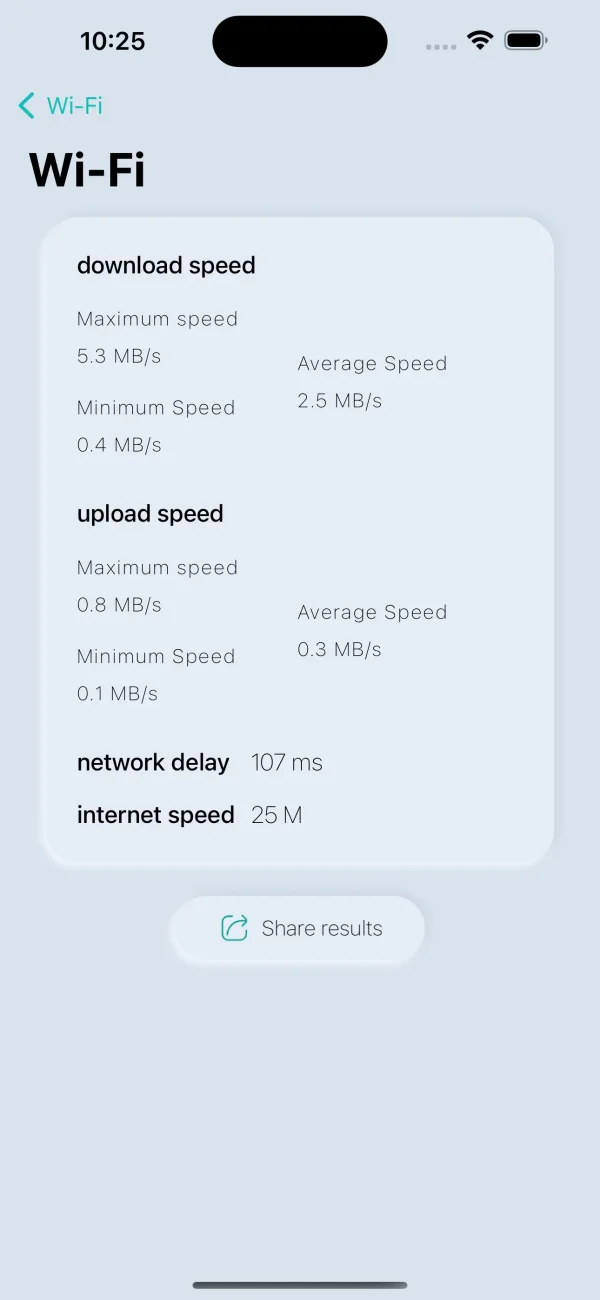
Click the "Detect Network Delay" button on the homepage to measure the network speed and view the specific data. The speed test results support sharing.
7. How to use widgets?
The current version does not plan to add the widget function, but we will launch the widget function soon, you can look forward to it.
8. About privacy
We care about your privacy very much, and we guarantee this through actions (not just verbal promises): network data is only used for APP algorithm calculation rate and speed measurement, and we will not collect any information from you.
9. About us
If you have good ideas and suggestions, you can leave a message through the APP comments, and I will always pay attention to your ideas and suggestions.
What’s new
Version 1.4 · Mar 26, 2024
This update:
Optimize some interactions;
Fix known problems;
App privacy
What 淑娇 徐 declares on the App Store about how this app handles data.
-
Data not collected
The developer does not collect any data from this app.
Privacy practices may vary, for example with the features you use or your age.
Information
- Seller
- 淑娇 徐
- Category
- Utilities
- Version
- 1.4
- Updated
- Mar 26, 2024
- Released
- Jun 11, 2023
- Size
- 12.4 MB
- Requires
- iOS 13.0 or later
- Age rating
- 4+
- Price
- $0.99
- Languages
- English, Simplified Chinese
- Copyright
- © 卢丰
You might also like
-
 Network Speed WindowUtilities
-
 iJumper - launcherijumper - launcher
-
 All In One Usage MonitorYour usage all in one place
-
 NetMonitor+Network Speed & Battery Health
-
 My Data Usage Widget ProMonitor Mobile Cellular WiFi
-
 BeeData Widget - Data Monitorcellular memory cpu status
-
 Summa – Precision Made SimpleNumbers, refined for you
-
 Linu - Interactive MessagingSecure, Interactive, Powerful
-
 猫咪说 - 猫语翻译器 | 猫咪测试秒懂猫语、猫咪性格,铲屎官必备神器
-
 IronMCCUtilities