SplitClip: Video Splitter
Split long videos into clips.
Diseñada para iPhone, iPod touch
- Clasificación por edad4+
- CategoríaFoto y vídeo
- DesarrolladorDongsik Son
- IdiomasInglés
- Tamaño62,3 MB
Es posible que SplitClip: Video Splitter no esté disponible en App Store en este momento
No se pudo acceder a la ficha de la tienda en nuestra última comprobación. El enlace sigue llevando a la página oficial de App Store.
Capturas de pantalla
Acerca de
El desarrollador no ha proporcionado este texto en tu idioma.
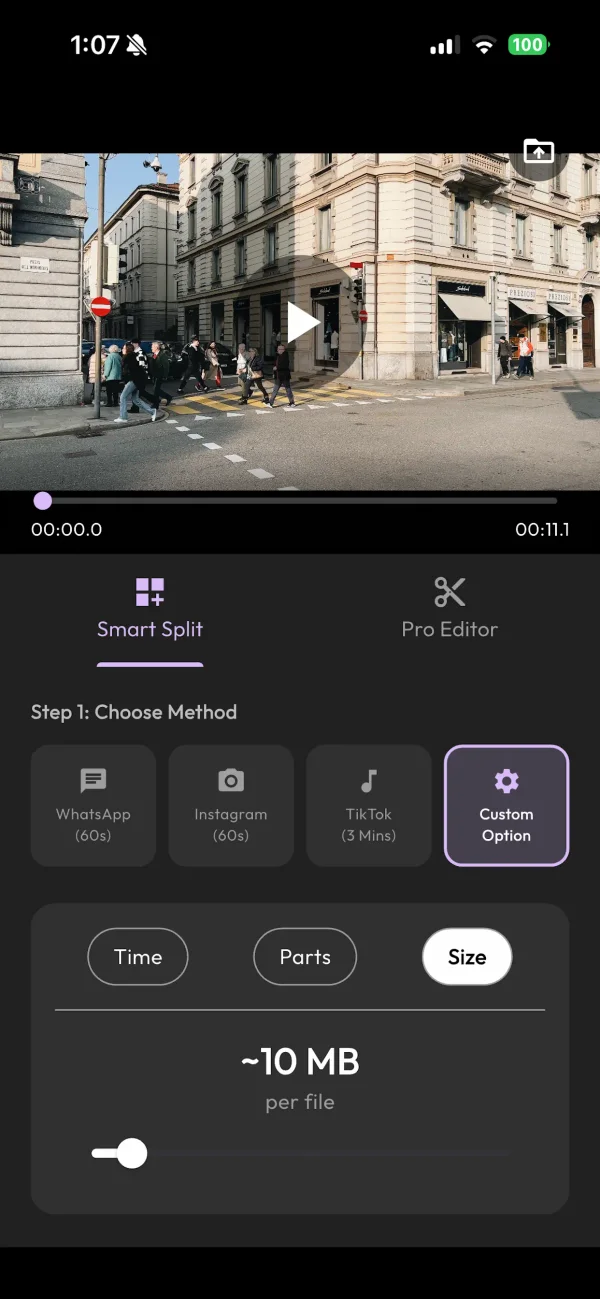
SplitClip is the easiest way to split your long videos into short, shareable clips perfect for social media stories and status updates.
Have a long video you want to share? Don't worry about duration limits. SplitClip acts as your personal easy video cutter, automatically slicing your content into seamless segments that fit perfectly on your favorite platforms.
Why SplitClip?
Perfect for Social Media:
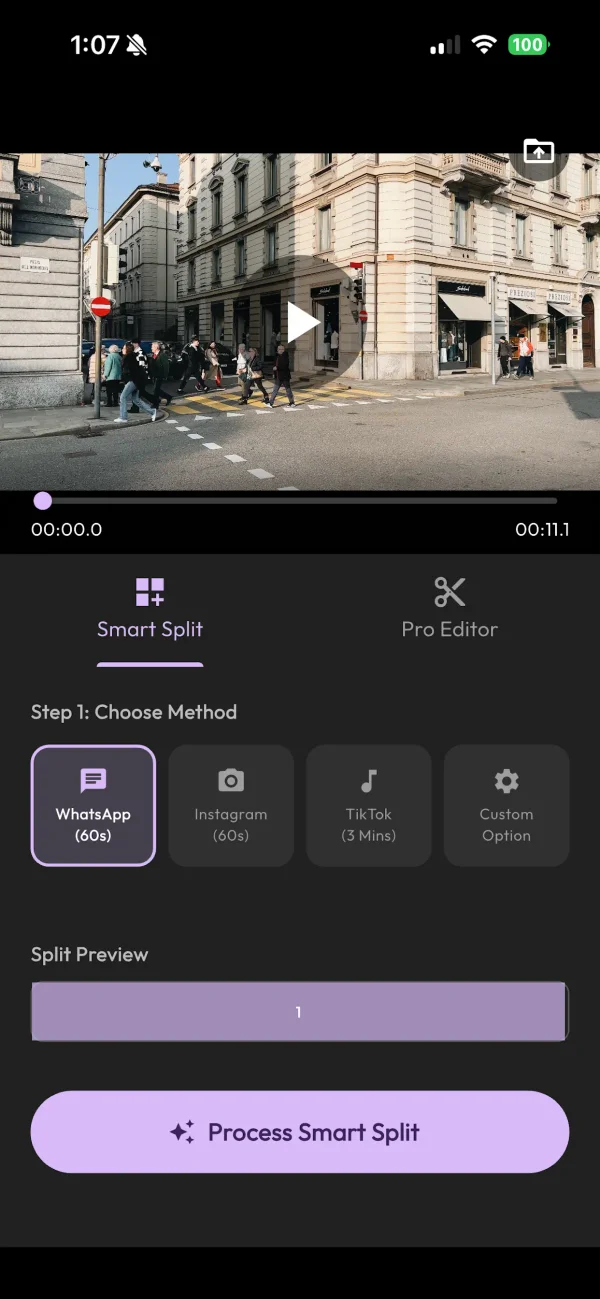
WhatsApp Status: Automatically split videos into 60-second clips to share your full story.
Instagram & Facebook: Create seamless cuts for Stories and Reels.
TikTok: Prepare longer content (up to 3 minutes) for your audience.
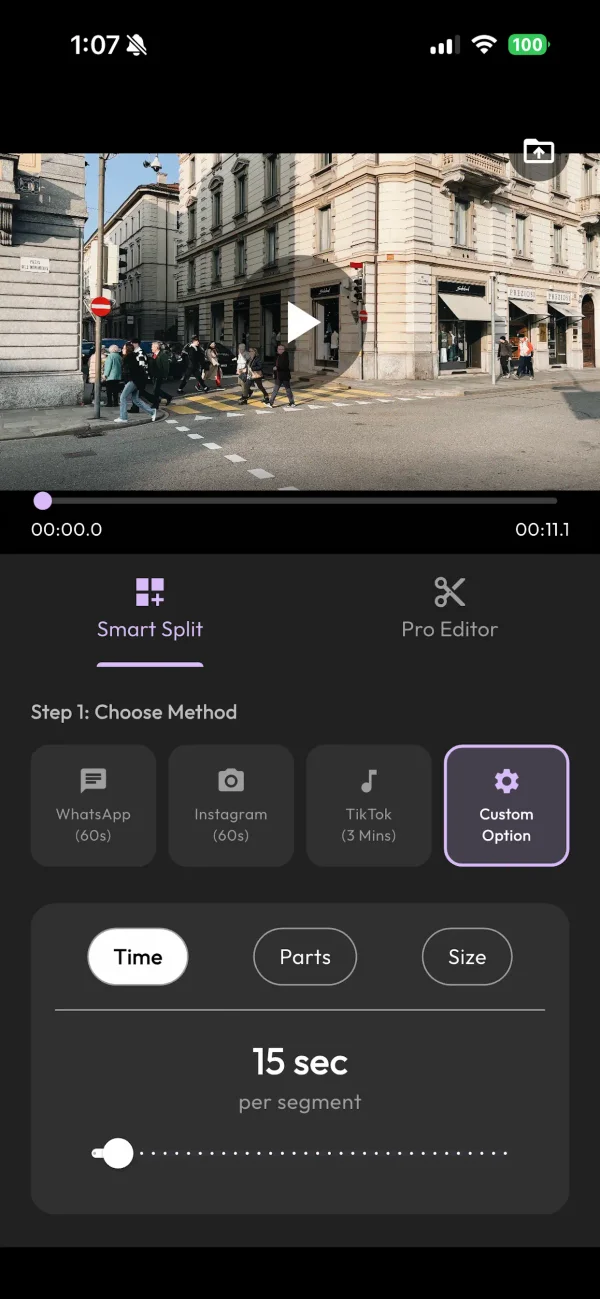
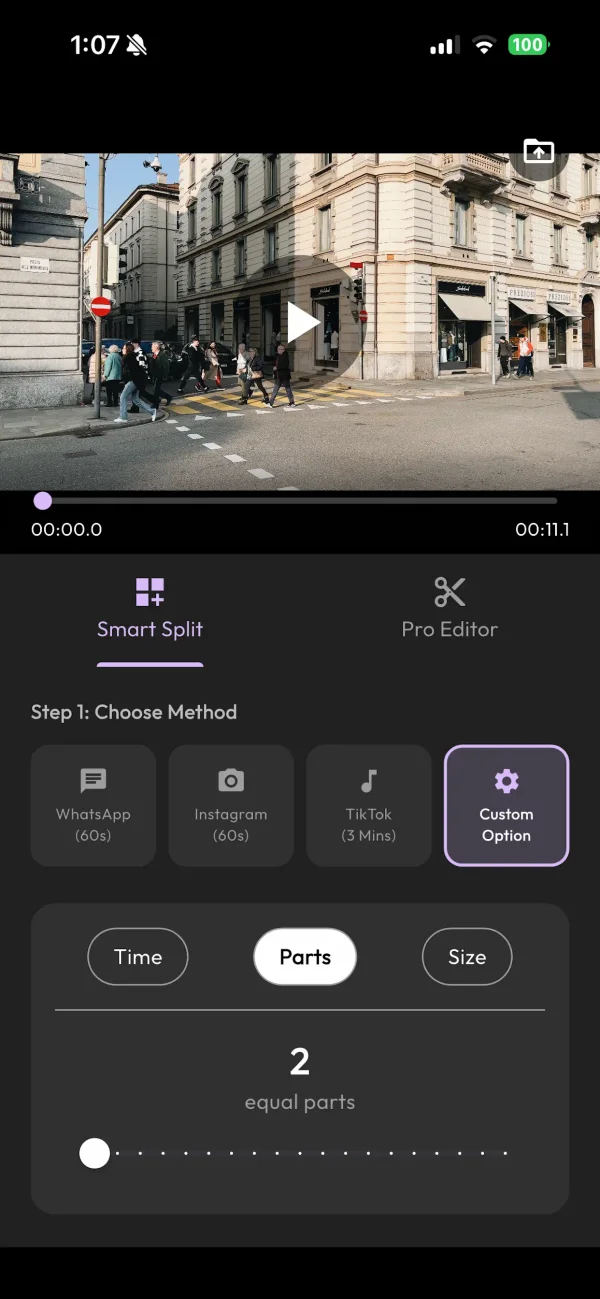
Custom Split: Define your own duration to fit any platform or video grid layout.
All-in-One Tools:
Smart Split: Just choose a target platform, and we handle the rest.
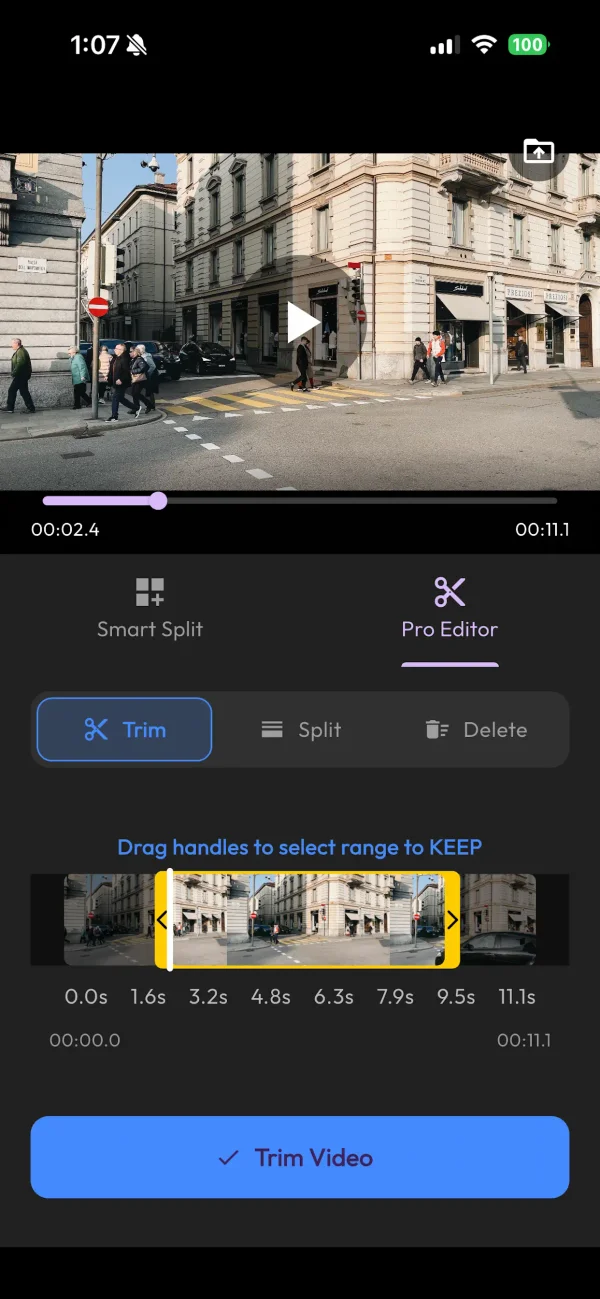
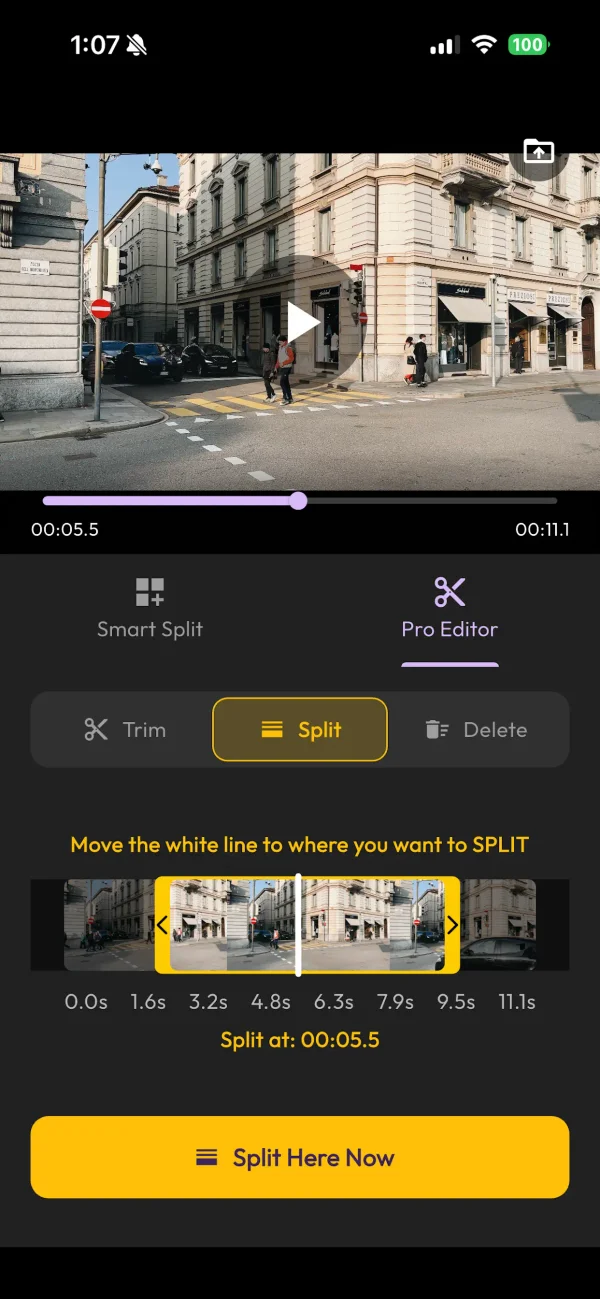
Trim & Cut: Precisely trim unwanted parts from the beginning or end of your video.
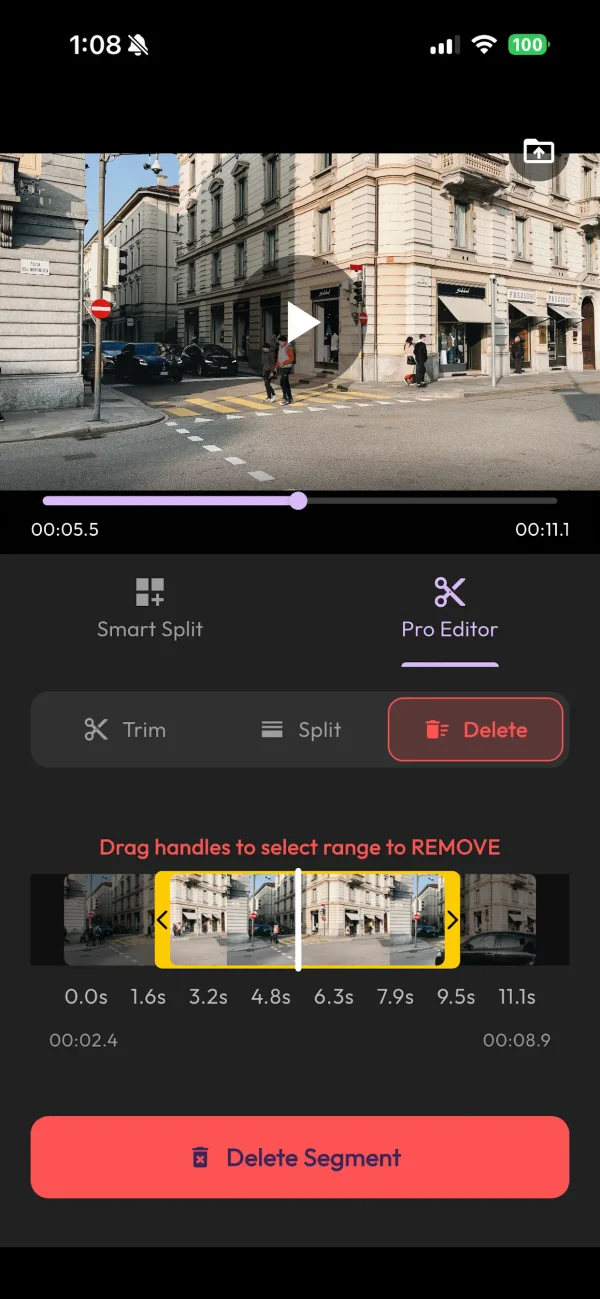
Delete Segments: Remove boring middle sections to keep your real clips exciting.
No Crop: Maintains your original video aspect ratio.
Premium Experience:
No Watermark: Clean, professional video output.
High Quality: Keeps your original video resolution.
Fast Processing: Split and cut videos in seconds.
Built-in Player: Watch and verify your media clips before saving.
How to Use:
Select a video from your gallery.
Choose a preset (WhatsApp, Instagram, TikTok) or set a Custom time.
Tap "Process" and let SplitClip do the magic.
Share your feed videos directly to social media!
Whether you are capturing memories, creating entertainment clips, or sharing moments with friends, SplitClip makes it simple. No complex editing skills needed. Just split, save, and share.
Download SplitClip now – The essential tool for every story teller!
Novedades
Versión 1.05 · 5/5/2026
Fix bugs and annoying notifications
Privacidad de la aplicación
Lo que Dongsik Son declara en App Store sobre cómo esta aplicación gestiona los datos.
-
Datos usados para rastrearte
Pueden usarse para rastrearte en aplicaciones y sitios web propiedad de otras empresas.
- Identificadores
- Datos de uso
-
Datos no vinculados a ti
Pueden recopilarse, pero no se vinculan a tu identidad.
- Identificadores
- Datos de uso
- Diagnóstico
Las prácticas de privacidad pueden variar, por ejemplo, según las funciones que uses o tu edad.
Información
- Vendedor
- Dongsik Son
- Categoría
- Foto y vídeo
- Versión
- 1.05
- Actualizado
- 5/5/2026
- Publicado
- 30/4/2026
- Tamaño
- 62,3 MB
- Requiere
- iOS 13.0 o posterior
- Clasificación por edad
- 4+
- Idiomas
- Inglés
- Copyright
- © 2026 Dongsik Son
Quizá también te guste
-
 Rivela: AI Photo Editor & BlurFoto y vídeo
-
 Pixel FormFoto y vídeo
-
 projectcameraFoto y vídeo
-
 VisionClipFoto y vídeo
-
 SplitFastFoto y vídeo
-
 QuietCut: Silence RemoverFoto y vídeo
-
 Vlogy: Video EditorFoto y vídeo
-
 Tau34 - Video SplitterCortar clips to redes sociales
-
 Trimio – Crop & Trim VideosFoto y vídeo
-
 Rewind: Reverse Video LoopsFoto y vídeo