
SteadyMemo: Calendar Notes
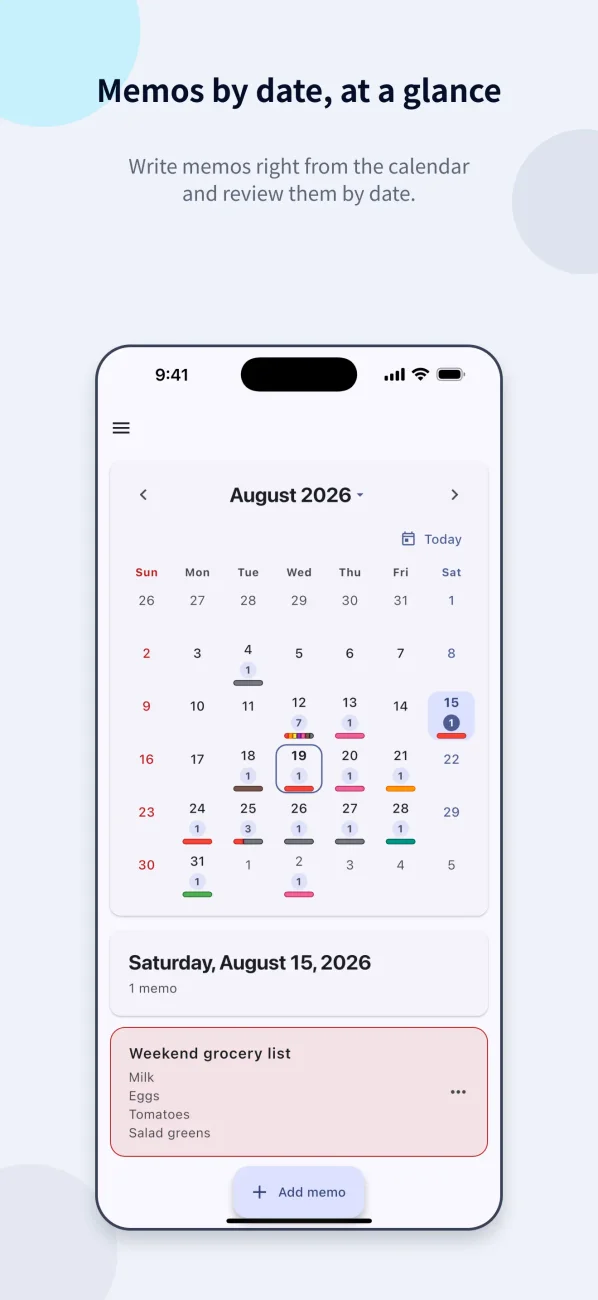
Memos by date, at a glance
Diseñada para iPhone, iPod touch
Gratis · Compras en la aplicación
- Clasificación por edad4+
- CategoríaProductividad
- DesarrolladorYeongsang Kim
- IdiomasCoreano+ 1 más
- Tamaño33,3 MB
Enlaza a la página oficial de App Store
Download.org no aloja ningún archivo de SteadyMemo: Calendar Notes. El botón abre la página de la aplicación en App Store, donde la publica Yeongsang Kim. Ficha comprobada por última vez el 12/11/2026.
Capturas de pantalla

Acerca de
El desarrollador no ha proporcionado este texto en tu idioma.
Organize plans, ideas, and everyday records by date.
SteadyMemo is an app for writing and organizing memos by date. Choose a day on the calendar, add a memo, and find it easily whenever you need it.
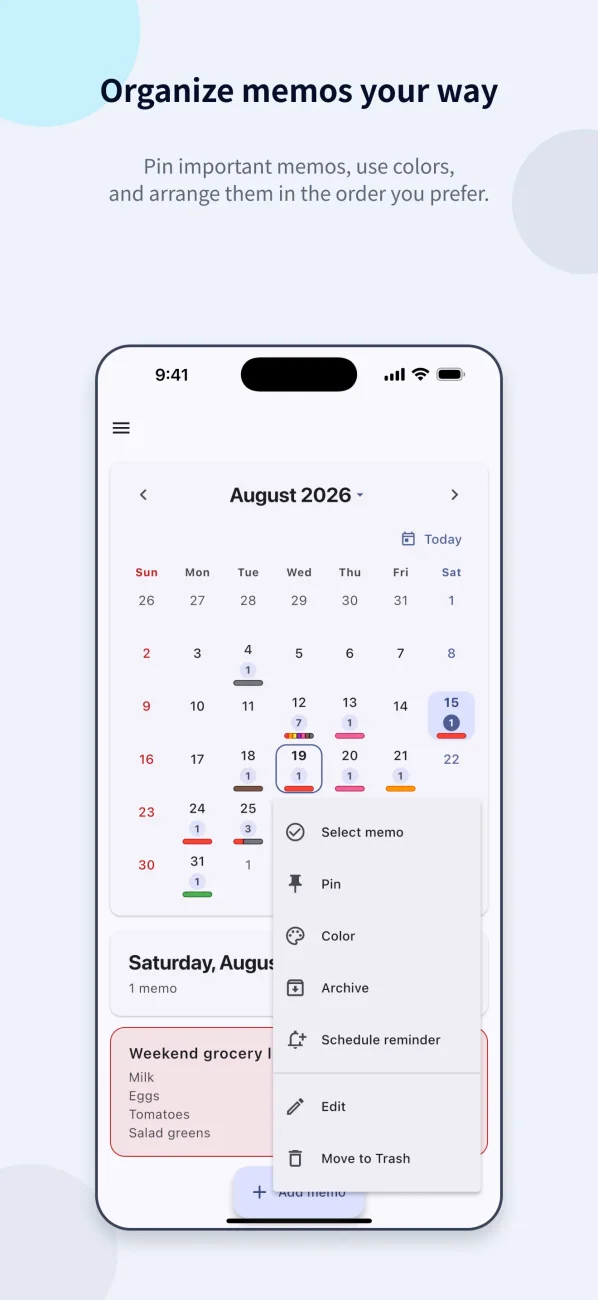
Pin important memos or use colors to tell them apart, and move finished records to the Archive. Set a reminder for a memo you need to remember, then return to it at the right time.
[What you can do with SteadyMemo]
- Keep memos by date and see each day's plans and records at a glance
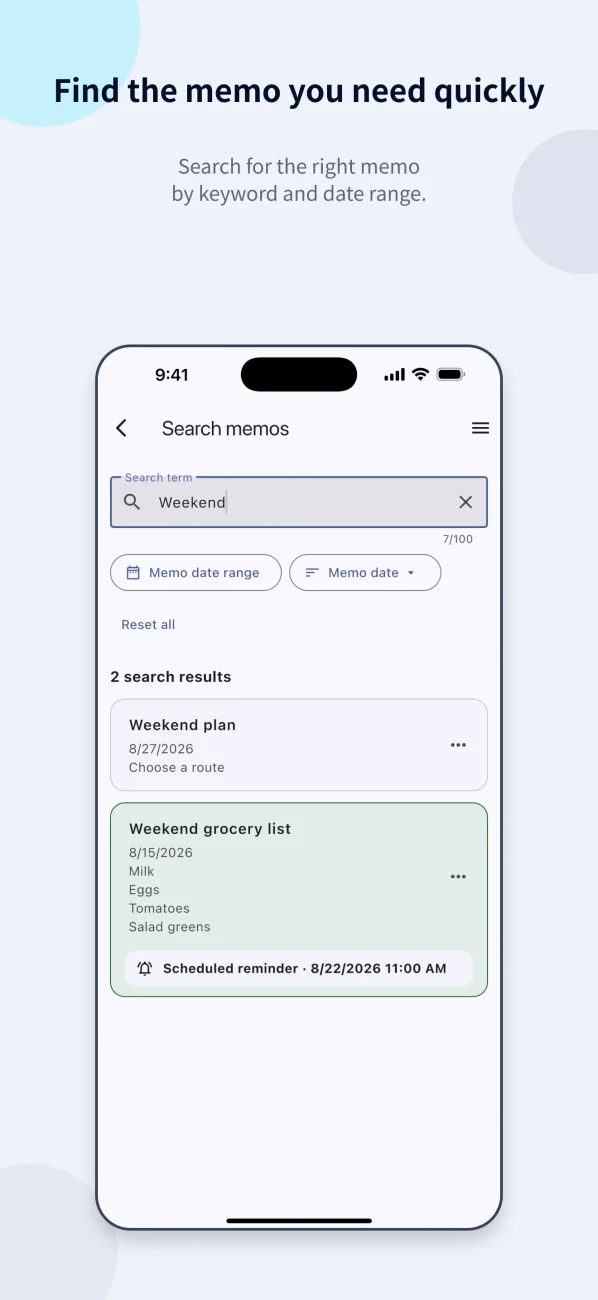
- Find the memo you want quickly using the calendar or search
- Pin important memos, organize them with colors, and archive finished records
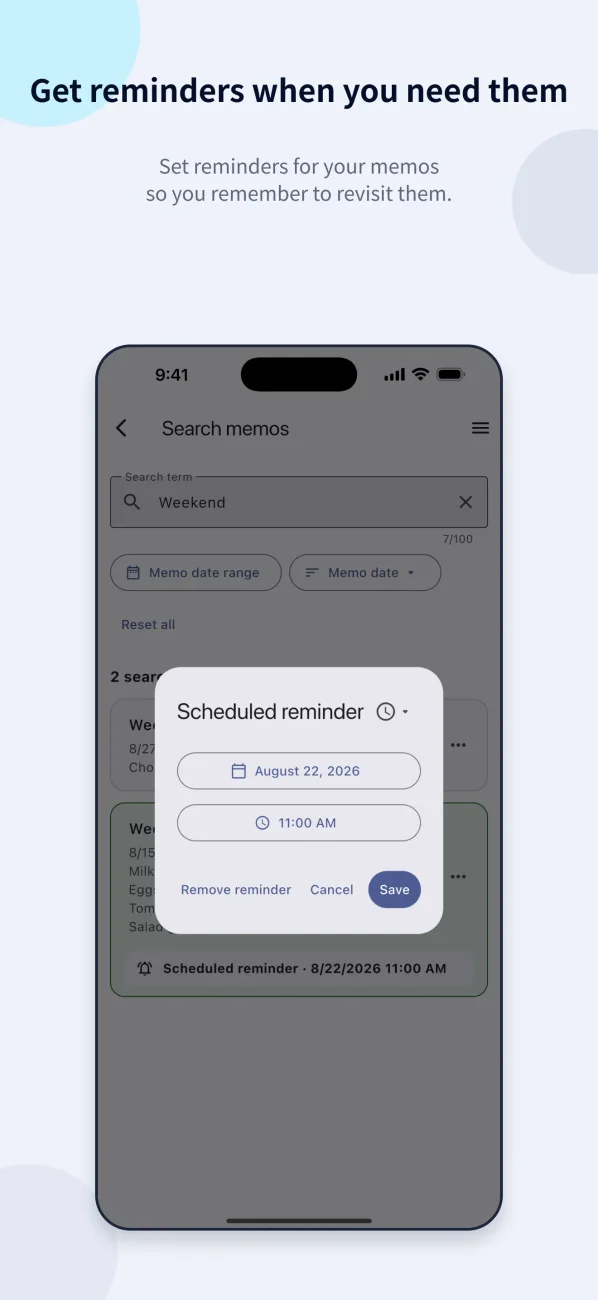
- Use scheduled reminders to revisit memos when they matter
- Start writing memos without creating an account
[Key features]
1. Calendar memos
- Create and edit memos by date from the monthly calendar
- See which dates have memos and how many are saved for each date
2. Search and organize
- Search titles and content
- Narrow results to a date range and sort by memo date or date added
- Pin memos, assign colors, and change their order within each date
- Move finished memos to the Archive and restore them when needed
- Restore deleted memos from Trash for 30 days or delete them permanently
3. Scheduled reminders
- Choose a date and time to set a reminder for a memo
- Set a reminder for each memo, with either one notification or up to 3 additional notifications at your chosen interval until confirmed
- Use reminders for schedules, appointments, and tasks you do not want to miss
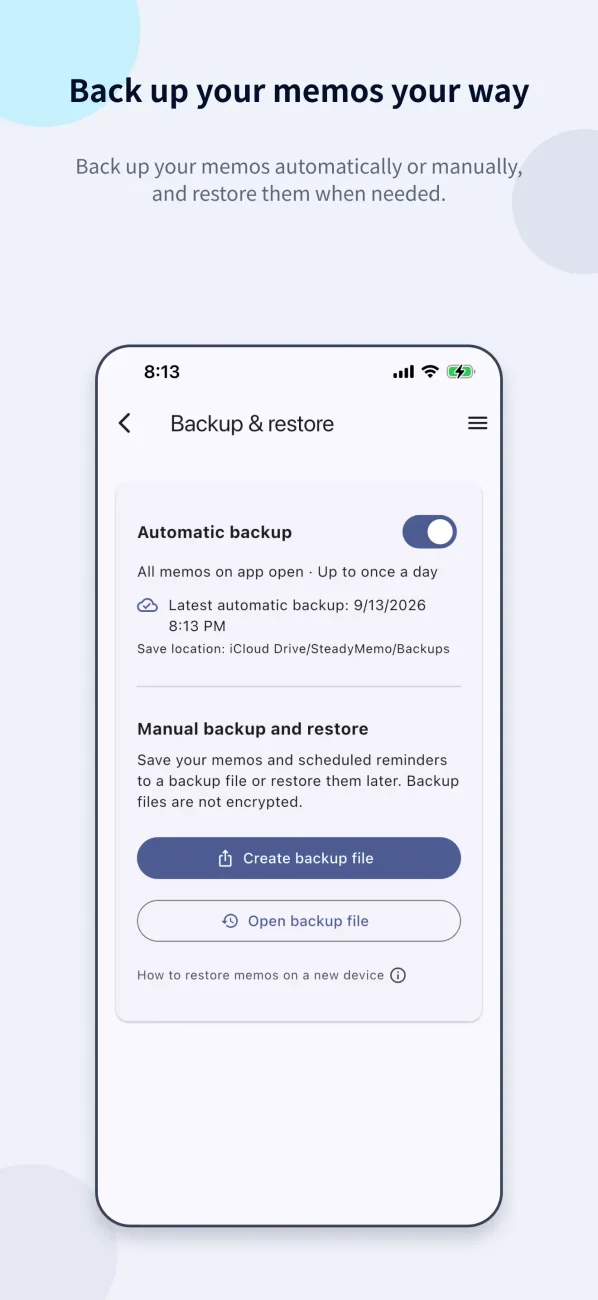
4. Backup and restore
- With automatic backups enabled, all memos are backed up to iCloud Drive when you open the app, at most once a day
- Create a backup file manually whenever you need one
- Load a saved backup file to restore memos
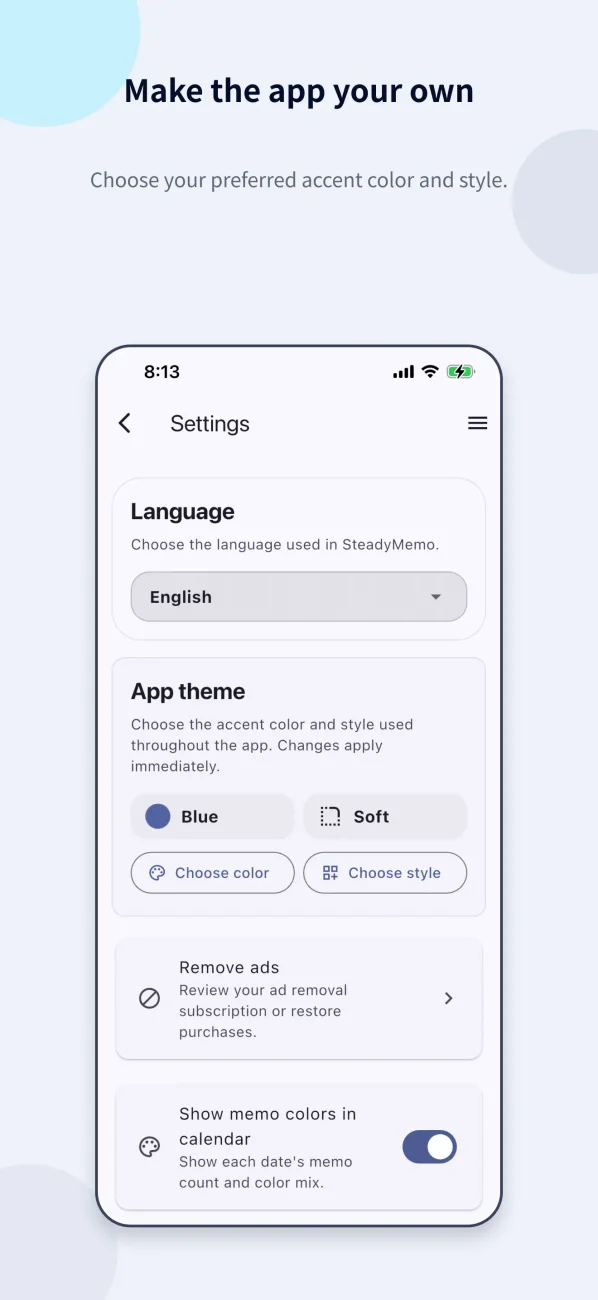
5. App theme
- Choose a theme color to suit your taste
- Choose from Default, Soft, and Flat styles
[Data and permissions]
Memo content is stored on your device. You can write, search, and organize memos without creating an account or connecting to the internet.
Automatic backups require iCloud Drive. Backup files are saved in the SteadyMemo/Backups folder in iCloud Drive. Saving a backup does not automatically restore memos in the app on another device.
You can restore memos by loading a backup file saved automatically or manually. The app does not add its own encryption to backup files, so keep them in a secure location that other people cannot access. Reminder settings are included, but only reminders scheduled for a future time are restored.
Scheduled reminders require notification permission on your iPhone.
Terms of Use (EULA): https://www.apple.com/legal/internet-services/itunes/dev/stdeula/
Privacy Policy: https://steadyseller.com/home/en/privacy-policy
Novedades
Versión 1.1.0 · 14/9/2026
- Added automatic backups. When enabled, all notes are backed up to iCloud Drive when you open the app, at most once a day.
- Added app theme settings. Choose your preferred color and style.
Privacidad de la aplicación
Lo que Yeongsang Kim declara en App Store sobre cómo esta aplicación gestiona los datos.
-
Datos vinculados a ti
Pueden recopilarse y vincularse a tu identidad.
- Compras
- Ubicación
- Información de contacto
- Contenido del usuario
- Identificadores
- Datos de uso
-
Datos no vinculados a ti
Pueden recopilarse, pero no se vinculan a tu identidad.
- Identificadores
- Diagnóstico
- Otros datos
Las prácticas de privacidad pueden variar, por ejemplo, según las funciones que uses o tu edad.
Información
- Vendedor
- Yeongsang Kim
- Categoría
- Productividad
- Versión
- 1.1.0
- Actualizado
- 14/9/2026
- Publicado
- 3/9/2026
- Tamaño
- 33,3 MB
- Requiere
- iOS 15.0 o posterior
- Clasificación por edad
- 4+
- Precio
- Gratis
- Compras en la aplicación
- Sí
- Idiomas
- Coreano, Inglés
- Copyright
- © 2026 SteadySeller.com
Quizá también te guste
-
 One Line in TimeProductividad
-
 데일리노트Productividad
-
 KKUK - Lock Screen HabitsProductividad
-
 Mosco - Calendar & To-DoProductividad
-
 내쓸모Productividad
-
 My Daily MemoDiario y calendario con notas
-
 달력 메모장 - 메모, 일기장, 달력Productividad
-
 Notas y Navegador - SproutNotas, Navegador y Widget
-
 ssamit - Tutor ManagerProductividad