- Clasificación por edad4+
- CategoríaEducación
- DesarrolladorJinyoung Lee
- IdiomasInglés+ 1 más
- Tamaño5,6 MB
Enlaza a la página oficial de App Store
Download.org no aloja ningún archivo de StudyDay - Pomodoro Timer. El botón abre la página de la aplicación en App Store, donde la publica Jinyoung Lee. Ficha comprobada por última vez el 12/11/2026.
Capturas de pantalla
Acerca de
El desarrollador no ha proporcionado este texto en tu idioma.
Study timer & focus planner for students and exam takers — track every subject, hit your study goals.
StudyDay: Study Timer & Log is a simple, beautiful study tracker built for students and exam takers. Tap to start a stopwatch for any subject, stop when you're done, and your time is saved automatically. No setup, no complexity.
KEY FEATURES
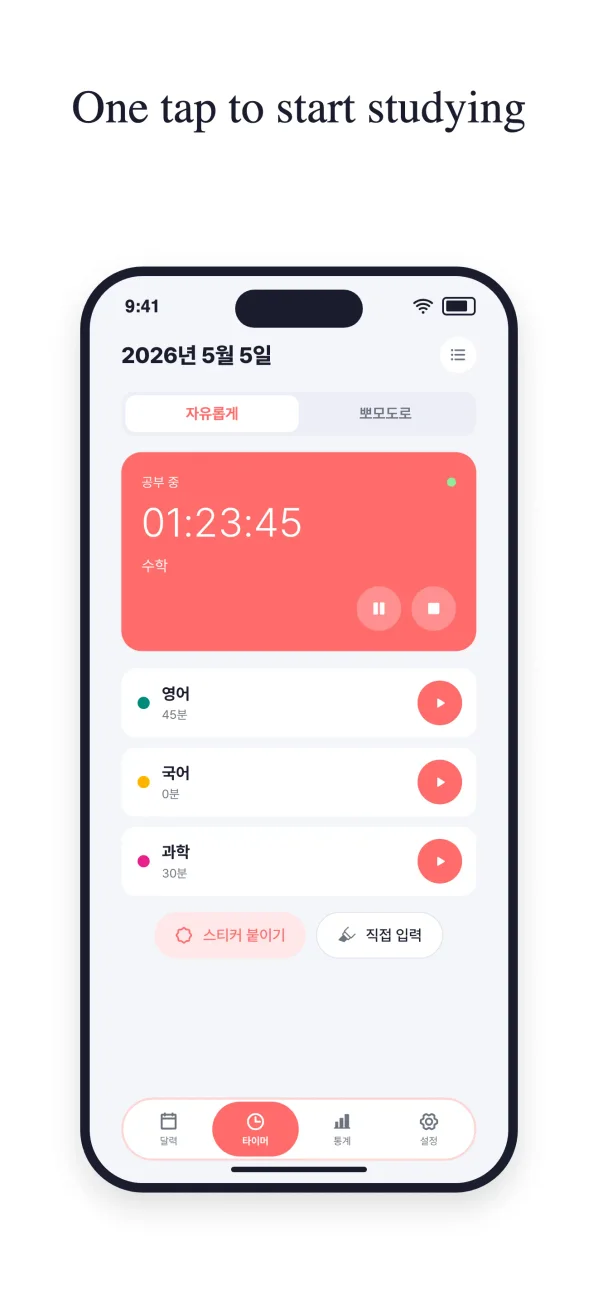
• Subject Timer — One tap starts a stopwatch for any subject. Switch subjects anytime; the previous one stops automatically.
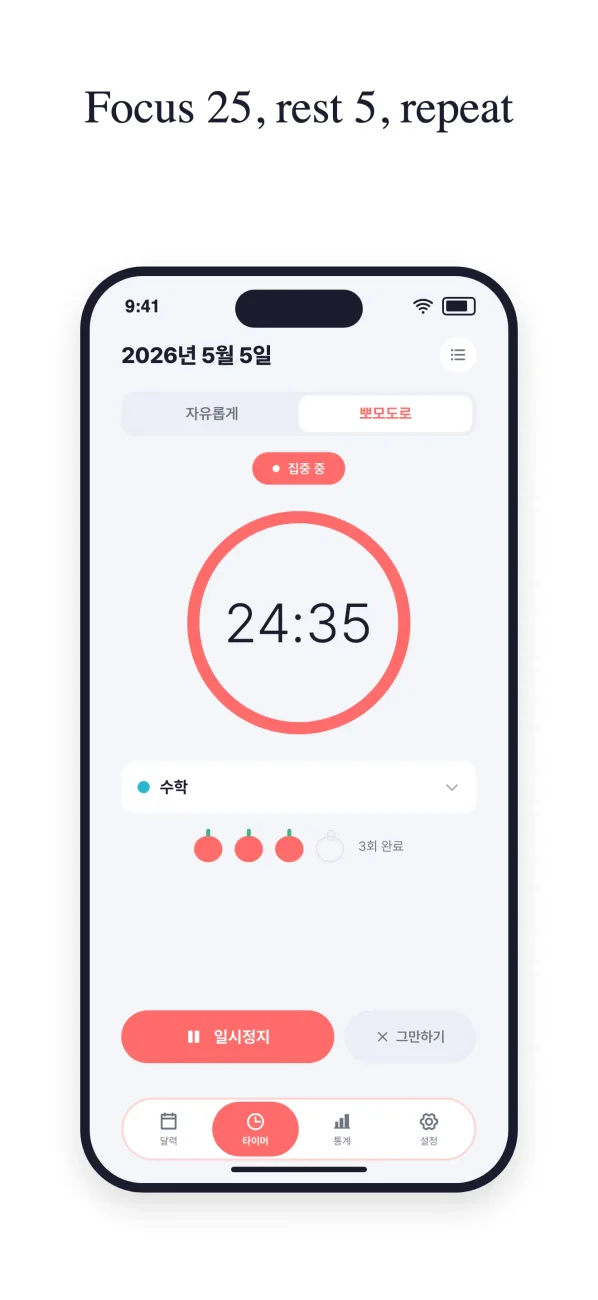
• Pomodoro Timer — Focus and rest in turns (25 and 5 minutes by default, adjustable in Settings). You get a notification when each round ends, and tomatoes show how many rounds you finished today.
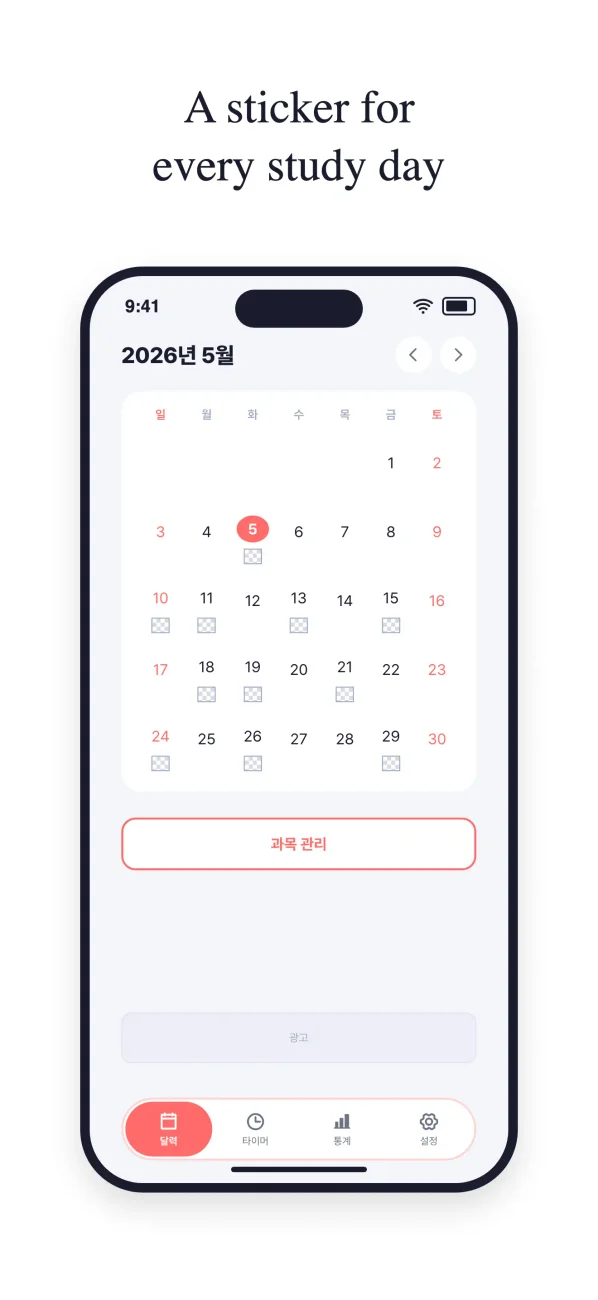
• Monthly Calendar — See which days you studied at a glance. Tap any day to jump straight to the timer.
• Study Stickers — After each session, pick a sticker that matches your mood. Your calendar fills up with small victories.
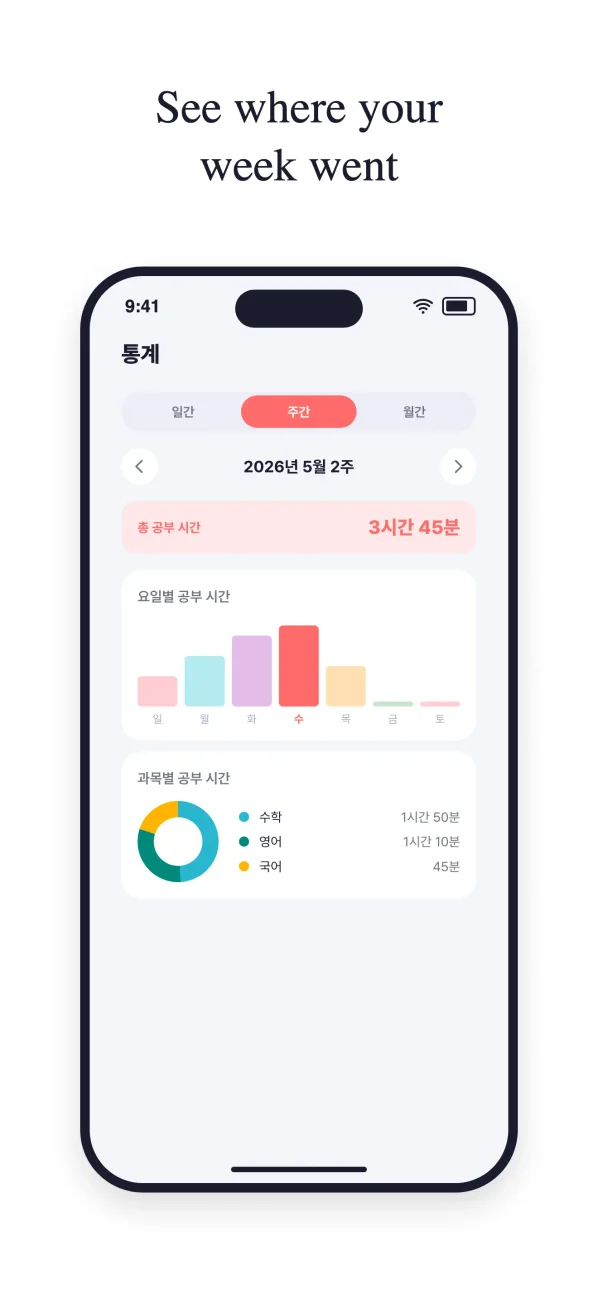
• Detailed Statistics — View your study time by day, week, or month. A bar chart shows your weekly rhythm; a donut chart breaks down time by subject.
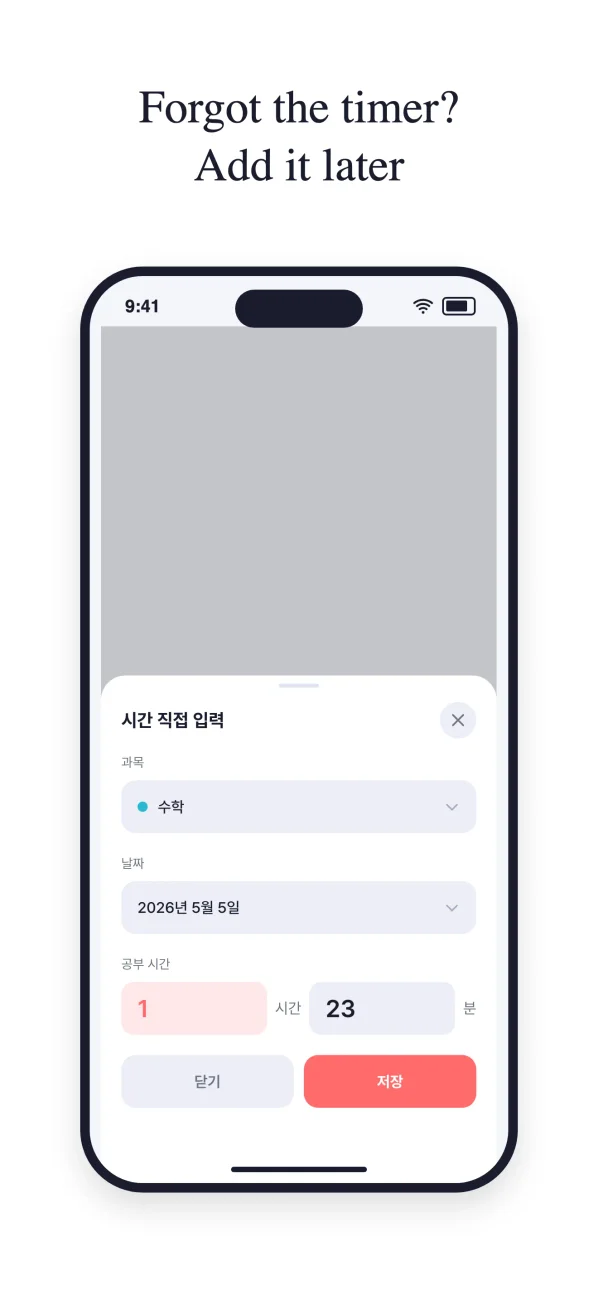
• Manual Entry — Forgot to start the timer? Enter time directly for any subject and date. Fix or delete any record from the study log.
• Subject Management — Add as many subjects as you need, each with its own color, so your data is always organized.
• Dark Mode — Follows your phone's setting automatically. Easy on the eyes for late-night study.
• Color Themes — Coral is always on. Pastel Blue, Green and Purple can each be unlocked for 7 days by watching a short ad.
DESIGNED FOR SIMPLICITY
No account required. No internet connection needed. All your data stays on your device — private, always.
Whether you're preparing for an exam, tracking daily study habits, or just curious how much time you spend on each subject, StudyDay gives you the clarity you need.
StudyDay is supported by ads: a banner on the Calendar and Stats screens, and an optional video ad only when you choose to unlock a color theme.
Privacy Policy: https://www.junu.co.kr/terms/studytime/privacy/
Novedades
Versión 1.3.1 · 13/10/2026
- Dark Mode follows your phone's setting automatically — easy on the eyes at night
- Cleaner icons, and picking a subject is easier when you enter time by hand
- Deleted every subject? Next time you open the app, it walks you through adding new ones
- We oiled the squeaky door to the Privacy Policy in Settings. It swings open smoothly now
Privacidad de la aplicación
Lo que Jinyoung Lee declara en App Store sobre cómo esta aplicación gestiona los datos.
-
Datos usados para rastrearte
Pueden usarse para rastrearte en aplicaciones y sitios web propiedad de otras empresas.
- Identificadores
- Datos de uso
-
Datos no vinculados a ti
Pueden recopilarse, pero no se vinculan a tu identidad.
- Identificadores
- Datos de uso
Las prácticas de privacidad pueden variar, por ejemplo, según las funciones que uses o tu edad.
Información
- Vendedor
- Jinyoung Lee
- Categoría
- Educación
- Versión
- 1.3.1
- Actualizado
- 13/10/2026
- Publicado
- 4/7/2026
- Tamaño
- 5,6 MB
- Requiere
- iOS 17.0 o posterior
- Clasificación por edad
- 4+
- Precio
- Gratis
- Idiomas
- Inglés, Coreano
- Copyright
- © 2026 JunuLabs
Quizá también te guste
-
 Todak: Cronómetro de estudioEnfoque, agenda y exámenes
-
 Monun: Planificador de estudioTemporizador, Pomodoro, planes
-
 Study with Tino: Focus timerEducación
-
 열공메이트: 공부타이머·수능·공시생 플래너Educación
-
 Study On - Study PlannerEducación
-
 Simple Study LogEducación
-
 순공시간 - 계획하고 집중하는 공부 타이머 앱Educación
-
 Sum: Study Timer & TrackerSeguimiento · Pomodoro diario
-
 StudyPlace - Study With MeEducación
-
 pomoco - 뽀모도로 공부 타이머Educación