
Swing Click
The Microtime Metronome
Diseñada para iPhone, iPad, iPod touch
Gratis · Compras en la aplicación
- Clasificación por edad4+
- CategoríaMúsica
- DesarrolladorLuke Barlow
- IdiomasInglés
- Tamaño6,9 MB
Enlaza a la página oficial de App Store
Download.org no aloja ningún archivo de Swing Click. El botón abre la página de la aplicación en App Store, donde la publica Luke Barlow. Ficha comprobada por última vez el 14/11/2026.
Capturas de pantalla


Acerca de
El desarrollador no ha proporcionado este texto en tu idioma.
Swing Click Metronome is the first and only metronome that allows you to practise different degrees of swing, at any tempo. Take your time to the next level!
Many people have trouble hearing and understanding different timing feels, and we can get locked in to habits of timing, thinking we’re doing something that we’re not actually doing.
Swing Click allows you to freely set subdivisions in the beat, and slow the groove to a speed where you can really hear if you’re in or out, to build up from there.
- Train your internal clock:
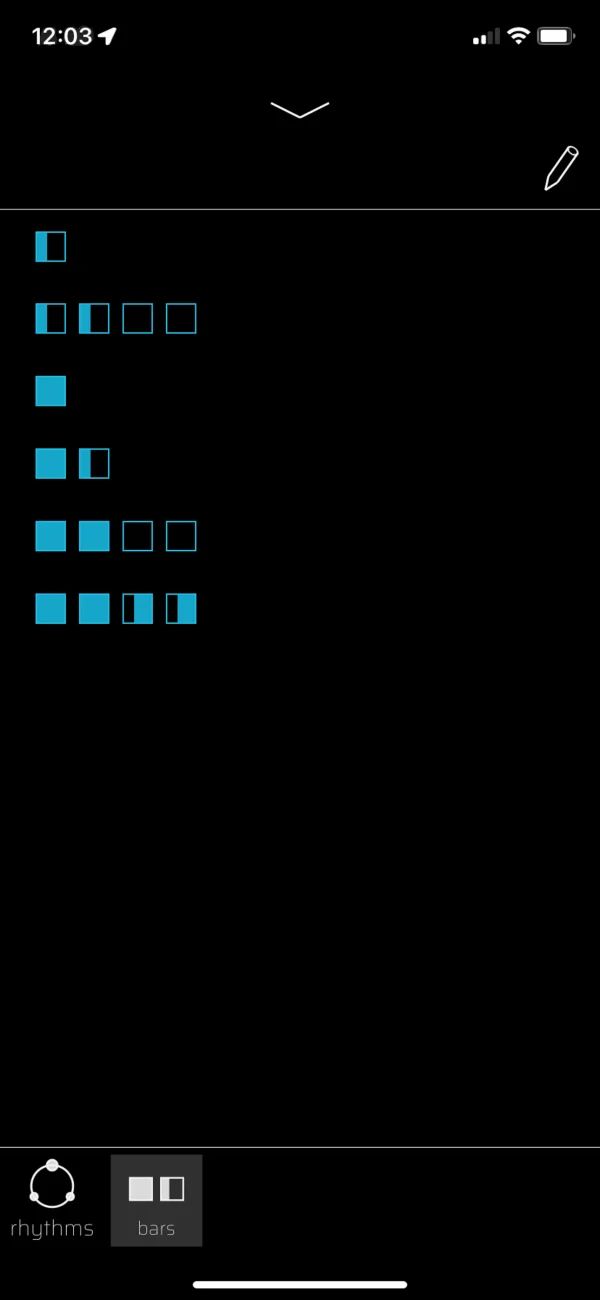
Make your own practise loops with bars of silence, just downbeats, or just off-beats
- Tempo:
10-400bpm range
Quick change from the main screen, plus three additional ways to change tempo:
Tap Tempo
Scroller
Keypad entry
- Presets:
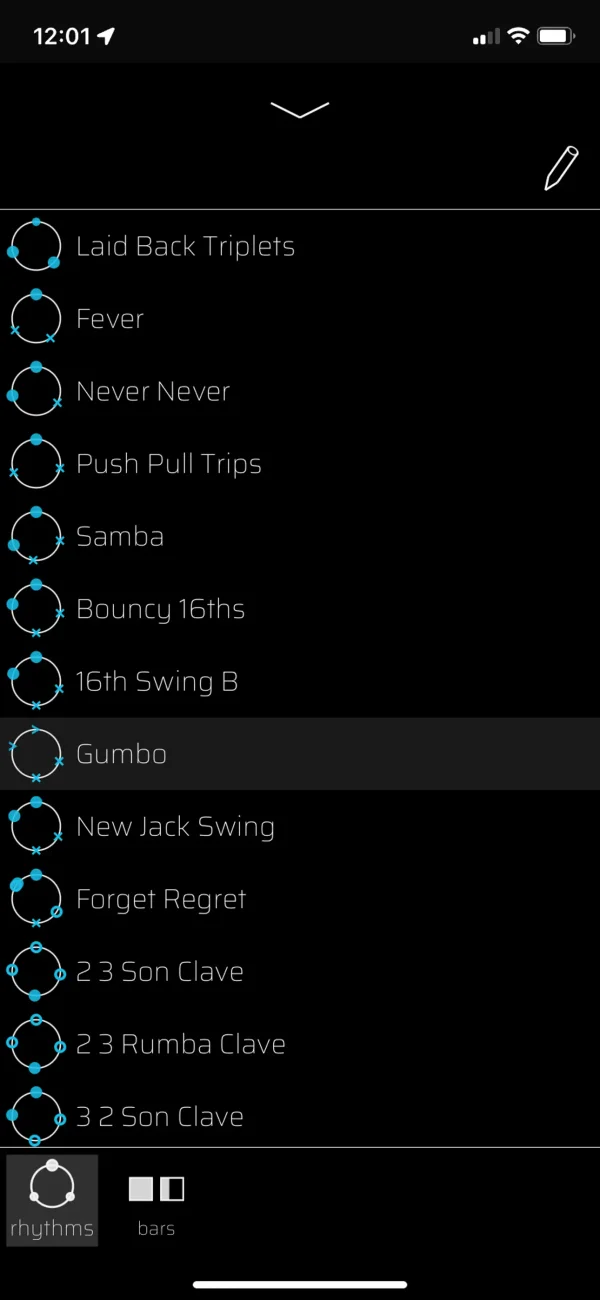
Save, edit and recall both grooves and bar sequences separately.
- Sounds:
Comes with a range of sounds to choose your favourite, as well as a variety of drum sounds for all musicians to play along to!
Swing Click Metronome allows a way of exploring and practising in a clear and methodical way, with the goal of then hearing & playing with the ideas in musical contexts. You can find timing placements that feel unfamiliar to you in order to be comfortable with all parts of the beat.
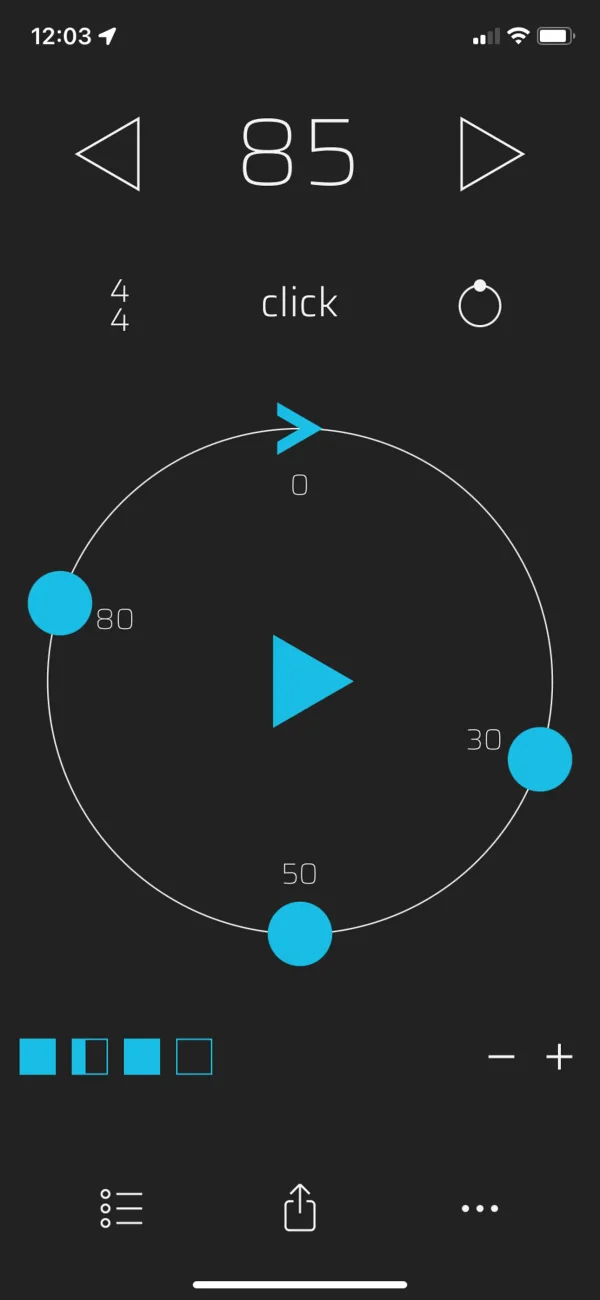
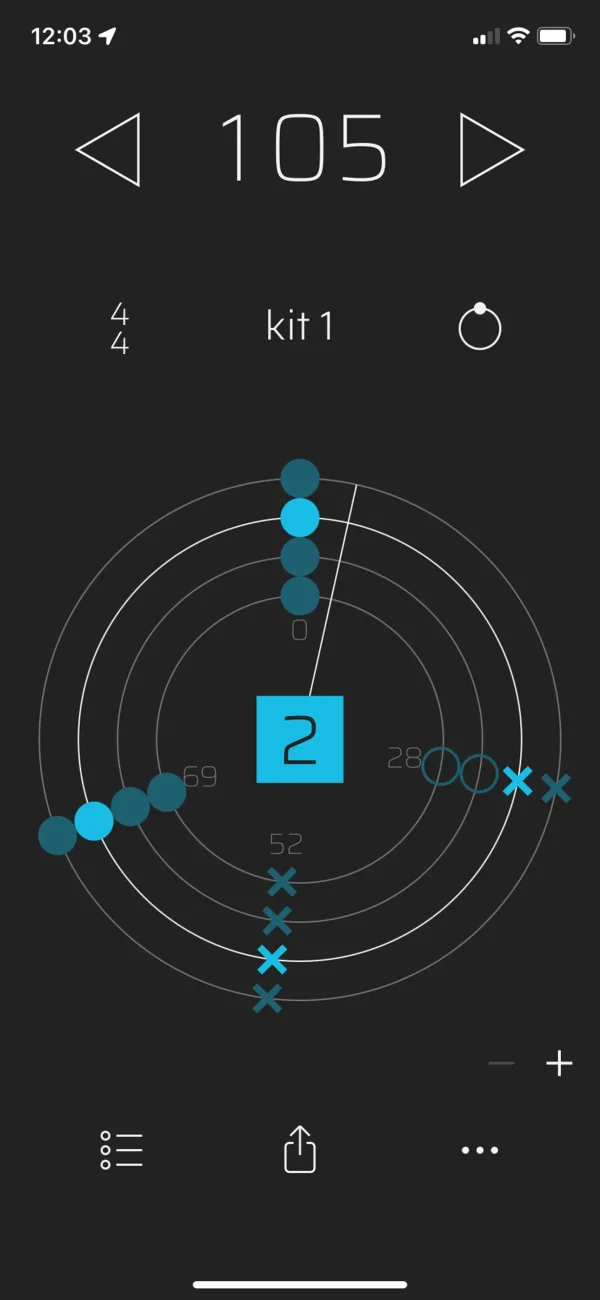
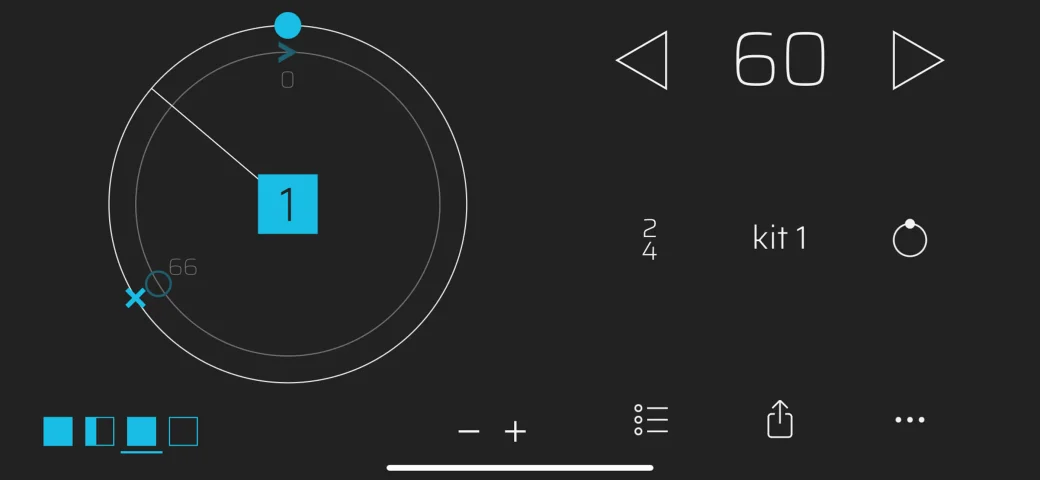
The circle represents one beat, with the downbeat at the top. Every time a beat goes by, we get back to the top of the circle.
By adding a ‘hit’, we can add an ‘offbeat’. If you were counting quavers/8th notes, this would be the ‘And’ of the beat.
The number next to each hit shows the percentage of how far it is through the beat. By moving it later (or earlier), you make it ‘swing’
You can add as many points as you like within the beat to make unique rhythms to practise, try some of the presets, and clear the whole beat at any time with the reset button.
For more info and tutorial videos, visit https://swingclickapp.com
Privacidad de la aplicación
Lo que Luke Barlow declara en App Store sobre cómo esta aplicación gestiona los datos.
-
No se recopilan datos
El desarrollador no recopila ningún dato de esta aplicación.
Las prácticas de privacidad pueden variar, por ejemplo, según las funciones que uses o tu edad.
Información
- Vendedor
- Luke Barlow
- Categoría
- Música
- Versión
- 1.0
- Actualizado
- 12/3/2024
- Publicado
- 12/3/2024
- Tamaño
- 6,9 MB
- Requiere
- iOS 13.0 o posterior
- Clasificación por edad
- 4+
- Precio
- Gratis
- Compras en la aplicación
- Sí
- Idiomas
- Inglés
- Copyright
- © 2024 The Feel Company
Quizá también te guste
-
 BeatBalanceMúsica
-
 Quartet 2Música
-
 Rhythm GeneratorMúsica
-
 Time Guru: Metrónomo ProEntrenador de ritmo y timing
-
 DrummitMúsica
-
 Drum Notes: batería, percusiónPartituras y tablaturas
-
 MusicPad – Music WritingWrite, compose & score music
-
 Complete Rhythm TrainerDomina el ritmo
-
 Tempo Metrónomo con repertorioMúsica
-
 Metrónomo Beat: BPM MetronomeTap tempo beats music detector