- 対象年齢4+
- カテゴリユーティリティ
- 開発元Christopher R Hannah
- 言語英語
- サイズ20.2 MB
App Storeの公式ページにリンクしています
Download.orgはText Caseのファイルを一切ホストしていません。ボタンを押すと、Christopher R Hannahが公開しているApp Storeのアプリページが開きます。ページの最終確認:2026/11/23。
スクリーンショット

概要
開発元はこのテキストをお使いの言語で提供していません。
Clean up pasted text, fix a headline, or save a series of edits you can run again.
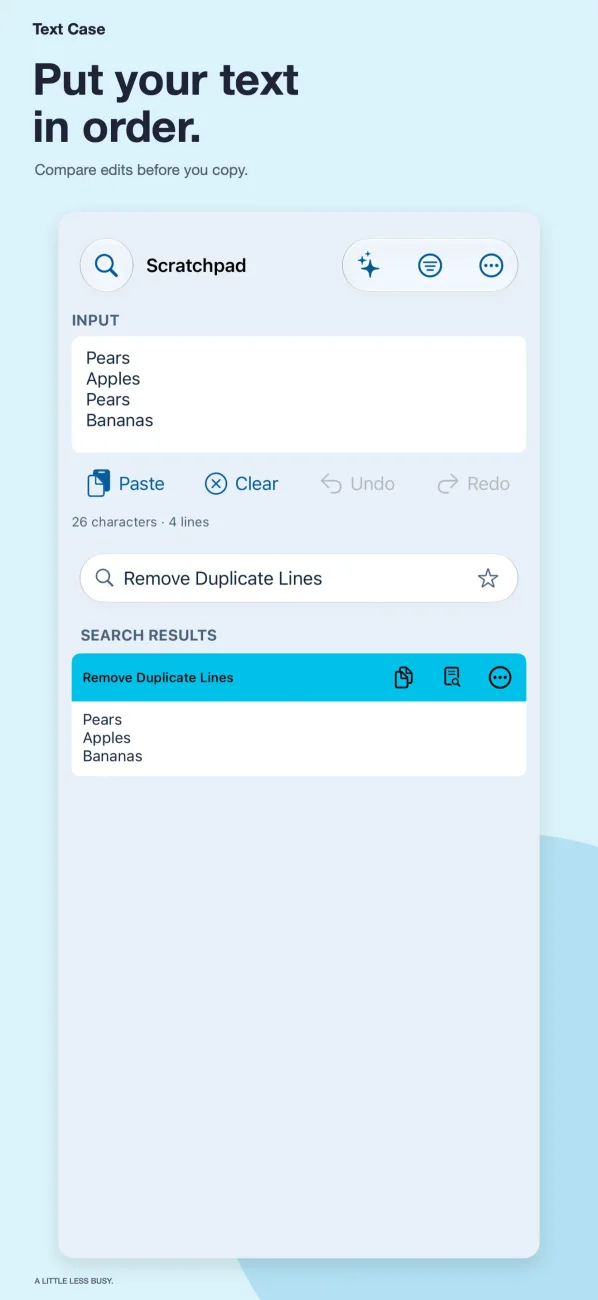
PASTE ONCE, COMPARE RESULTS
See how the same text looks in several formats at once. Search in Scratchpad, tap the star to show your favourites, or return to a recent transformation. Open the full result to copy or share it. Use a result as your next input to keep editing, and undo to go back.
FIND THE FORMAT YOU NEED
Choose from 77 built-in formats. Apply AP or Chicago title case, tidy whitespace and line breaks, sort lines, turn a list into Markdown, format JSON, or make a URL slug. You can also count words and characters, encode Base64, switch between programming cases, or add your own names and spellings to the personal dictionary.
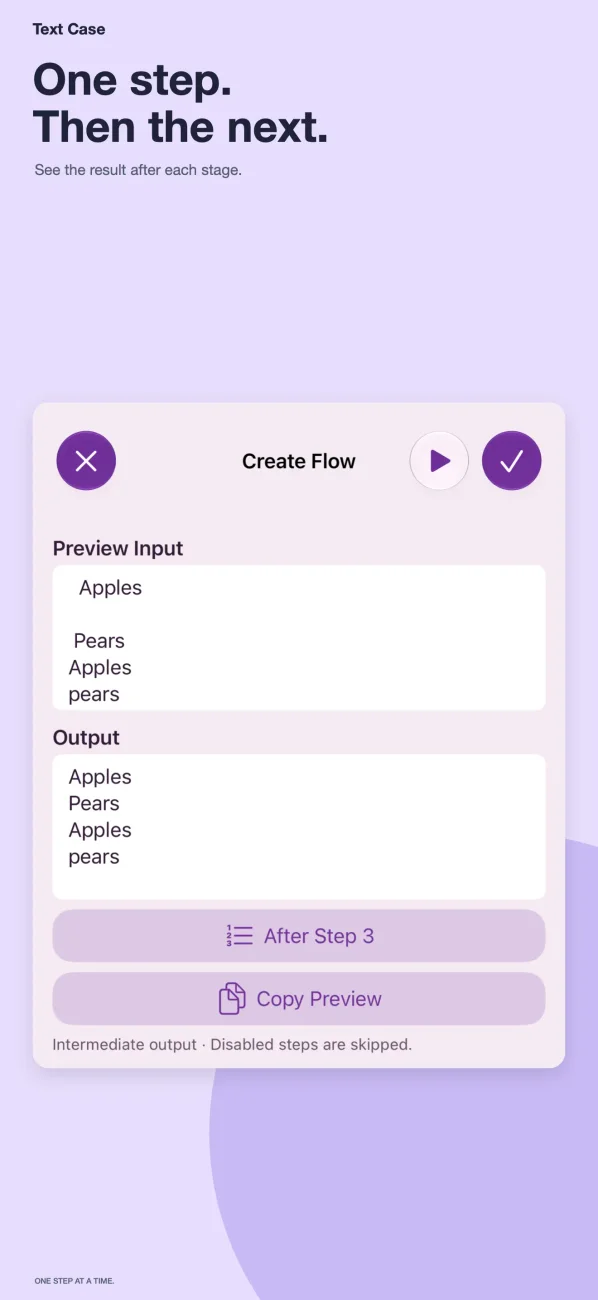
SAVE THE STEPS YOU REPEAT
Trim each line, remove blanks and duplicates, then turn the result into Markdown bullets. Save those steps as one flow. Preview the result after any step and switch a step off while keeping its settings. Five built-in templates cover pasted text, headlines, lists, URL slugs and Markdown quotes. Try one with your own text and copy the result before deciding whether to save it.
WRITE YOUR OWN INSTRUCTION
Ask AI Transform to shorten a paragraph or turn American spelling into British spelling, then review the result. Save the instruction as a named AI format to reuse in flows. Generation takes place on supported devices with Apple Intelligence enabled and the system model available.
TAKE YOUR FLOWS WITH YOU
Use supported formats and flows from the share sheet or Shortcuts. Sync flows through iCloud Drive when available, export a backup, or open a .textcaseflow file from Files to import an editable copy. On iPad and iPhone Duo, Scratchpad adapts to the space available when you resize or unfold.
新機能
バージョン 2026.2 · 2026/11/21
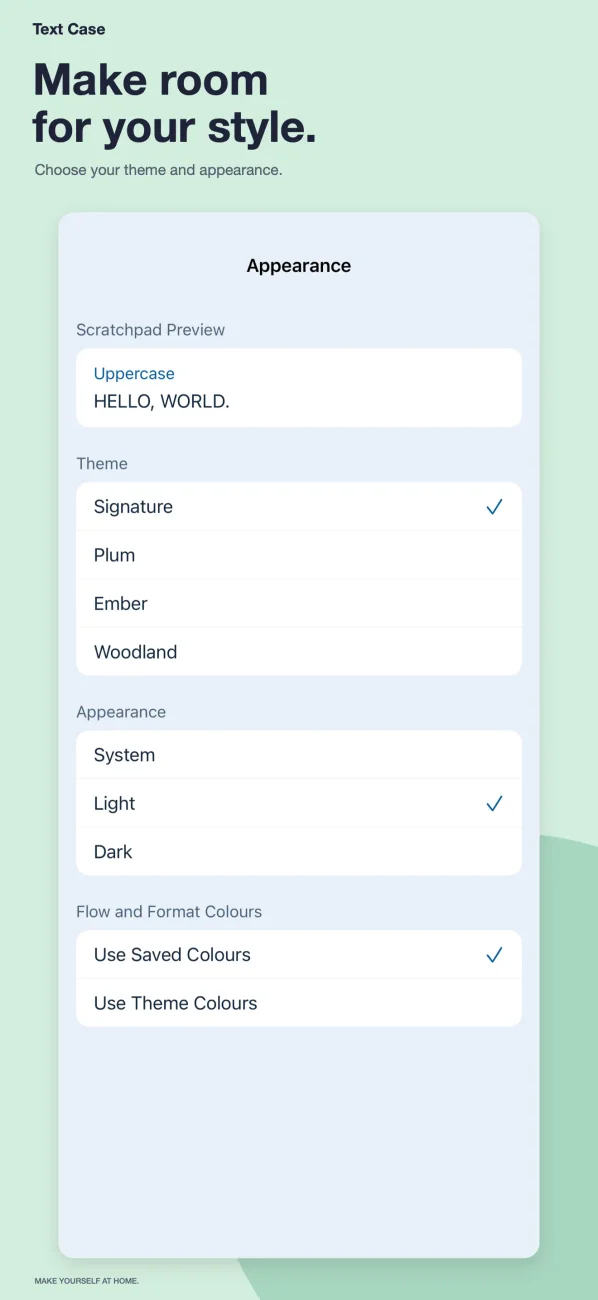
Text Case has a new look. Choose Signature, Plum, Ember or Woodland, use a light or dark appearance, and pick an app icon independently of your theme.
This update also refines the Mac interface, with clearer flow controls and more room in settings and templates. You can open flow files from Files or Finder, or drop them onto the Flows list to import editable copies.
アプリのプライバシー
このアプリのデータの取り扱いについて、Christopher R HannahがApp Storeで申告している内容です。
-
データの収集なし
開発元はこのアプリからデータを収集しません。
プライバシーの取り扱いは、ご利用の機能やお客様の年齢などに応じて異なる場合があります。
情報
- 販売元
- Christopher R Hannah
- カテゴリ
- ユーティリティ
- バージョン
- 2026.2
- 更新日
- 2026/11/21
- リリース
- 2018/7/28
- サイズ
- 20.2 MB
- 必要条件
- iOS 26.0以降
- 対象年齢
- 4+
- 価格
- ¥800
- アプリ内課金
- あり
- 言語
- 英語
- 著作権
- © 2022 Christopher R Hannah
こちらもおすすめ
-
 Menu Boxユーティリティ
-
 Site Checker: Down DetectorWebsite testing. Http client
-
 Nautomateユーティリティ
-
 MillimeterPro - 画面上の定規 巻尺尺度 長さ 角度 面積 角度 比率 スレッドサイズ 半径
-
 MKV PiP ビデオプレイヤーピクチャ・イン・ピクチャ ビデオプレイヤー MKV AVI
-
 WiFi Tools & AnalyzerIP Scanner, Network Ping, DNS
-
 Voice Recorder: Audio Notesユーティリティ
-
 Multiple Timers: Timusシャトルラン, 集中タイマー, ワークアウトタイマー
-
 My IP Address LocationFind and track IP on map
-
 フォーカスクロック急速に自律を身につけて習慣に集中します