Text Case
Text Cleanup & Reusable Flows
Designed for iPhone, iPad
$4.99 · In-app purchases
- Age rating4+
- CategoryUtilities
- DeveloperChristopher R Hannah
- LanguagesEnglish
- Size20.2 MB
Links to the official App Store page
Download.org hosts no file of Text Case. The button opens its official App Store page, published by Christopher R Hannah. Listing last checked on Nov 23, 2026.
Screenshots

About
Clean up pasted text, fix a headline, or save a series of edits you can run again.
PASTE ONCE, COMPARE RESULTS
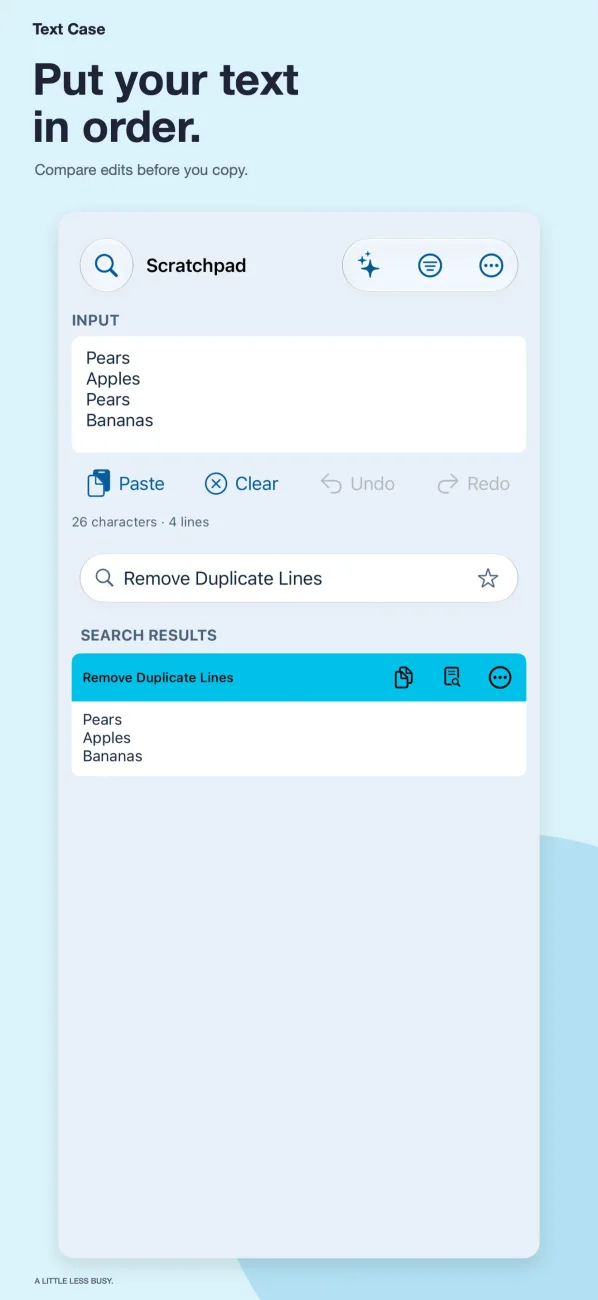
See how the same text looks in several formats at once. Search in Scratchpad, tap the star to show your favourites, or return to a recent transformation. Open the full result to copy or share it. Use a result as your next input to keep editing, and undo to go back.
FIND THE FORMAT YOU NEED
Choose from 77 built-in formats. Apply AP or Chicago title case, tidy whitespace and line breaks, sort lines, turn a list into Markdown, format JSON, or make a URL slug. You can also count words and characters, encode Base64, switch between programming cases, or add your own names and spellings to the personal dictionary.
SAVE THE STEPS YOU REPEAT
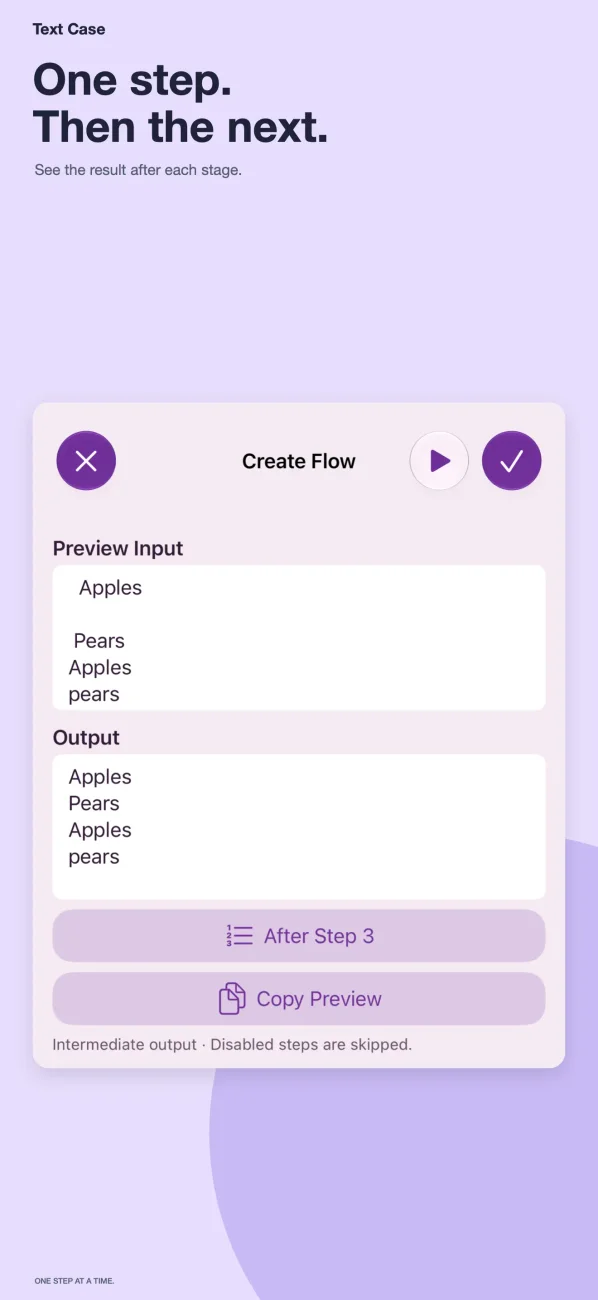
Trim each line, remove blanks and duplicates, then turn the result into Markdown bullets. Save those steps as one flow. Preview the result after any step and switch a step off while keeping its settings. Five built-in templates cover pasted text, headlines, lists, URL slugs and Markdown quotes. Try one with your own text and copy the result before deciding whether to save it.
WRITE YOUR OWN INSTRUCTION
Ask AI Transform to shorten a paragraph or turn American spelling into British spelling, then review the result. Save the instruction as a named AI format to reuse in flows. Generation takes place on supported devices with Apple Intelligence enabled and the system model available.
TAKE YOUR FLOWS WITH YOU
Use supported formats and flows from the share sheet or Shortcuts. Sync flows through iCloud Drive when available, export a backup, or open a .textcaseflow file from Files to import an editable copy. On iPad and iPhone Duo, Scratchpad adapts to the space available when you resize or unfold.
What’s new
Version 2026.2 · Nov 21, 2026
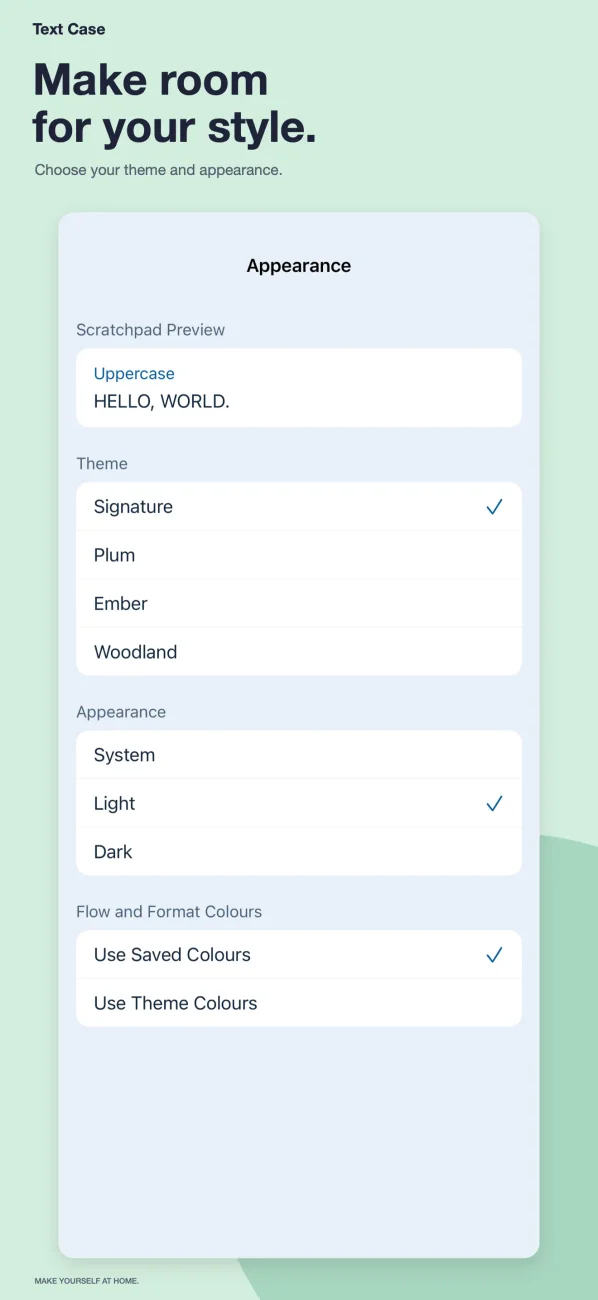
Text Case has a new look. Choose Signature, Plum, Ember or Woodland, use a light or dark appearance, and pick an app icon independently of your theme.
This update also refines the Mac interface, with clearer flow controls and more room in settings and templates. You can open flow files from Files or Finder, or drop them onto the Flows list to import editable copies.
App privacy
What Christopher R Hannah declares on the App Store about how this app handles data.
-
Data not collected
The developer does not collect any data from this app.
Privacy practices may vary, for example with the features you use or your age.
Information
- Seller
- Christopher R Hannah
- Category
- Utilities
- Version
- 2026.2
- Updated
- Nov 21, 2026
- Released
- Jul 28, 2018
- Size
- 20.2 MB
- Requires
- iOS 26.0 or later
- Age rating
- 4+
- Price
- $4.99
- In-app purchases
- Yes
- Languages
- English
- Copyright
- © 2022 Christopher R Hannah
You might also like
-
 Menu BoxBeautiful Menus for Shortcuts
-
 Site Checker: Down DetectorWebsite testing. Http client
-
 NautomateNotion actions in Shortcuts
-
 Millimeter Pro - screen rulerbest tape measure in inch mm
-
 MKV PiP PlayerMKV M3U Video PiP & TV Casting
-
 WiFi Tools & AnalyzerIP Scanner, Network Ping, DNS
-
 Voice Recorder: Audio NotesRecord, Edit & Share Easily
-
 Visual Multi Timer: TimusMultiple Interval Timers Free
-
 My IP Address LocationFind and track IP on map
-
 Focus ClockFocus Timer&Tasks