Timecode Stamper
Overlay time, date, GPS & more
Diseñada para iPhone, iPad
5,99 €
- Clasificación por edad4+
- CategoríaFoto y vídeo
- DesarrolladorAlastair Bor
- IdiomasInglés
- Tamaño4,2 MB
Enlaza a la página oficial de App Store
Download.org no aloja ningún archivo de Timecode Stamper. El botón abre la página de la aplicación en App Store, donde la publica Alastair Bor. Ficha comprobada por última vez el 15/11/2026.
Capturas de pantalla


Acerca de
El desarrollador no ha proporcionado este texto en tu idioma.
Transform your videos with professional timecode overlays
Timecode Stamper is the ultimate tool for adding precise, customizable timecode overlays to your videos. Perfect for filmmakers, content creators, researchers, and anyone who needs accurate time references in their footage.
KEY FEATURES
Professional Timecode Options
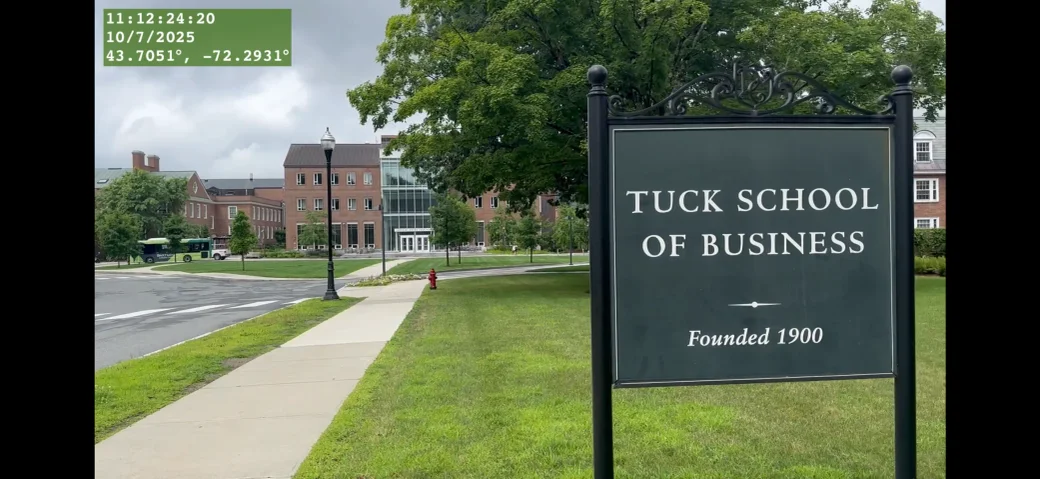
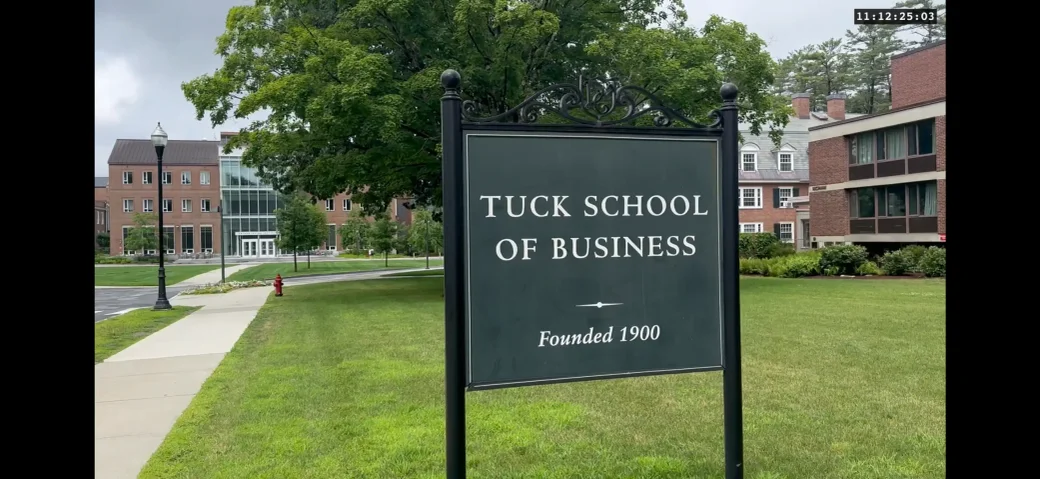
- Actual time display - shows real-world timestamps
- From-zero mode - starts counting from 00:00:00:00
- Automatic frame rate detection for precise accuracy
- Support for various video formats and frame rates
Complete Customization
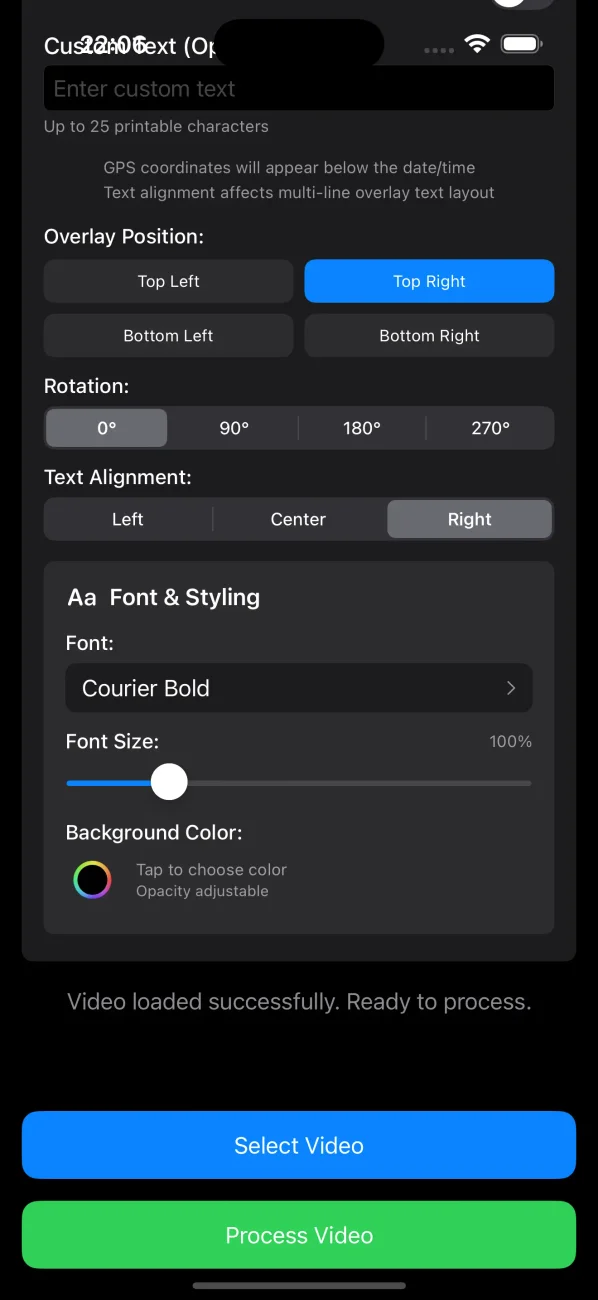
- Choose from 15+ professional fonts optimized for video
- Adjustable font size (50% to 300% scaling)
- Custom background colors with opacity control
- Four corner positioning options
- 360 degree rotation capability (0, 90, 180, 270 degrees)
- Left, center, or right text alignment
Rich Metadata Integration
- Automatic extraction of video creation date and time
- GPS coordinates overlay (when available)
- Time zone detection and display
- Custom text overlay (up to 25 characters)
- Comprehensive metadata preview
Smart Video Processing
- Real-time preview before processing
- Preserves original video quality
- Maintains audio synchronization
- Progress tracking with percentage display
- Automatic save to Photos library
Universal Design
- Optimized layouts for iPhone and iPad
- Intuitive touch controls
- Modern, clean interface
- Comprehensive font selection with live preview
PERFECT FOR
- Film & Video Production - Add professional timecode for editing reference
- Content Creation - Timestamp your footage for easy organization
- Research & Documentation - Precise time references for analysis
- Security & Surveillance - Add timestamps to recorded footage
- Sports Analysis - Frame-accurate timing for performance review
- Education - Create time-referenced instructional videos
HOW IT WORKS
1. Select any video from your Photos library
2. Customize your timecode appearance and position
3. Preview the overlay in real-time
4. Process your video with professional quality
5. Save the timestamped video back to Photos
TECHNICAL EXCELLENCE
- Built with cutting-edge SwiftUI and AVFoundation
- Supports all modern iOS video formats
- Intelligent metadata extraction from various sources
- Frame-accurate timecode generation
- High-quality video export with no compression loss
Requirements: iOS 18.0 or later. Compatible with iPhone and iPad.
Privacy: Timecode Stamper only accesses videos you specifically select. No data is collected or transmitted. All processing happens locally on your device.
Start creating professional timestamped videos today with Timecode Stamper!
Novedades
Versión 1.6 · 16/7/2026
• Batch processing now correctly applies your chosen time and date formats - 12/24-hour and date style settings are honored on every video in the queue.
• More reliable overlay rendering across a wider range of video formats, with sharper, correctly-aligned timecodes.
• Improved stability when adjusting overlay settings while a video is processing.
• Enhanced privacy: reduced location-related diagnostic logging.
• General bug fixes and performance improvements.
Privacidad de la aplicación
Lo que Alastair Bor declara en App Store sobre cómo esta aplicación gestiona los datos.
-
No se recopilan datos
El desarrollador no recopila ningún dato de esta aplicación.
Las prácticas de privacidad pueden variar, por ejemplo, según las funciones que uses o tu edad.
Información
- Vendedor
- Ambor
- Categoría
- Foto y vídeo
- Versión
- 1.6
- Actualizado
- 16/7/2026
- Publicado
- 15/7/2025
- Tamaño
- 4,2 MB
- Requiere
- iOS 18.0 o posterior
- Clasificación por edad
- 4+
- Precio
- 5,99 €
- Idiomas
- Inglés
- Copyright
- © 2025-2026 Ambor
Quizá también te guste
-
 Comic Cam - Comic,Manga CameraFoto y vídeo
-
 Blur CutEasy Face Masking
-
 Tripix Cam: Cámara con TimerDisparo automático sin manos
-
 AI Upscale: Enlarge ImagesMejorar calidad de fotos y HD
-
 Image & Video File compressorResize Photos & Compress Image
-
 Presets for Lightroom: PresetoFoto y vídeo
-
 Comprimir Imágenes y FotosReduce Peso Sin Pérdidas
-
 AI Video EraserFoto y vídeo
-
 Comprimir imagen - PixFitReducir tamaño foto; convertir
-
 Compresor de Vídeo - ShrinkItComprime videos