Timecode Stamper
Overlay time, date, GPS & more
Conçue pour iPhone, iPad
5,99 €
- Classification d’âge4+
- CatégoriePhoto et vidéo
- DéveloppeurAlastair Bor
- LanguesAnglais
- Taille4,2 Mo
Renvoie vers la page App Store officielle
Download.org n’héberge aucun fichier de Timecode Stamper. Le bouton ouvre la page de l’application sur App Store, où Alastair Bor la publie. Fiche vérifiée pour la dernière fois le 15/11/2026.
Captures d’écran


À propos
Le développeur n’a pas fourni ce texte dans votre langue.
Transform your videos with professional timecode overlays
Timecode Stamper is the ultimate tool for adding precise, customizable timecode overlays to your videos. Perfect for filmmakers, content creators, researchers, and anyone who needs accurate time references in their footage.
KEY FEATURES
Professional Timecode Options
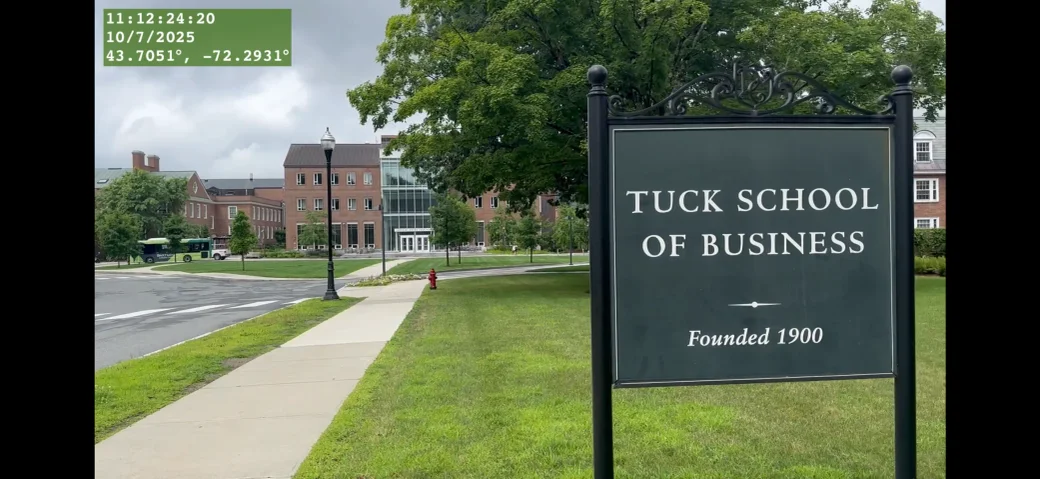
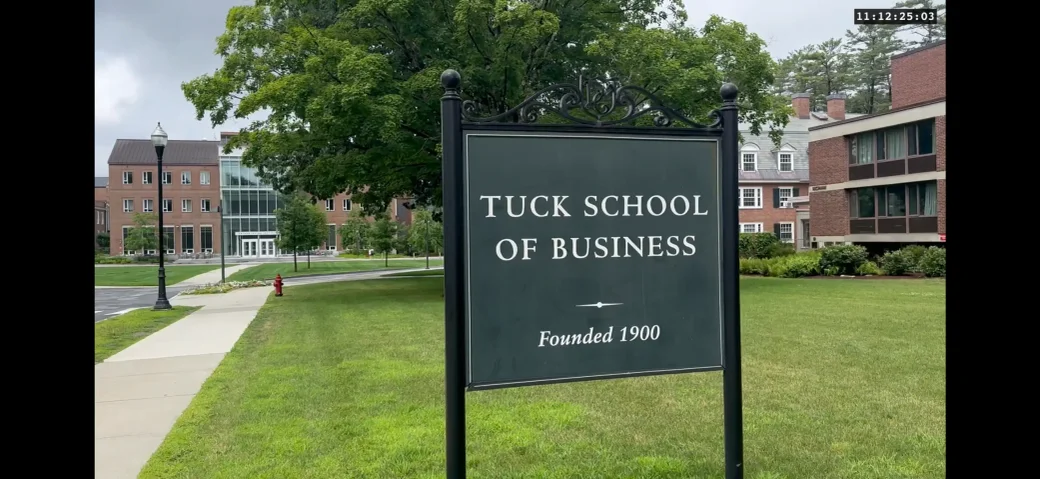
- Actual time display - shows real-world timestamps
- From-zero mode - starts counting from 00:00:00:00
- Automatic frame rate detection for precise accuracy
- Support for various video formats and frame rates
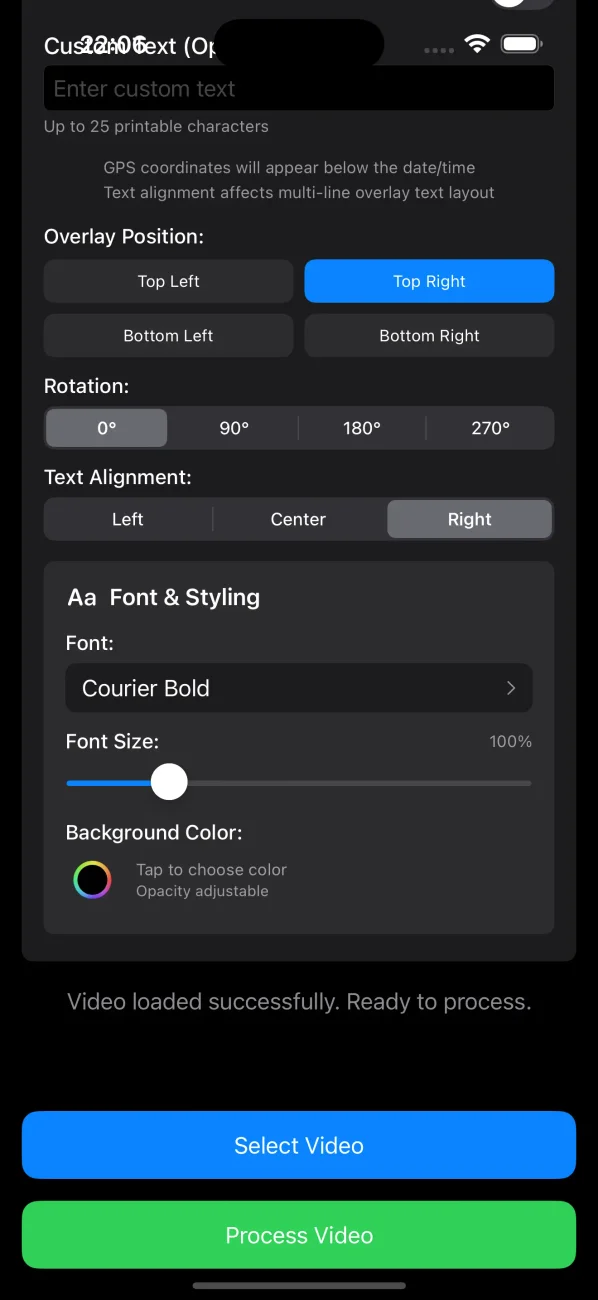
Complete Customization
- Choose from 15+ professional fonts optimized for video
- Adjustable font size (50% to 300% scaling)
- Custom background colors with opacity control
- Four corner positioning options
- 360 degree rotation capability (0, 90, 180, 270 degrees)
- Left, center, or right text alignment
Rich Metadata Integration
- Automatic extraction of video creation date and time
- GPS coordinates overlay (when available)
- Time zone detection and display
- Custom text overlay (up to 25 characters)
- Comprehensive metadata preview
Smart Video Processing
- Real-time preview before processing
- Preserves original video quality
- Maintains audio synchronization
- Progress tracking with percentage display
- Automatic save to Photos library
Universal Design
- Optimized layouts for iPhone and iPad
- Intuitive touch controls
- Modern, clean interface
- Comprehensive font selection with live preview
PERFECT FOR
- Film & Video Production - Add professional timecode for editing reference
- Content Creation - Timestamp your footage for easy organization
- Research & Documentation - Precise time references for analysis
- Security & Surveillance - Add timestamps to recorded footage
- Sports Analysis - Frame-accurate timing for performance review
- Education - Create time-referenced instructional videos
HOW IT WORKS
1. Select any video from your Photos library
2. Customize your timecode appearance and position
3. Preview the overlay in real-time
4. Process your video with professional quality
5. Save the timestamped video back to Photos
TECHNICAL EXCELLENCE
- Built with cutting-edge SwiftUI and AVFoundation
- Supports all modern iOS video formats
- Intelligent metadata extraction from various sources
- Frame-accurate timecode generation
- High-quality video export with no compression loss
Requirements: iOS 18.0 or later. Compatible with iPhone and iPad.
Privacy: Timecode Stamper only accesses videos you specifically select. No data is collected or transmitted. All processing happens locally on your device.
Start creating professional timestamped videos today with Timecode Stamper!
Nouveautés
Version 1.6 · 16/07/2026
• Batch processing now correctly applies your chosen time and date formats - 12/24-hour and date style settings are honored on every video in the queue.
• More reliable overlay rendering across a wider range of video formats, with sharper, correctly-aligned timecodes.
• Improved stability when adjusting overlay settings while a video is processing.
• Enhanced privacy: reduced location-related diagnostic logging.
• General bug fixes and performance improvements.
Confidentialité de l’application
Ce que Alastair Bor déclare sur l’App Store au sujet du traitement des données par cette application.
-
Données non collectées
Le développeur ne collecte aucune donnée à partir de cette application.
Les pratiques en matière de confidentialité peuvent varier, notamment en fonction des fonctionnalités que vous utilisez ou de votre âge.
Informations
- Vendeur
- Ambor
- Catégorie
- Photo et vidéo
- Version
- 1.6
- Mis à jour
- 16/07/2026
- Publié
- 15/07/2025
- Taille
- 4,2 Mo
- Nécessite
- iOS 18.0 ou version ultérieure
- Classification d’âge
- 4+
- Prix
- 5,99 €
- Langues
- Anglais
- Copyright
- © 2025-2026 Ambor
Vous aimerez peut-être aussi
-
 Comic Cam - Comic,Manga CameraPhoto et vidéo
-
 Blur CutEasy Face Masking
-
 Tripix Cam: Retardateur PhotoDéclencheur auto, mains libres
-
 AI Upscale: Enlarge ImagesQualité photo nette & HD
-
 Image & Video File compressorResize Photos & Compress Image
-
 Presets for Lightroom: PresetoPhoto et vidéo
-
 Compresser Photos & ImagesRedimensionner & Comprimer
-
 AI Video EraserPhoto et vidéo
-
 Compresser photo - PixFitRedimensionner · HEIC en JPG
-
 Compresseur vidéo - ShrinkItCompresser vidéos