- 対象年齢4+
- カテゴリ写真/ビデオ
- 開発元Alastair Bor
- 言語英語
- サイズ4.2 MB
App Storeの公式ページにリンクしています
Download.orgはTimecode Stamperのファイルを一切ホストしていません。ボタンを押すと、Alastair Borが公開しているApp Storeのアプリページが開きます。ページの最終確認:2026/11/15。
スクリーンショット


概要
開発元はこのテキストをお使いの言語で提供していません。
Transform your videos with professional timecode overlays
Timecode Stamper is the ultimate tool for adding precise, customizable timecode overlays to your videos. Perfect for filmmakers, content creators, researchers, and anyone who needs accurate time references in their footage.
KEY FEATURES
Professional Timecode Options
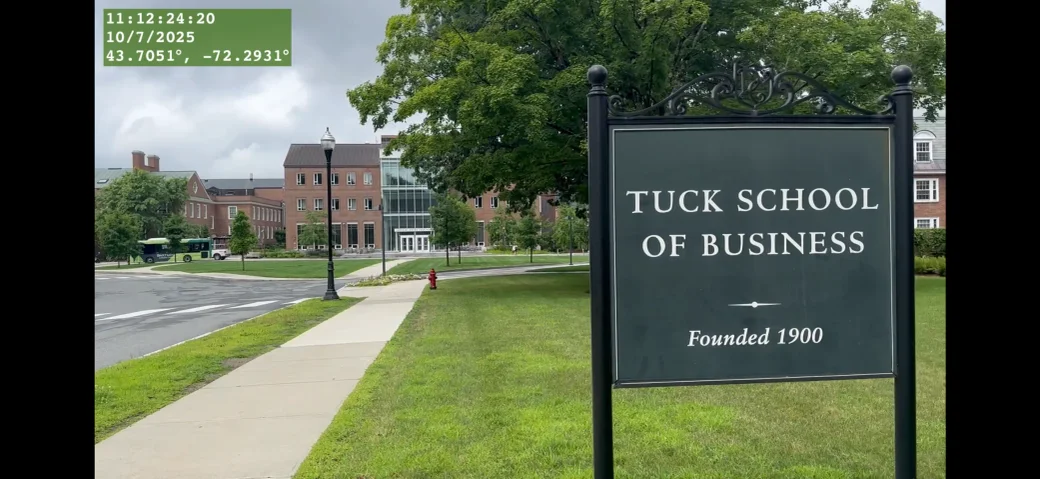
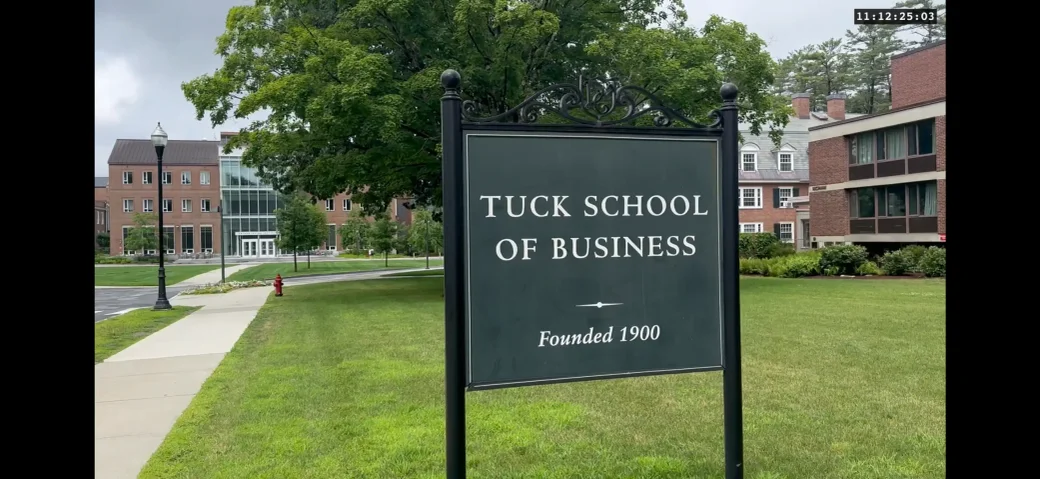
- Actual time display - shows real-world timestamps
- From-zero mode - starts counting from 00:00:00:00
- Automatic frame rate detection for precise accuracy
- Support for various video formats and frame rates
Complete Customization
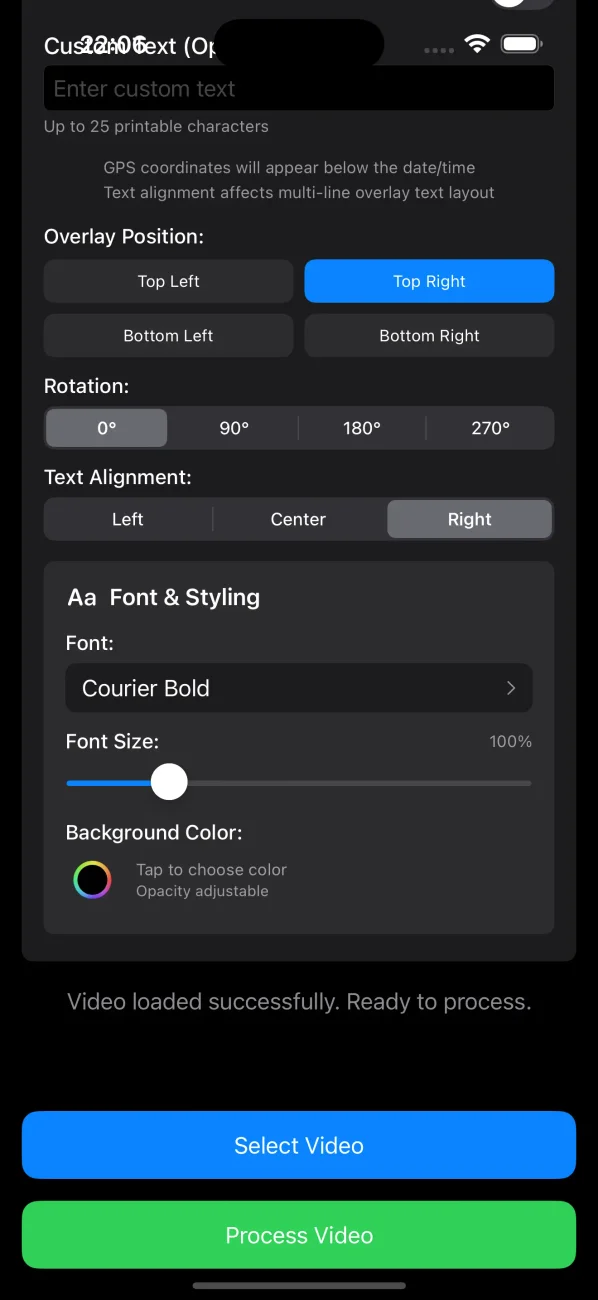
- Choose from 15+ professional fonts optimized for video
- Adjustable font size (50% to 300% scaling)
- Custom background colors with opacity control
- Four corner positioning options
- 360 degree rotation capability (0, 90, 180, 270 degrees)
- Left, center, or right text alignment
Rich Metadata Integration
- Automatic extraction of video creation date and time
- GPS coordinates overlay (when available)
- Time zone detection and display
- Custom text overlay (up to 25 characters)
- Comprehensive metadata preview
Smart Video Processing
- Real-time preview before processing
- Preserves original video quality
- Maintains audio synchronization
- Progress tracking with percentage display
- Automatic save to Photos library
Universal Design
- Optimized layouts for iPhone and iPad
- Intuitive touch controls
- Modern, clean interface
- Comprehensive font selection with live preview
PERFECT FOR
- Film & Video Production - Add professional timecode for editing reference
- Content Creation - Timestamp your footage for easy organization
- Research & Documentation - Precise time references for analysis
- Security & Surveillance - Add timestamps to recorded footage
- Sports Analysis - Frame-accurate timing for performance review
- Education - Create time-referenced instructional videos
HOW IT WORKS
1. Select any video from your Photos library
2. Customize your timecode appearance and position
3. Preview the overlay in real-time
4. Process your video with professional quality
5. Save the timestamped video back to Photos
TECHNICAL EXCELLENCE
- Built with cutting-edge SwiftUI and AVFoundation
- Supports all modern iOS video formats
- Intelligent metadata extraction from various sources
- Frame-accurate timecode generation
- High-quality video export with no compression loss
Requirements: iOS 18.0 or later. Compatible with iPhone and iPad.
Privacy: Timecode Stamper only accesses videos you specifically select. No data is collected or transmitted. All processing happens locally on your device.
Start creating professional timestamped videos today with Timecode Stamper!
新機能
バージョン 1.6 · 2026/7/16
• Batch processing now correctly applies your chosen time and date formats - 12/24-hour and date style settings are honored on every video in the queue.
• More reliable overlay rendering across a wider range of video formats, with sharper, correctly-aligned timecodes.
• Improved stability when adjusting overlay settings while a video is processing.
• Enhanced privacy: reduced location-related diagnostic logging.
• General bug fixes and performance improvements.
アプリのプライバシー
このアプリのデータの取り扱いについて、Alastair BorがApp Storeで申告している内容です。
-
データの収集なし
開発元はこのアプリからデータを収集しません。
プライバシーの取り扱いは、ご利用の機能やお客様の年齢などに応じて異なる場合があります。
情報
- 販売元
- Ambor
- カテゴリ
- 写真/ビデオ
- バージョン
- 1.6
- 更新日
- 2026/7/16
- リリース
- 2025/7/15
- サイズ
- 4.2 MB
- 必要条件
- iOS 18.0以降
- 対象年齢
- 4+
- 価格
- ¥800
- 言語
- 英語
- 著作権
- © 2025-2026 Ambor
こちらもおすすめ
-
 Comic Cam - Comic,Manga Camera写真/ビデオ
-
 Blur CutEasy Face Masking
-
 Tripix Cam: セルフタイマーカメラ自動撮影、ハンズフリーで撮れる
-
 AI Upscale: Enlarge Images写真を高画質化・鮮明くっきり
-
 Image & Video File compressorResize Photos & Compress Image
-
 Presets for Lightroom: Preseto写真/ビデオ
-
 写真と画像を圧縮画像のサイズ変更と圧縮
-
 AI Video Eraser写真/ビデオ
-
 写真圧縮・画像サイズ変更 - PixFitHEIC JPG 変換 · PNG WebP
-
 ビデオ圧縮 - ShrinkIt動画を圧縮