VideoHubControl
Control your Videohub
Diseñada para iPhone, iPad, iPod touch
9,99 € · Compras en la aplicación
- Clasificación por edad4+
- CategoríaUtilidades
- DesarrolladorAlexander Омelchuk
- IdiomasInglés
- Tamaño1,8 MB
Enlaza a la página oficial de App Store
Download.org no aloja ningún archivo de VideoHubControl. El botón abre la página de la aplicación en App Store, donde la publica Alexander Омelchuk. Ficha comprobada por última vez el 23/11/2026.
Capturas de pantalla

Acerca de
El desarrollador no ha proporcionado este texto en tu idioma.
VHC controls Blackmagic Design Videohub and AJA KUMO routers on the local network.
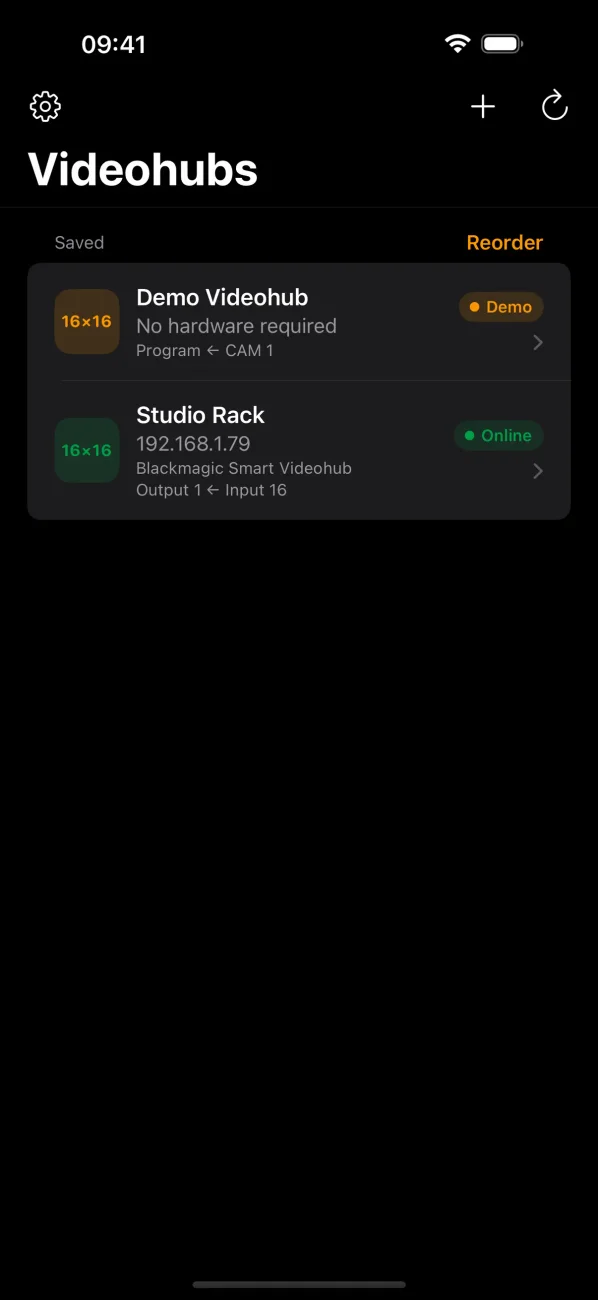
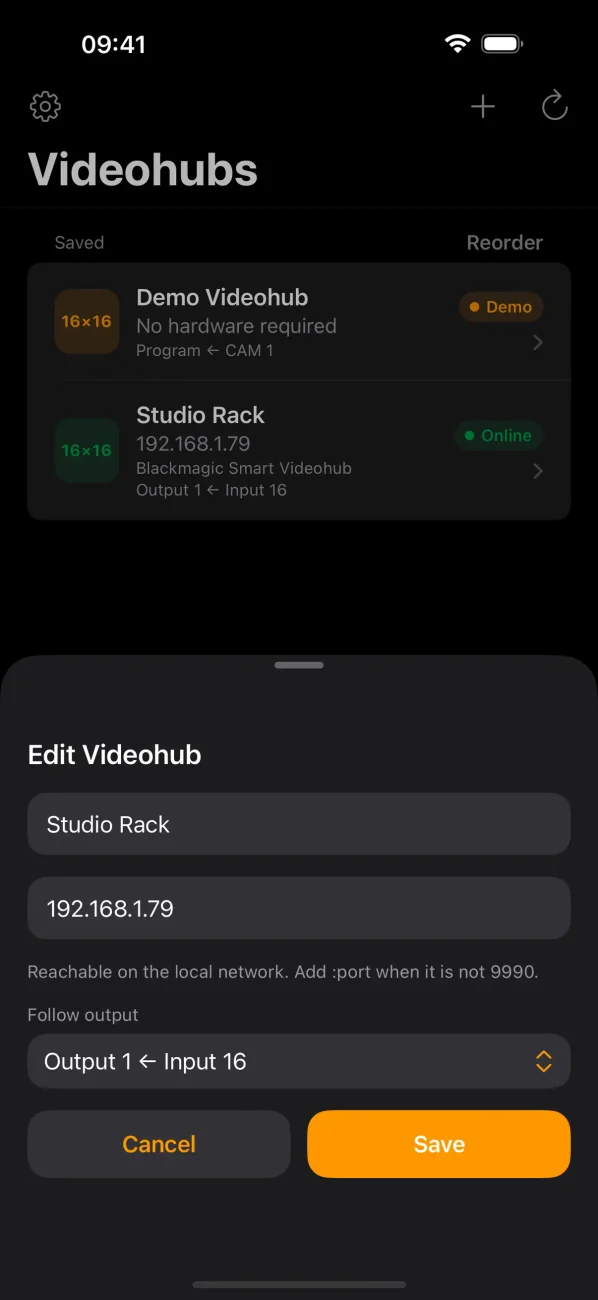
Save the hubs you use. Each row shows whether the matrix is online and where one output is routed right now. Edit the hub to follow a different output. Videohubs are found automatically; add a KUMO by its address.
Open a hub to route: pick the destination, pick the source, and send it with the big button at the bottom of the screen. The line above it shows exactly what will be sent, and “Now” shows what is on air. After a route goes through, Undo puts the previous source back. On large routers, find a port by its number or name instead of spinning the wheel.
Lock an output so nobody else can change it. Save the whole routing table as a preset and recall it later; on Studio Videohub, presets include the monitoring outputs.
The app remembers a hub by its Unique ID, so a DHCP address change updates the saved row instead of adding a duplicate. If the router is not on port 9990, put the port in the address.
On iPad, the list and the routing screen sit side by side. On a wide iPad, a table of every output and its source sits next to the wheels.
A demo router lets you try everything without hardware.
Settings can send a diagnostics log when a router does not behave as expected.
Novedades
Versión 2.3 · 20/11/2026
A redesigned routing screen. The Routing button sits at the bottom, within thumb reach, and the line above it shows exactly what will be sent. “You sure?” shows how long it waits before resetting.
“Now” always shows what is on air. Undo puts the previous source back for 10 seconds after a route. Find a port by number or name instead of spinning the wheel.
AJA KUMO routers are supported: add one as kumo:// and its address.
Presets work on Studio Videohub, including the monitoring outputs, and open from a button in the toolbar. On a wide iPad, a table of every output sits next to the wheels.
Privacidad de la aplicación
Lo que Alexander Омelchuk declara en App Store sobre cómo esta aplicación gestiona los datos.
-
No se recopilan datos
El desarrollador no recopila ningún dato de esta aplicación.
Las prácticas de privacidad pueden variar, por ejemplo, según las funciones que uses o tu edad.
Información
- Vendedor
- Alexander Омelchuk
- Categoría
- Utilidades
- Versión
- 2.3
- Actualizado
- 20/11/2026
- Publicado
- 9/10/2018
- Tamaño
- 1,8 MB
- Requiere
- iOS 15.0 o posterior
- Clasificación por edad
- 4+
- Precio
- 9,99 €
- Compras en la aplicación
- Sí
- Idiomas
- Inglés
- Copyright
- © "2026 Alexander Omelchuk"