VideoHubControl
Control your Videohub
Được thiết kế cho iPhone, iPad, iPod touch
299.000đ · Mua hàng trong ứng dụng
- Độ tuổi4+
- Danh mụcTiện Ích
- Nhà phát triểnAlexander Омelchuk
- Ngôn ngữTiếng Anh
- Kích thước1,8 MB
Liên kết đến trang App Store chính thức
Download.org không lưu trữ tệp nào của VideoHubControl. Nút này mở trang ứng dụng trên App Store, nơi Alexander Омelchuk phát hành ứng dụng. Trang được kiểm tra lần cuối: 23/11/2026.
Ảnh chụp màn hình

Giới thiệu
Nhà phát triển chưa cung cấp nội dung này bằng ngôn ngữ của bạn.
VHC controls Blackmagic Design Videohub and AJA KUMO routers on the local network.
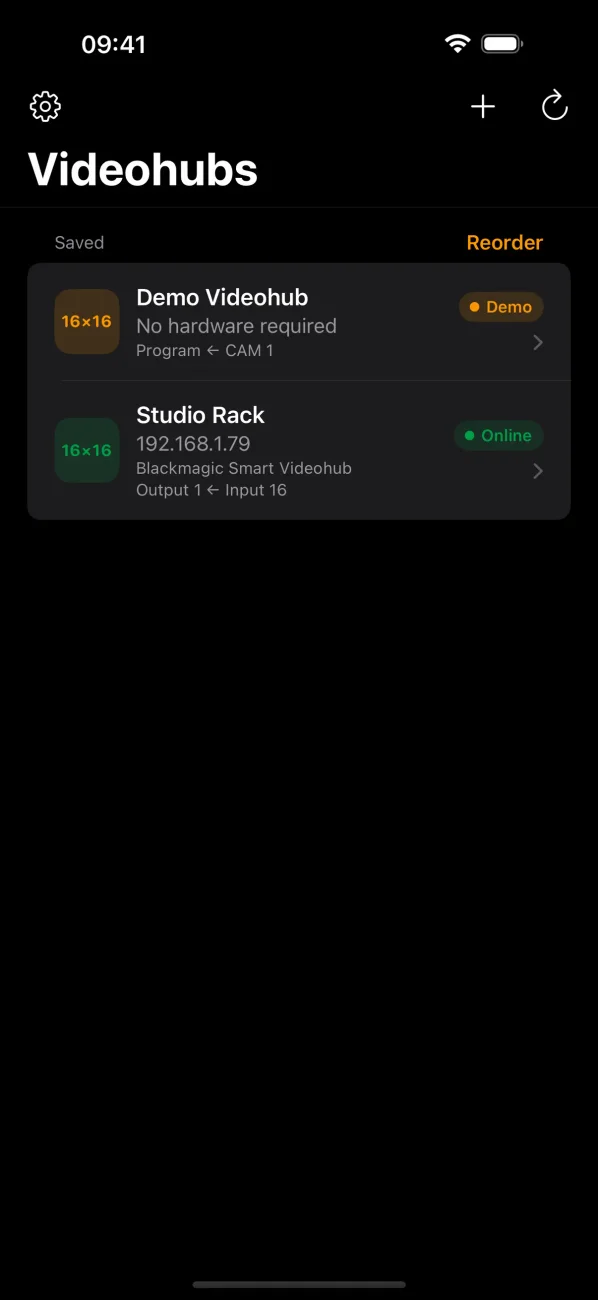
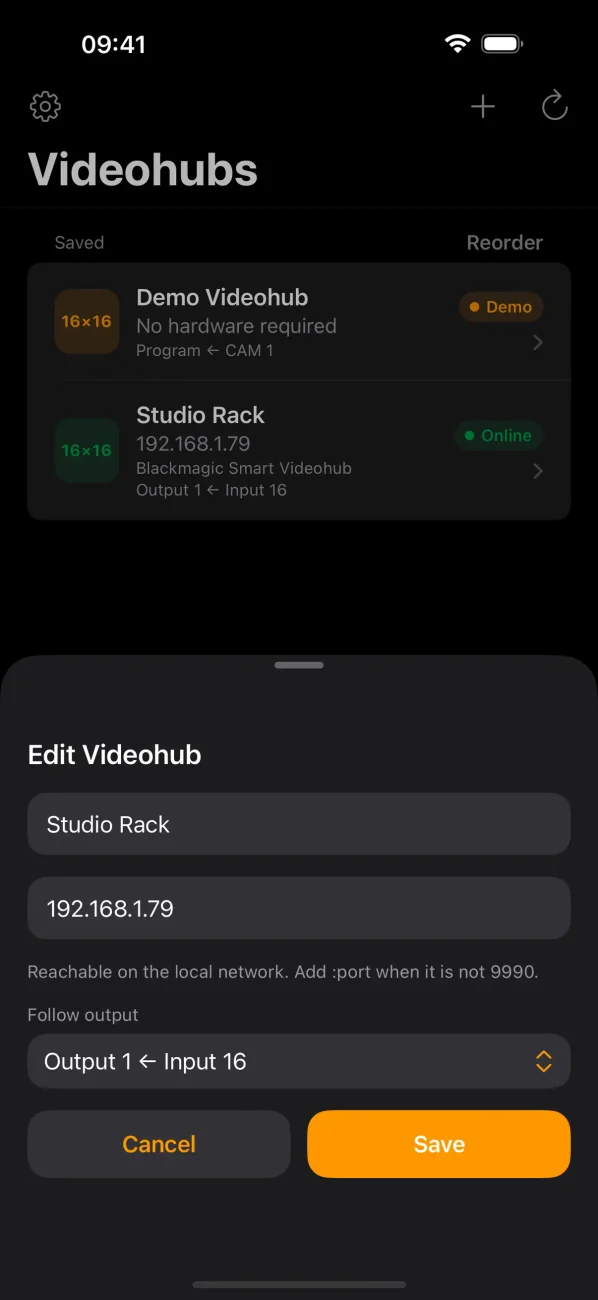
Save the hubs you use. Each row shows whether the matrix is online and where one output is routed right now. Edit the hub to follow a different output. Videohubs are found automatically; add a KUMO by its address.
Open a hub to route: pick the destination, pick the source, and send it with the big button at the bottom of the screen. The line above it shows exactly what will be sent, and “Now” shows what is on air. After a route goes through, Undo puts the previous source back. On large routers, find a port by its number or name instead of spinning the wheel.
Lock an output so nobody else can change it. Save the whole routing table as a preset and recall it later; on Studio Videohub, presets include the monitoring outputs.
The app remembers a hub by its Unique ID, so a DHCP address change updates the saved row instead of adding a duplicate. If the router is not on port 9990, put the port in the address.
On iPad, the list and the routing screen sit side by side. On a wide iPad, a table of every output and its source sits next to the wheels.
A demo router lets you try everything without hardware.
Settings can send a diagnostics log when a router does not behave as expected.
Có gì mới
Phiên bản 2.3 · 20/11/2026
A redesigned routing screen. The Routing button sits at the bottom, within thumb reach, and the line above it shows exactly what will be sent. “You sure?” shows how long it waits before resetting.
“Now” always shows what is on air. Undo puts the previous source back for 10 seconds after a route. Find a port by number or name instead of spinning the wheel.
AJA KUMO routers are supported: add one as kumo:// and its address.
Presets work on Studio Videohub, including the monitoring outputs, and open from a button in the toolbar. On a wide iPad, a table of every output sits next to the wheels.
Quyền riêng tư của ứng dụng
Những gì Alexander Омelchuk khai báo trên App Store về cách ứng dụng này xử lý dữ liệu.
-
Dữ liệu không được thu thập
Nhà phát triển không thu thập bất kỳ dữ liệu nào từ ứng dụng này.
Phương thức đảm bảo quyền riêng tư có thể khác nhau, chẳng hạn như tuỳ theo các tính năng bạn sử dụng hoặc độ tuổi của bạn.
Thông tin
- Người bán
- Alexander Омelchuk
- Danh mục
- Tiện Ích
- Phiên bản
- 2.3
- Cập nhật
- 20/11/2026
- Phát hành
- 09/10/2018
- Kích thước
- 1,8 MB
- Yêu cầu
- iOS 15.0 trở lên
- Độ tuổi
- 4+
- Giá
- 299.000đ
- Mua hàng trong ứng dụng
- Có
- Ngôn ngữ
- Tiếng Anh
- Bản quyền
- © "2026 Alexander Omelchuk"