
- Clasificación por edad4+
- CategoríaEconomía y empresa
- DesarrolladorShahrukh Panjwani
- IdiomasInglés
- Tamaño49,1 MB
Enlaza a la página oficial de App Store
Download.org no aloja ningún archivo de WorkStellar.ai. El botón abre la página de la aplicación en App Store, donde la publica Shahrukh Panjwani. Ficha comprobada por última vez el 29/11/2026.
Capturas de pantalla


Acerca de
El desarrollador no ha proporcionado este texto en tu idioma.
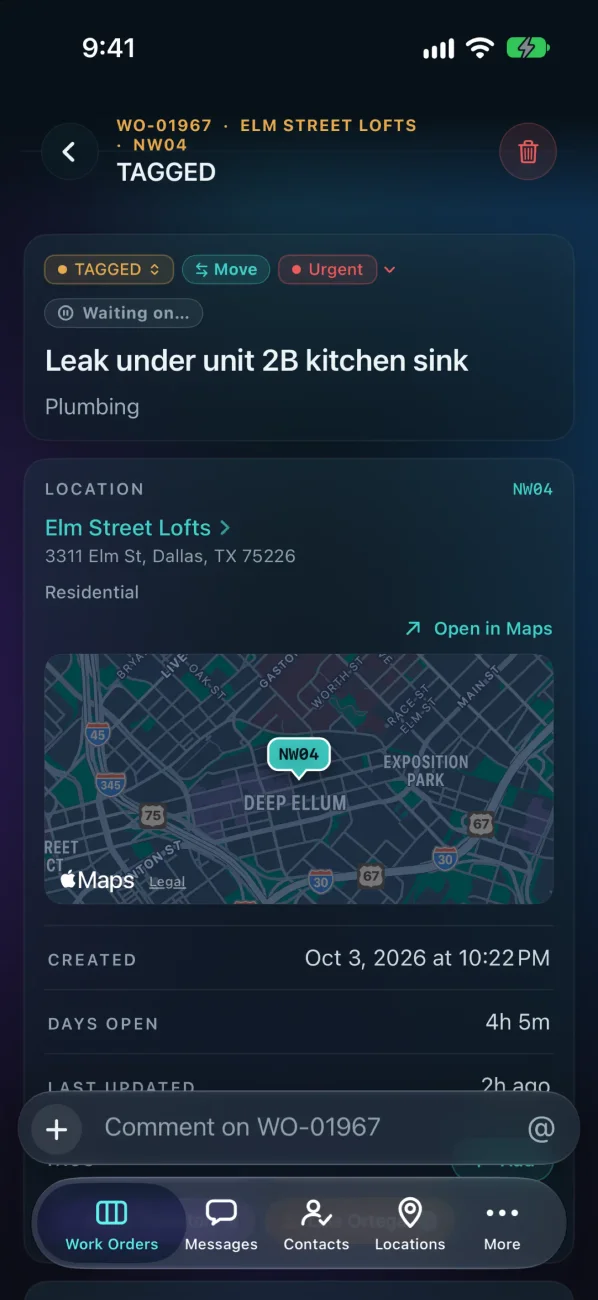
WorkStellar helps facility teams manage work orders, coordinate repairs, and track permits across multiple locations.
Keep work moving
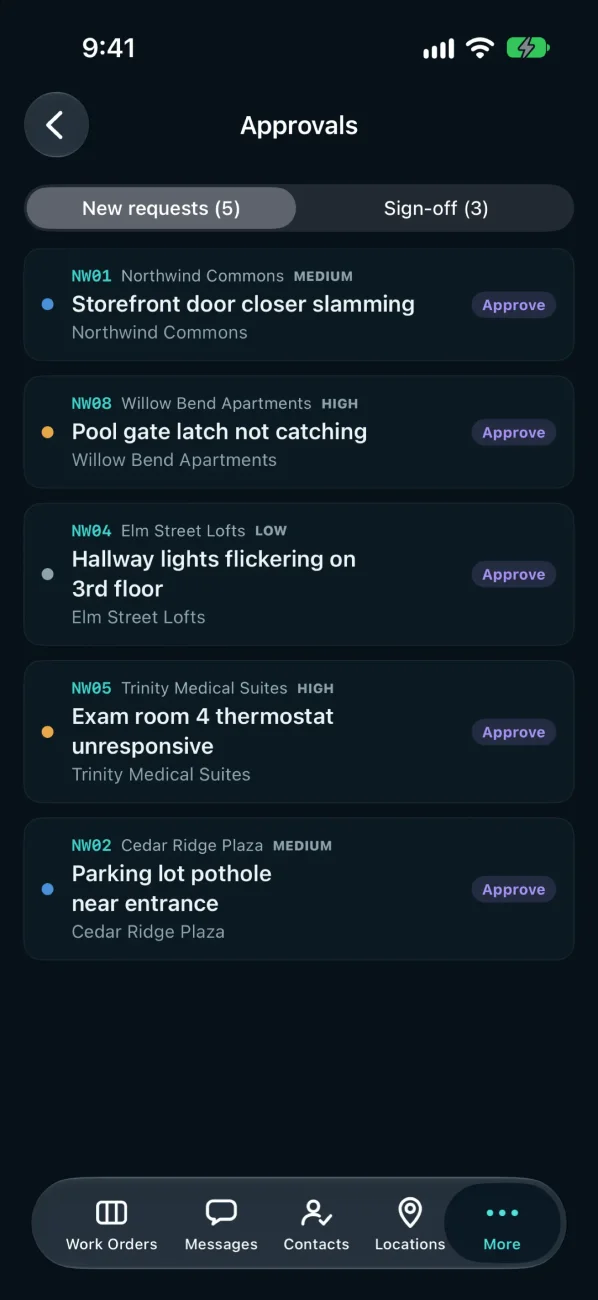
Review requests on a work order board, prioritize urgent jobs, and see what’s scheduled, awaiting verification, or complete. Open any work order for its location, photos, files, comments, and activity history.
Keep the right people in the loop
Tag teammates on a work order, follow conversations in Threads, and use direct messages for a quick check-in. Updates sync with the WorkStellar web console so your team can see the latest status.
Stay on top of locations and permits
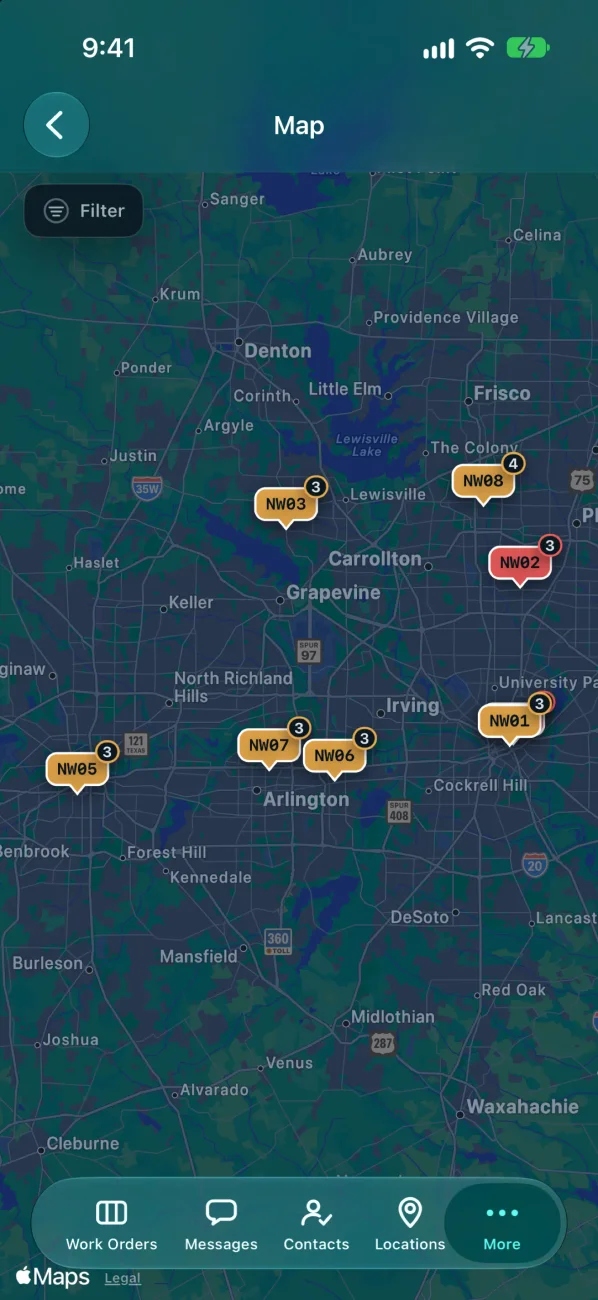
Find a location by name or code and see the work orders tied to it. Review permit status and upcoming expirations from Compliance. Open a work order’s location in Google Maps for driving directions.
Work across companies
Switch between the companies and locations you have access to. Owners, supervisors, store managers, and technicians see the work and information available to their role.
On iPhone Duo, unfold for a wider view of the work order board and calendar. Sign in with your WorkStellar account to access your company’s workspace.
Novedades
Versión 3.9.34 · 28/11/2026
• Work orders no longer use holds. The permit page is clearer and loads more smoothly.
• Choose the company and role when adding a teammate, or connect with someone directly.
• Share your Stellar profile with a short link.
• On iPhone Duo, the top bar is steadier, the calendar opens on the inner display, and PDFs stay centered.
Privacidad de la aplicación
Lo que Shahrukh Panjwani declara en App Store sobre cómo esta aplicación gestiona los datos.
-
Datos vinculados a ti
Pueden recopilarse y vincularse a tu identidad.
- Ubicación
- Información de contacto
- Contactos
- Contenido del usuario
- Identificadores
-
Datos no vinculados a ti
Pueden recopilarse, pero no se vinculan a tu identidad.
- Ubicación
- Identificadores
- Datos de uso
Las prácticas de privacidad pueden variar, por ejemplo, según las funciones que uses o tu edad.
Información
- Vendedor
- SP Wealth LLC
- Categoría
- Economía y empresa
- Versión
- 3.9.34
- Actualizado
- 28/11/2026
- Publicado
- 10/6/2026
- Tamaño
- 49,1 MB
- Requiere
- iOS 18.0 o posterior
- Clasificación por edad
- 4+
- Precio
- Gratis
- Idiomas
- Inglés
- Copyright
- © 2026 SP Wealth LLC
Quizá también te guste
-
 MagnedsEconomía y empresa
-
 CrewTapProductividad
-
 Habit Tracker: HabitCueProductividad
-
 Integrity Bank-ITXFinanzas
-
 Lista de tareas - SeguimientoLista de verificación diaria s
-
 Moneta: Control de GastosPresupuesto en pareja y sobres
-
 ABalcocheckProductividad
-
 TX Auto Group ConnectProductividad
-
 ChoiceTradeFinanzas