
- Classification d’âge4+
- CatégorieÉconomie et entreprise
- DéveloppeurShahrukh Panjwani
- LanguesAnglais
- Taille49,1 Mo
Renvoie vers la page App Store officielle
Download.org n’héberge aucun fichier de WorkStellar.ai. Le bouton ouvre la page de l’application sur App Store, où Shahrukh Panjwani la publie. Fiche vérifiée pour la dernière fois le 29/11/2026.
Captures d’écran


À propos
Le développeur n’a pas fourni ce texte dans votre langue.
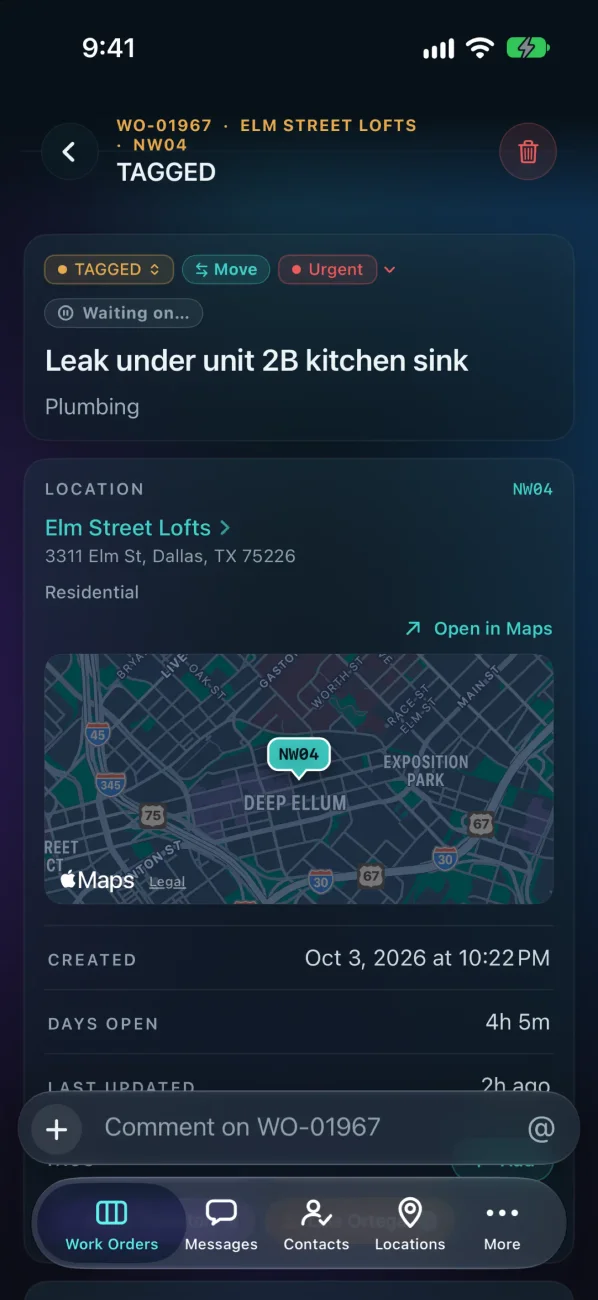
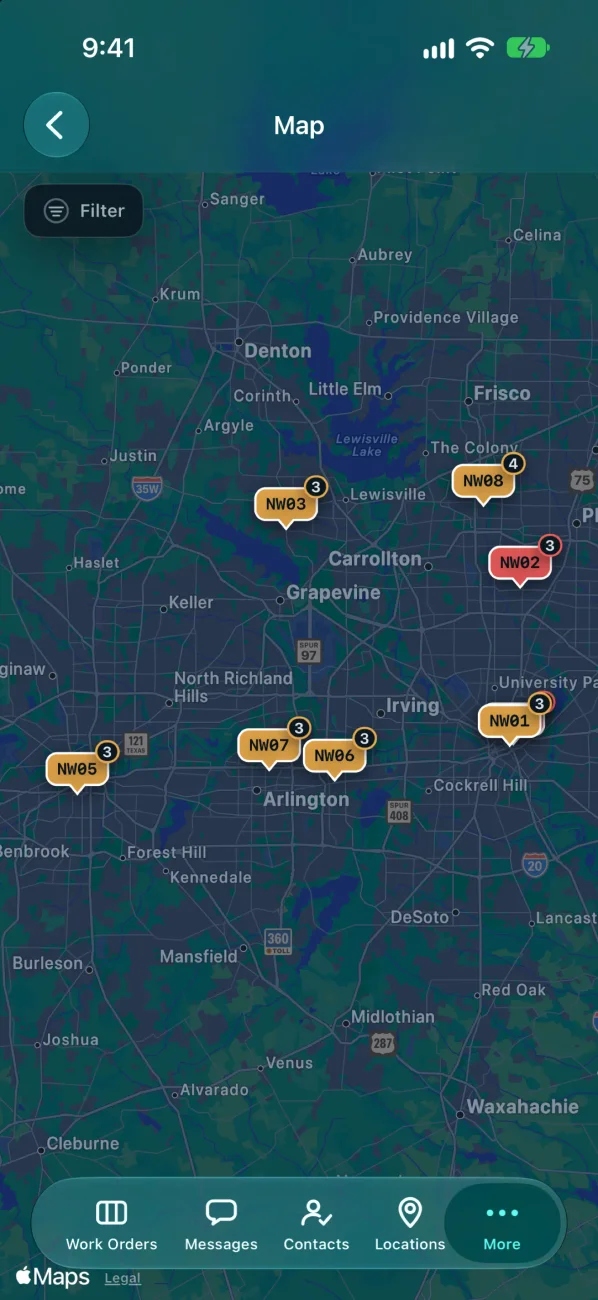
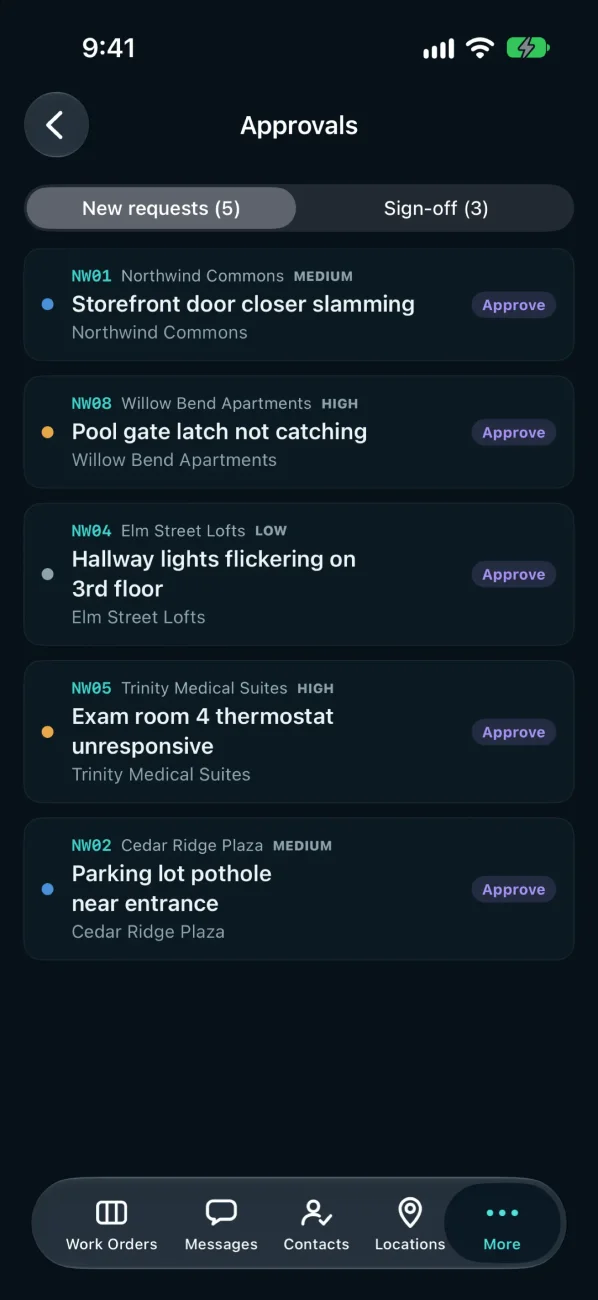
WorkStellar helps facility teams manage work orders, coordinate repairs, and track permits across multiple locations.
Keep work moving
Review requests on a work order board, prioritize urgent jobs, and see what’s scheduled, awaiting verification, or complete. Open any work order for its location, photos, files, comments, and activity history.
Keep the right people in the loop
Tag teammates on a work order, follow conversations in Threads, and use direct messages for a quick check-in. Updates sync with the WorkStellar web console so your team can see the latest status.
Stay on top of locations and permits
Find a location by name or code and see the work orders tied to it. Review permit status and upcoming expirations from Compliance. Open a work order’s location in Google Maps for driving directions.
Work across companies
Switch between the companies and locations you have access to. Owners, supervisors, store managers, and technicians see the work and information available to their role.
On iPhone Duo, unfold for a wider view of the work order board and calendar. Sign in with your WorkStellar account to access your company’s workspace.
Nouveautés
Version 3.9.34 · 28/11/2026
• Work orders no longer use holds. The permit page is clearer and loads more smoothly.
• Choose the company and role when adding a teammate, or connect with someone directly.
• Share your Stellar profile with a short link.
• On iPhone Duo, the top bar is steadier, the calendar opens on the inner display, and PDFs stay centered.
Confidentialité de l’application
Ce que Shahrukh Panjwani déclare sur l’App Store au sujet du traitement des données par cette application.
-
Données établissant un lien avec vous
Peuvent être collectées et liées à votre identité.
- Emplacement
- Coordonnées
- Contacts
- Contenu utilisateur
- Identifiants
-
Données n’établissant aucun lien avec vous
Peuvent être collectées, mais ne sont pas liées à votre identité.
- Emplacement
- Identifiants
- Données d’utilisation
Les pratiques en matière de confidentialité peuvent varier, notamment en fonction des fonctionnalités que vous utilisez ou de votre âge.
Informations
- Vendeur
- SP Wealth LLC
- Catégorie
- Économie et entreprise
- Version
- 3.9.34
- Mis à jour
- 28/11/2026
- Publié
- 10/06/2026
- Taille
- 49,1 Mo
- Nécessite
- iOS 18.0 ou version ultérieure
- Classification d’âge
- 4+
- Prix
- Gratuit
- Langues
- Anglais
- Copyright
- © 2026 SP Wealth LLC
Vous aimerez peut-être aussi
-
 MagnedsÉconomie et entreprise
-
 CrewTapProductivité
-
 Habit Tracker: HabitCueProductivité
-
 Integrity Bank-ITXFinance
-
 Liste de tâches à faire - SuivListe de contrôle quotidienne
-
 Moneta : gestion des dépensesBudget de couple en enveloppes
-
 ABalcocheckProductivité
-
 TX Auto Group ConnectProductivité
-
 ChoiceTradeFinance