Data WF by HuskyDEV
HuskyDev- PEGI 3Classification d’âge
- PersonnalisationCatégorie
- 19/08/2025Mis à jour
- GratuitPrix
Renvoie vers la fiche Google Play officielle de huskydev.android.watchface.datafree. Dernière vérification le 26/11/2026.
À propos de cette application
Traduction automatique par Google. Langue d’origine : Anglais (États-Unis).
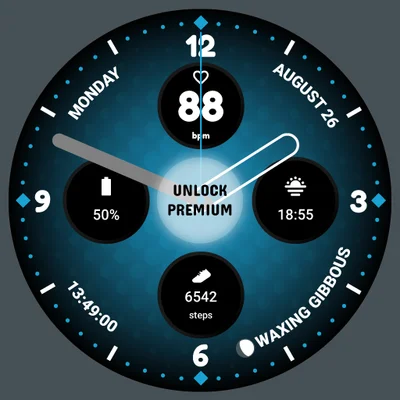
Un joli cadran de montre analogique alimenté par Watch Face Format
Le Data Watch Face est entièrement compatible avec Wear OS 3, Wear OS 4 et Wear OS 5 et utilise la technologie Watch Face Format.
Il s'agit d'une version gratuite du cadran de la montre Data qui vous permet d'essayer des options gratuites et de vérifier à quoi il ressemble sur votre montre.
Vous pouvez donc vérifier si cela vous plaît ou non.
Pour explorer toutes les personnalisations et options du cadran de montre, vous pouvez retrouver la version complète de ce cadran de montre sur le Google Play Store.
Il est facilement accessible en ouvrant l'application téléphonique ou en appuyant sur le bouton « DÉVERROUILLER Premium » sur le cadran de la montre, vous serez ensuite redirigé vers Data WF Premium sur le Google Play Store.
PERSONNALISATION et OPTIONS
• Appuyez longuement sur le point central pour ouvrir les paramètres de personnalisation.
• 2x combinaison de couleurs
• 2 styles de marqueurs d'heures
• 2 styles d'aiguilles analogiques
• 3 complications (prédéfinies par batterie, pas, lever/coucher du soleil)
L'application téléphonique peut être installée pour vous aider à installer le cadran de la montre sur votre appareil Wear OS. Pour installer le cadran de la montre sur votre appareil Wear OS, vous pouvez également sélectionner votre montre dans le menu déroulant d'installation du Google Play Store.
Afficher le texte d’origine
The Data Watch Face is fully compatible with Wear OS 3, Wear OS 4 and Wear OS 5 and it uses Watch Face Format technology
This is a free version of the Data watch face that allows you to try out free options and check how it looks on your watch.
So you can check whether you like it or not.
To explore all the customizations and options of the watch face, you can find the full version of this watch face on the Google Play store.
It can be easily accessed by opening the phone app or tapping the "UNLOCK Premium" button on the watch face, then you will be redirected to the Data WF Premium on the Google Play store.
CUSTOMIZATION an OPTIONS
• Long press the center point to open customization settings
• 2x Color combination
• 2x Hour marker styles
• 2x Analog hand styles
• 3x Complications (predefined by battery, steps, sunrise/sunset)
The phone app can be installed to help install the watch face on your Wear OS device. To install the watch face on your Wear OS device, you can also select your watch from the install drop-down menu in the Google Play Store.
Sécurité des données
Ce que HuskyDev déclare sur Google Play au sujet des données que cette application collecte et partage.
- Aucune donnée partagée avec des tiersEn savoir plus sur la manière dont les développeurs déclarent le partage
- Aucune donnée collectéeEn savoir plus sur la manière dont les développeurs déclarent la collecte
Nouveautés
Version 1.01 · 19/08/2025
Update to SDK 35
Coordonnées du développeur
- E-mailhuskydevcz@gmail.com
- Politique de confidentialitémediation-project-d483b.web.app
- AdresseWeberova 1534/14 405 02 Děčín Czechia
Informations
- Proposée par
- HuskyDev
- Catégorie
- Personnalisation
- Version
- 1.01
- Mis à jour
- 19/08/2025
- Publié
- 14/09/2024
- Classification d’âge
- PEGI 3
- Prix
- Gratuit
- Nom du package
- huskydev.android.watchface.datafree
Applications similaires
-
 CNRwatch045
Personnalisation
-
 MYY4 Watch Face
Art et design
-
 IA111 Hybrid Sport Watchface
Personnalisation
-
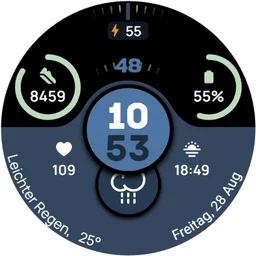 Digital Watchface D19
Personnalisation
-
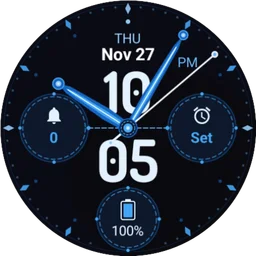 Numbers Cyan Cadran
Personnalisation
-
 Dream 53 Hybrid watch face
Personnalisation
-
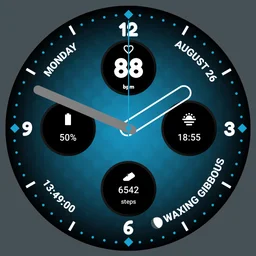 Data WF Premium by HuskyDEV
Personnalisation
-
 Casual Watch Face
Personnalisation
-
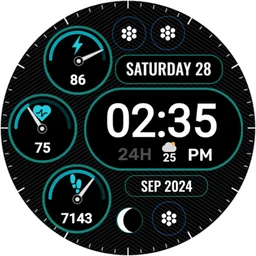 Digital 5
Personnalisation
-
 SO758
Personnalisation
-
 Classic Fit
Personnalisation
-
 JHW Analog 5 PRO: Watch face
Personnalisation