Data WF by HuskyDEV
HuskyDev- Rating 3+Batasan usia
- PersonalisasiKategori
- 19/8/2025Diperbarui
- GratisHarga
Tertaut ke halaman resmi huskydev.android.watchface.datafree di Google Play. Terakhir diperiksa pada 26/11/2026.
Tentang aplikasi ini
Terjemahan otomatis oleh Google. Bahasa asli: Inggris (Amerika Serikat).
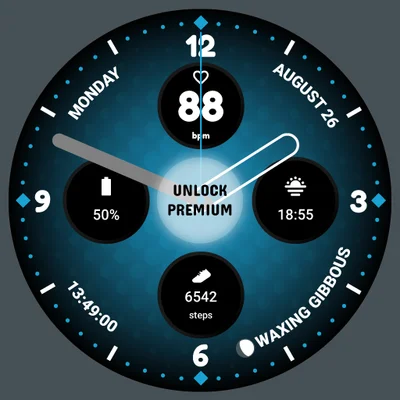
Tampilan jam analog yang tampak bagus didukung oleh Format Tampilan Jam
Data Watch Face sepenuhnya kompatibel dengan Wear OS 3, Wear OS 4, dan Wear OS 5 serta menggunakan teknologi Watch Face Format
Ini adalah versi gratis dari tampilan jam Data yang memungkinkan Anda mencoba opsi gratis dan memeriksa tampilannya di jam tangan Anda.
Jadi Anda bisa memeriksa apakah Anda suka atau tidak.
Untuk menjelajahi semua penyesuaian dan opsi tampilan jam, Anda dapat menemukan versi lengkap tampilan jam ini di Google Play Store.
Dapat diakses dengan mudah dengan membuka aplikasi ponsel atau mengetuk tombol "UNLOCK Premium" pada tampilan jam, lalu Anda akan diarahkan ke Data WF Premium di Google Play store.
KUSTOMISASI dan OPSI
• Tekan lama titik tengah untuk membuka pengaturan penyesuaian
• 2x kombinasi warna
• 2x gaya penanda Jam
• 2x gaya tangan analog
• 3x Komplikasi (ditentukan berdasarkan baterai, langkah, matahari terbit/terbenam)
Aplikasi ponsel dapat diinstal untuk membantu menginstal tampilan jam di perangkat Wear OS Anda. Untuk memasang tampilan jam di perangkat Wear OS, Anda juga dapat memilih jam tangan dari menu tarik-turun pemasangan di Google Play Store.
Tampilkan teks asli
The Data Watch Face is fully compatible with Wear OS 3, Wear OS 4 and Wear OS 5 and it uses Watch Face Format technology
This is a free version of the Data watch face that allows you to try out free options and check how it looks on your watch.
So you can check whether you like it or not.
To explore all the customizations and options of the watch face, you can find the full version of this watch face on the Google Play store.
It can be easily accessed by opening the phone app or tapping the "UNLOCK Premium" button on the watch face, then you will be redirected to the Data WF Premium on the Google Play store.
CUSTOMIZATION an OPTIONS
• Long press the center point to open customization settings
• 2x Color combination
• 2x Hour marker styles
• 2x Analog hand styles
• 3x Complications (predefined by battery, steps, sunrise/sunset)
The phone app can be installed to help install the watch face on your Wear OS device. To install the watch face on your Wear OS device, you can also select your watch from the install drop-down menu in the Google Play Store.
Keamanan data
Yang dinyatakan HuskyDev di Google Play tentang data yang dikumpulkan dan dibagikan aplikasi ini.
- Tidak ada data yang dibagikan kepada pihak ketigaPelajari lebih lanjut cara developer menyatakan pembagian data
- Tidak ada data yang dikumpulkanPelajari lebih lanjut cara developer menyatakan pengumpulan data
Yang baru
Versi 1.01 · 19/8/2025
Update to SDK 35
Kontak pengembang
- Emailhuskydevcz@gmail.com
- Kebijakan Privasimediation-project-d483b.web.app
- AlamatWeberova 1534/14 405 02 Děčín Czechia
Informasi
- Ditawarkan oleh
- HuskyDev
- Kategori
- Personalisasi
- Versi
- 1.01
- Diperbarui
- 19/8/2025
- Dirilis
- 14/9/2024
- Batasan usia
- Rating 3+
- Harga
- Gratis
- Nama paket
- huskydev.android.watchface.datafree
Aplikasi serupa
-
 CNRwatch045
Personalisasi
-
 MYY4 Watch Face
Seni & Desain
-
 IA111 Hybrid Sport Watchface
Personalisasi
-
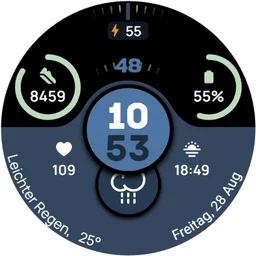 Digital Watchface D19
Personalisasi
-
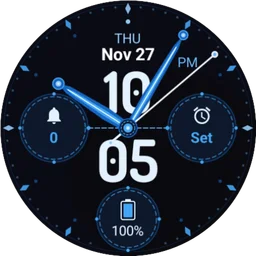 Numbers Cyan Watch Face
Personalisasi
-
 Dream 53 Hybrid watch face
Personalisasi
-
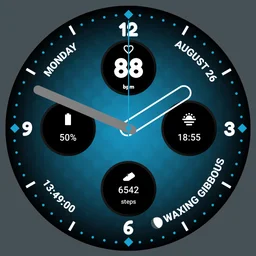 Data WF Premium by HuskyDEV
Personalisasi
-
 Casual Watch Face
Personalisasi
-
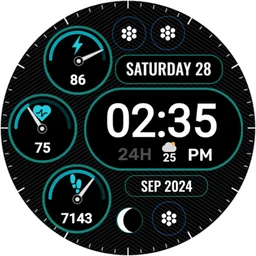 Digital 5
Personalisasi
-
 SO758
Personalisasi
-
 Classic Fit
Personalisasi
-
 JHW Analog 5 PRO: Watch face
Personalisasi