1secNote: Markdown & Prompter
Camera Teleprompter & Notes
Conçue pour iPhone, iPad, Mac, iPod touch
2,99 €
- Classification d’âge4+
- CatégorieProductivité
- Développeureditoy Inc.
- LanguesAnglais+ 4 de plus
- Taille38,1 Mo
Renvoie vers la page App Store officielle
Download.org n’héberge aucun fichier de 1secNote: Markdown & Prompter. Le bouton ouvre la page de l’application sur App Store, où editoy Inc. la publie. Fiche vérifiée pour la dernière fois le 25/11/2026.
Captures d’écran
À propos
Le développeur n’a pas fourni ce texte dans votre langue.
1secNote — Floating Camera Teleprompter & Live Markdown Note
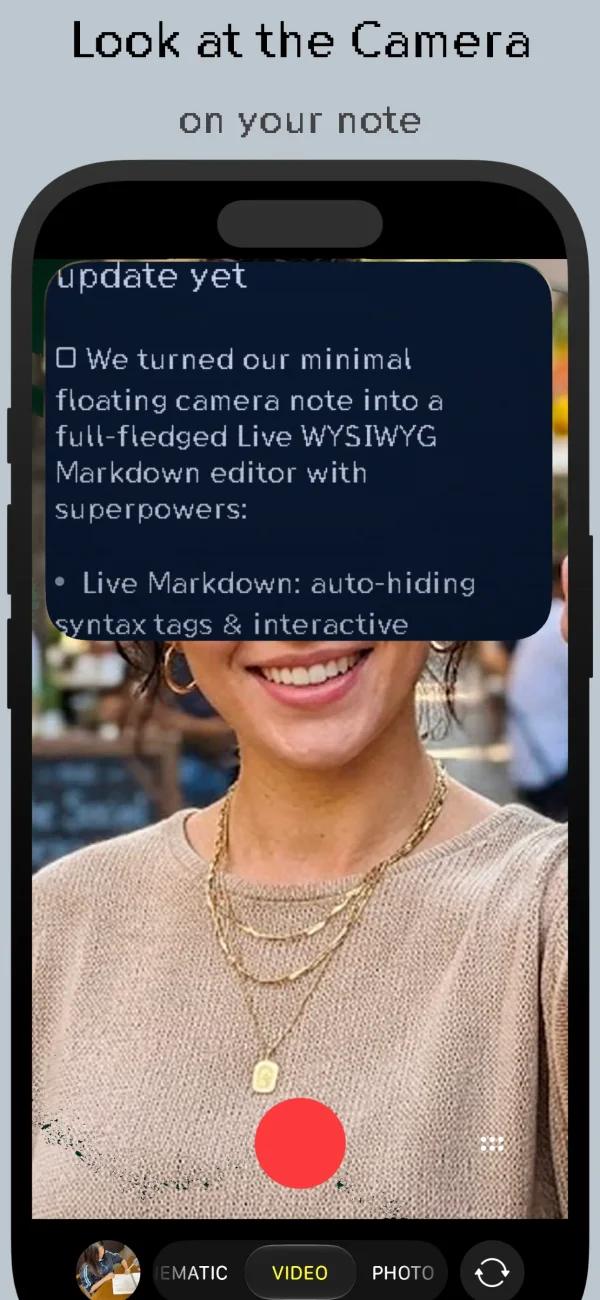
Never look away from the camera again.
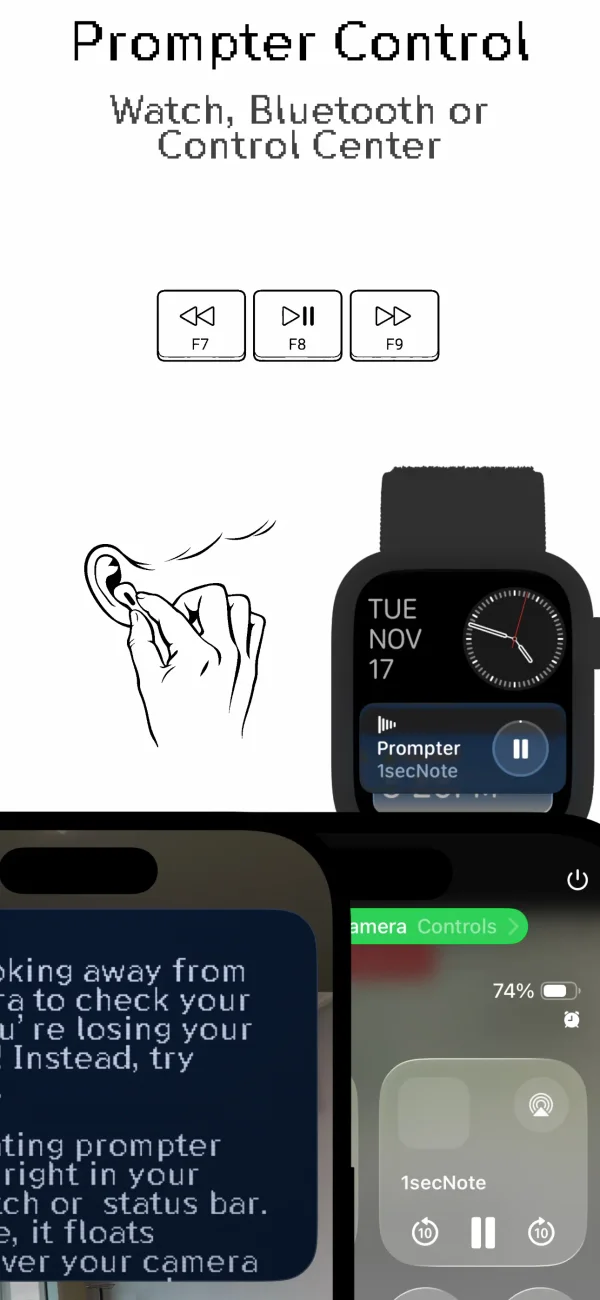
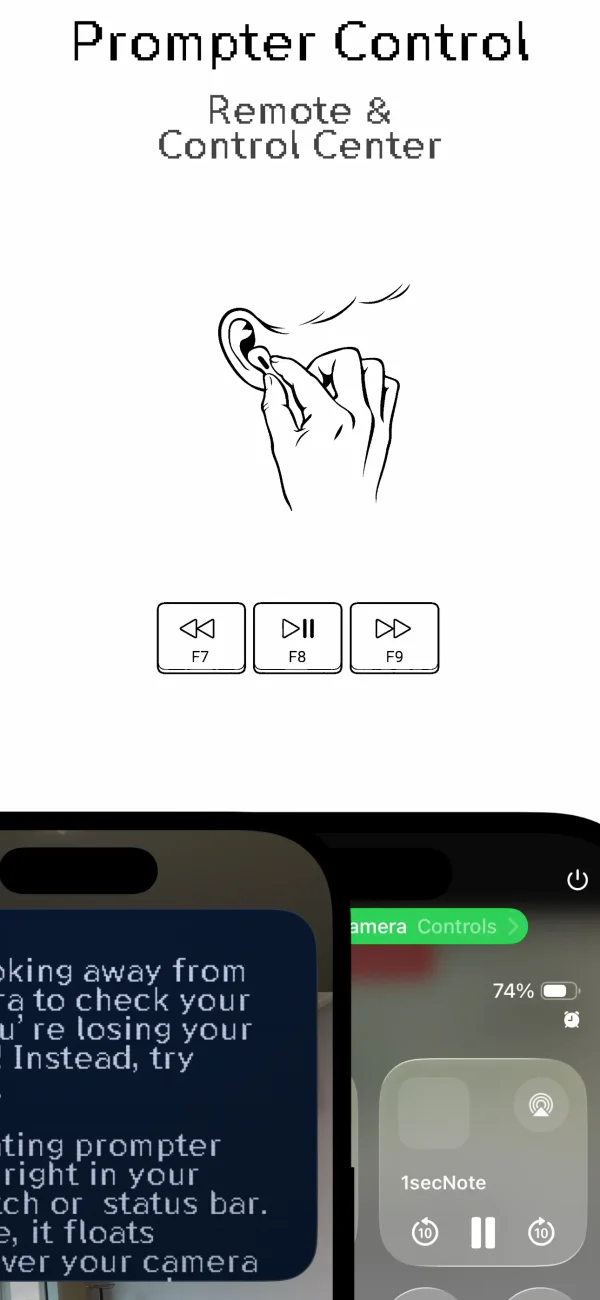
Control your script discreetly right from your Apple Watch or Bluetooth remote.
Slide notes out from your MacBook notch in 1 second.
Write with live Markdown, zero data loss, and unmatched aesthetic warmth.
Whether you're recording video for social media, presenting on Zoom, giving a keynote, or taking quick meeting notes, 1secNote keeps your eyes locked on your audience and your thoughts at your fingertips.
WHY PRESENTERS & CREATORS LOVE 1SECNOTE:
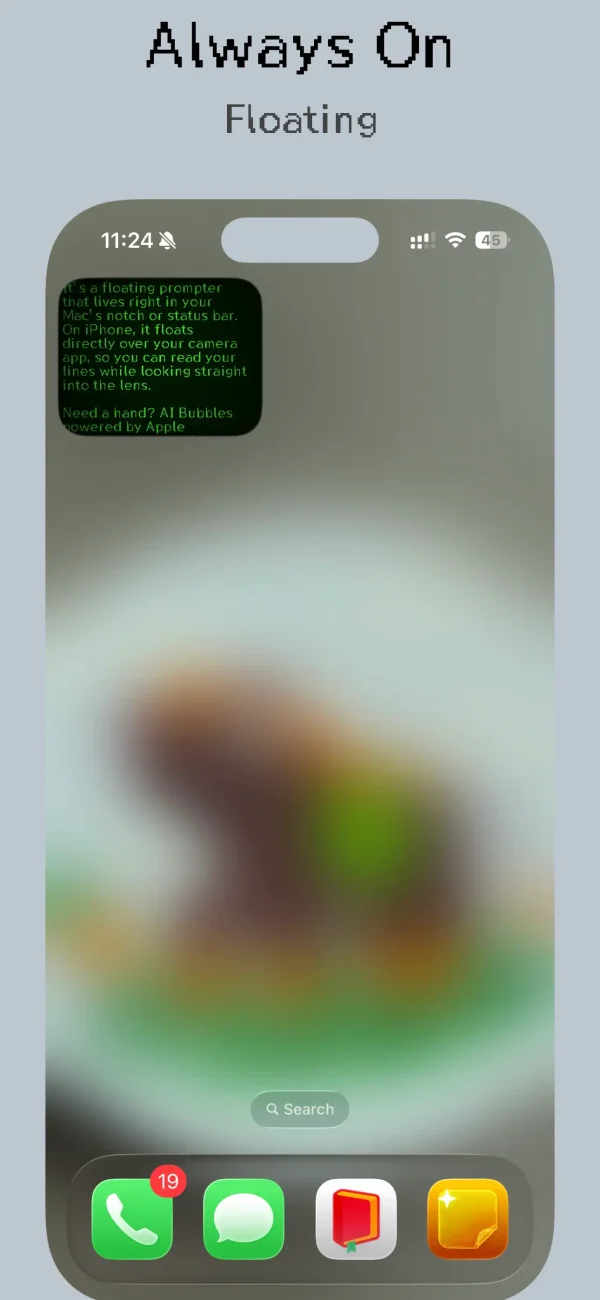
• Floating Camera Teleprompter: Float notes seamlessly over your iPhone camera or Mac video calls. Speak naturally while looking directly into the lens.
• Universal Hands-Free Remote Control: Control your teleprompter effortlessly without touching your screen or keyboard:
- Apple Watch: Turn your watch into a secret wrist remote to pause, resume, and step lines during presentations.
- Bluetooth Presentation Remotes: Use any handheld wireless remote, clicker, or shutter from your pocket or palm.
- AirPods Gestures: Press or tap your AirPods stem to pause and resume on cue.
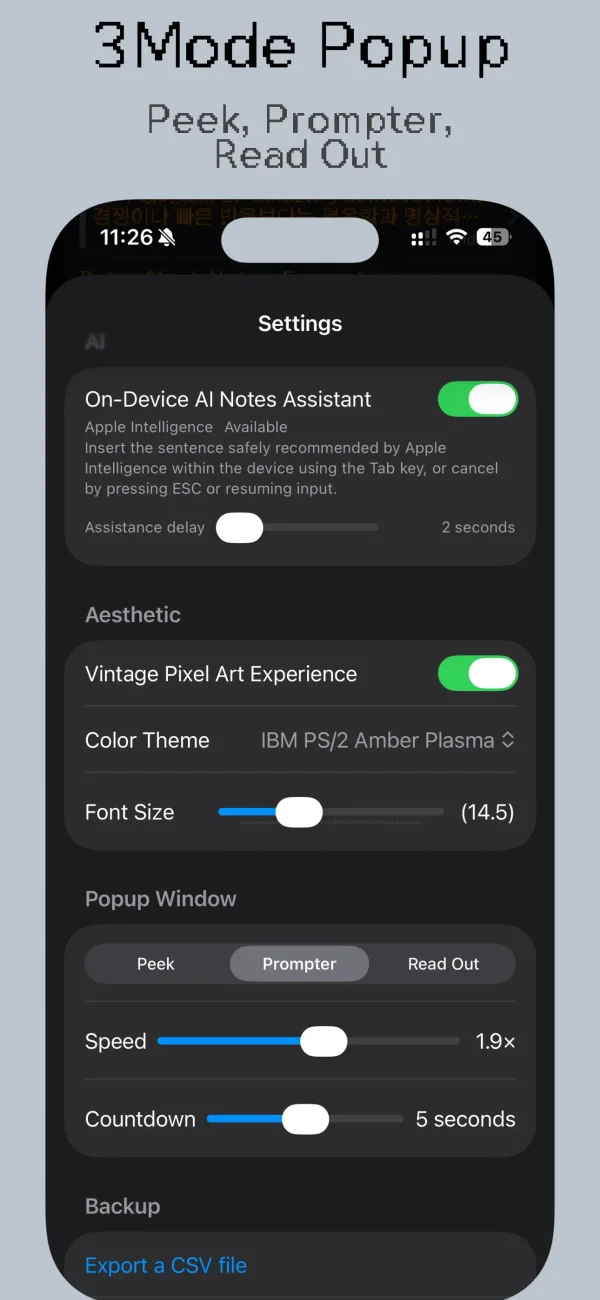
- Control Center & Lock Screen: Adjust scrolling speed on the fly (0.5× to 3.0×) or step line-by-line while paused.
• Mac Notch & Menubar Dropdown: Glance at your script or jot quick thoughts with one click directly from the MacBook camera notch or menu bar.
• Picture-in-Picture (PiP) Prompter: Float your script over ANY recording app or camera on iOS.
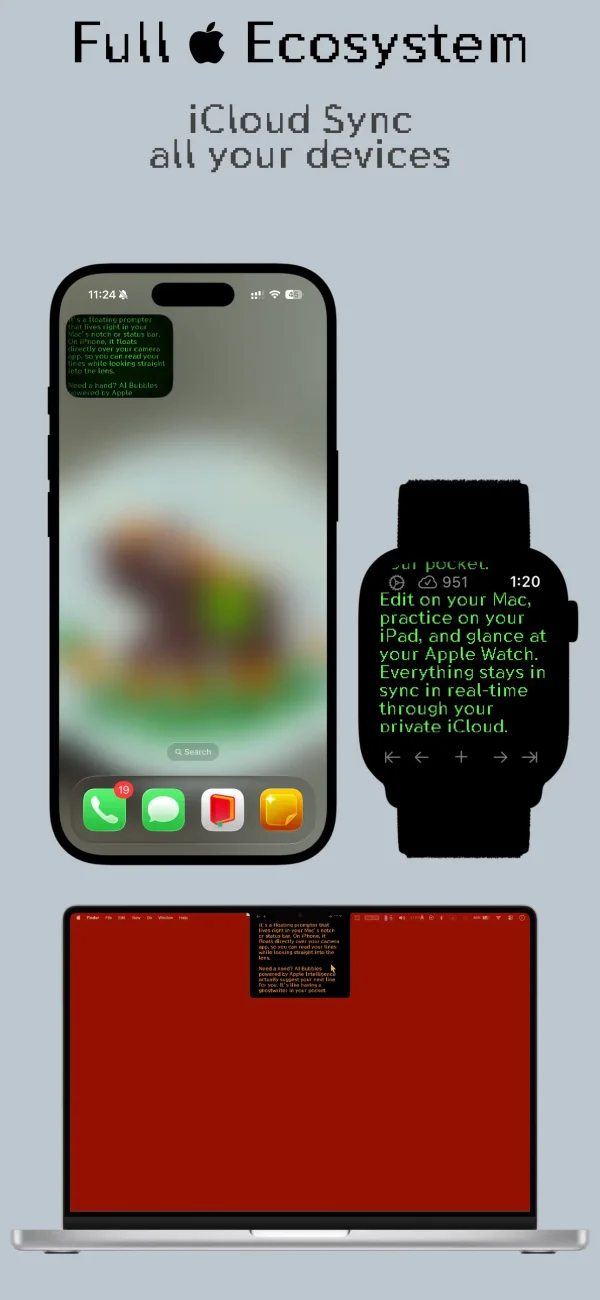
• Standalone Wrist Prompter: Read speeches, talking points, and checklists right on your Apple Watch with smooth scrolling, table layouts, and LaTeX math.
• Zero Data Loss & 7-Day History: Never lose a draft or presentation revision. Automatic micro-snapshots let you jump back to any revision from the last 7 days.
• All-New Interactive Widgets: Keep your chosen note or recent notes right on your Home Screen with rich image previews and instant one-tap capture.
POWER WRITING & DISTRACTION-FREE MARKDOWN:
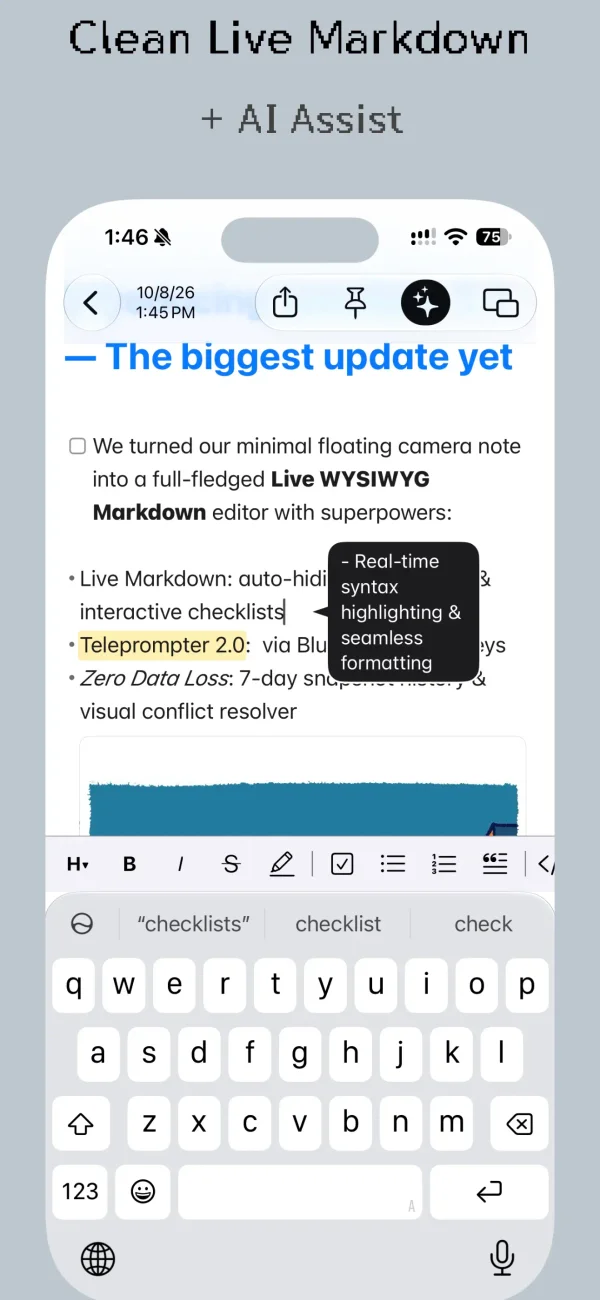
• Seamless Live Markdown: Images, links, headings, bold, lists, and checklists format instantly. Raw syntax markers gracefully hide when you move your cursor away for clean, distraction-free reading.
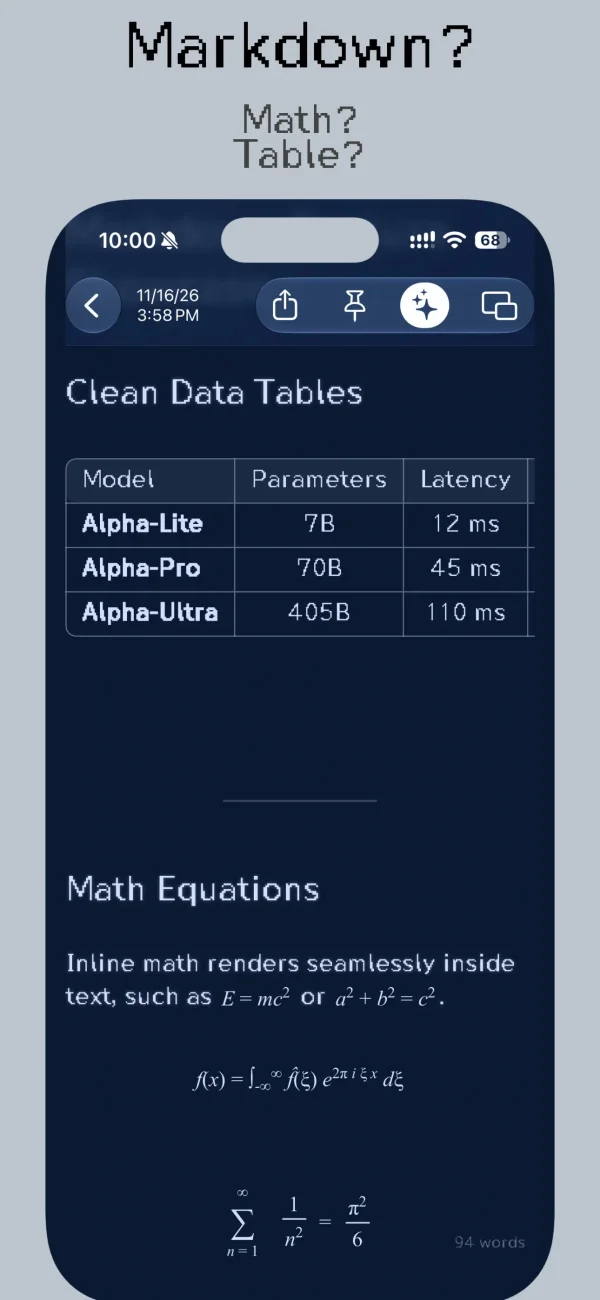
• Native 2D LaTeX Math: Express complex formulas, fractions with true horizontal fraction bars, square roots with elongated vinculums, matrices, and piecewise cases ($E=mc^2$, $\frac{a}{b}$, $\sqrt{...}$) natively with zero webviews or lag.
• Interactive Markdown Tables: Format data into elegant cards with column alignments, multi-line cells, and dynamic dimension auto-expansion for text and math equations.
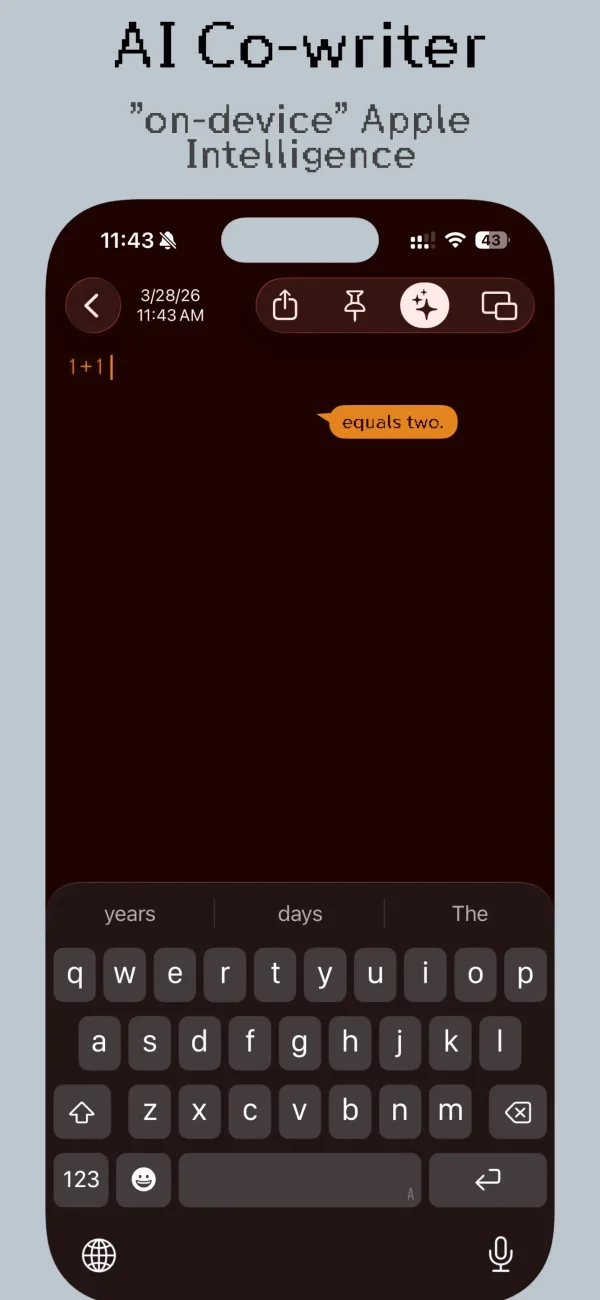
• Smart Writing Tools: Live word & character counters in the editor footer, automatic to-do completion sorting, and instant Spotlight search.
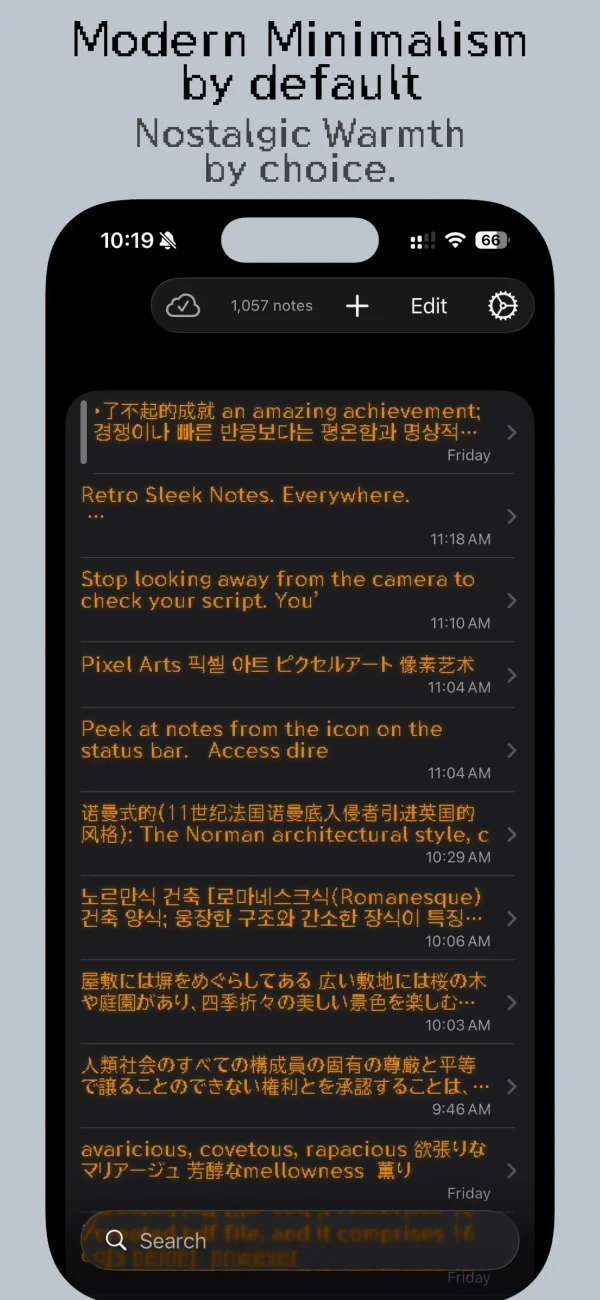
• Modern & Vintage Displays: Switch freely between clean modern typography and cozy retro CRT displays (IBM Amber Plasma, Apple ][ Green, Commodore PET Blue, and e-ink).
• Complete Apple Ecosystem: Seamless, private iCloud sync across Mac, iPhone, iPad, and Apple Watch.
No subscriptions. No account sign-ups. No trackers.
Just pay once and own the ultimate teleprompter and note-taking companion forever.
Nouveautés
Version 3.2.0 · 24/11/2026
[3.2.0]
• Native 2D LaTeX math rendering (fractions, roots, matrices, and equations)
• Interactive Markdown tables with toolbar tools and cell navigation
• Improved numbered list detection and macOS window management
• Large document performance improvements and floating player stability
[3.1.1]
• Markdown link editing improvements
• Cursor alignment and positioning fixes
[3.1.0]
• Support for iPhone Duo dual-screen design and landscape split view
• PiP teleprompter dynamically adapts to device orientation
• Option to automatically move completed to-dos to the bottom of the list
• Word and character counter in editor footer
• Improved iCloud sync reliability and multi-device conflict handling
• Bug fixes on widgets, Peek mode, and editor
Confidentialité de l’application
Ce que editoy Inc. déclare sur l’App Store au sujet du traitement des données par cette application.
-
Données non collectées
Le développeur ne collecte aucune donnée à partir de cette application.
Les pratiques en matière de confidentialité peuvent varier, notamment en fonction des fonctionnalités que vous utilisez ou de votre âge.
Informations
- Vendeur
- editoy Inc.
- Catégorie
- Productivité
- Version
- 3.2.0
- Mis à jour
- 24/11/2026
- Publié
- 29/04/2024
- Taille
- 38,1 Mo
- Nécessite
- iOS 15.0 ou version ultérieure
- Classification d’âge
- 4+
- Prix
- 2,99 €
- Langues
- Anglais, Japonais, Coréen, Chinois simplifié, Chinois traditionnel
- Copyright
- © 2026 editoy Inc.
Vous aimerez peut-être aussi
-
 Notesy - Sticky Notes & MemosQuick Notes, One Hover Away
-
 QuietimeProductivité
-
 RPN-38 CXProductivité
-
 Hue Plan: Time BlockingProductivité
-
 AchievaProductivité
-
 Onka: Daily CalendarProductivité
-
 Shopping List: Simple ListProductivité
-
 RPN-34 CEProductivité
-
 Planple — Simple Daily PlannerProductivité
-
 DB48XProductivité