
1secNote: Floating Markdown
Camera Teleprompter & Notes
Designed for iPhone, iPad, Mac, iPod touch
$2.99
- Age rating4+
- CategoryProductivity
- Developereditoy Inc.
- LanguagesEnglish+ 4 more
- Size31.5 MB
Links to the official App Store page
Download.org hosts no file of 1secNote: Floating Markdown. The button opens its official App Store page, published by editoy Inc. Listing last checked on Nov 17, 2026.
Screenshots


About
1secNote — Floating Camera Prompter & Live Markdown Note
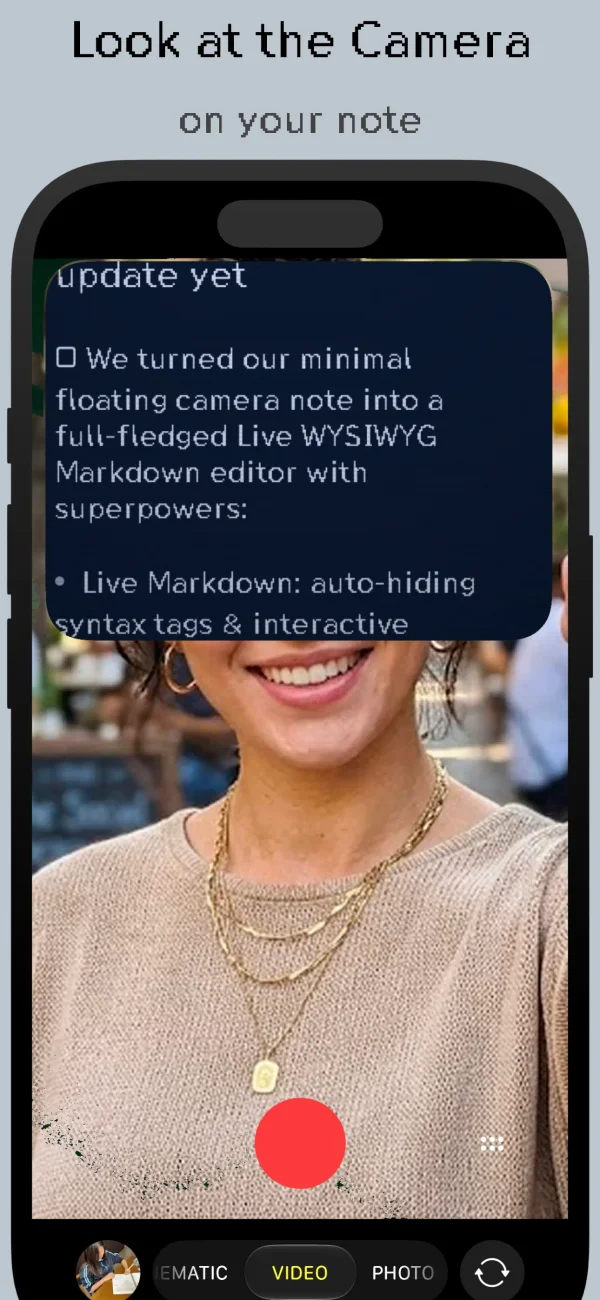
Check your script without looking away from the camera.
Slide notes out from your Mac notch or menu bar in 1 second.
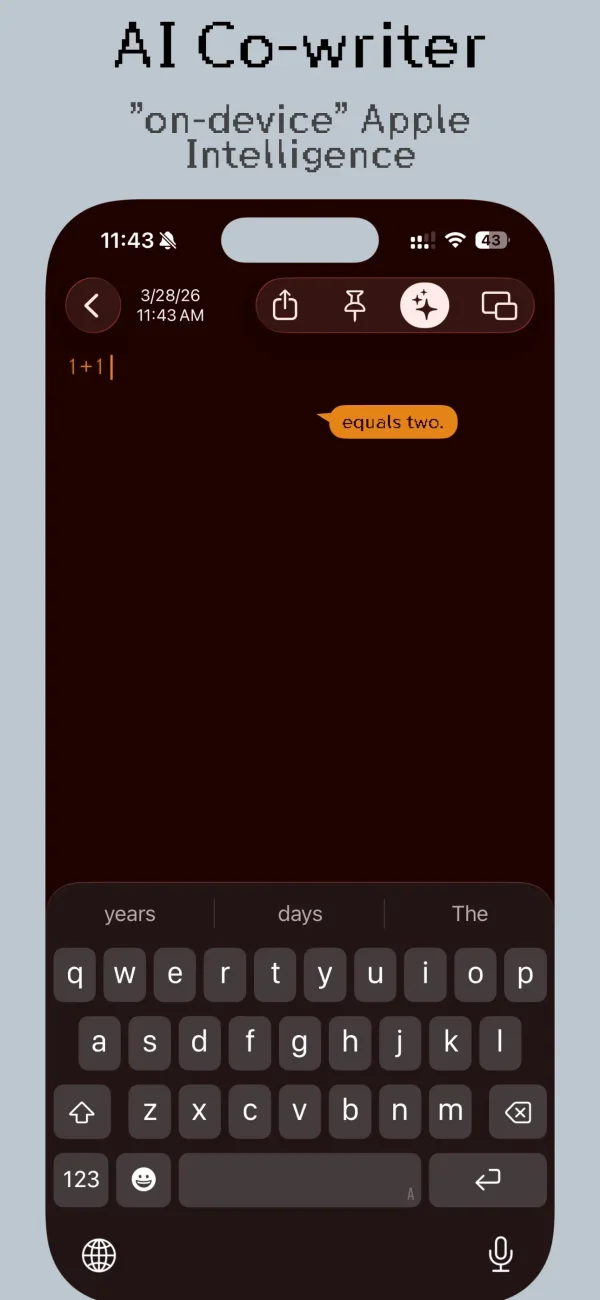
Write with live Markdown, zero data loss, and unmatched aesthetic warmth.
Whether you're recording video for social media, presenting on Zoom, taking quick meeting notes, or drafting long manuscripts, 1secNote keeps your eyes on your audience and your thoughts at your fingertips.
WHY PEOPLE LOVE 1SECNOTE:
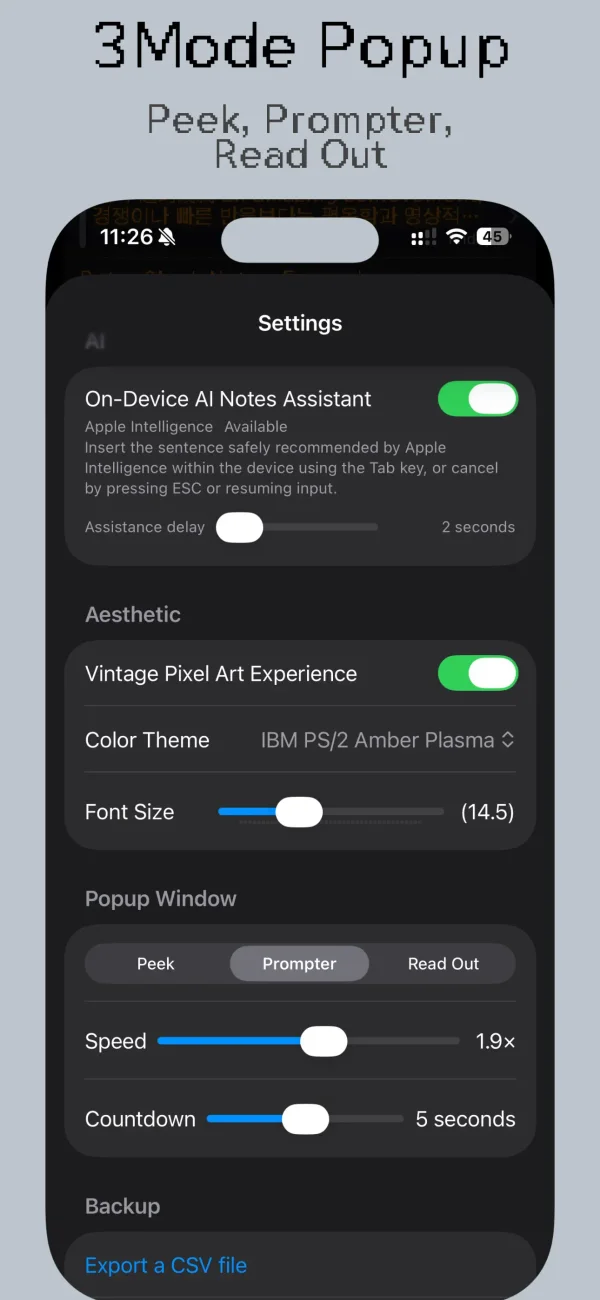
• Floating Camera Prompter: Float notes seamlessly over your iPhone camera or Mac video calls. Speak naturally while looking directly into the lens.
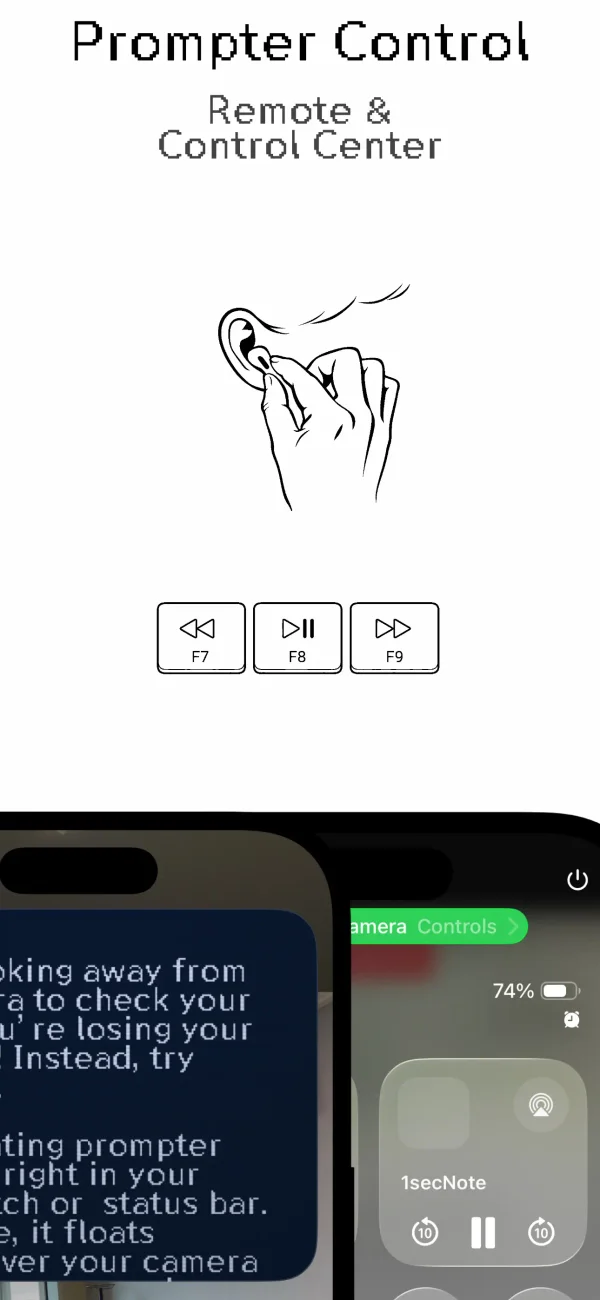
• Hands-Free Remote Control: Control teleprompter scrolling using Bluetooth buttons, AirPods, or Control Center. Pause to step line-by-line.
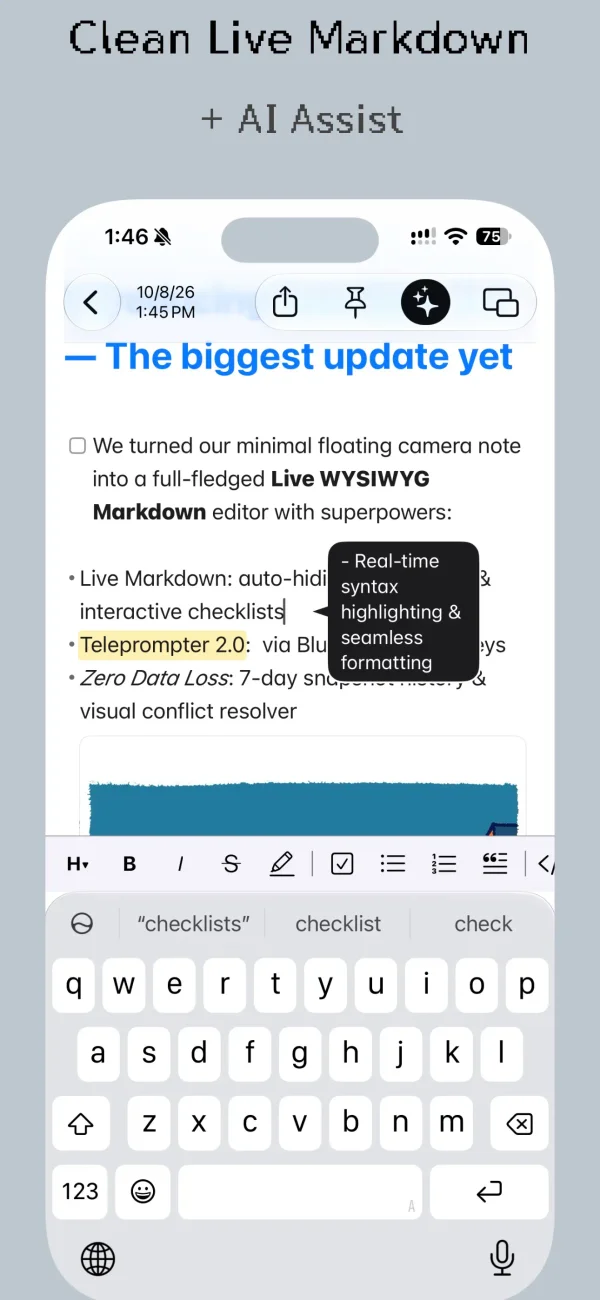
• Seamless Live Markdown: Images, links, headings, bold, lists, and checklists format instantly. Raw syntax markers gracefully hide when you move your cursor away for clean, distraction-free reading.
• All-New Interactive Widgets: Keep your chosen note or recent notes right on your Home Screen with rich image previews and instant one-tap capture.
• Zero Data Loss & 7-Day History: Never lose a draft. Automatic micro-snapshots let you jump back to any revision from the last 7 days.
• Mac Notch & Menubar Integration: Access your notes in a single click or glance right from the MacBook camera notch.
CRAFTED FOR WRITING LOVERS:
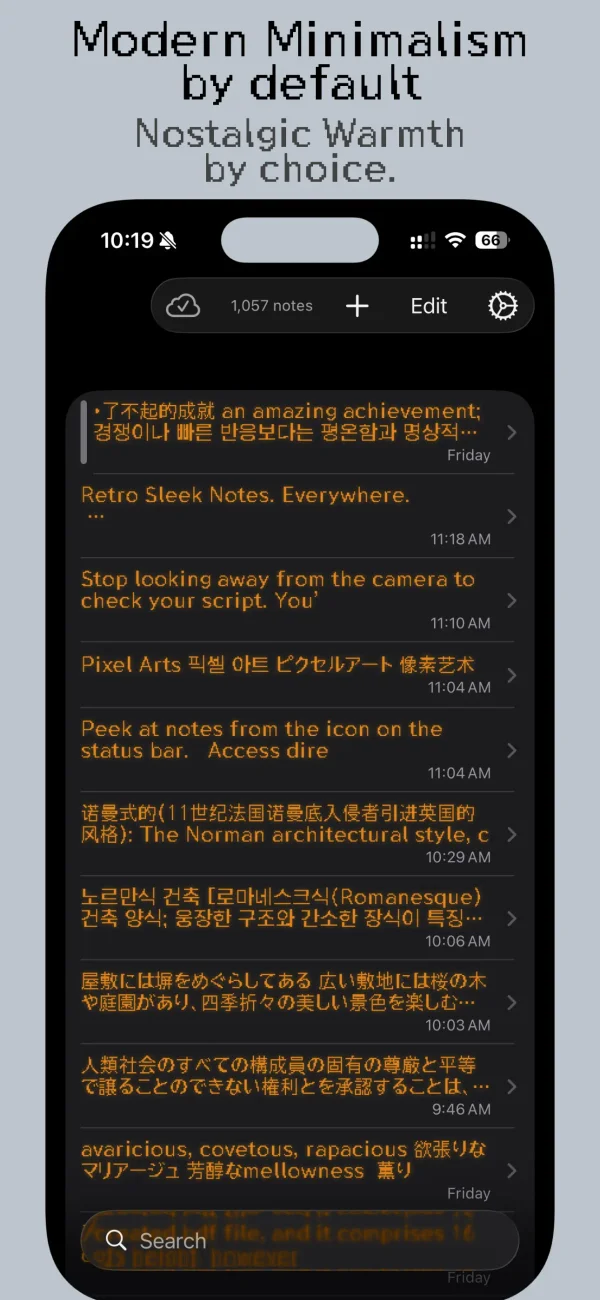
• Bespoke Typography: Enjoy writing with our custom-engineered pixel font, designed for razor-sharp readability at any size.
• Modern & Vintage Displays: Switch freely between clean modern typography and cozy retro CRT displays (IBM Amber Plasma, Apple ][ Green, Commodore PET Blue, and e-ink).
• Instant at Any Scale: From 10 notes to 10,000, 1secNote launches in 1 second with near-zero memory footprint.
• Instant Spotlight Search: Find any note in 1 second straight from macOS Spotlight or iOS Search.
• Complete Apple Ecosystem: Seamless iCloud sync across Mac, iPhone, iPad, and Apple Watch.
No subscriptions. No account sign-ups. No trackers.
Just the fastest, most satisfying note-taking companion on Apple devices.
What’s new
Version 3.1.1 · Nov 8, 2026
[3.1.1]
• Markdown link editing improvements
• Cursor alignment and positioning fixes
[3.1.0]
• Support for iPhone Duo dual-screen design and landscape split view
• PiP teleprompter dynamically adapts to device orientation
• Option to automatically move completed to-dos to the bottom of the list
• Word and character counter in editor footer
• Improved iCloud sync reliability and multi-device conflict handling
• Bug fixes on widgets, Peek mode, and editor
App privacy
What editoy Inc. declares on the App Store about how this app handles data.
-
Data not collected
The developer does not collect any data from this app.
Privacy practices may vary, for example with the features you use or your age.
Information
- Seller
- editoy Inc.
- Category
- Productivity
- Version
- 3.1.1
- Updated
- Nov 8, 2026
- Released
- Apr 29, 2024
- Size
- 31.5 MB
- Requires
- iOS 15.0 or later
- Age rating
- 4+
- Price
- $2.99
- Languages
- English, Japanese, Korean, Simplified Chinese, Traditional Chinese
- Copyright
- © 2026 editoy Inc.
You might also like
-
 Notesy - Sticky Notes & MemosQuick Notes, One Hover Away
-
 QuietimeProductivity
-
 RPN-38 CXGreat classic calculator
-
 Hue Plan: Time BlockingDaily planner in color
-
 AchievaProductivity
-
 Onka: Daily CalendarPlan your days
-
 Shopping List: Simple ListProductivity
-
 RPN-34 CELegendary classic calculator
-
 Planple — Simple Daily PlannerBig goals, broken into today
-
 DB48XSpirit of the HP48, revived