- Classification d’âge4+
- CatégoriePhoto et vidéo
- DéveloppeurRobert Corbin
- LanguesAnglais
- Taille33,0 Mo
Renvoie vers la page App Store officielle
Download.org n’héberge aucun fichier de AspectArc. Le bouton ouvre la page de l’application sur App Store, où Robert Corbin la publie. Fiche vérifiée pour la dernière fois le 17/11/2026.
Captures d’écran

À propos
Le développeur n’a pas fourni ce texte dans votre langue.
AspectArc is a local-first aspect-ratio studio for creators who need one video or photo to fit every format without guessing where the important parts will land.
NEW IN 3.0: COVER STUDIO
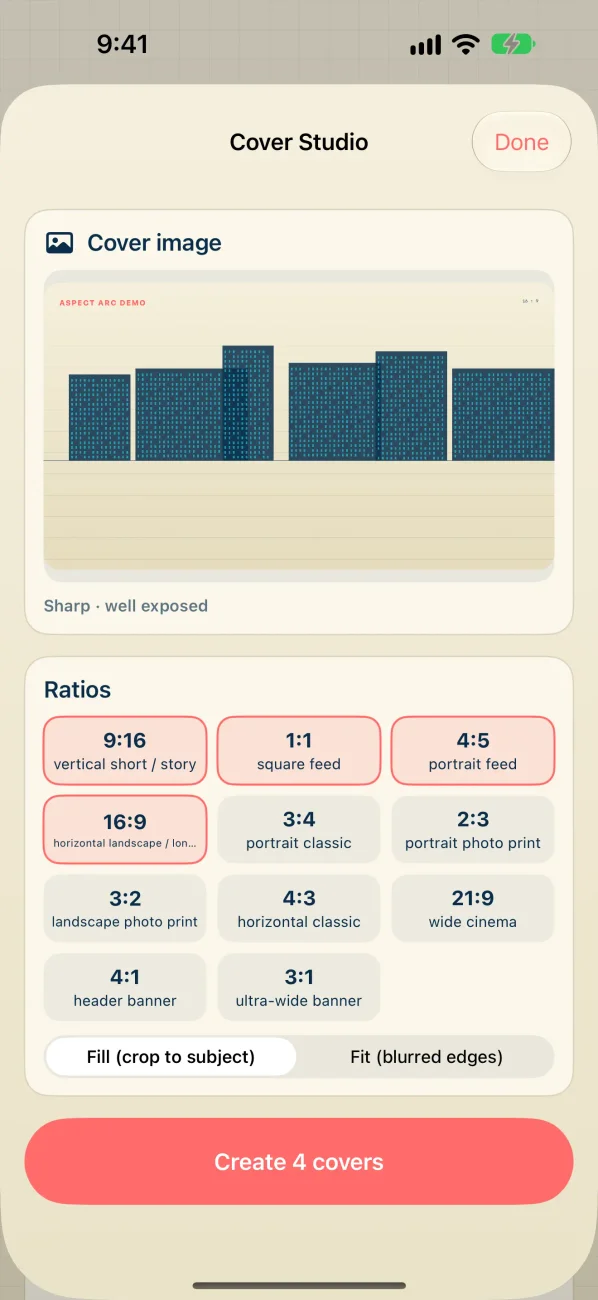
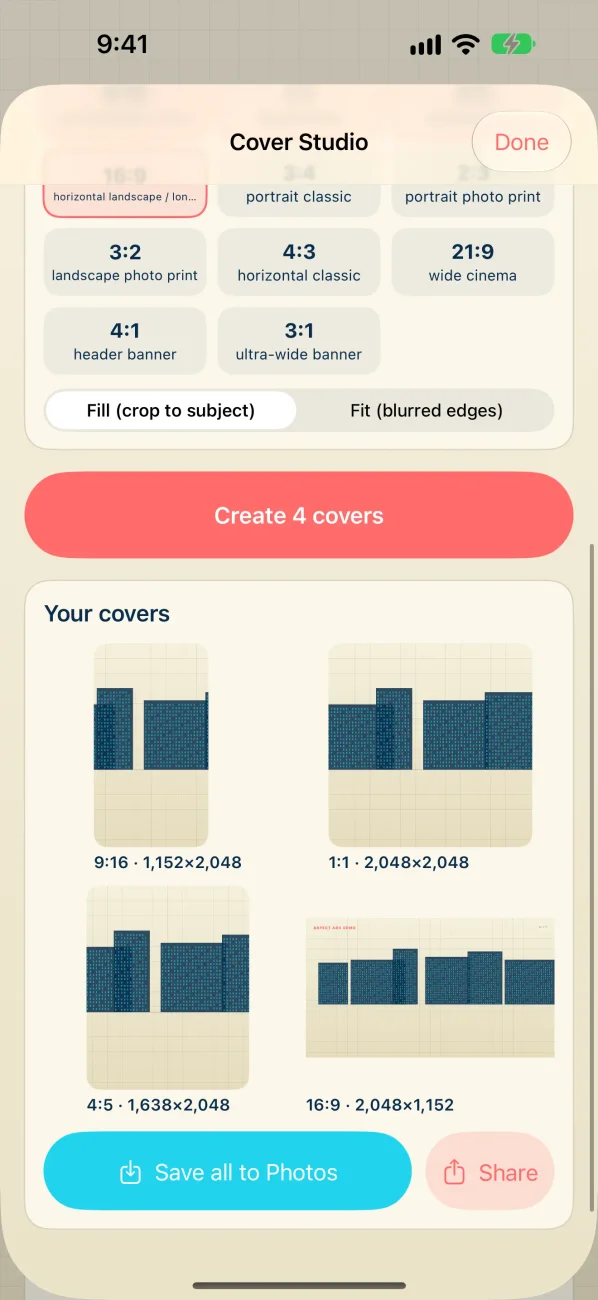
Pull the best frame from a clip and turn it into covers and thumbnails for every format at once. Scrub to the moment you want, or tap Suggest and AspectArc samples the clip and ranks frames that are sharp, well exposed and show faces. Choose your ratios (16:9, 9:16, 1:1, 4:5, 3:4, 2:3, banners and more) and every cover is cropped around the detected subject. Save them all to Photos or share them in one tap.
ONE PRICE, EVERYTHING INCLUDED
No subscription, no watermark, no account. Multi-format resizing, subject-aware reframing, batch export and cover making are all part of the app.
CONVERT ANY CLIP OR PHOTO
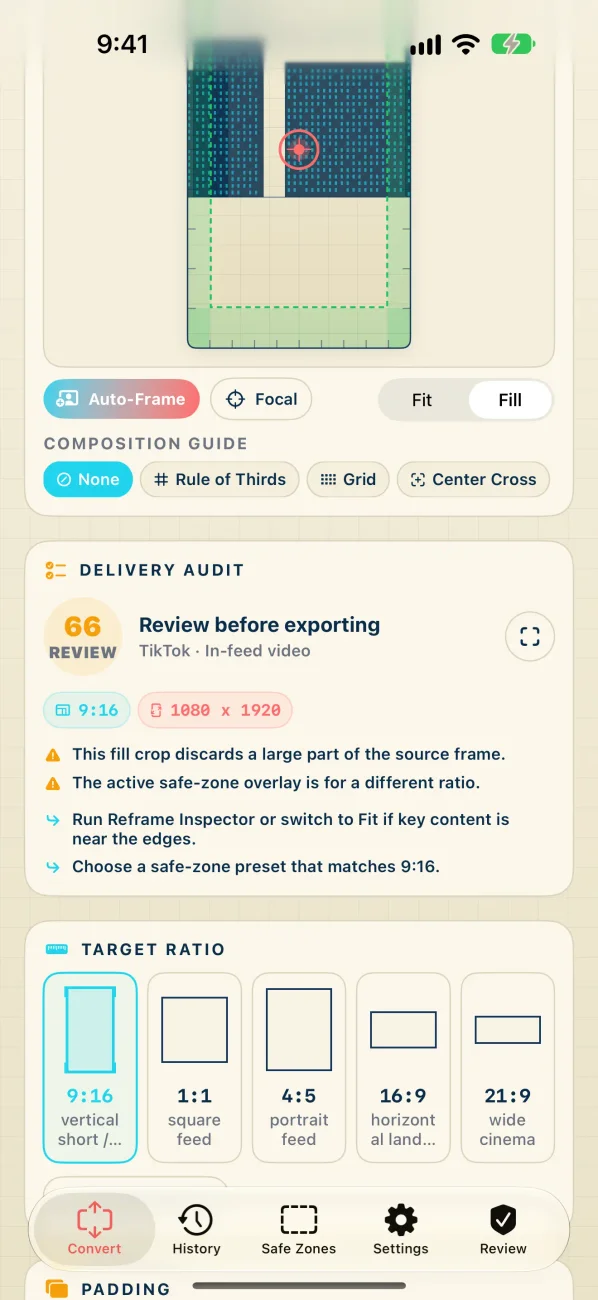
Pick a clip or still, choose a target ratio, set the focal point and export a clean result. Fit and Fill modes, padding styles (blur, solid, gradient, mirror and source color), quality and codec controls, and trimming are built in.
SMART REFRAME
AspectArc detects faces and salient subjects on the device and plans the crop for every ratio so your subject stays in frame. The Reframe Inspector shows how much of the subject survives each crop.
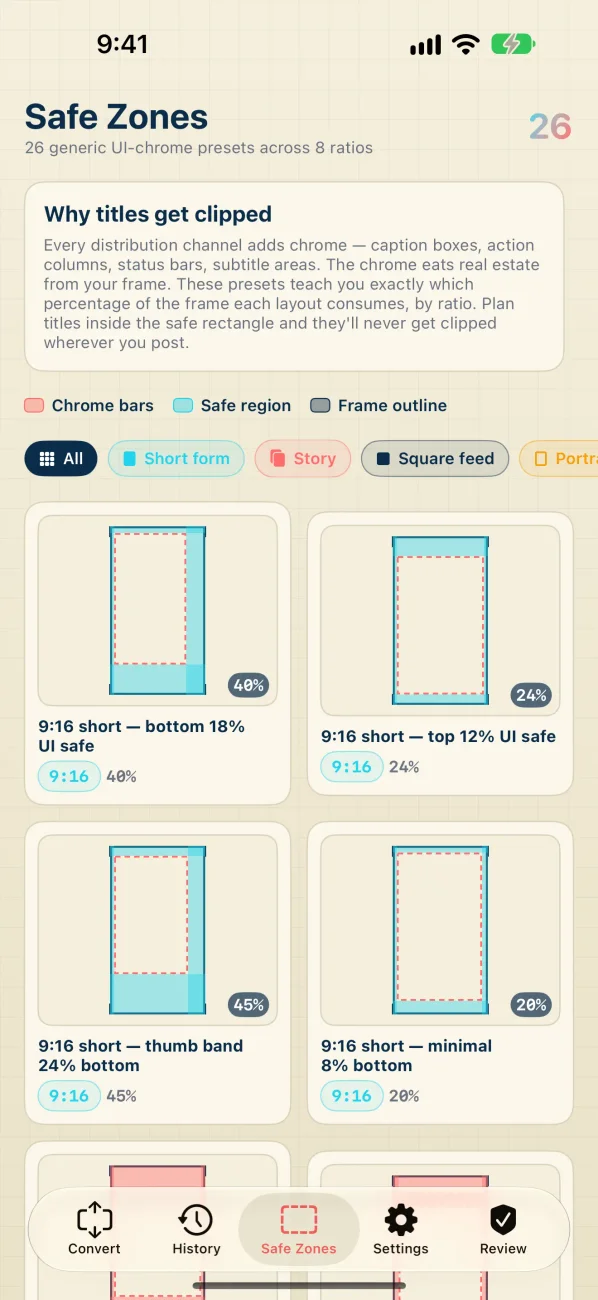
SAFE ZONES AND DELIVERY AUDIT
Preview safe-zone overlays for common interface areas so titles and captions stay clear. Delivery Audit checks the setup before you render: format match, export resolution, safe-zone coverage, crop risk, duration and estimated size, with a readiness score and fixes.
WORK FASTER
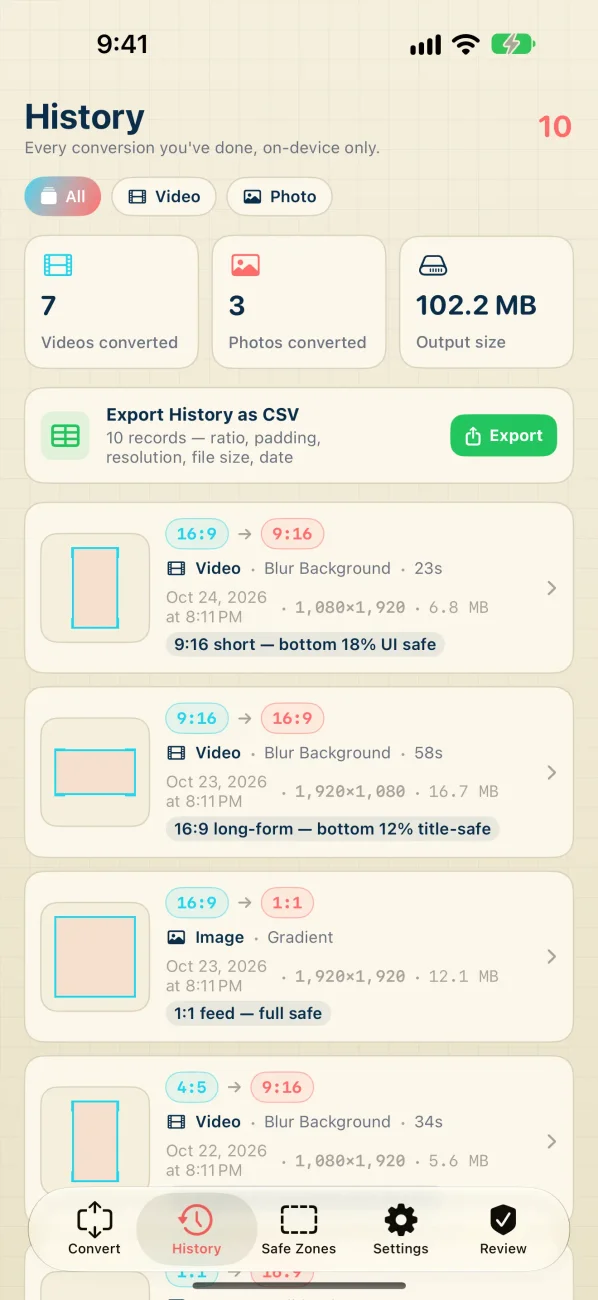
Multi-ratio batch export, saved workflow presets, an offline format reference, and conversion history with CSV export. Demo media lets you try every workflow without importing personal photos.
PRIVATE BY DESIGN
All media is processed on the device. Photo Library access is requested only when you import media or save an export. Nothing is uploaded.
Nouveautés
Version 3.0 · 25/10/2026
AspectArc 3.0 adds Cover Studio and a cleaner, more modern layout.
• Cover Studio: pick a moment from your clip or let AspectArc suggest the strongest frames (sharp, well exposed, faces in view), then export a cover image for 16:9, 9:16, 1:1, 4:5 and more in one tap. Each crop is framed on the detected subject. Save them all to Photos or share them.
• The app now uses the system tab bar, with the new glass look on iOS 26. Sliders and the focal-point editor no longer risk switching tabs when you drag sideways.
• Smart Reframe stays readable before a source is loaded and tells you what to do next.
• More room for content: screens no longer sit under the tab bar.
Confidentialité de l’application
Ce que Robert Corbin déclare sur l’App Store au sujet du traitement des données par cette application.
-
Données non collectées
Le développeur ne collecte aucune donnée à partir de cette application.
Les pratiques en matière de confidentialité peuvent varier, notamment en fonction des fonctionnalités que vous utilisez ou de votre âge.
Informations
- Vendeur
- Robert Corbin
- Catégorie
- Photo et vidéo
- Version
- 3.0
- Mis à jour
- 25/10/2026
- Publié
- 21/05/2026
- Taille
- 33,0 Mo
- Nécessite
- iOS 17.0 ou version ultérieure
- Classification d’âge
- 4+
- Prix
- 0,99 €
- Langues
- Anglais
- Copyright
- © 2026 Shadowfetch
Vous aimerez peut-être aussi
-
 Traxxtar VideoviewPhoto et vidéo
-
 Afters: Disposable CameraPhoto et vidéo
-
 berkbrainPhoto et vidéo
-
 MosinePhoto et vidéo
-
 Photo Clean: Photo OrganizerPhoto et vidéo
-
 Patchd : Labo d’effets vidéoCaméra live, glitch & art VJ
-
 Luxa RAW CameraPhoto et vidéo
-
 Simpic: Photo CleanerPhoto et vidéo
-
 AspectTake: Dual Format CameraPhoto et vidéo
-
 PicPost EZCapture, Note & Share Photos