- Độ tuổi4+
- Danh mụcẢnh & Video
- Nhà phát triểnRobert Corbin
- Ngôn ngữTiếng Anh
- Kích thước33,0 MB
Liên kết đến trang App Store chính thức
Download.org không lưu trữ tệp nào của AspectArc. Nút này mở trang ứng dụng trên App Store, nơi Robert Corbin phát hành ứng dụng. Trang được kiểm tra lần cuối: 17/11/2026.
Ảnh chụp màn hình

Giới thiệu
Nhà phát triển chưa cung cấp nội dung này bằng ngôn ngữ của bạn.
AspectArc is a local-first aspect-ratio studio for creators who need one video or photo to fit every format without guessing where the important parts will land.
NEW IN 3.0: COVER STUDIO
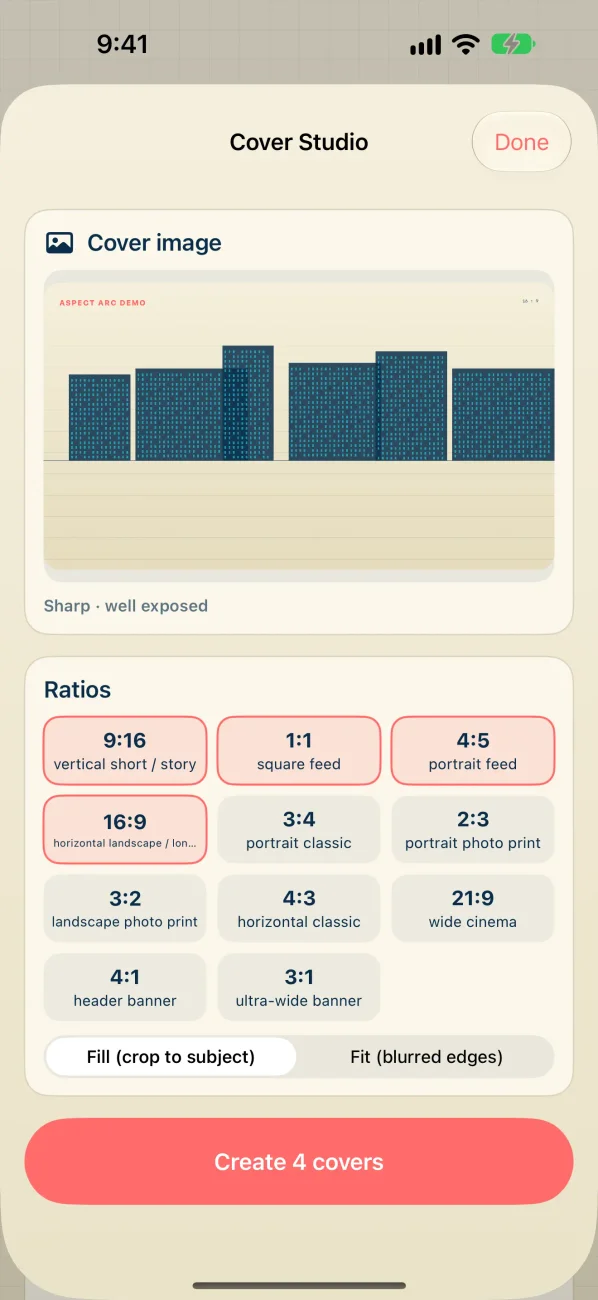
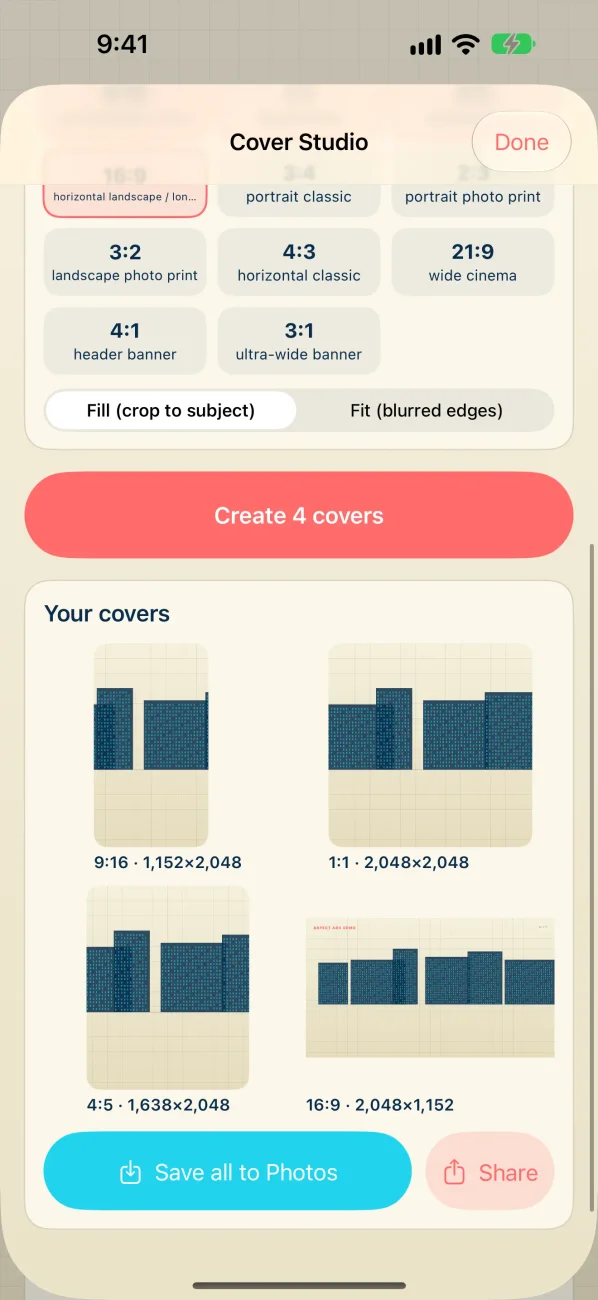
Pull the best frame from a clip and turn it into covers and thumbnails for every format at once. Scrub to the moment you want, or tap Suggest and AspectArc samples the clip and ranks frames that are sharp, well exposed and show faces. Choose your ratios (16:9, 9:16, 1:1, 4:5, 3:4, 2:3, banners and more) and every cover is cropped around the detected subject. Save them all to Photos or share them in one tap.
ONE PRICE, EVERYTHING INCLUDED
No subscription, no watermark, no account. Multi-format resizing, subject-aware reframing, batch export and cover making are all part of the app.
CONVERT ANY CLIP OR PHOTO
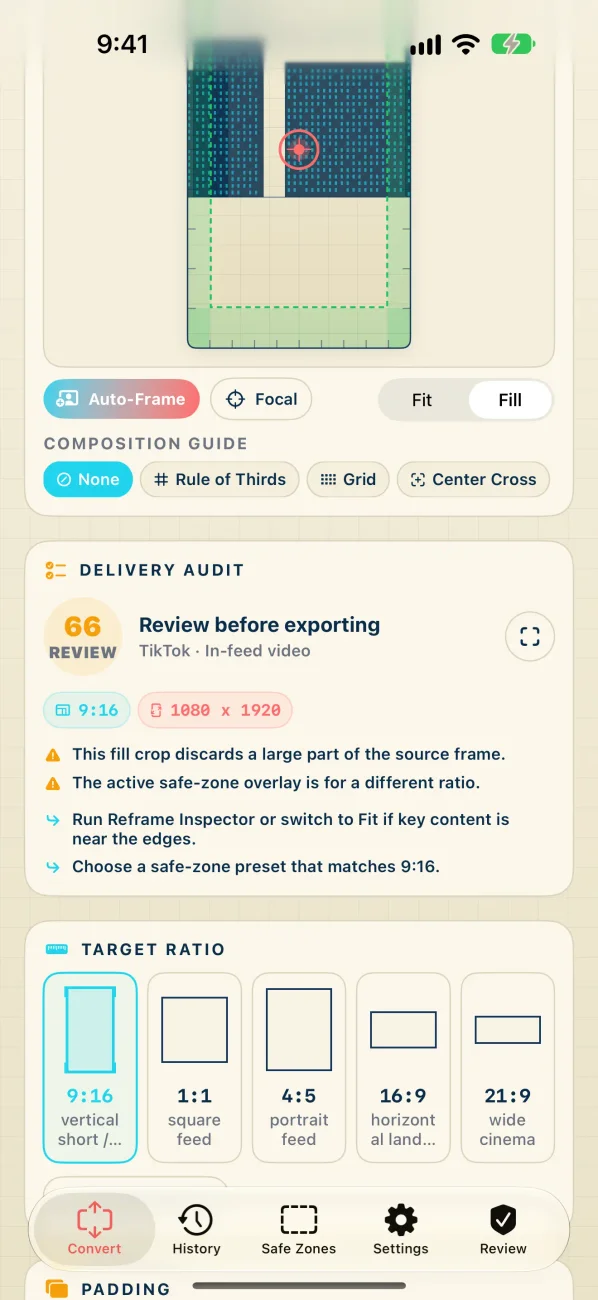
Pick a clip or still, choose a target ratio, set the focal point and export a clean result. Fit and Fill modes, padding styles (blur, solid, gradient, mirror and source color), quality and codec controls, and trimming are built in.
SMART REFRAME
AspectArc detects faces and salient subjects on the device and plans the crop for every ratio so your subject stays in frame. The Reframe Inspector shows how much of the subject survives each crop.
SAFE ZONES AND DELIVERY AUDIT
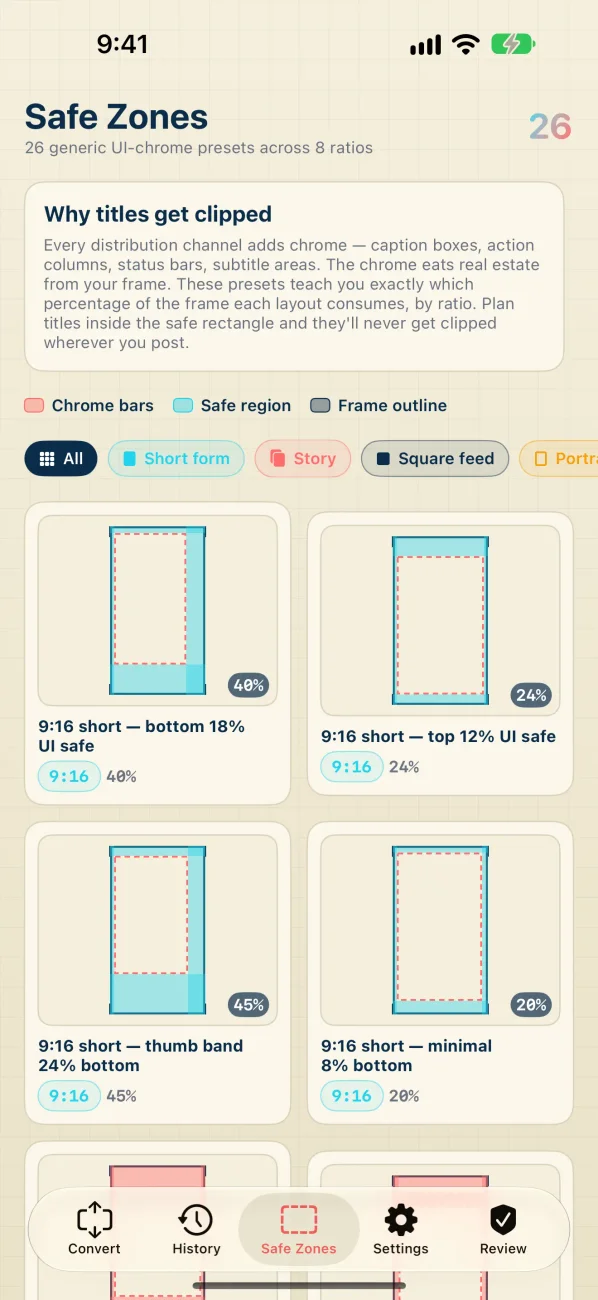
Preview safe-zone overlays for common interface areas so titles and captions stay clear. Delivery Audit checks the setup before you render: format match, export resolution, safe-zone coverage, crop risk, duration and estimated size, with a readiness score and fixes.
WORK FASTER
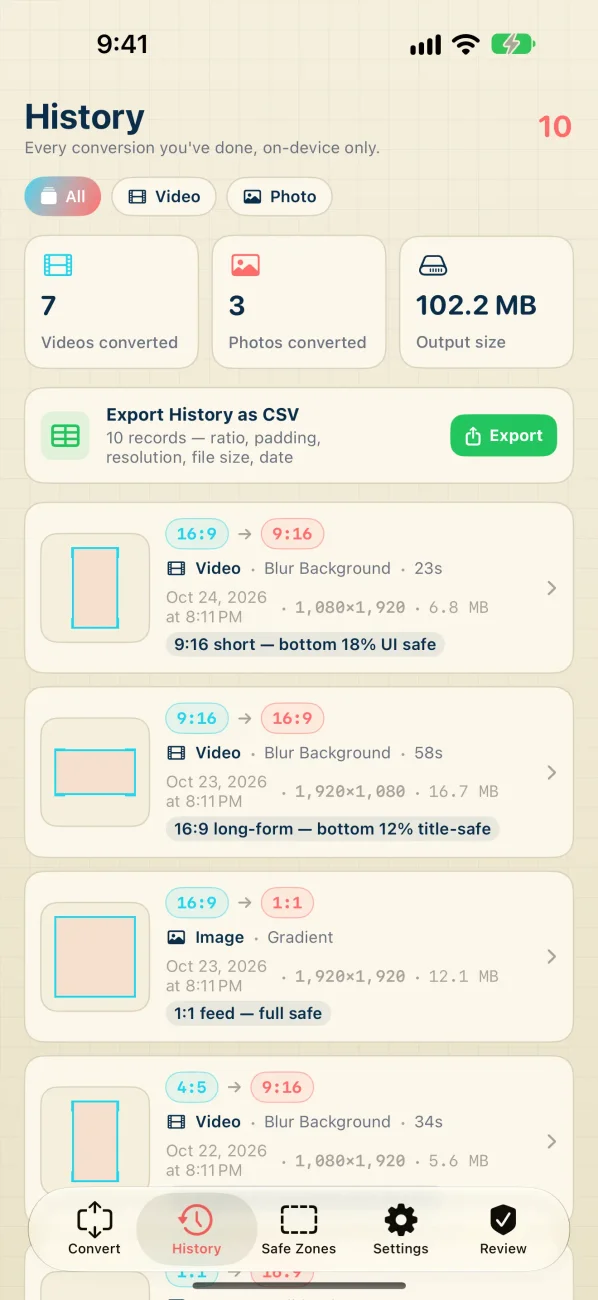
Multi-ratio batch export, saved workflow presets, an offline format reference, and conversion history with CSV export. Demo media lets you try every workflow without importing personal photos.
PRIVATE BY DESIGN
All media is processed on the device. Photo Library access is requested only when you import media or save an export. Nothing is uploaded.
Có gì mới
Phiên bản 3.0 · 25/10/2026
AspectArc 3.0 adds Cover Studio and a cleaner, more modern layout.
• Cover Studio: pick a moment from your clip or let AspectArc suggest the strongest frames (sharp, well exposed, faces in view), then export a cover image for 16:9, 9:16, 1:1, 4:5 and more in one tap. Each crop is framed on the detected subject. Save them all to Photos or share them.
• The app now uses the system tab bar, with the new glass look on iOS 26. Sliders and the focal-point editor no longer risk switching tabs when you drag sideways.
• Smart Reframe stays readable before a source is loaded and tells you what to do next.
• More room for content: screens no longer sit under the tab bar.
Quyền riêng tư của ứng dụng
Những gì Robert Corbin khai báo trên App Store về cách ứng dụng này xử lý dữ liệu.
-
Dữ liệu không được thu thập
Nhà phát triển không thu thập bất kỳ dữ liệu nào từ ứng dụng này.
Phương thức đảm bảo quyền riêng tư có thể khác nhau, chẳng hạn như tuỳ theo các tính năng bạn sử dụng hoặc độ tuổi của bạn.
Thông tin
- Người bán
- Robert Corbin
- Danh mục
- Ảnh & Video
- Phiên bản
- 3.0
- Cập nhật
- 25/10/2026
- Phát hành
- 21/05/2026
- Kích thước
- 33,0 MB
- Yêu cầu
- iOS 17.0 trở lên
- Độ tuổi
- 4+
- Giá
- 29.000đ
- Ngôn ngữ
- Tiếng Anh
- Bản quyền
- © 2026 Shadowfetch
Có thể bạn cũng thích
-
 Traxxtar VideoviewẢnh & Video
-
 Afters: Disposable CameraẢnh & Video
-
 berkbrainẢnh & Video
-
 MosineẢnh & Video
-
 Photo Clean: Dọn ảnhẢnh và video lớn theo ngày xem
-
 Patchd: Video FX PlaygroundẢnh & Video
-
 Luxa RAW CameraẢnh & Video
-
 Simpic: Photo CleanerẢnh & Video
-
 AspectTake: Dual Format CameraẢnh & Video
-
 PicPost EZCapture, Note & Share Photos