
AspectArc
Aspect ratios and safe zones
iPhone, iPad için tasarlandı
₺49,99
- Yaş sınırı4+
- KategoriFotoğraf ve Video
- GeliştiriciRobert Corbin
- Dillerİngilizce
- Boyut33,0 MB
Resmi App Store sayfasına bağlanır
Download.org, AspectArc için hiçbir dosya barındırmaz. Düğme, uygulamanın App Store üzerindeki sayfasını açar; uygulamayı orada Robert Corbin yayınlar. Sayfanın son kontrolü: 17.11.2026.
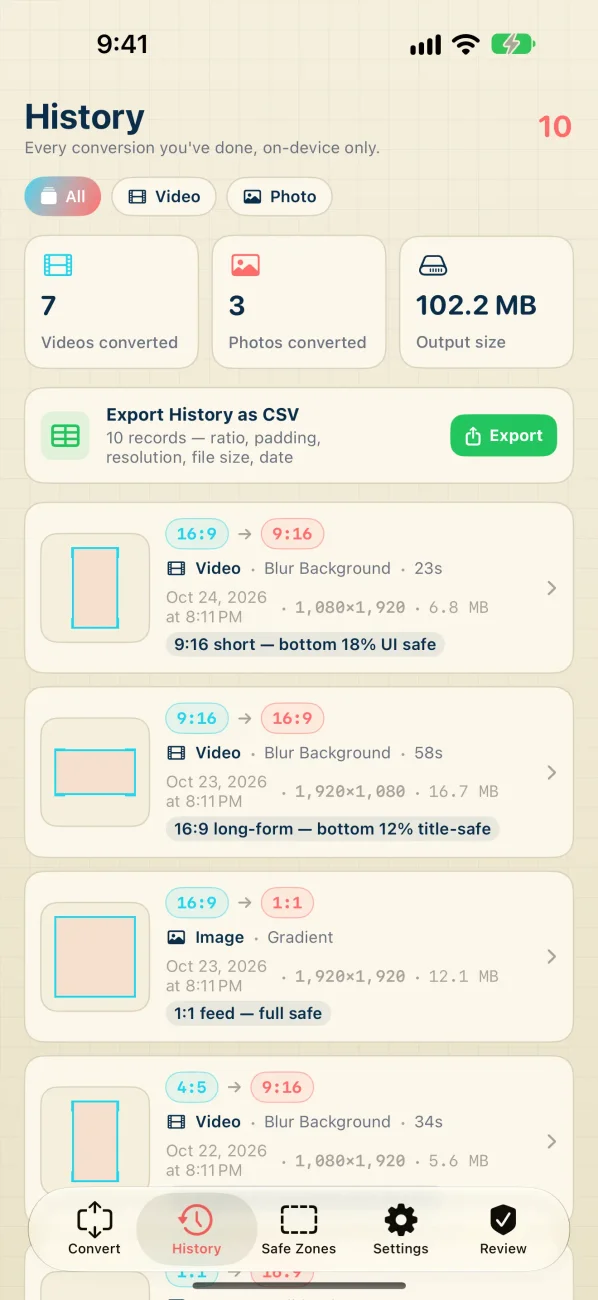
Ekran görüntüleri

Hakkında
Geliştirici bu metni dilinizde sunmamış.
AspectArc is a local-first aspect-ratio studio for creators who need one video or photo to fit every format without guessing where the important parts will land.
NEW IN 3.0: COVER STUDIO
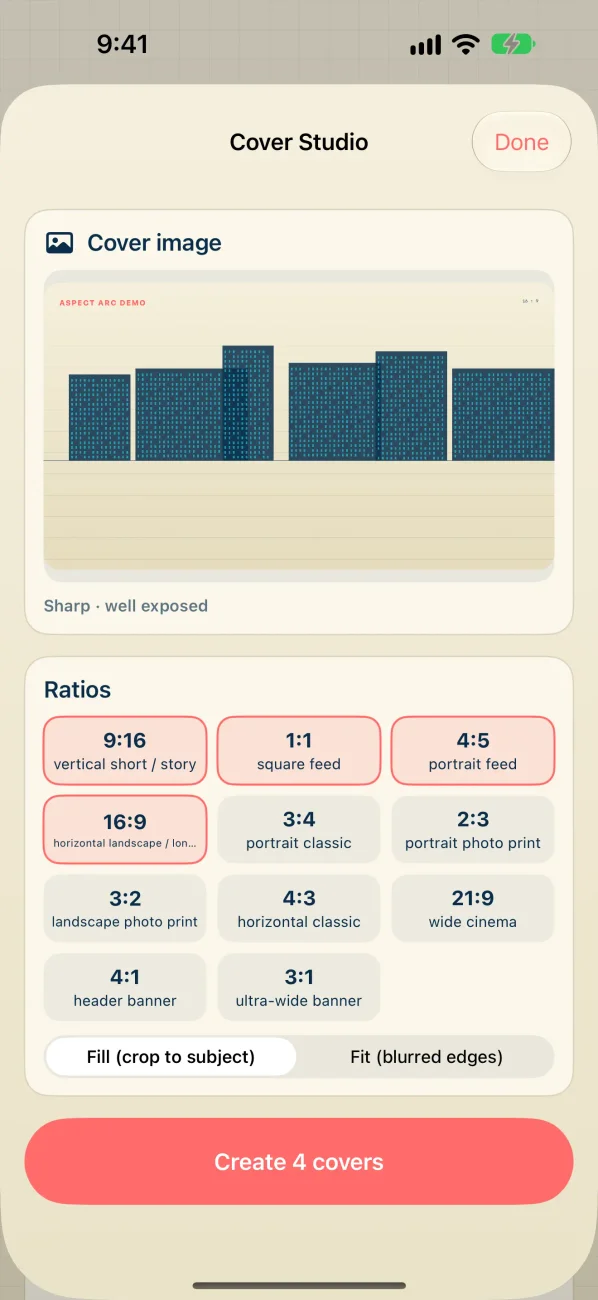
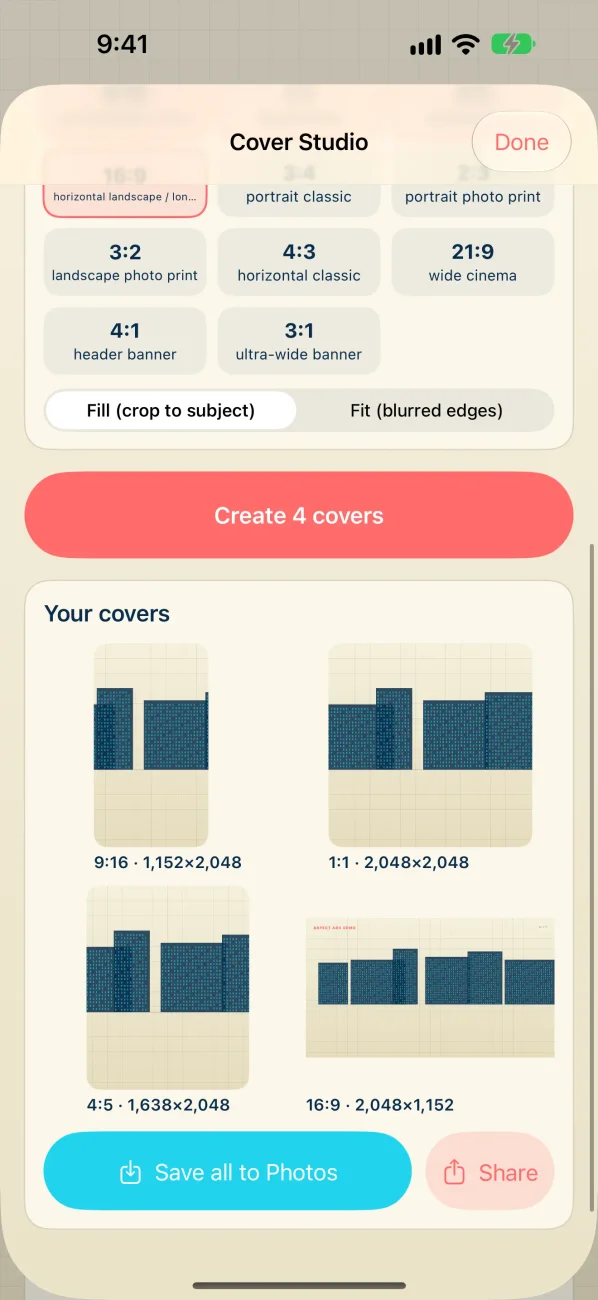
Pull the best frame from a clip and turn it into covers and thumbnails for every format at once. Scrub to the moment you want, or tap Suggest and AspectArc samples the clip and ranks frames that are sharp, well exposed and show faces. Choose your ratios (16:9, 9:16, 1:1, 4:5, 3:4, 2:3, banners and more) and every cover is cropped around the detected subject. Save them all to Photos or share them in one tap.
ONE PRICE, EVERYTHING INCLUDED
No subscription, no watermark, no account. Multi-format resizing, subject-aware reframing, batch export and cover making are all part of the app.
CONVERT ANY CLIP OR PHOTO
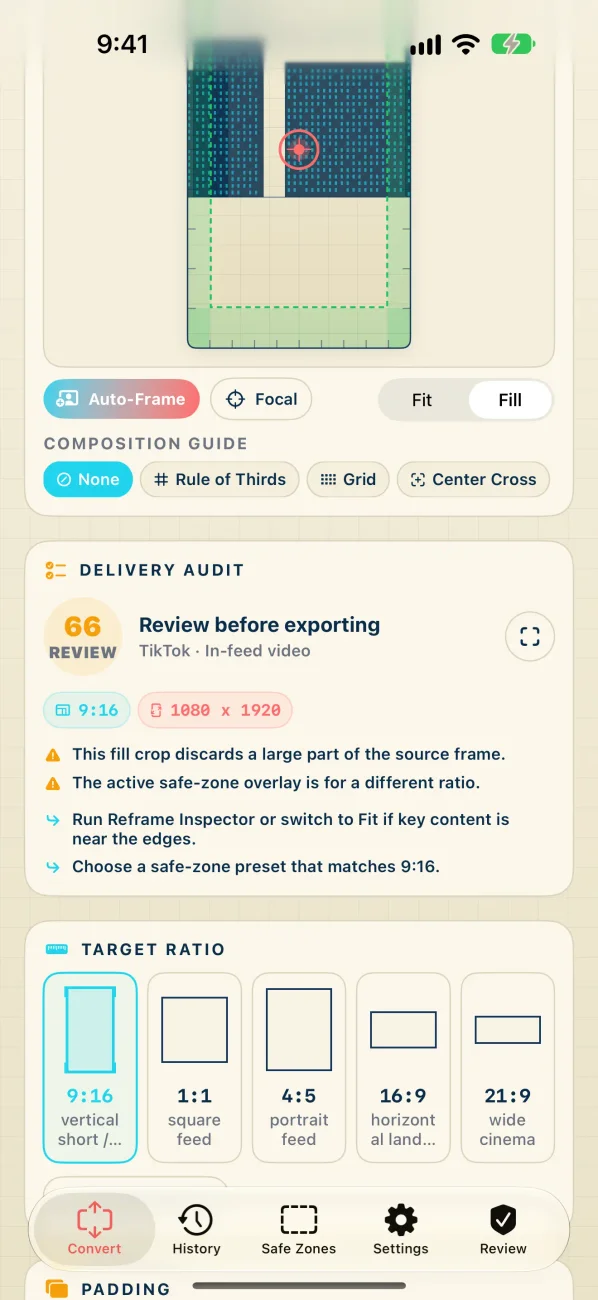
Pick a clip or still, choose a target ratio, set the focal point and export a clean result. Fit and Fill modes, padding styles (blur, solid, gradient, mirror and source color), quality and codec controls, and trimming are built in.
SMART REFRAME
AspectArc detects faces and salient subjects on the device and plans the crop for every ratio so your subject stays in frame. The Reframe Inspector shows how much of the subject survives each crop.
SAFE ZONES AND DELIVERY AUDIT
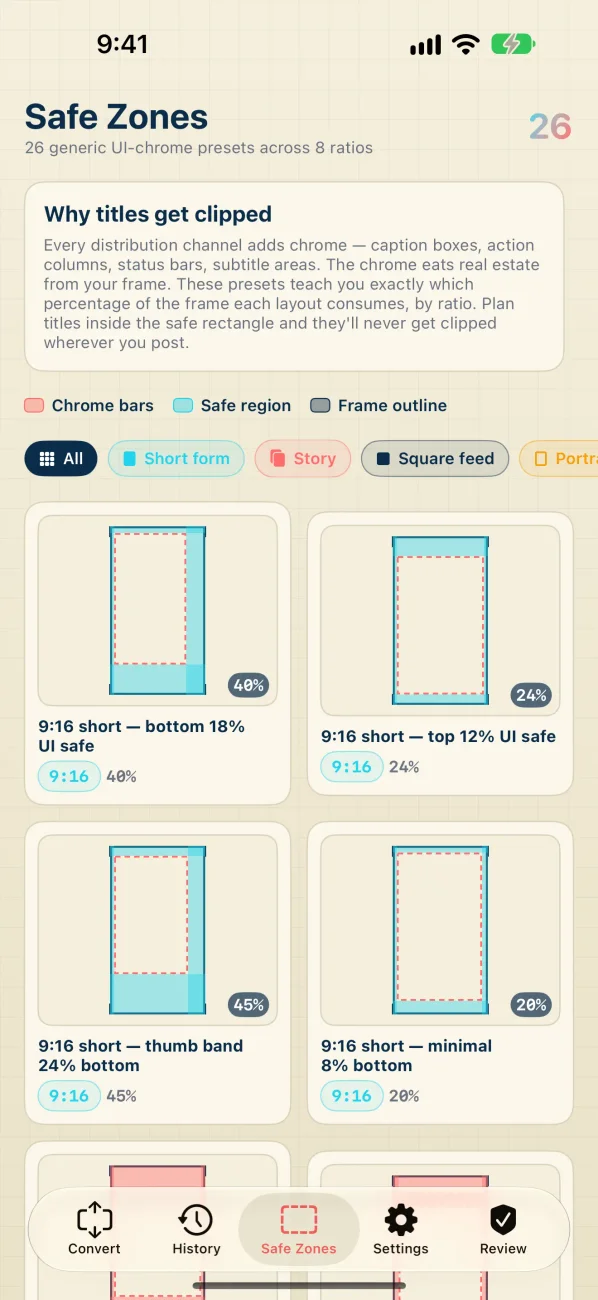
Preview safe-zone overlays for common interface areas so titles and captions stay clear. Delivery Audit checks the setup before you render: format match, export resolution, safe-zone coverage, crop risk, duration and estimated size, with a readiness score and fixes.
WORK FASTER
Multi-ratio batch export, saved workflow presets, an offline format reference, and conversion history with CSV export. Demo media lets you try every workflow without importing personal photos.
PRIVATE BY DESIGN
All media is processed on the device. Photo Library access is requested only when you import media or save an export. Nothing is uploaded.
Yenilikler
Sürüm 3.0 · 25.10.2026
AspectArc 3.0 adds Cover Studio and a cleaner, more modern layout.
• Cover Studio: pick a moment from your clip or let AspectArc suggest the strongest frames (sharp, well exposed, faces in view), then export a cover image for 16:9, 9:16, 1:1, 4:5 and more in one tap. Each crop is framed on the detected subject. Save them all to Photos or share them.
• The app now uses the system tab bar, with the new glass look on iOS 26. Sliders and the focal-point editor no longer risk switching tabs when you drag sideways.
• Smart Reframe stays readable before a source is loaded and tells you what to do next.
• More room for content: screens no longer sit under the tab bar.
Uygulama gizliliği
Bu uygulamanın verileri nasıl işlediği hakkında Robert Corbin tarafından App Store üzerinde yapılan beyan.
-
Veri toplanmıyor
Geliştirici bu uygulamadan hiçbir veri toplamıyor.
Gizlilik uygulamaları, örneğin kullandığınız özelliklere veya yaşınıza göre değişiklik gösterebilir.
Bilgiler
- Satıcı
- Robert Corbin
- Kategori
- Fotoğraf ve Video
- Sürüm
- 3.0
- Güncellendi
- 25.10.2026
- Yayın tarihi
- 21.05.2026
- Boyut
- 33,0 MB
- Gereksinim
- iOS 17.0 veya sonrası
- Yaş sınırı
- 4+
- Fiyat
- ₺49,99
- Diller
- İngilizce
- Telif hakkı
- © 2026 Shadowfetch
Bunları da beğenebilirsiniz
-
 Traxxtar VideoviewFotoğraf ve Video
-
 Afters: Tek Kullanımlık KameraGece flaşlı film kamerası
-
 berkbrainFotoğraf ve Video
-
 MosineFotoğraf ve Video
-
 Photo Clean: Photo OrganizerFotoğraf ve Video
-
 Patchd: Video FX AtölyesiCanlı Kamera, Glitch ve VJ
-
 Luxa RAW CameraFotoğraf ve Video
-
 Simpic: Photo CleanerFotoğraf ve Video
-
 AspectTake: Dual Format CameraFotoğraf ve Video
-
 PicPost EZCapture, Note & Share Photos