
Avantido
To-dos by voice and photo
Conçue pour iPhone
Gratuit · Achats intégrés
- Classification d’âge4+
- CatégorieProductivité
- DéveloppeurGlobal Solutions Systems GmbH
- LanguesAnglais+ 2 de plus
- Taille2,1 Mo
Renvoie vers la page App Store officielle
Download.org n’héberge aucun fichier de Avantido. Le bouton ouvre la page de l’application sur App Store, où Global Solutions Systems GmbH la publie. Fiche vérifiée pour la dernière fois le 18/11/2026.
Captures d’écran
À propos
Le développeur n’a pas fourni ce texte dans votre langue.
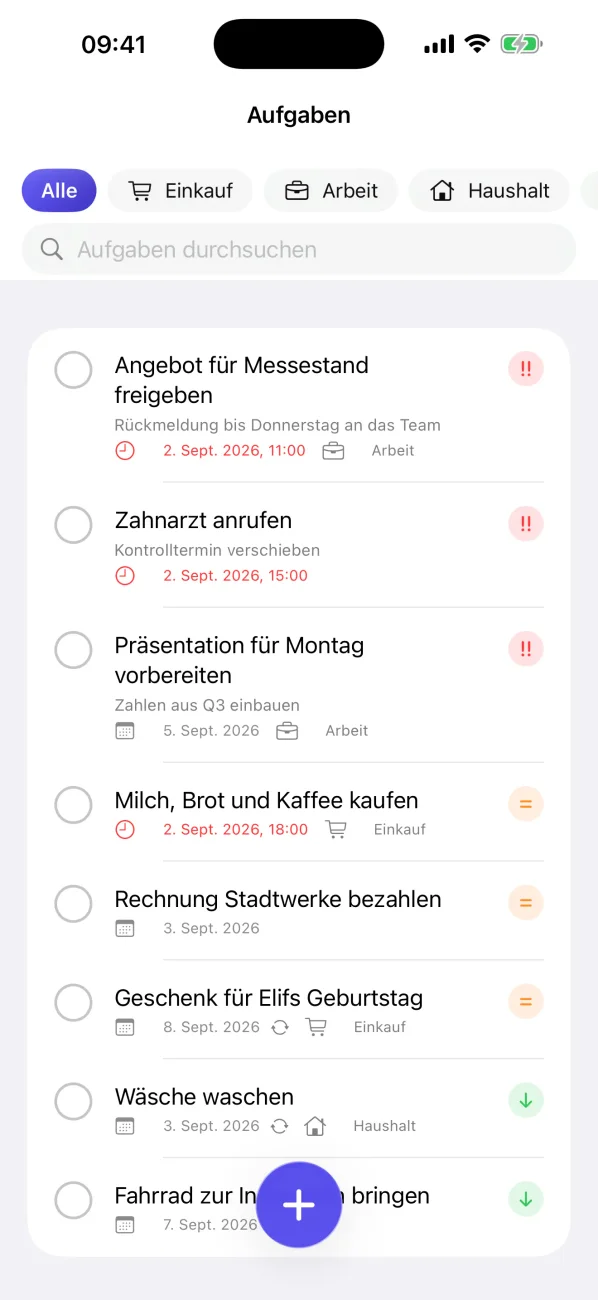
Avantido turns thoughts into finished tasks. Type, speak or take a photo – the app sorts out the rest.
CAPTURE TASKS
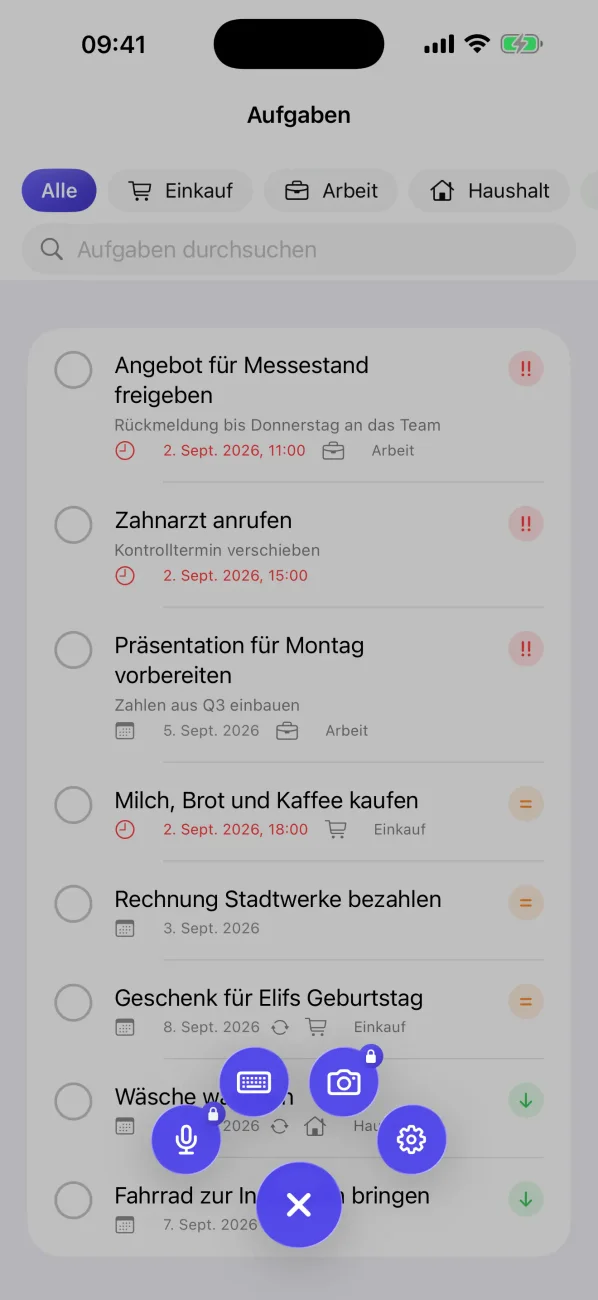
• Type: noted in seconds, with priority, due date and note.
• Speak (Pro): dictate what is on your mind – Avantido turns it into clean, separate tasks.
• Photograph (Pro): snap a note, a whiteboard or a shelf. The AI reads the tasks out of it, or suggests what would need doing.
AI ANALYSIS (Pro)
• One long thought becomes several clearly worded tasks – prioritised and sorted into a category.
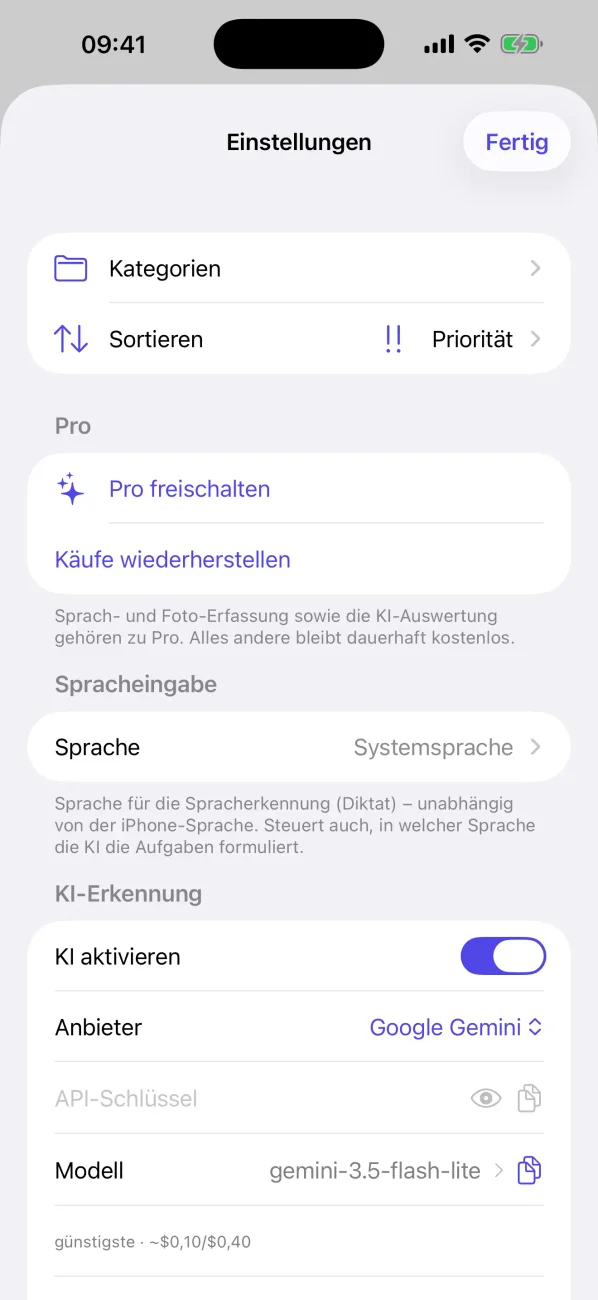
• You use your own API key (Google Gemini, OpenAI or Anthropic). Your provider bills you for AI usage; it is not included in the purchase price.
• Without a key everything else remains fully usable.
CATEGORIES WITH ACTIONS
• Create categories and define what should happen automatically: remind me, add to the calendar, write to the Reminders app.
• Overridable per task at any time.
DATES & REMINDERS
• Due dates with a notification at the right moment.
• Recurring tasks: completing one means the next is already lined up.
• Export to Apple Calendar and Reminders.
WHEREVER YOU ARE
• Widget for home and lock screen showing what is due today.
• Siri shortcuts: add a task, complete a task, ask what is due today.
• iCloud sync across your devices.
• Share a task as a file – anyone with Avantido takes it over with one tap.
AVANTIDO PRO (one-time purchase, no subscription)
• Voice capture
• Photo capture
• AI analysis
Free forever: text tasks, lists, categories, reminders, calendar export, recurrence, widget, Siri and iCloud sync.
PRIVACY
• No account, no sign-in, no tracking, no ads.
• No server of our own: your tasks stay on your device and in your private iCloud.
• Data goes to the AI only when you use that feature – straight from your device to your provider.
Nouveautés
Version 1.2.0 · 04/11/2026
New: a shortcut on the “+” button.
Hold the “+” button and pull up to start voice capture right away — no detour through the menu. You choose what the gesture does in Settings: voice, text, photo or off.
A short tap still opens the menu with everything in it.
Confidentialité de l’application
Ce que Global Solutions Systems GmbH déclare sur l’App Store au sujet du traitement des données par cette application.
-
Données n’établissant aucun lien avec vous
Peuvent être collectées, mais ne sont pas liées à votre identité.
- Contenu utilisateur
Les pratiques en matière de confidentialité peuvent varier, notamment en fonction des fonctionnalités que vous utilisez ou de votre âge.
Informations
- Vendeur
- Global Solutions Systems GmbH
- Catégorie
- Productivité
- Version
- 1.2.0
- Mis à jour
- 04/11/2026
- Publié
- 18/09/2026
- Taille
- 2,1 Mo
- Nécessite
- iOS 18.0 ou version ultérieure
- Classification d’âge
- 4+
- Prix
- Gratuit
- Achats intégrés
- Oui
- Langues
- Anglais, Allemand, Turc
- Copyright
- © 2026 Global Solutions Systems GmbH
Vous aimerez peut-être aussi
-
 AfterSnap : Photo en actionScannez, traduisez, agissez
-
 Recall - Screenshot ReminderProductivité
-
 ScreenFolio: Screenshot OCRProductivité
-
 Timeara – Days & CountdownProductivité
-
 LaytuhProductivité
-
 AiReminder: Task Reminder AppProductivité
-
 I On It : Notes & TâchesDites-le. C'est fait.
-
 Screenshot ScannerScanner horaires depuis écran
-
 Reminder & Tasks: Remind AIProductivité
-
 Tuck - Screenshot RemindersProductivité