
- 対象年齢4+
- カテゴリ仕事効率化
- 開発元Global Solutions Systems GmbH
- 言語英語ほか2言語
- サイズ2.1 MB
App Storeの公式ページにリンクしています
Download.orgはAvantidoのファイルを一切ホストしていません。ボタンを押すと、Global Solutions Systems GmbHが公開しているApp Storeのアプリページが開きます。ページの最終確認:2026/11/18。
スクリーンショット
概要
開発元はこのテキストをお使いの言語で提供していません。
Avantido turns thoughts into finished tasks. Type, speak or take a photo – the app sorts out the rest.
CAPTURE TASKS
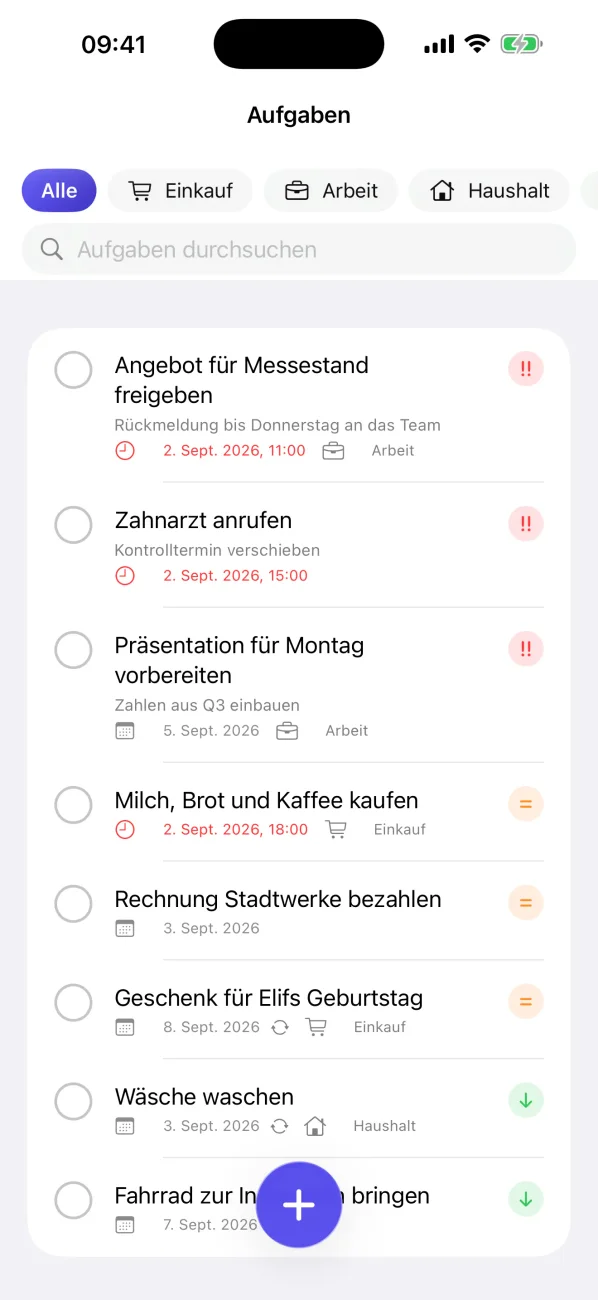
• Type: noted in seconds, with priority, due date and note.
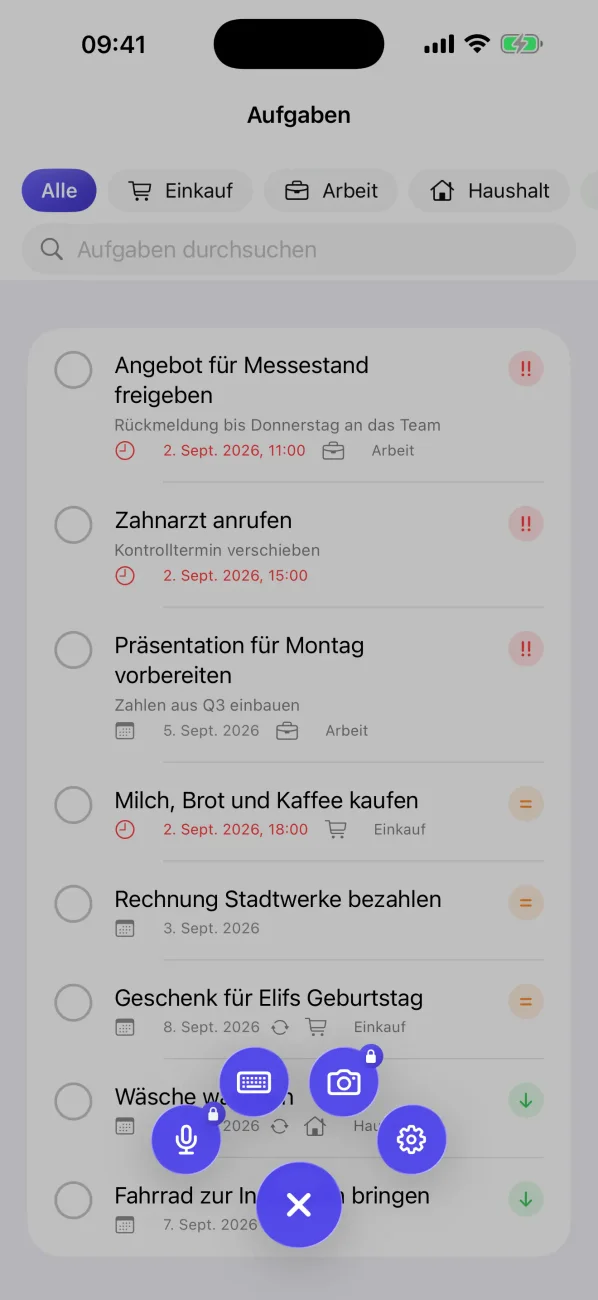
• Speak (Pro): dictate what is on your mind – Avantido turns it into clean, separate tasks.
• Photograph (Pro): snap a note, a whiteboard or a shelf. The AI reads the tasks out of it, or suggests what would need doing.
AI ANALYSIS (Pro)
• One long thought becomes several clearly worded tasks – prioritised and sorted into a category.
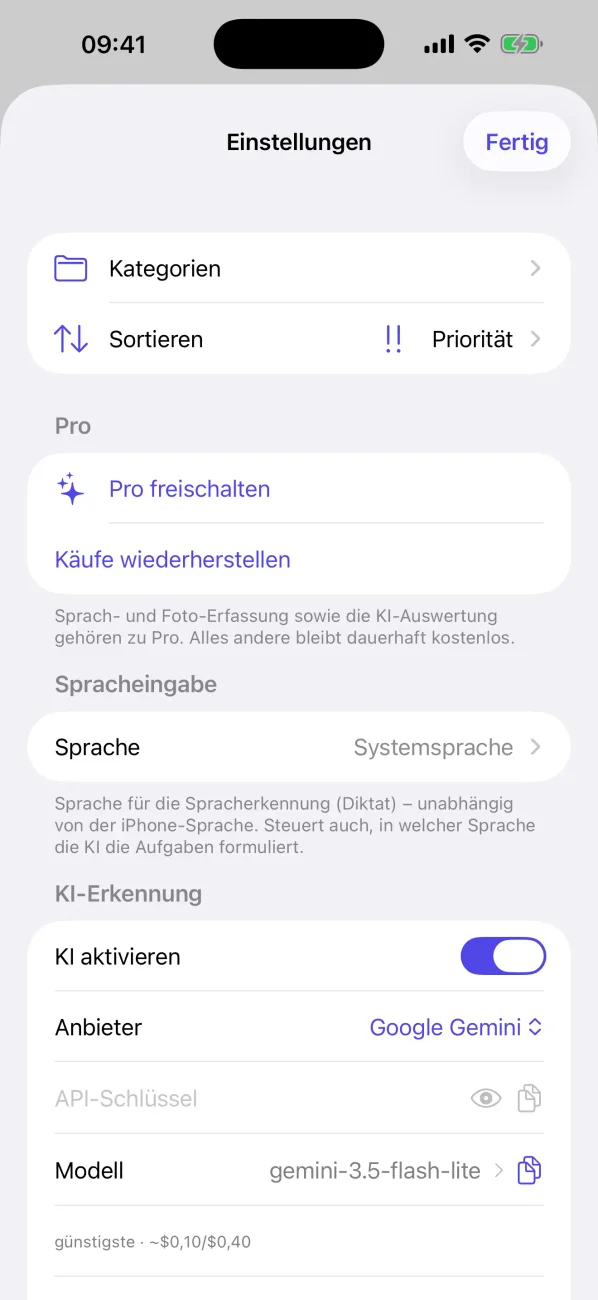
• You use your own API key (Google Gemini, OpenAI or Anthropic). Your provider bills you for AI usage; it is not included in the purchase price.
• Without a key everything else remains fully usable.
CATEGORIES WITH ACTIONS
• Create categories and define what should happen automatically: remind me, add to the calendar, write to the Reminders app.
• Overridable per task at any time.
DATES & REMINDERS
• Due dates with a notification at the right moment.
• Recurring tasks: completing one means the next is already lined up.
• Export to Apple Calendar and Reminders.
WHEREVER YOU ARE
• Widget for home and lock screen showing what is due today.
• Siri shortcuts: add a task, complete a task, ask what is due today.
• iCloud sync across your devices.
• Share a task as a file – anyone with Avantido takes it over with one tap.
AVANTIDO PRO (one-time purchase, no subscription)
• Voice capture
• Photo capture
• AI analysis
Free forever: text tasks, lists, categories, reminders, calendar export, recurrence, widget, Siri and iCloud sync.
PRIVACY
• No account, no sign-in, no tracking, no ads.
• No server of our own: your tasks stay on your device and in your private iCloud.
• Data goes to the AI only when you use that feature – straight from your device to your provider.
新機能
バージョン 1.2.0 · 2026/11/4
New: a shortcut on the “+” button.
Hold the “+” button and pull up to start voice capture right away — no detour through the menu. You choose what the gesture does in Settings: voice, text, photo or off.
A short tap still opens the menu with everything in it.
アプリのプライバシー
このアプリのデータの取り扱いについて、Global Solutions Systems GmbHがApp Storeで申告している内容です。
-
ユーザーに関連付けられないデータ
収集される場合がありますが、ユーザーの識別情報には関連付けられません。
- ユーザーコンテンツ
プライバシーの取り扱いは、ご利用の機能やお客様の年齢などに応じて異なる場合があります。
情報
- 販売元
- Global Solutions Systems GmbH
- カテゴリ
- 仕事効率化
- バージョン
- 1.2.0
- 更新日
- 2026/11/4
- リリース
- 2026/9/18
- サイズ
- 2.1 MB
- 必要条件
- iOS 18.0以降
- 対象年齢
- 4+
- 価格
- 無料
- アプリ内課金
- あり
- 言語
- 英語, ドイツ語, トルコ語
- 著作権
- © 2026 Global Solutions Systems GmbH
こちらもおすすめ
-
 AfterSnap:写真からアクションスキャン・翻訳・すぐ実行
-
 Recall - Screenshot Reminder仕事効率化
-
 ScreenFolio: Screenshot OCR仕事効率化
-
 Timeara – Days & Countdown仕事効率化
-
 Laytuh仕事効率化
-
 AiReminder: Task Reminder App仕事効率化
-
 I On It: AIボイスメモ・リマインダー・予定管理話すだけで文字起こし、タスク化。電話もメッセージもワンタップ
-
 スクショスキャナーAIで学校や職場のプリントからカレンダーを作成
-
 Reminder & Tasks: Remind AI仕事効率化
-
 Tuck - スクショリマインダー撮るか共有するだけ。忘れない。