- Classification d’âge4+
- CatégorieProductivité
- DéveloppeurTomokazu Shinozaki
- LanguesAnglais+ 9 de plus
- Taille6,8 Mo
BatchOCR n’est peut-être pas disponible sur App Store pour le moment
La fiche de la boutique était inaccessible lors de notre dernière vérification. Le lien mène toujours à la page App Store officielle.
Captures d’écran

À propos
Le développeur n’a pas fourni ce texte dans votre langue.
Get the text from several photos together, ready to copy into a note or share. BatchOCR turns printed Japanese and English text into editable results on your iPhone.
FROM PHOTOS TO ONE TEXT RESULT
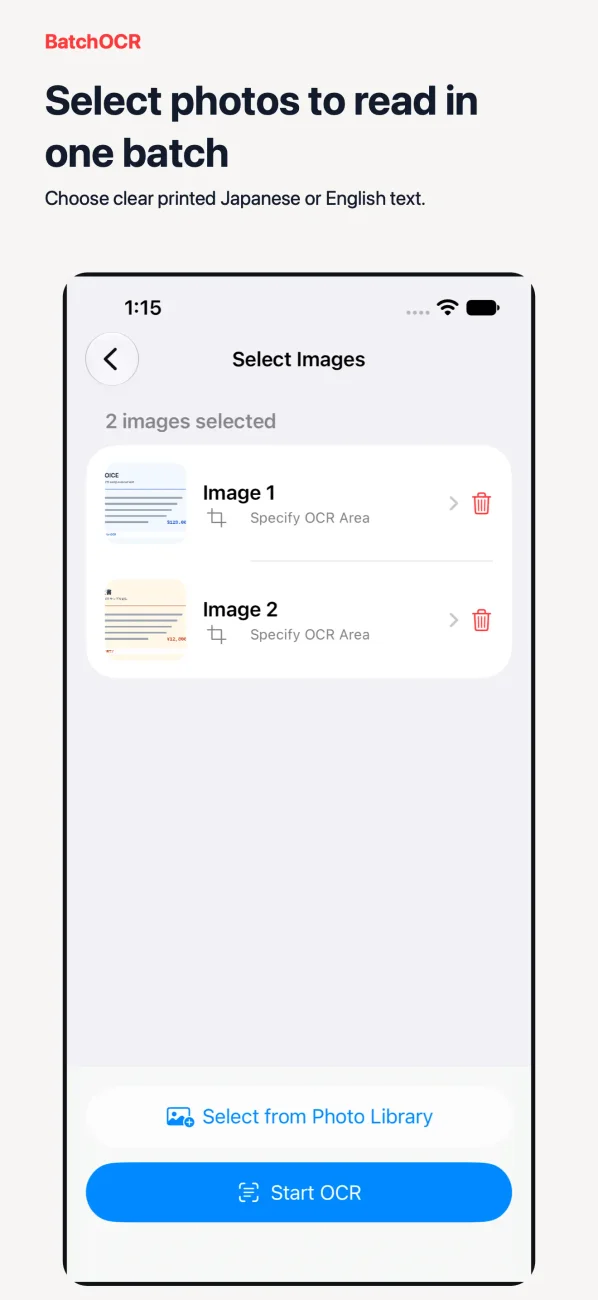
1. Choose multiple photos in the order you want to read them.
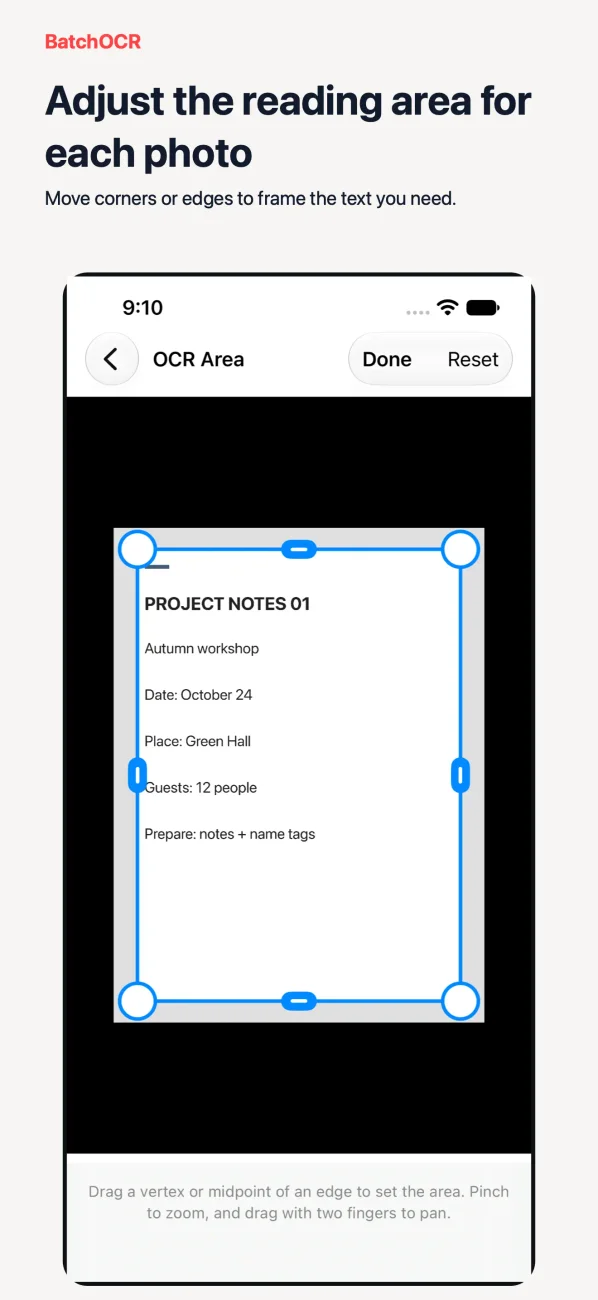
2. Adjust the recognition area for each photo when needed.
3. Extract the text and review or edit each image's result.
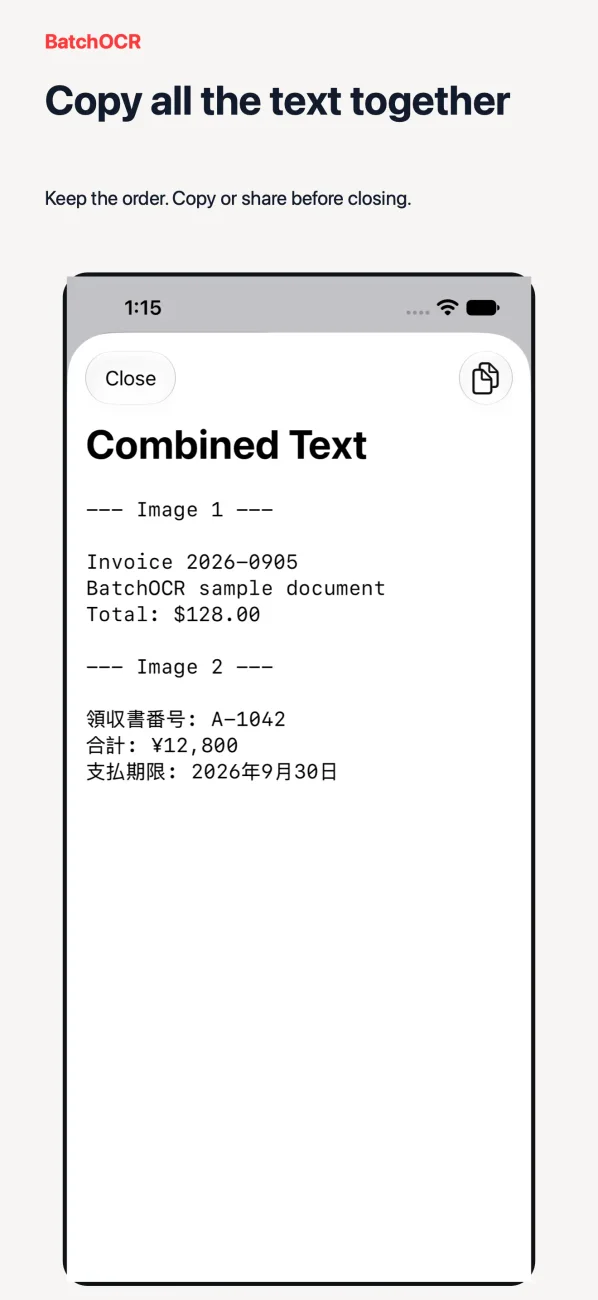
4. View the combined text, copy it all, or share it with another app.
Each photo's text stays in selection order in the combined result, with image-number headings to help you check it against the originals. Copy an individual result when you only need one part.
Useful for gathering printed instructions, reference pages, or other text spread across several photos without copying each result separately.
BEFORE YOU CLOSE
Results are not saved automatically. Copy or share the text you want to keep before closing OCR Results, resetting, or quitting the app. The combined-text view is for reading and copying; make corrections in each image's result before combining.
RECOGNITION AND PRIVACY
Recognition runs on your iPhone. Selected images and recognized text are not uploaded to a developer-operated server. No account or login is required. If a selected photo is stored in iCloud, iOS may download it according to your Apple settings.
Designed for clear printed Japanese and English text. Results depend on image quality, orientation, font, layout, and language. Check the recognized text before using it.
ADS AND OPTIONAL PURCHASE
BatchOCR is free to download. Users without the optional Remove Ads purchase may see a Google AdMob banner on the Home and OCR Results screens. Remove Ads is a one-time, non-consumable purchase; there is no subscription. Restore Purchases is available in Settings.
Google Mobile Ads and its consent component may process advertising, device, diagnostic, and consent information as described in the privacy policy. Ads and purchase services may use a network connection.
Privacy policy: https://reishabu.tokyo/batchocr-privacy-policy/
Support: https://reishabu.tokyo/batchocr-support/
Nouveautés
Version 1.0.3 · 22/11/2026
Updated the App Store screenshots to highlight selecting photos in a batch and adjusting the reading area for each image.
Confidentialité de l’application
Ce que Tomokazu Shinozaki déclare sur l’App Store au sujet du traitement des données par cette application.
-
Données utilisées pour vous suivre
Peuvent être utilisées pour vous suivre sur des applications et des sites web appartenant à d’autres sociétés.
- Identifiants
-
Données établissant un lien avec vous
Peuvent être collectées et liées à votre identité.
- Emplacement
- Identifiants
- Données d’utilisation
- Diagnostic
-
Données n’établissant aucun lien avec vous
Peuvent être collectées, mais ne sont pas liées à votre identité.
- Diagnostic
Les pratiques en matière de confidentialité peuvent varier, notamment en fonction des fonctionnalités que vous utilisez ou de votre âge.
Informations
- Vendeur
- Tomokazu Shinozaki
- Catégorie
- Productivité
- Version
- 1.0.3
- Mis à jour
- 22/11/2026
- Publié
- 30/09/2026
- Taille
- 6,8 Mo
- Nécessite
- iOS 17.0 ou version ultérieure
- Classification d’âge
- 4+
- Achats intégrés
- Oui
- Langues
- Anglais, Hindi, Indonésien, Japonais, Coréen, Portugais, Chinois simplifié, Espagnol, Chinois traditionnel, Vietnamien
- Copyright
- © 2026 Tomokazu Shinozaki
Vous aimerez peut-être aussi
-
 ImViz: Image & PDF to Text OCRProductivité
-
 Scanry : scanner PDF & OCRCompressez et signez vos scans
-
 Papyr - Document ScannerProductivité
-
 Texty Copy: Champs & OCRChamps, pas juste du texte
-
 OnlyScans: PDF & Doc ScannerProductivité
-
 Dokumenttext-Scanner: ScannenConvertir l'image en texte
-
 Actions For ObsidianProductivité
-
 Möbius SyncProductivité
-
 OCR Scanner - QuickScanNumériser Document PDF Signer
-
 Scanner de Texte : OCR ImagesImage en Texte - OCR Scan