
- Classification d’âge17+
- CatégorieUtilitaires
- DéveloppeurOsamu Noguchi
- LanguesJaponais+ 1 de plus
- Taille32,5 Mo
Caverno n’est peut-être pas disponible sur App Store pour le moment
La fiche de la boutique était inaccessible lors de notre dernière vérification. Le lien mène toujours à la page App Store officielle.
Captures d’écran
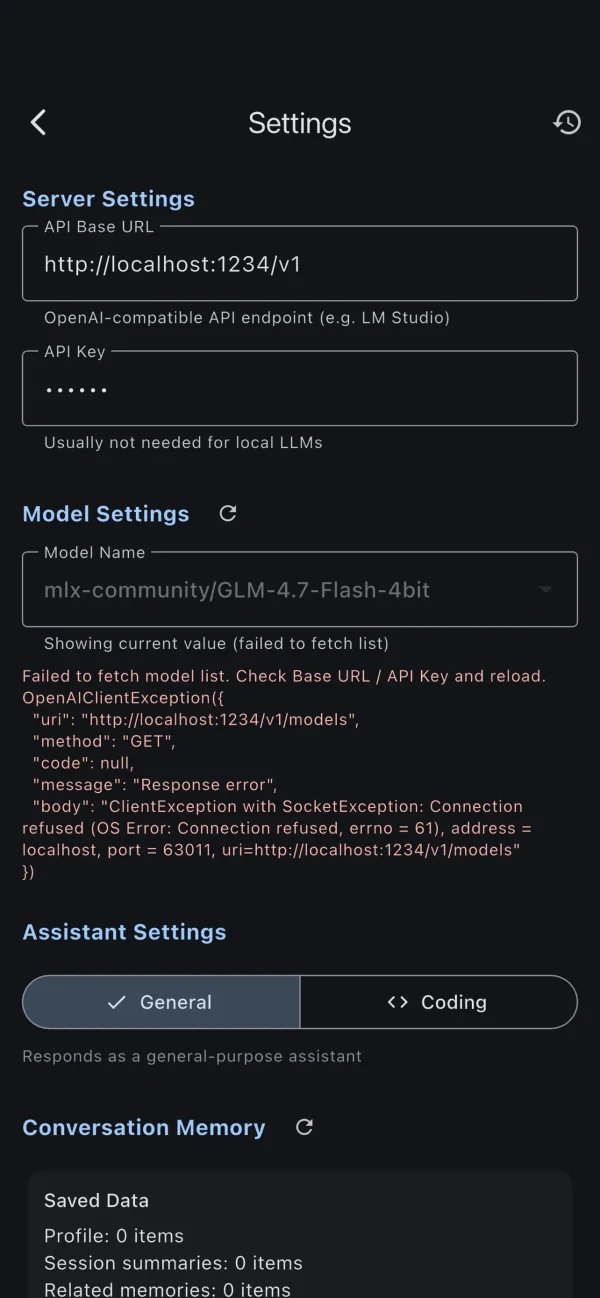
À propos
Le développeur n’a pas fourni ce texte dans votre langue.
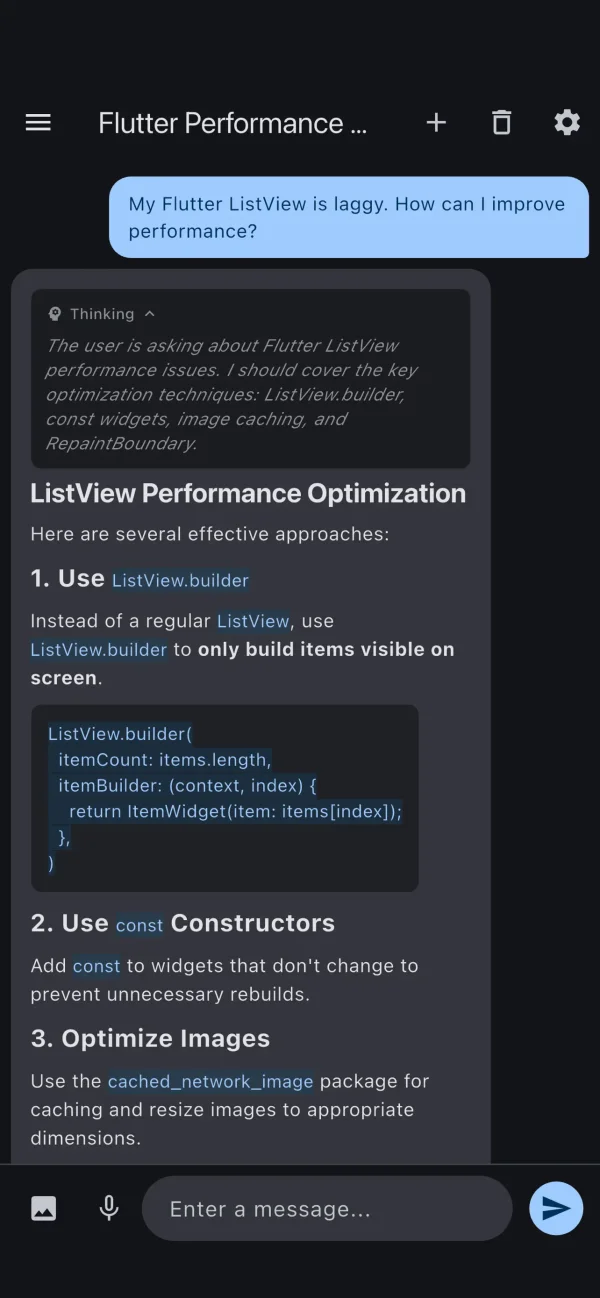
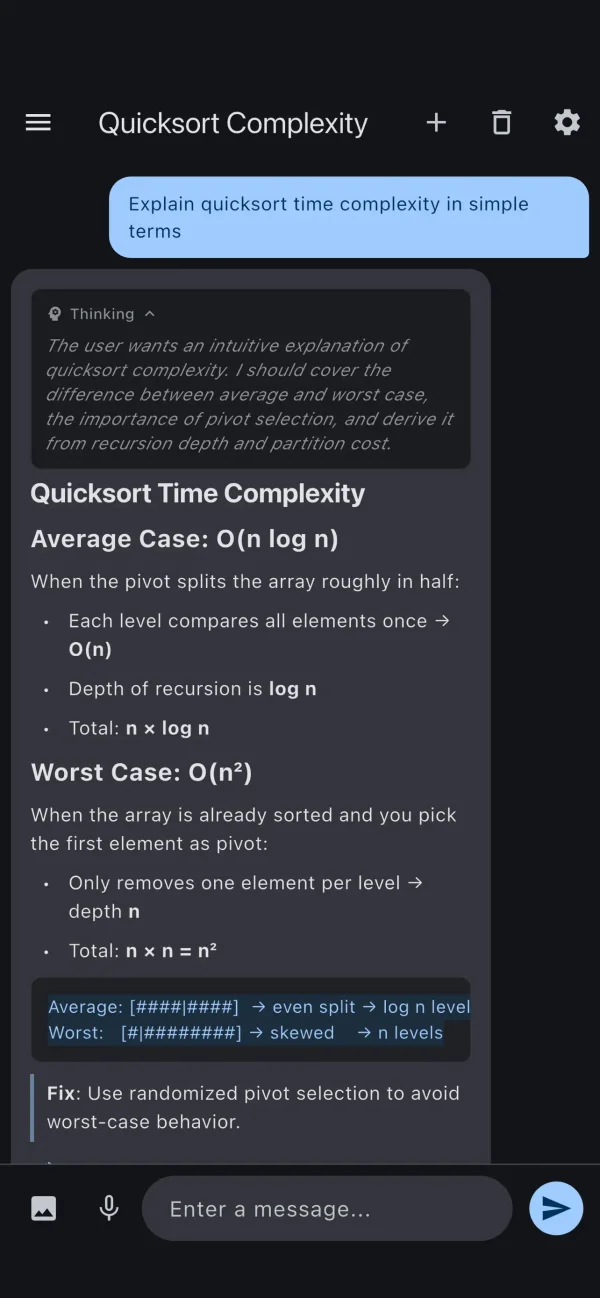
Caverno is a powerful chat client for locally-hosted LLMs. Connect to Ollama, LM Studio, vLLM, or any OpenAI-compatible API endpoint and start chatting — no cloud required.
KEY FEATURES
• Any OpenAI-Compatible Server
Connect to your own LLM running on localhost or your local network. Supports any endpoint that speaks the OpenAI API format.
• Tool Calling (MCP Protocol)
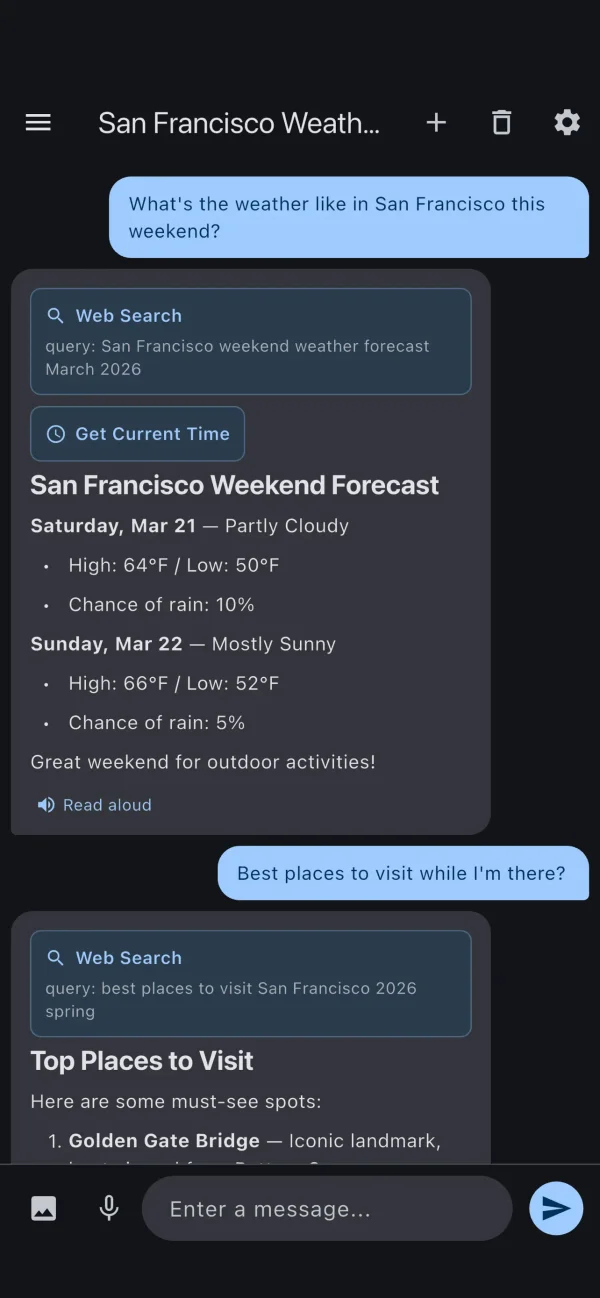
Extend your AI with real-time tools — web search, calculator, code execution, and more. Caverno uses the Model Context Protocol to let your LLM take actions.
• Session Memory
Your assistant remembers your preferences, constraints, and context across conversations. Memory is stored locally and fully under your control.
• Voice In & Out
Speak your messages and have responses read aloud. Configurable speech rate and auto-read options.
• Image Attachments
Attach photos from your library to include visual context in your conversations.
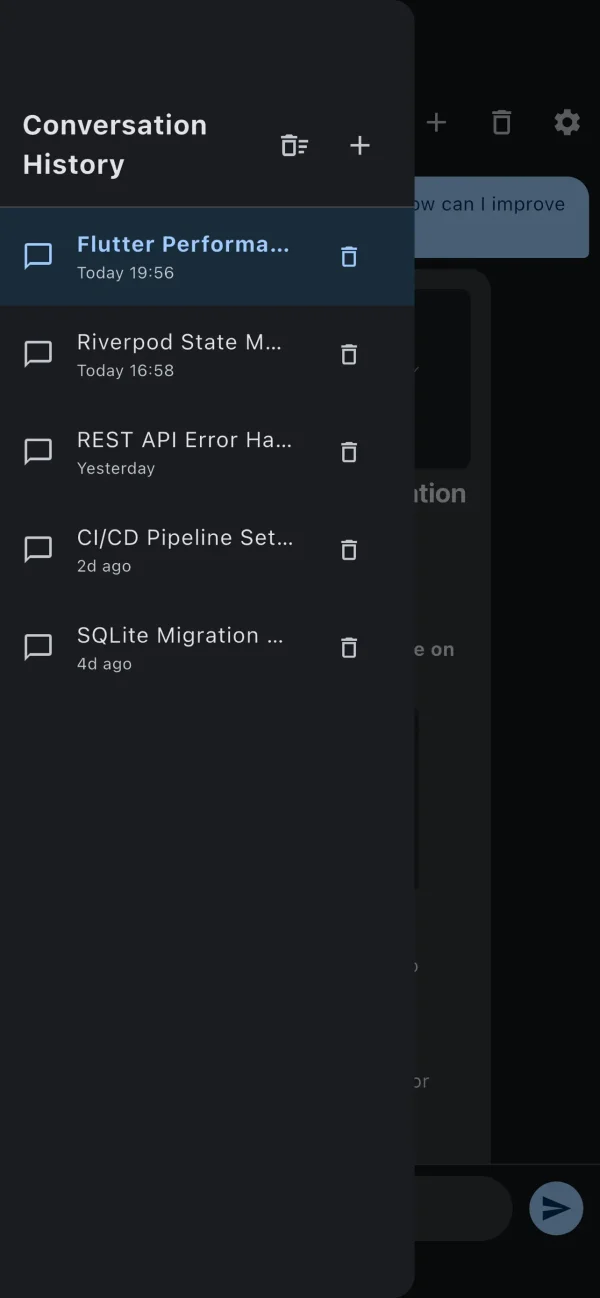
• Multiple Conversations
Create, switch, and manage separate chat threads. All conversations are persisted locally.
• Assistant Modes
Switch between General and Coding modes for different response styles tailored to your task.
• Privacy First
No account required. No data sent to third parties. All conversations and memory stay on your device — the only network connection is to the server you configure.
GETTING STARTED
1. Install an OpenAI-compatible LLM server (Ollama, LM Studio, etc.)
2. Open Caverno and go to Settings
3. Enter your server URL and select a model
4. Start chatting!
Caverno is designed for developers, AI enthusiasts, and anyone who wants full control over their AI assistant.
Nouveautés
Version 1.3.0 · 03/04/2026
This update brings several improvements to the chat experience. You can now attach CSV, TXT, JSON, and Markdown files, and paste images directly into the chat input. We also added one-tap copying for code blocks and improved visibility into token usage during conversations.
Confidentialité de l’application
Ce que Osamu Noguchi déclare sur l’App Store au sujet du traitement des données par cette application.
-
Données n’établissant aucun lien avec vous
Peuvent être collectées, mais ne sont pas liées à votre identité.
- Diagnostic
Les pratiques en matière de confidentialité peuvent varier, notamment en fonction des fonctionnalités que vous utilisez ou de votre âge.
Informations
- Vendeur
- Osamu Noguchi
- Catégorie
- Utilitaires
- Version
- 1.3.0
- Mis à jour
- 03/04/2026
- Publié
- 01/04/2026
- Taille
- 32,5 Mo
- Nécessite
- iOS 26.0 ou version ultérieure
- Classification d’âge
- 17+
- Langues
- Japonais, Anglais
- Copyright
- © 2026 Osamu Noguchi
Vous aimerez peut-être aussi
-
 EnigmusUtilitaires
-
 My NAS ManagerSuivi NAS et gestion fichiers
-
 Luminary AIUtilitaires
-
 Auth Sync: Safe & Secure 2FAUtilitaires
-
 Baseguard - Overlay NetworkUtilitaires
-
 RoroleeUtilitaires
-
 LLM Bridge - Multi LLM ClientUtilitaires
-
 Minoo - Private NotesUtilitaires
-
 FlowMountUtilitaires
-
 IonClaw AI Agent OrchestratorUtilitaires