- Classification d’âge4+
- CatégorieMusique
- DéveloppeurNakamura Nobuyuki
- LanguesAnglais+ 1 de plus
- Taille18,0 Mo
ChangeChord n’est peut-être pas disponible sur App Store pour le moment
La fiche de la boutique était inaccessible lors de notre dernière vérification. Le lien mène toujours à la page App Store officielle.
Captures d’écran


À propos
Le développeur n’a pas fourni ce texte dans votre langue.
Introduction
This app was created to make it easy for guitar beginners to convert chord progressions. When the original key is too high to sing or the chords are too difficult to play, adjusting the key up or down can make it easier to sing or play along.
For example, a song made up of chords like C#, A#, and G# can be difficult for guitar beginners to play. However, by lowering the key, the chords can become simpler, such as C, A, and G, making them easier to play. In this way, adjusting the key can lead to easier chord progressions. By using a capo effectively, you can play along with the song in its original key using simpler chords.
Features
This app works once downloaded, and all of its features can be used without an internet connection. (However, internet access may be required for file sharing.)
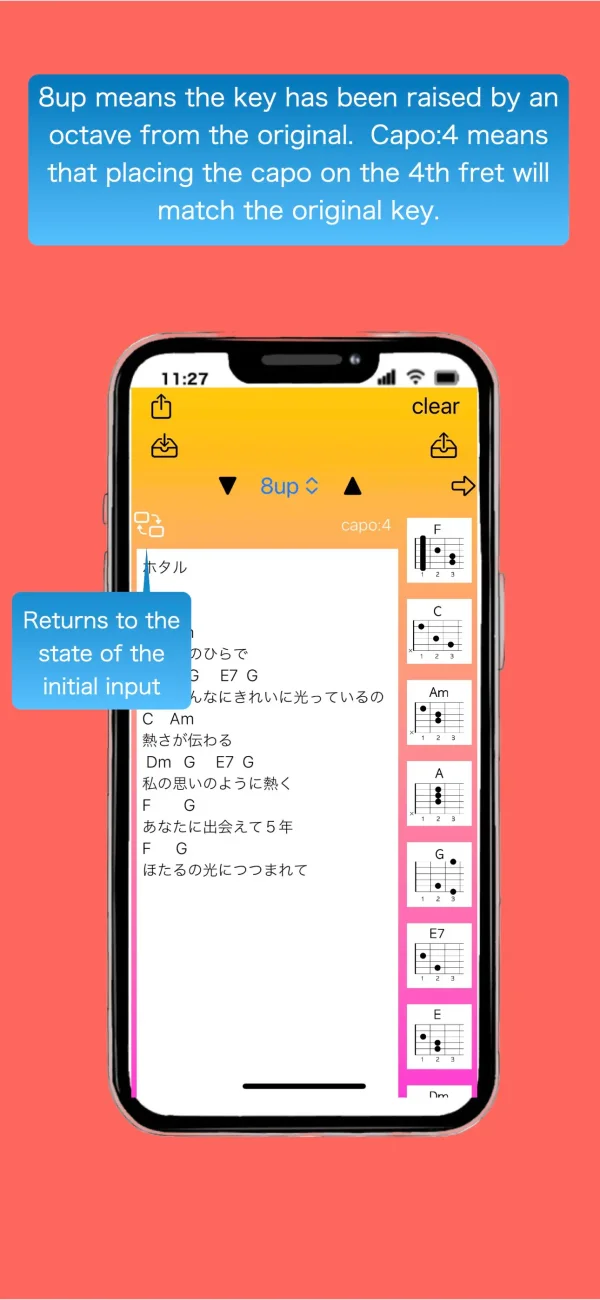
When you input lyrics and chords into the display box, the app will recognize only the chords and allow you to change them up or down without altering the lyrics. Additionally, the chords that appear in the lyrics, along with their basic finger positions, are displayed in a list on the right side of the screen. The converted chords can also be shared.
The displayed content is saved within your iPhone, and the file can be accessed with a single click. However, since only one file can be saved at a time, clicking the save button again will overwrite the previous file.
How to Use
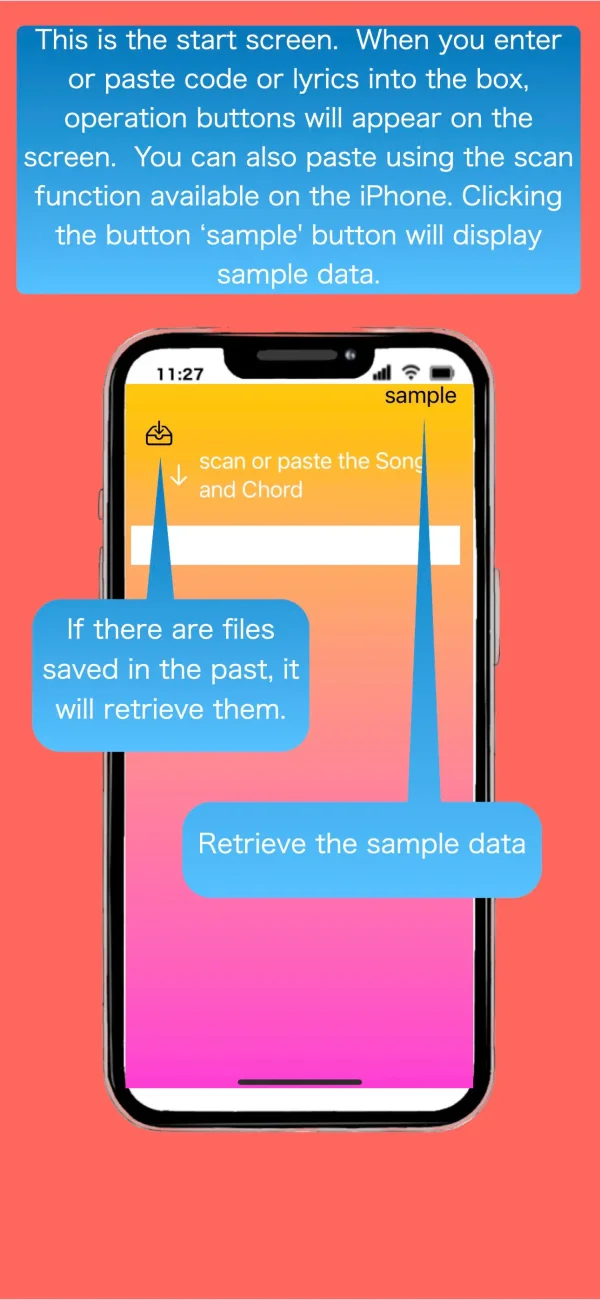
On the initial screen, only an input field is displayed. Once you input chords or lyrics, various operation buttons will appear on the screen.
In the input field, you can either type using the keyboard, copy and paste from other files, or use the text scan feature that comes standard on iPhones. However, when using text scan, spaces between chords may not be scanned correctly, so you will need to manually add spaces as necessary after scanning. While text scanning is possible, due to the space issue and its limitation in scanning large amounts at once, copying and pasting from other lyrics or chord sources is recommended.
By clicking the "Load" button in the upper left corner of the screen, you can load a previously saved file.
Clicking the "Load File" button below it will retrieve previously saved files from your iPhone. Any content currently displayed on the screen will be overwritten.
Clicking the "Save File" button below it will save the currently displayed content to your iPhone. If something is already saved, it will be overwritten.
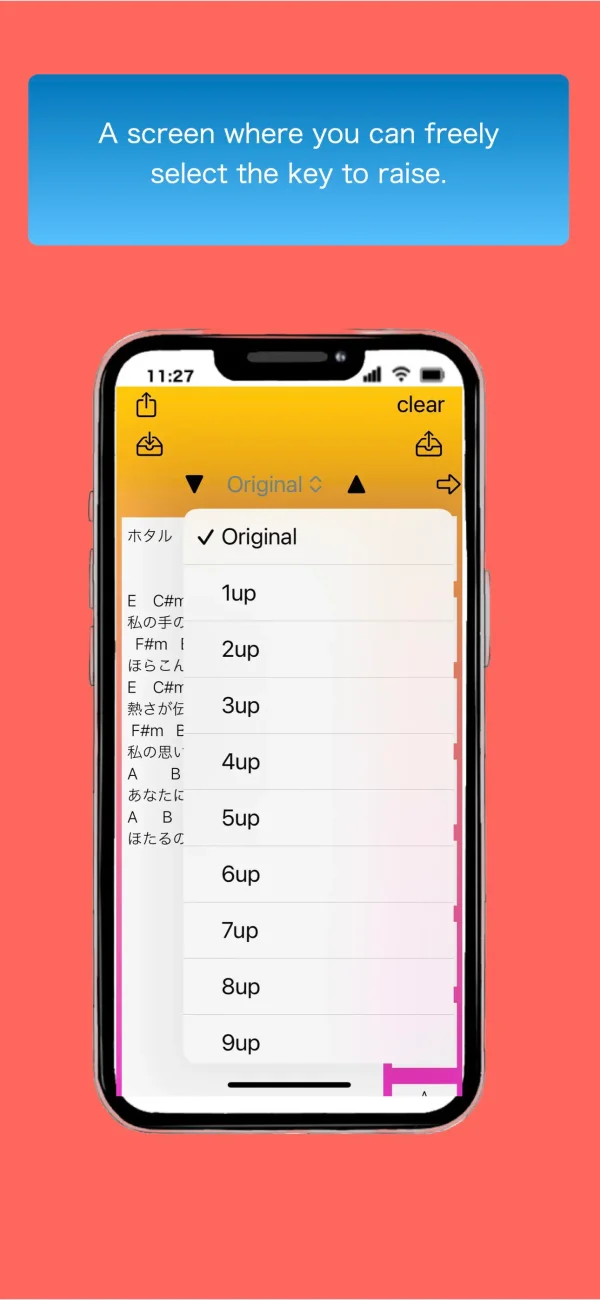
The down arrow, "Original," and up arrow that appear above the input field are buttons for shifting the chords up or down (changing the key). The down arrow lowers the key by a half step, "Original" resets it to the original key, and the up arrow raises the key by a half step.
Notes
In the input field, you can either type using the keyboard, copy and paste from other files, or use the text scan feature that comes standard on iPhones. However, when using text scan, spaces between chords may not be scanned correctly, so you will need to manually add spaces as necessary after scanning. While text scanning is possible, due to the space issue and its limitation in scanning large amounts at once, copying and pasting from other lyrics or chord sources is recommended.
Sometimes the input field may not appear when the app is launched. In that case, click "Sample" once, then clear the displayed content, and the input field will appear.
Please enjoy the converted lyrics and chords for personal use only.
Nouveautés
Version 3.5 · 17/11/2026
Update of the app introduction screen. Adding a newly added app (orthopedic treatment guide). Fixing minor bugs.
Confidentialité de l’application
Ce que Nakamura Nobuyuki déclare sur l’App Store au sujet du traitement des données par cette application.
-
Données non collectées
Le développeur ne collecte aucune donnée à partir de cette application.
Les pratiques en matière de confidentialité peuvent varier, notamment en fonction des fonctionnalités que vous utilisez ou de votre âge.
Informations
- Vendeur
- Nakamura Nobuyuki
- Catégorie
- Musique
- Version
- 3.5
- Mis à jour
- 17/11/2026
- Publié
- 23/10/2024
- Taille
- 18,0 Mo
- Nécessite
- iOS 17.2 ou version ultérieure
- Classification d’âge
- 4+
- Achats intégrés
- Oui
- Langues
- Anglais, Japonais
- Copyright
- © 2024 Nobuyuki Nakamura
Vous aimerez peut-être aussi
-
 Guitar Chord ChangerMusique
-
 UTAORAMusique
-
 Self Made MasterMusique
-
 86キンコンMusique
-
 RELAX WORLD MUSICMusique
-
 Entraîneur d’Accords PianoAccords fun avec ta musique
-
 SonicShift: Music Tempo & KeyMusique
-
 ChordWise: Accords PianoAccords piano · MIDI Mic
-
 PitchTrainer: Music TunerMusique
-
 Accords & paroles guitareCompose. Chante à la guitare