ChangeChord
Easy conversion of chord
Dirancang untuk iPhone, iPad
Gratis · Pembelian dalam aplikasi
- Batasan usia4+
- KategoriMusik
- PengembangNakamura Nobuyuki
- BahasaInggris+ 1 lainnya
- Ukuran18,0 MB
Tertaut ke halaman resmi App Store
Download.org tidak menyimpan file ChangeChord apa pun. Tombol ini membuka halaman aplikasi di App Store, tempat Nakamura Nobuyuki menerbitkannya. Halaman terakhir diperiksa pada 18/11/2026.
Tangkapan layar


Tentang
Pengembang belum menyediakan teks ini dalam bahasa Anda.
Introduction
This app was created to make it easy for guitar beginners to convert chord progressions. When the original key is too high to sing or the chords are too difficult to play, adjusting the key up or down can make it easier to sing or play along.
For example, a song made up of chords like C#, A#, and G# can be difficult for guitar beginners to play. However, by lowering the key, the chords can become simpler, such as C, A, and G, making them easier to play. In this way, adjusting the key can lead to easier chord progressions. By using a capo effectively, you can play along with the song in its original key using simpler chords.
Features
This app works once downloaded, and all of its features can be used without an internet connection. (However, internet access may be required for file sharing.)
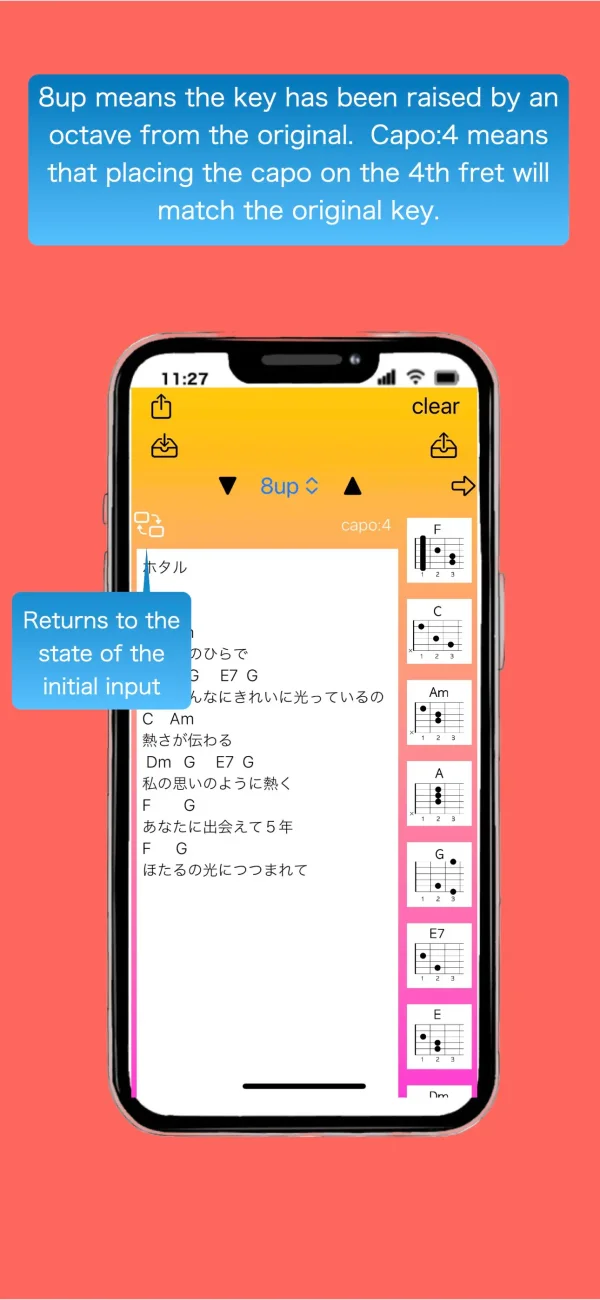
When you input lyrics and chords into the display box, the app will recognize only the chords and allow you to change them up or down without altering the lyrics. Additionally, the chords that appear in the lyrics, along with their basic finger positions, are displayed in a list on the right side of the screen. The converted chords can also be shared.
The displayed content is saved within your iPhone, and the file can be accessed with a single click. However, since only one file can be saved at a time, clicking the save button again will overwrite the previous file.
How to Use
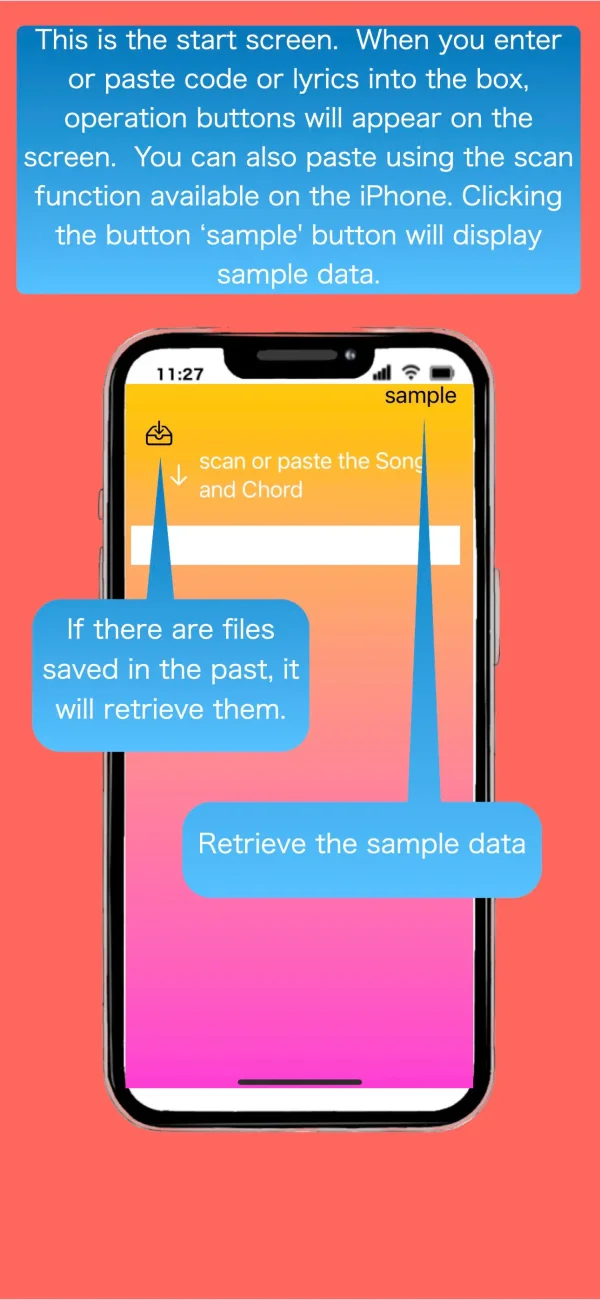
On the initial screen, only an input field is displayed. Once you input chords or lyrics, various operation buttons will appear on the screen.
In the input field, you can either type using the keyboard, copy and paste from other files, or use the text scan feature that comes standard on iPhones. However, when using text scan, spaces between chords may not be scanned correctly, so you will need to manually add spaces as necessary after scanning. While text scanning is possible, due to the space issue and its limitation in scanning large amounts at once, copying and pasting from other lyrics or chord sources is recommended.
By clicking the "Load" button in the upper left corner of the screen, you can load a previously saved file.
Clicking the "Load File" button below it will retrieve previously saved files from your iPhone. Any content currently displayed on the screen will be overwritten.
Clicking the "Save File" button below it will save the currently displayed content to your iPhone. If something is already saved, it will be overwritten.
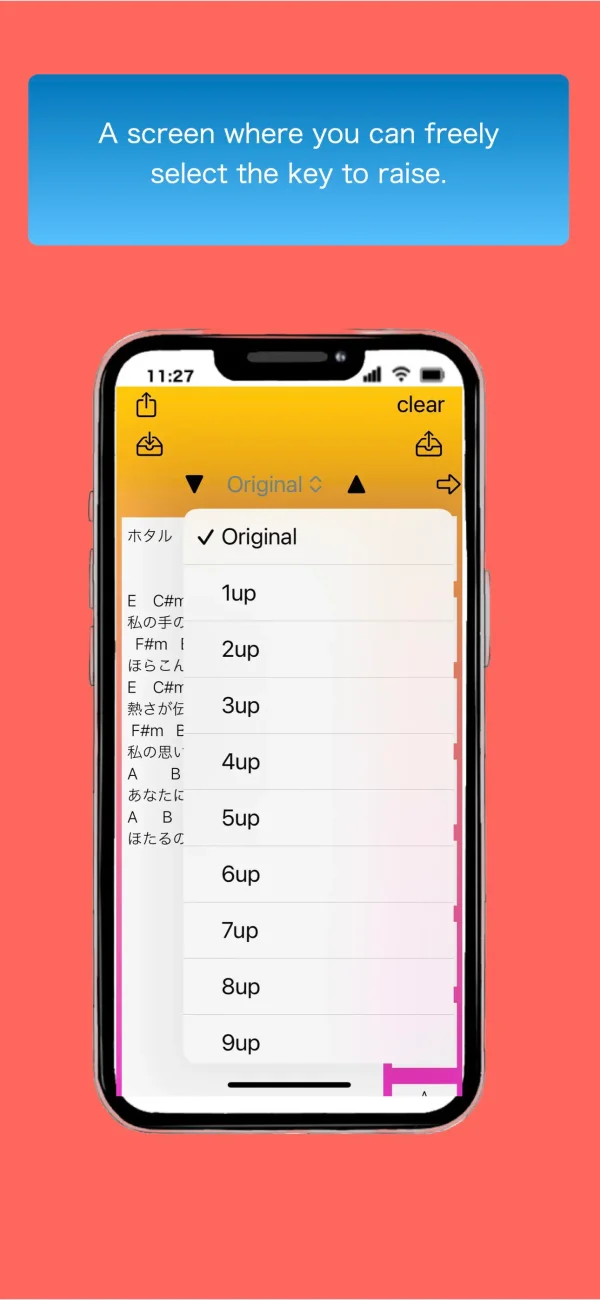
The down arrow, "Original," and up arrow that appear above the input field are buttons for shifting the chords up or down (changing the key). The down arrow lowers the key by a half step, "Original" resets it to the original key, and the up arrow raises the key by a half step.
Notes
In the input field, you can either type using the keyboard, copy and paste from other files, or use the text scan feature that comes standard on iPhones. However, when using text scan, spaces between chords may not be scanned correctly, so you will need to manually add spaces as necessary after scanning. While text scanning is possible, due to the space issue and its limitation in scanning large amounts at once, copying and pasting from other lyrics or chord sources is recommended.
Sometimes the input field may not appear when the app is launched. In that case, click "Sample" once, then clear the displayed content, and the input field will appear.
Please enjoy the converted lyrics and chords for personal use only.
Yang baru
Versi 3.5 · 17/11/2026
Update of the app introduction screen. Adding a newly added app (orthopedic treatment guide). Fixing minor bugs.
Privasi aplikasi
Yang dinyatakan Nakamura Nobuyuki di App Store tentang cara aplikasi ini menangani data.
-
Data tidak dikumpulkan
Pengembang tidak mengumpulkan data apa pun dari aplikasi ini.
Praktik privasi dapat bervariasi, misalnya berdasarkan fitur yang Anda gunakan atau usia Anda.
Informasi
- Penjual
- Nakamura Nobuyuki
- Kategori
- Musik
- Versi
- 3.5
- Diperbarui
- 17/11/2026
- Dirilis
- 23/10/2024
- Ukuran
- 18,0 MB
- Memerlukan
- iOS 17.2 atau yang lebih baru
- Batasan usia
- 4+
- Harga
- Gratis
- Pembelian dalam aplikasi
- Ya
- Bahasa
- Inggris, Jepang
- Hak cipta
- © 2024 Nobuyuki Nakamura