ChangeChord
Easy conversion of chord
Được thiết kế cho iPhone, iPad
Miễn phí · Mua hàng trong ứng dụng
- Độ tuổi4+
- Danh mụcNhạc
- Nhà phát triểnNakamura Nobuyuki
- Ngôn ngữTiếng Anh+ 1 ngôn ngữ khác
- Kích thước18,0 MB
Liên kết đến trang App Store chính thức
Download.org không lưu trữ tệp nào của ChangeChord. Nút này mở trang ứng dụng trên App Store, nơi Nakamura Nobuyuki phát hành ứng dụng. Trang được kiểm tra lần cuối: 18/11/2026.
Ảnh chụp màn hình


Giới thiệu
Nhà phát triển chưa cung cấp nội dung này bằng ngôn ngữ của bạn.
Introduction
This app was created to make it easy for guitar beginners to convert chord progressions. When the original key is too high to sing or the chords are too difficult to play, adjusting the key up or down can make it easier to sing or play along.
For example, a song made up of chords like C#, A#, and G# can be difficult for guitar beginners to play. However, by lowering the key, the chords can become simpler, such as C, A, and G, making them easier to play. In this way, adjusting the key can lead to easier chord progressions. By using a capo effectively, you can play along with the song in its original key using simpler chords.
Features
This app works once downloaded, and all of its features can be used without an internet connection. (However, internet access may be required for file sharing.)
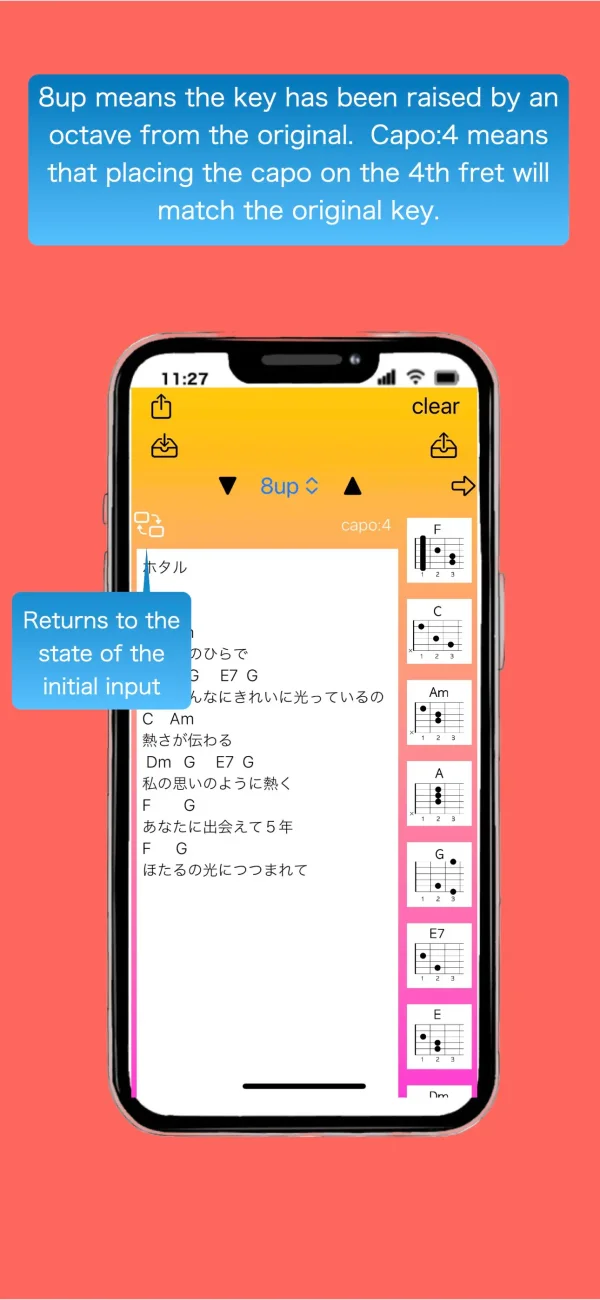
When you input lyrics and chords into the display box, the app will recognize only the chords and allow you to change them up or down without altering the lyrics. Additionally, the chords that appear in the lyrics, along with their basic finger positions, are displayed in a list on the right side of the screen. The converted chords can also be shared.
The displayed content is saved within your iPhone, and the file can be accessed with a single click. However, since only one file can be saved at a time, clicking the save button again will overwrite the previous file.
How to Use
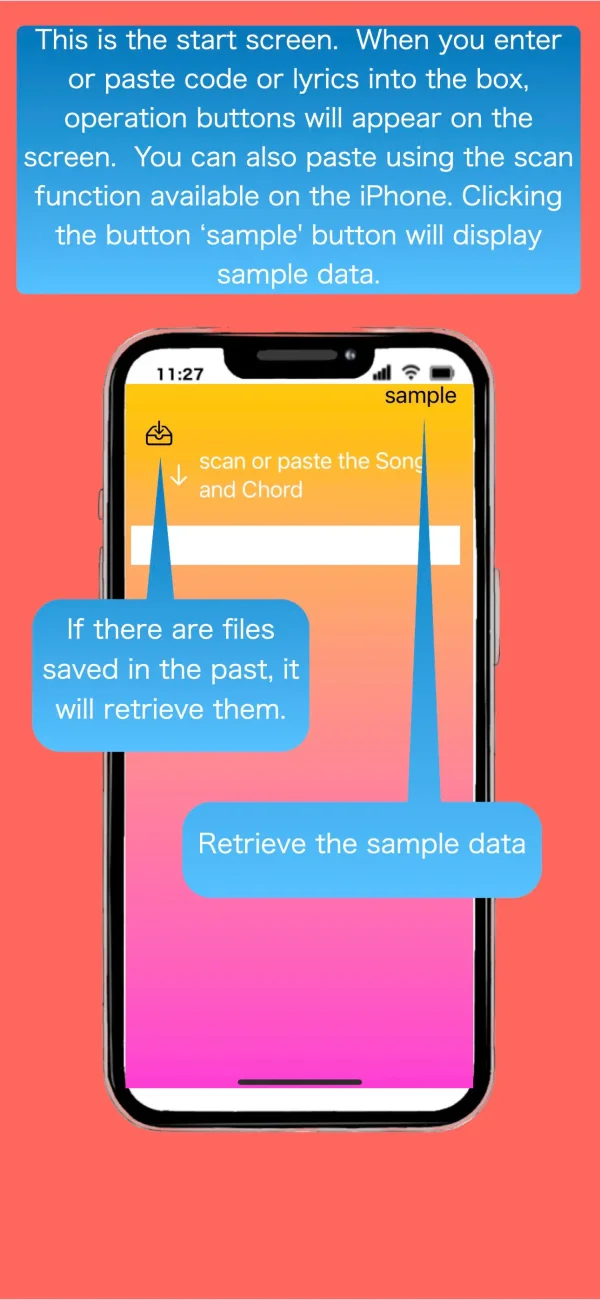
On the initial screen, only an input field is displayed. Once you input chords or lyrics, various operation buttons will appear on the screen.
In the input field, you can either type using the keyboard, copy and paste from other files, or use the text scan feature that comes standard on iPhones. However, when using text scan, spaces between chords may not be scanned correctly, so you will need to manually add spaces as necessary after scanning. While text scanning is possible, due to the space issue and its limitation in scanning large amounts at once, copying and pasting from other lyrics or chord sources is recommended.
By clicking the "Load" button in the upper left corner of the screen, you can load a previously saved file.
Clicking the "Load File" button below it will retrieve previously saved files from your iPhone. Any content currently displayed on the screen will be overwritten.
Clicking the "Save File" button below it will save the currently displayed content to your iPhone. If something is already saved, it will be overwritten.
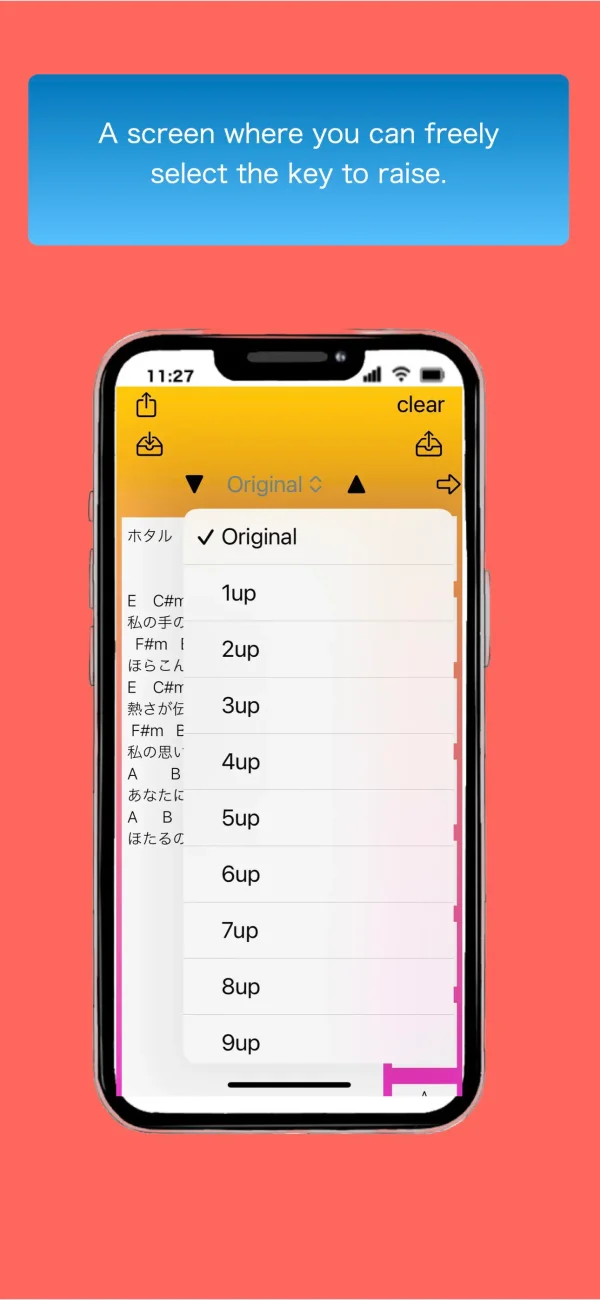
The down arrow, "Original," and up arrow that appear above the input field are buttons for shifting the chords up or down (changing the key). The down arrow lowers the key by a half step, "Original" resets it to the original key, and the up arrow raises the key by a half step.
Notes
In the input field, you can either type using the keyboard, copy and paste from other files, or use the text scan feature that comes standard on iPhones. However, when using text scan, spaces between chords may not be scanned correctly, so you will need to manually add spaces as necessary after scanning. While text scanning is possible, due to the space issue and its limitation in scanning large amounts at once, copying and pasting from other lyrics or chord sources is recommended.
Sometimes the input field may not appear when the app is launched. In that case, click "Sample" once, then clear the displayed content, and the input field will appear.
Please enjoy the converted lyrics and chords for personal use only.
Có gì mới
Phiên bản 3.5 · 17/11/2026
Update of the app introduction screen. Adding a newly added app (orthopedic treatment guide). Fixing minor bugs.
Quyền riêng tư của ứng dụng
Những gì Nakamura Nobuyuki khai báo trên App Store về cách ứng dụng này xử lý dữ liệu.
-
Dữ liệu không được thu thập
Nhà phát triển không thu thập bất kỳ dữ liệu nào từ ứng dụng này.
Phương thức đảm bảo quyền riêng tư có thể khác nhau, chẳng hạn như tuỳ theo các tính năng bạn sử dụng hoặc độ tuổi của bạn.
Thông tin
- Người bán
- Nakamura Nobuyuki
- Danh mục
- Nhạc
- Phiên bản
- 3.5
- Cập nhật
- 17/11/2026
- Phát hành
- 23/10/2024
- Kích thước
- 18,0 MB
- Yêu cầu
- iOS 17.2 trở lên
- Độ tuổi
- 4+
- Giá
- Miễn phí
- Mua hàng trong ứng dụng
- Có
- Ngôn ngữ
- Tiếng Anh, Tiếng Nhật
- Bản quyền
- © 2024 Nobuyuki Nakamura