- Classification d’âge4+
- CatégorieProductivité
- DéveloppeurJackson Mooring
- LanguesAnglais
- Taille9,5 Mo
Chopped: Time Tracker n’est peut-être pas disponible sur App Store pour le moment
La fiche de la boutique était inaccessible lors de notre dernière vérification. Le lien mène toujours à la page App Store officielle.
Captures d’écran

À propos
Le développeur n’a pas fourni ce texte dans votre langue.
Chopped is a simple, private time tracker for people who want to lock in.
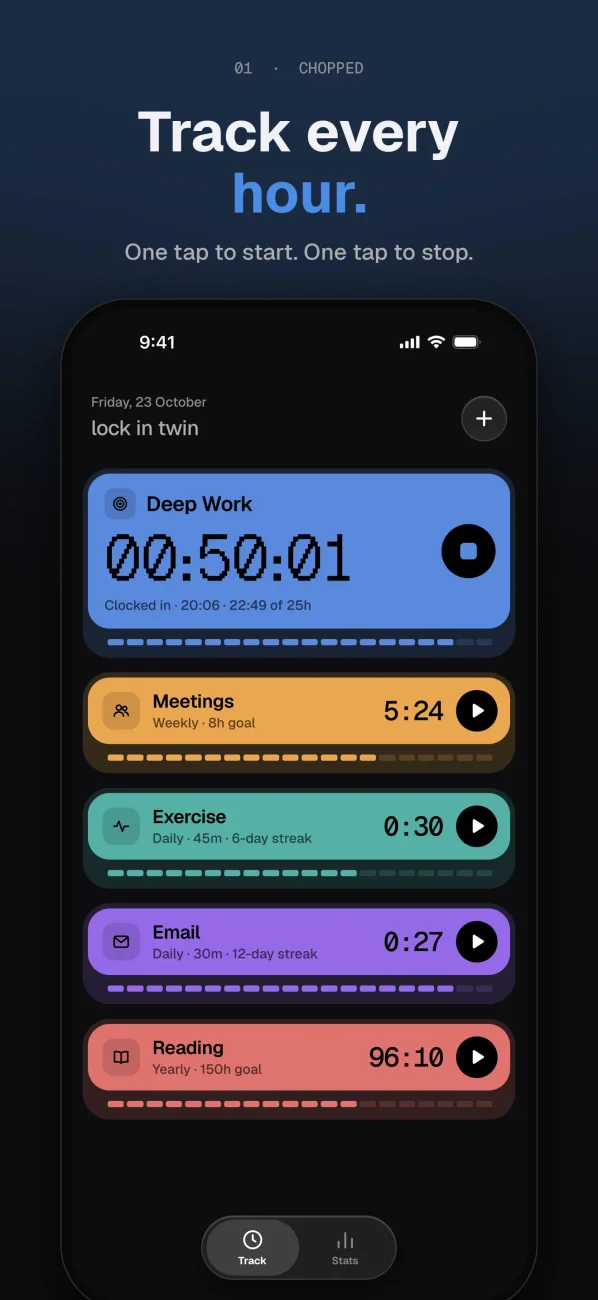
Make a tracker for anything — deep work, meetings, exercise, email, reading — give it a color and an icon, and tap play. Tap stop when you're done. That's it.
TRACK WITH ONE TAP
• Start and stop timers right from the Home screen
• Big, bold live timer you can read at a glance
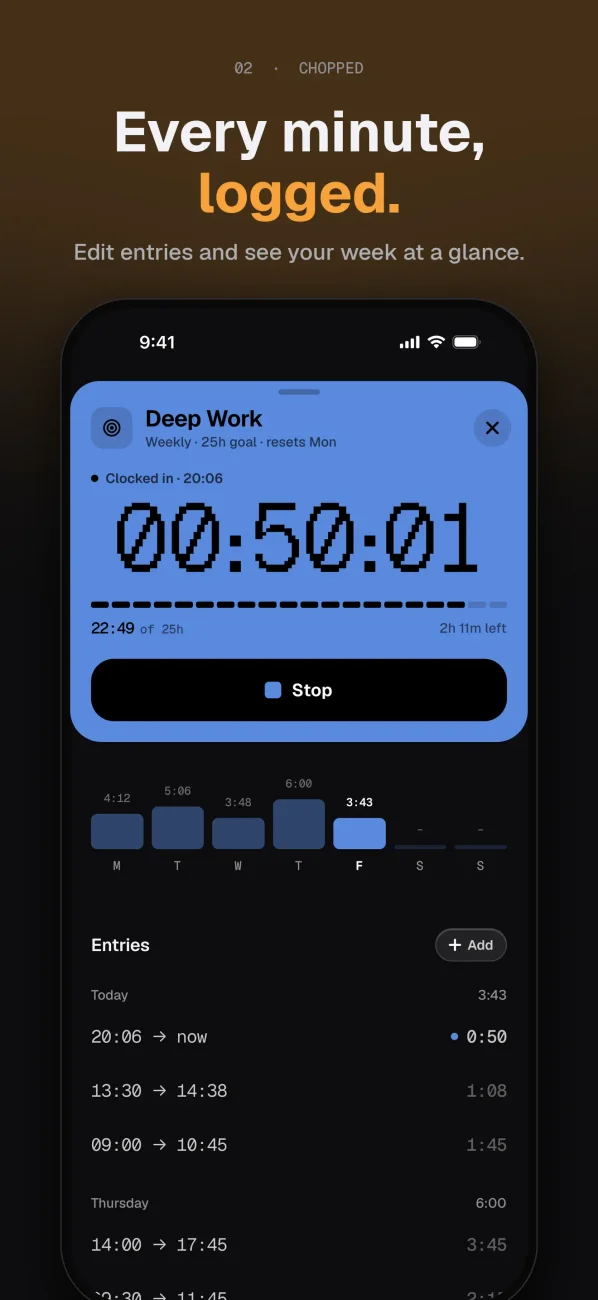
• Edit or add entries anytime, and swipe to delete a tracker
SET GOALS
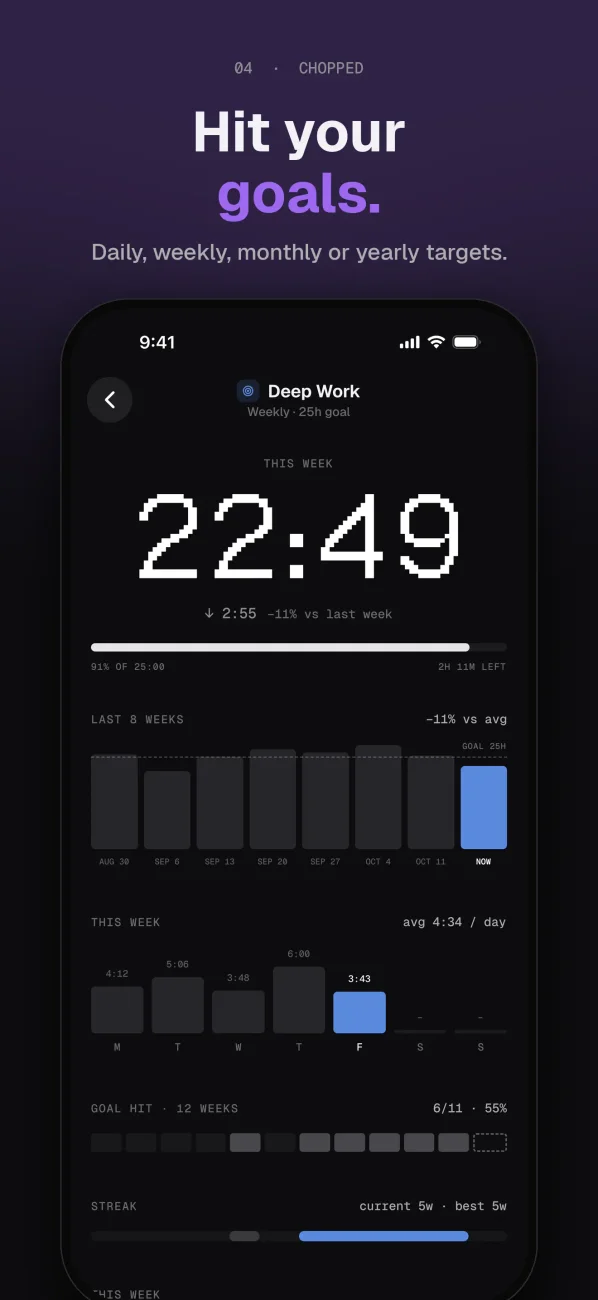
• Give each tracker a daily, weekly, monthly or yearly goal
• Segment bars fill in as you go, so you always know how close you are
SEE WHERE YOUR TIME GOES
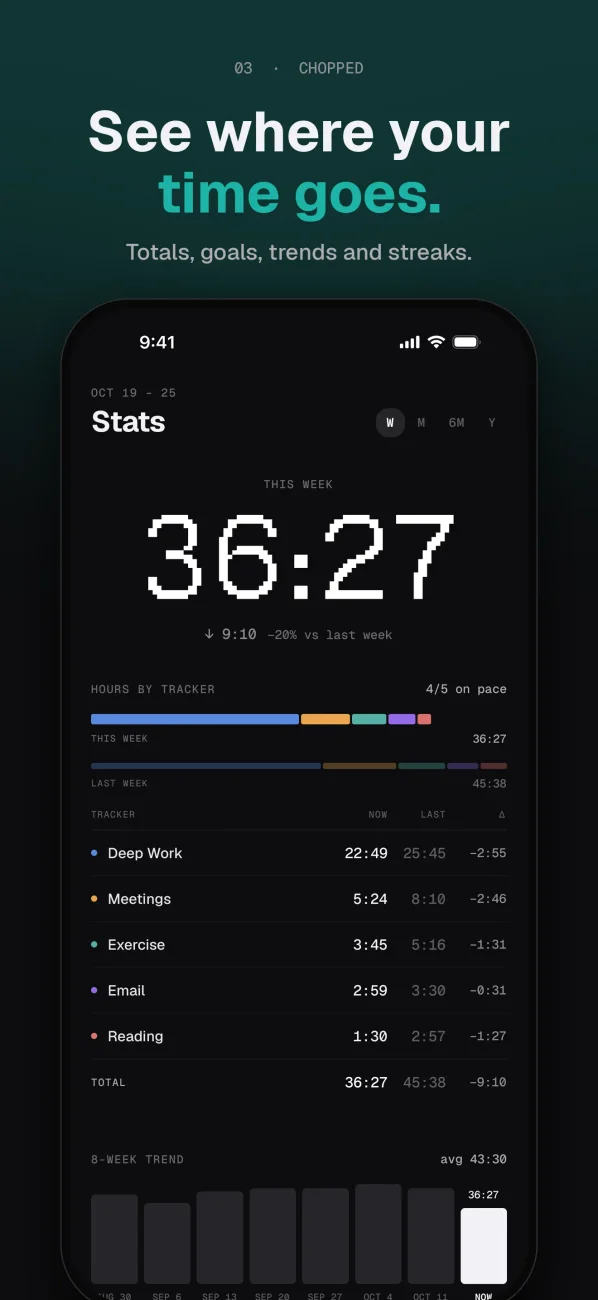
• Weekly totals and a breakdown by tracker
• 8-week trends, goal progress, streaks and a heatmap of your best days
• Per-tracker stats with daily averages and comparisons to last week
ALWAYS WITHIN REACH
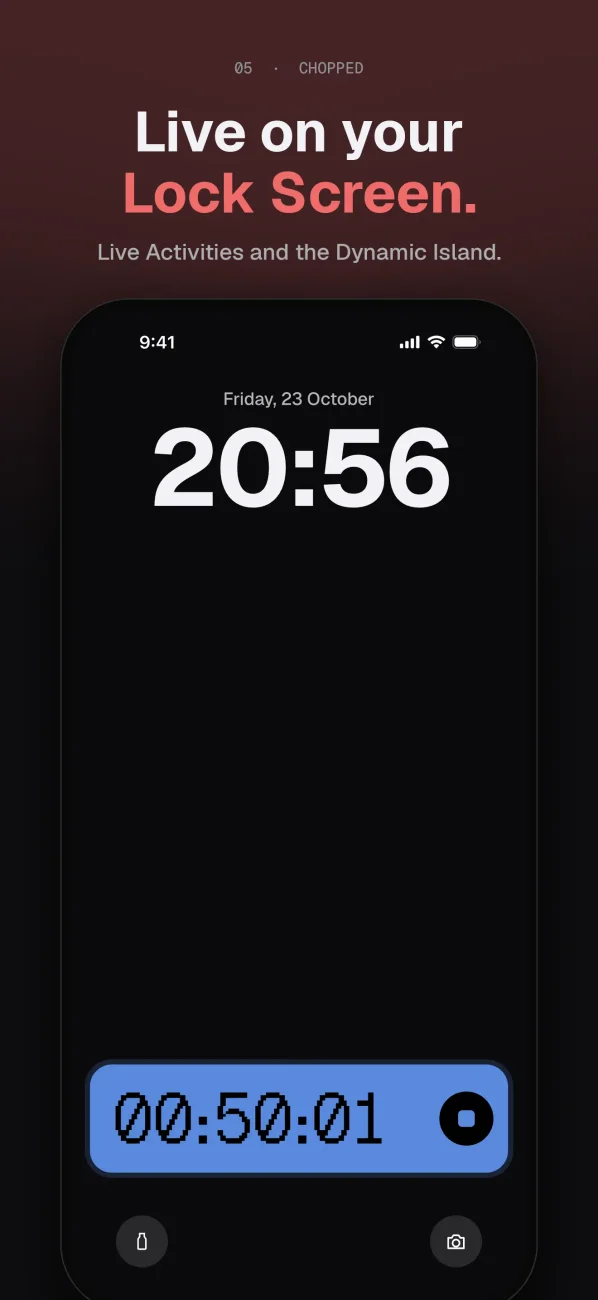
• Live Activities on the Lock Screen and in the Dynamic Island
• Home Screen widgets to start and stop timers without opening the app
• Control Center controls (iOS 18 and later)
PRIVATE BY DESIGN
• No account, no sign-up, no ads
• Your data stays on your iPhone. Chopped doesn't collect anything.
Stop being chopped. Lock in.
Nouveautés
Version 1.0.2 · 10/11/2026
Take a break. Breaks are now their own tracker. Your break counts down from 5 minutes by default, and you can change the length in Settings. You get a "Break's over" notification at the end, and one tap takes you back to what you were working on. Break time is logged but doesn't count toward your goals.
Schedule a switch. Pick when to switch trackers, from 30 minutes ago to 30 minutes ahead. If you forgot to switch earlier, a past switch fixes your timeline. A future switch happens on its own, even on your Lock Screen when the app is closed.
Also new:
• A Switch button on the running tracker, and Stop is now in the Home header
• A profile button that opens Settings, and you can turn off the daily tagline
• An option to show the tracker name on the Lock Screen Live Activity
• Lock Screen timers keep one steady format instead of switching as they count
• Widget and Live Activity corners now match the system on every device
Confidentialité de l’application
Ce que Jackson Mooring déclare sur l’App Store au sujet du traitement des données par cette application.
-
Données non collectées
Le développeur ne collecte aucune donnée à partir de cette application.
Les pratiques en matière de confidentialité peuvent varier, notamment en fonction des fonctionnalités que vous utilisez ou de votre âge.
Informations
- Vendeur
- Jackson Mooring
- Catégorie
- Productivité
- Version
- 1.0.2
- Mis à jour
- 10/11/2026
- Publié
- 05/11/2026
- Taille
- 9,5 Mo
- Nécessite
- iOS 17.0 ou version ultérieure
- Classification d’âge
- 4+
- Langues
- Anglais
- Copyright
- © 2026 Jackson Mooring
Vous aimerez peut-être aussi
-
 TimeTracker - Visible ProgressProductivité
-
 whatareyoudoingProductivité
-
 TickwiseProductivité
-
 Time Journal: Time TrackerProductivité
-
 Time Vision - Time TrackerProductivité
-
 Time Tracker for freelancersProductivité
-
 My Working HoursProductivité
-
 Timetracker - 24h Life TrackerProductivité
-
 SelahNoteProductivité
-
 Then: Mindful Time TrackerProductivité