- Age rating4+
- CategoryProductivity
- DeveloperJackson Mooring
- LanguagesEnglish
- Size9.5 MB
Links to the official App Store page
Download.org hosts no file of Chopped: Time Tracker. The button opens its official App Store page, published by Jackson Mooring. Listing last checked on Nov 23, 2026.
Screenshots

About
Chopped is a simple, private time tracker for people who want to lock in.
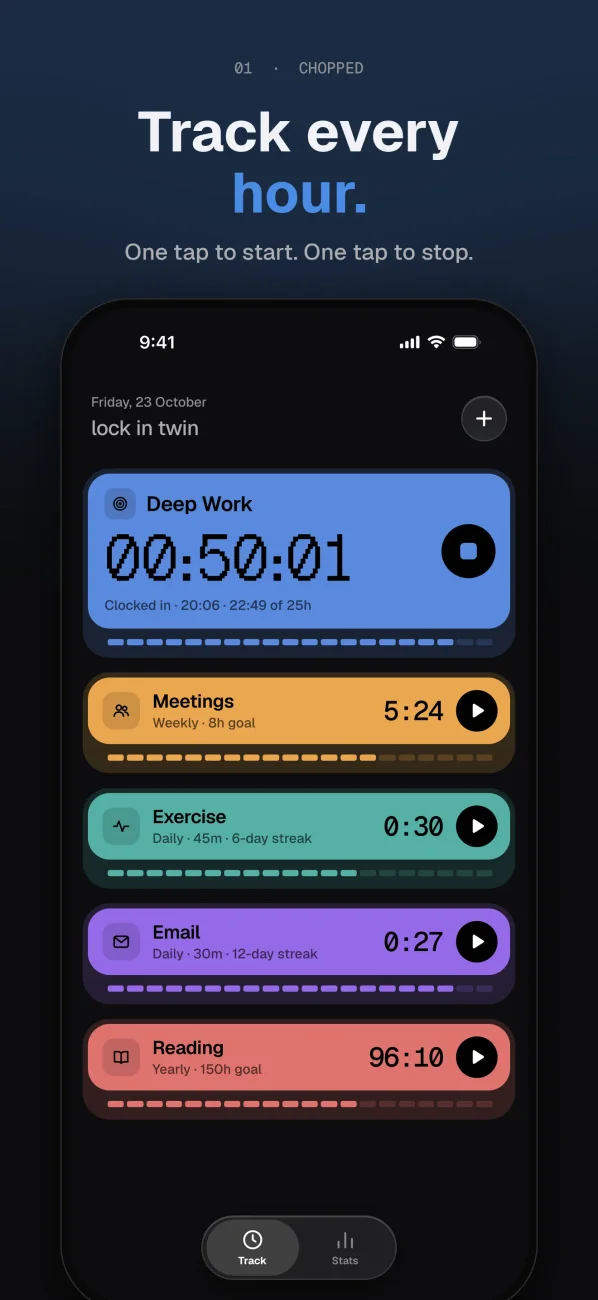
Make a tracker for anything — deep work, meetings, exercise, email, reading — give it a color and an icon, and tap play. Tap stop when you're done. That's it.
TRACK WITH ONE TAP
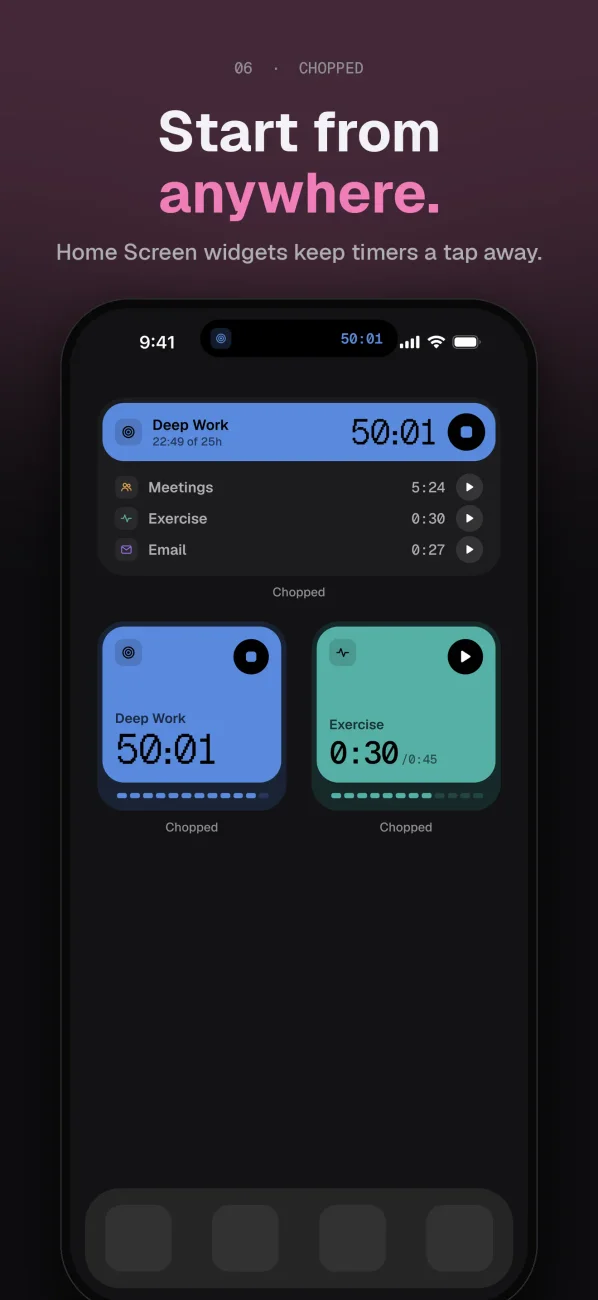
• Start and stop timers right from the Home screen
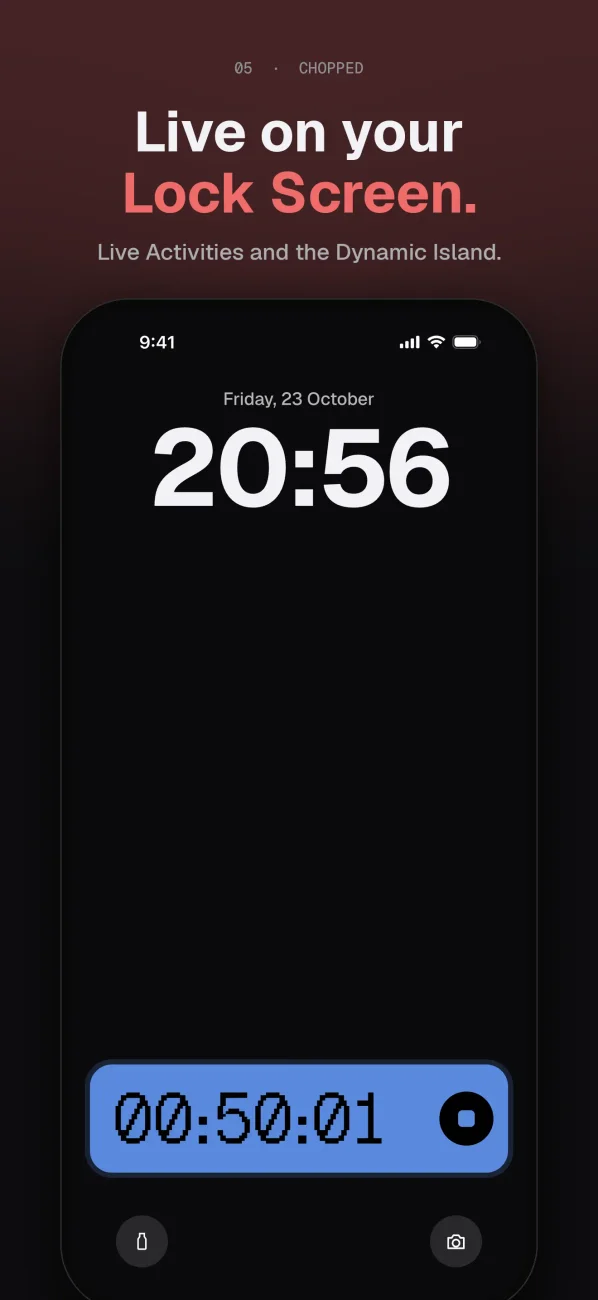
• Big, bold live timer you can read at a glance
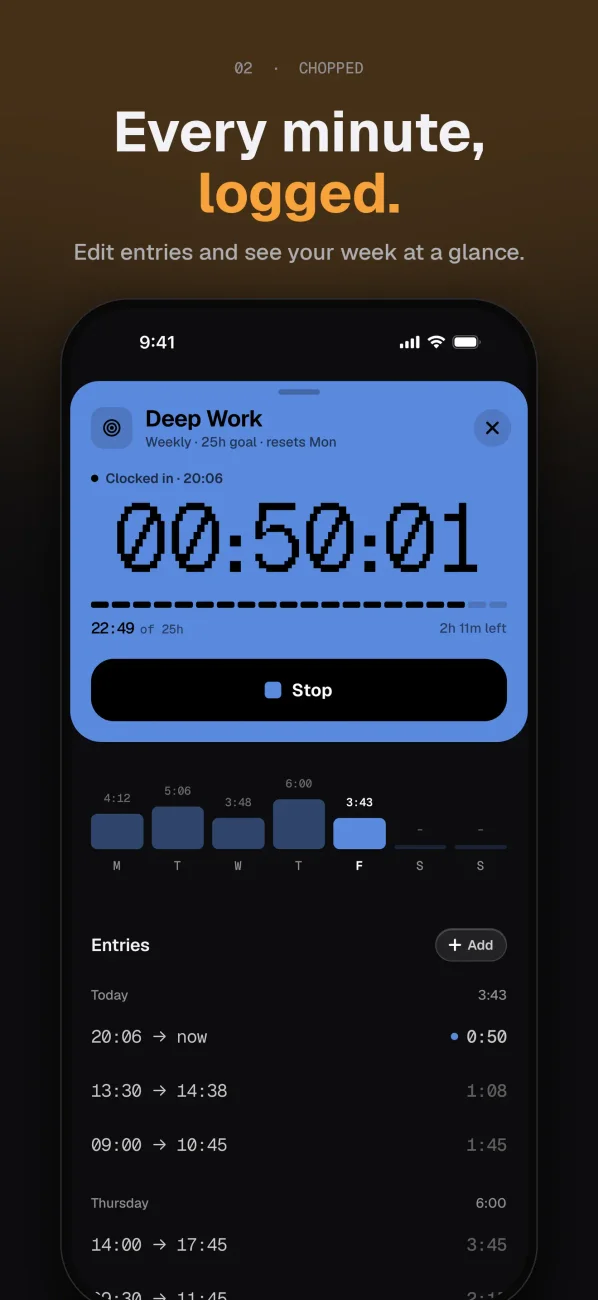
• Edit or add entries anytime, and swipe to delete a tracker
SET GOALS
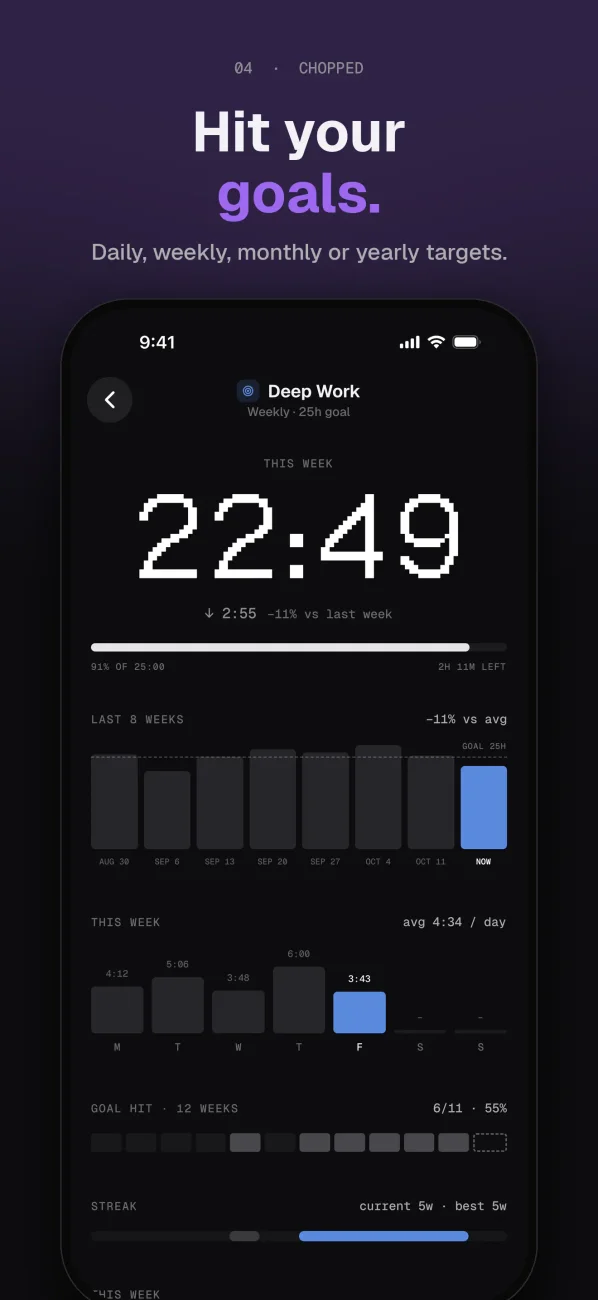
• Give each tracker a daily, weekly, monthly or yearly goal
• Segment bars fill in as you go, so you always know how close you are
SEE WHERE YOUR TIME GOES
• Weekly totals and a breakdown by tracker
• 8-week trends, goal progress, streaks and a heatmap of your best days
• Per-tracker stats with daily averages and comparisons to last week
ALWAYS WITHIN REACH
• Live Activities on the Lock Screen and in the Dynamic Island
• Home Screen widgets to start and stop timers without opening the app
• Control Center controls (iOS 18 and later)
PRIVATE BY DESIGN
• No account, no sign-up, no ads
• Your data stays on your iPhone. Chopped doesn't collect anything.
Stop being chopped. Lock in.
What’s new
Version 1.0.2 · Nov 10, 2026
Take a break. Breaks are now their own tracker. Your break counts down from 5 minutes by default, and you can change the length in Settings. You get a "Break's over" notification at the end, and one tap takes you back to what you were working on. Break time is logged but doesn't count toward your goals.
Schedule a switch. Pick when to switch trackers, from 30 minutes ago to 30 minutes ahead. If you forgot to switch earlier, a past switch fixes your timeline. A future switch happens on its own, even on your Lock Screen when the app is closed.
Also new:
• A Switch button on the running tracker, and Stop is now in the Home header
• A profile button that opens Settings, and you can turn off the daily tagline
• An option to show the tracker name on the Lock Screen Live Activity
• Lock Screen timers keep one steady format instead of switching as they count
• Widget and Live Activity corners now match the system on every device
App privacy
What Jackson Mooring declares on the App Store about how this app handles data.
-
Data not collected
The developer does not collect any data from this app.
Privacy practices may vary, for example with the features you use or your age.
Information
- Seller
- Jackson Mooring
- Category
- Productivity
- Version
- 1.0.2
- Updated
- Nov 10, 2026
- Released
- Nov 5, 2026
- Size
- 9.5 MB
- Requires
- iOS 17.0 or later
- Age rating
- 4+
- Price
- Free
- Languages
- English
- Copyright
- © 2026 Jackson Mooring
You might also like
-
 TimeTracker - Visible ProgressOne tap. See your progress.
-
 whatareyoudoingProductivity
-
 TickwiseTime Management Made Simple
-
 Time Journal: Time TrackerWhere your hours actually go?
-
 Time Vision - Time TrackerEliminate time blindnes
-
 Time Tracker for freelancersTrack time & get paid
-
 My Working HoursProductivity
-
 Timetracker - 24h Life TrackerTrack your whole life
-
 SelahNoteAI-Note-Taker for sermons
-
 Then: Mindful Time TrackerFocus Timer & Mood Journal