
Edit LOGLOG|Simple Vlog Editor
Simple and Easy Video Editor
Conçue pour iPhone
Gratuit · Achats intégrés
- Classification d’âge4+
- CatégoriePhoto et vidéo
- Développeurkoizumi yukihiro
- LanguesJaponais+ 3 de plus
- Taille30,7 Mo
Renvoie vers la page App Store officielle
Download.org n’héberge aucun fichier de Edit LOGLOG|Simple Vlog Editor. Le bouton ouvre la page de l’application sur App Store, où koizumi yukihiro la publie. Fiche vérifiée pour la dernière fois le 15/11/2026.
Captures d’écran
À propos
Le développeur n’a pas fourni ce texte dans votre langue.
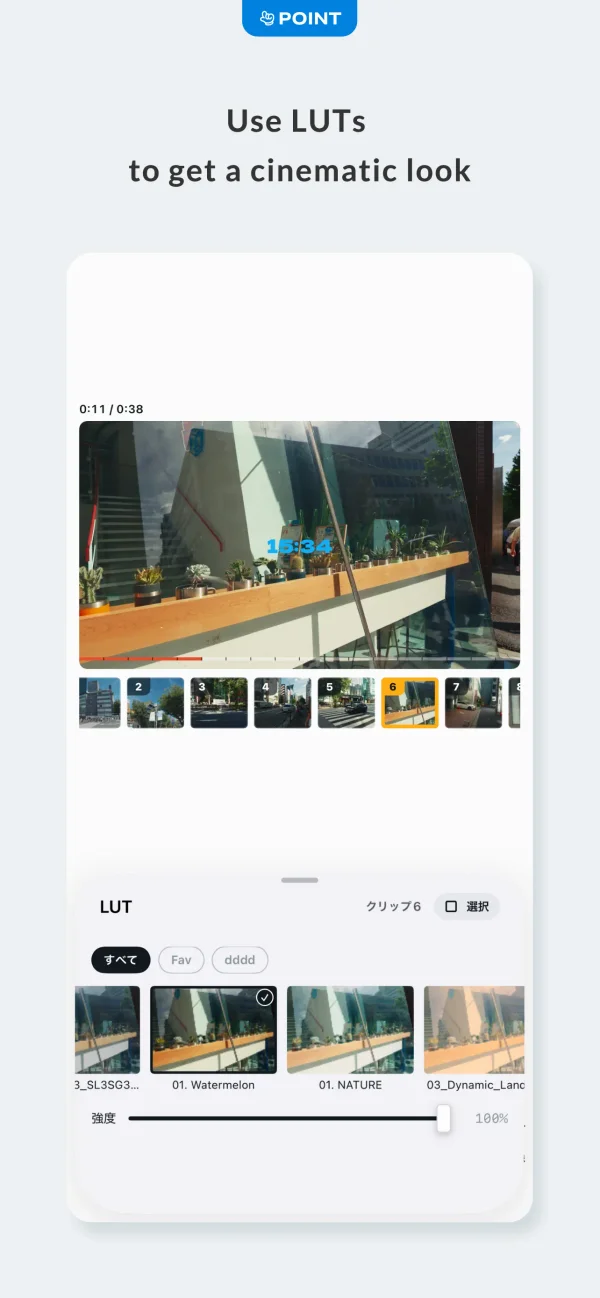
Edit LOGLOG is a simple app for video editing and vlog creation. We prioritize a clean, uncluttered interface with breathing room, and a smooth, intuitive editing experience. Save your favorite LUTs and instantly apply the look you want.
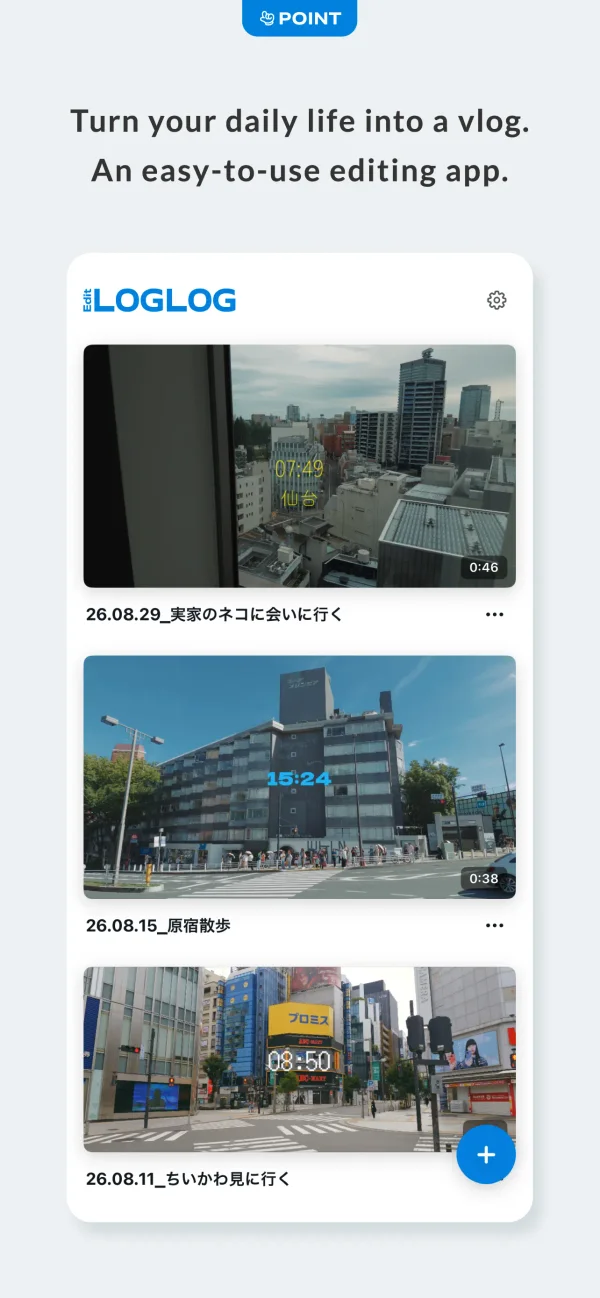
[Home Screen]
All your projects are displayed in a clean grid on the home screen.
Tap the + button at the bottom right to start a new project.
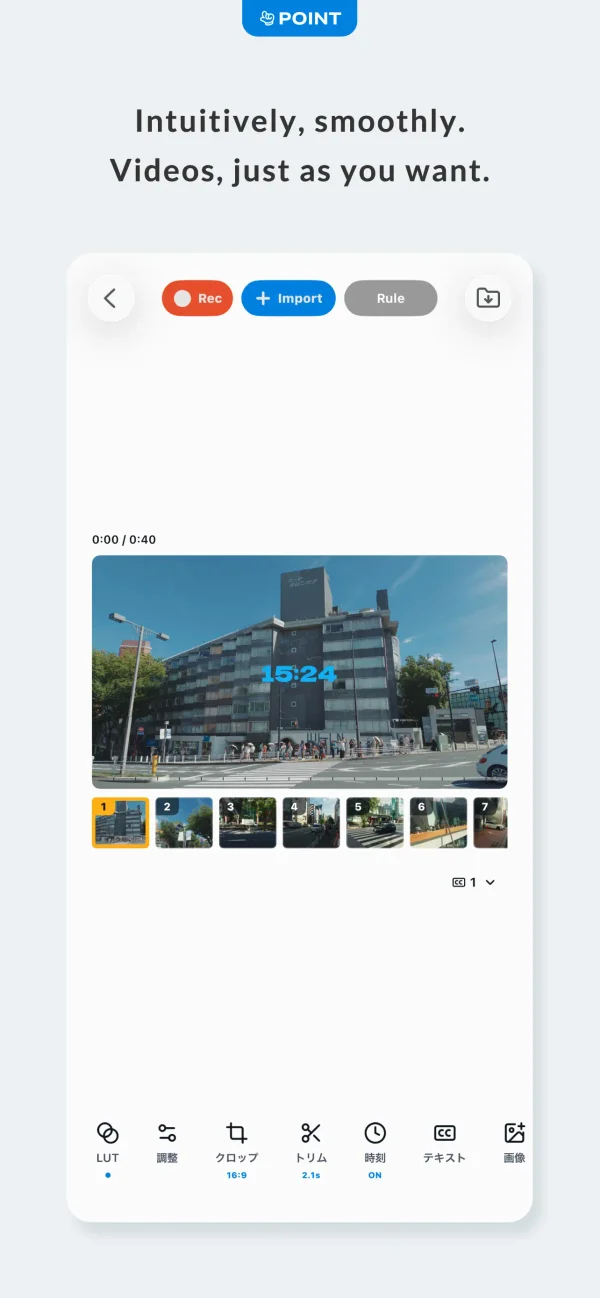
[Edit Screen]
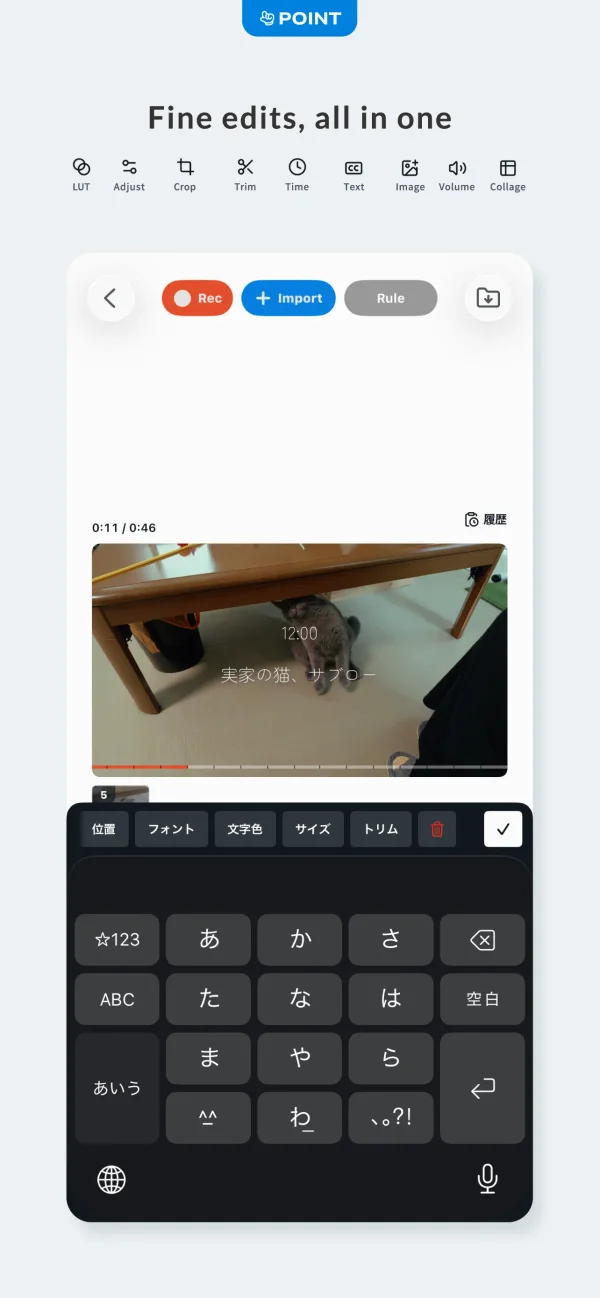
A simple layout with just a preview, clip bar, and editing controls.
Record clips on the spot with the Rec button at the top, or add existing footage with the Import button. Edits are applied per clip.
[Rule]
Set project-wide defaults all in one place.
· Clip: standardize clip duration
· Aspect ratio: standardize clip proportions
· Timestamp: font, color, and size for the recorded time
· Text: font, color, and size
· Frame: add padding around the video
Per-clip settings always take priority over Rule settings.
[Individual Clip Editing]
Select any clip from the clip bar to adjust its LUT and color settings. You can also select multiple clips at once and apply the same settings to all of them.
There is no save button — everything saves automatically as you edit.
[Pricing]
▷ FREE
· Up to 10 clips per project
· Up to 3 saved LUTs
· Default font and text color only
▷ PRO (Monthly ¥350 / Annual ¥3,000)
· Unlimited clips and LUTs
· All fonts and text colors
· Cinemascope aspect ratio (21:9)
· Frame feature (add padding around the video)
· Collage feature (display two videos side by side)
Export at 1080p or 4K, watermark-free.
PRO is an auto-renewing subscription. Manage or cancel anytime in Settings > Apple ID > Subscriptions.
Terms of Use (EULA)
> https://www.apple.com/legal/internet-services/itunes/dev/stdeula/
Privacy Policy
> https://walnut-ring-c9b.notion.site/3d2beede72b48064be23f09e38c8ec77?pvs=74
Nouveautés
Version 1.7.0 · 14/11/2026
Added preset color filters "Vivid," "Olive," and "Silver." We plan to add more regularly in the future!
Confidentialité de l’application
Ce que koizumi yukihiro déclare sur l’App Store au sujet du traitement des données par cette application.
-
Données non collectées
Le développeur ne collecte aucune donnée à partir de cette application.
Les pratiques en matière de confidentialité peuvent varier, notamment en fonction des fonctionnalités que vous utilisez ou de votre âge.
Informations
- Vendeur
- koizumi yukihiro
- Catégorie
- Photo et vidéo
- Version
- 1.7.0
- Mis à jour
- 14/11/2026
- Publié
- 17/09/2026
- Taille
- 30,7 Mo
- Nécessite
- iOS 17.0 ou version ultérieure
- Classification d’âge
- 4+
- Prix
- Gratuit
- Achats intégrés
- Oui
- Langues
- Japonais, Chinois traditionnel, Anglais, Coréen
- Copyright
- © KOIZUMI Yukihiro
Vous aimerez peut-être aussi
-
 LogGrid - Make Your VLog LaterPhoto et vidéo
-
 DaymoryPhoto et vidéo
-
 WAVUNE : Éditeur vidéo & photoVoyez le film avant de filmer
-
 Vidot - Your Own VlogPhoto et vidéo
-
 Dailies : Vlog CinématiqueDes vlogs stylés, facilement
-
 TinyVlogPhoto et vidéo
-
 Laplus - Daily Vlog & MoviePhoto et vidéo
-
 oblivious — vlog makerun vlog comme une mixtape
-
 Reelo - Montage vlog verticalVos vlogs du jour, sans effort
-
 Vlog Camera - your day in 15sPhoto et vidéo