
- Classification d’âge4+
- CatégorieUtilitaires
- DéveloppeurWa Hong Lui
- LanguesAnglais+ 2 de plus
- Taille7,4 Mo
Renvoie vers la page App Store officielle
Download.org n’héberge aucun fichier de Copy Talk. Le bouton ouvre la page de l’application sur App Store, où Wa Hong Lui la publie. Fiche vérifiée pour la dernière fois le 20/11/2026.
Captures d’écran

À propos
Le développeur n’a pas fourni ce texte dans votre langue.
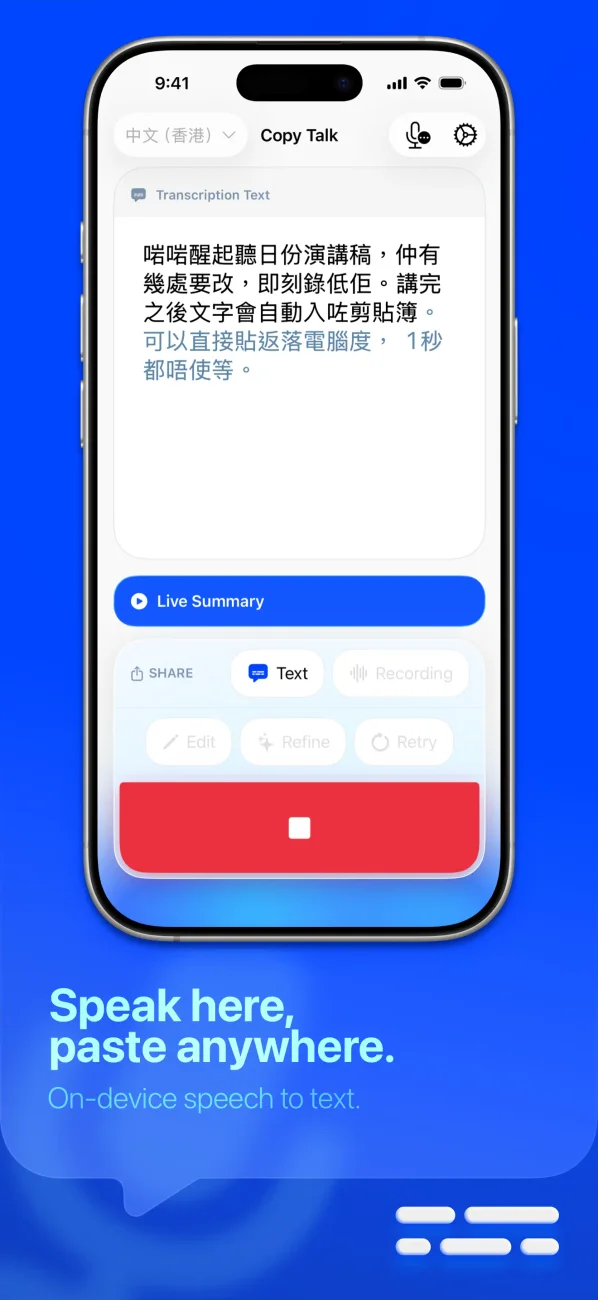
Turn your voice into text instantly, and on-device privately.
Key Features:
Instant Auto-Copy
Your transcript is automatically copied to your clipboard the moment you stop recording.
Direct Sharing
Send your text or the original audio file directly to other apps via the Share Sheet.
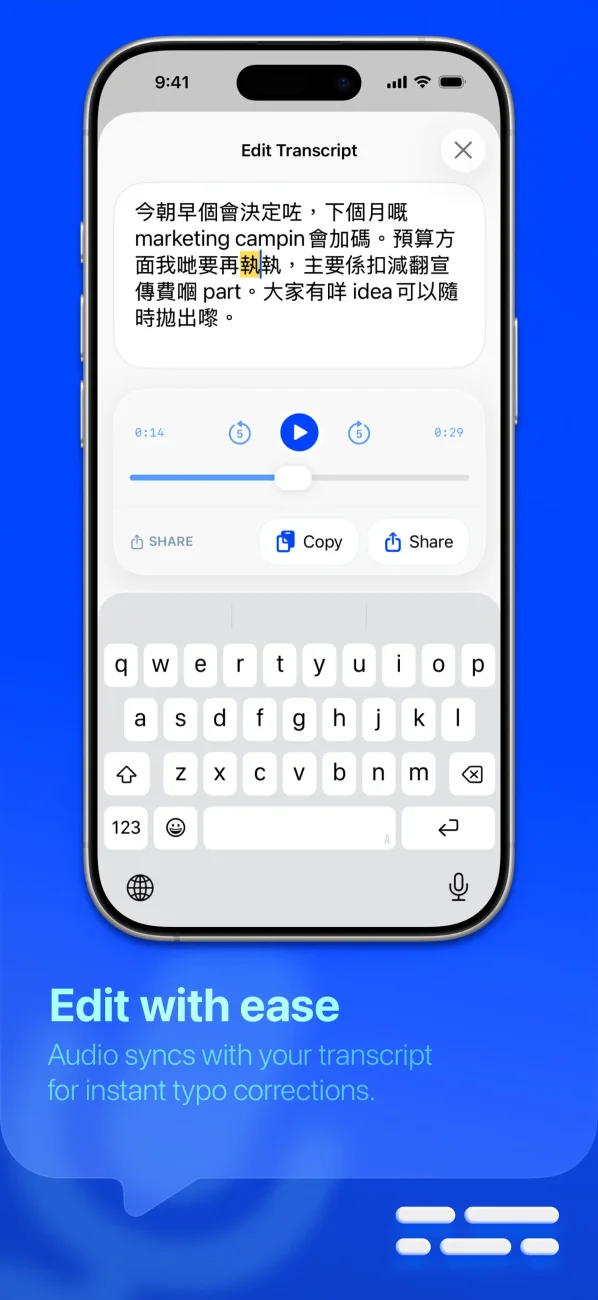
Edit Transcript
Play your recording while the matching transcript segment is highlighted to make edits faster and more accurate.
Universal Clipboard Magic
Speak quietly into your iPhone and paste the text instantly on your Mac—perfect for silent offices or libraries.
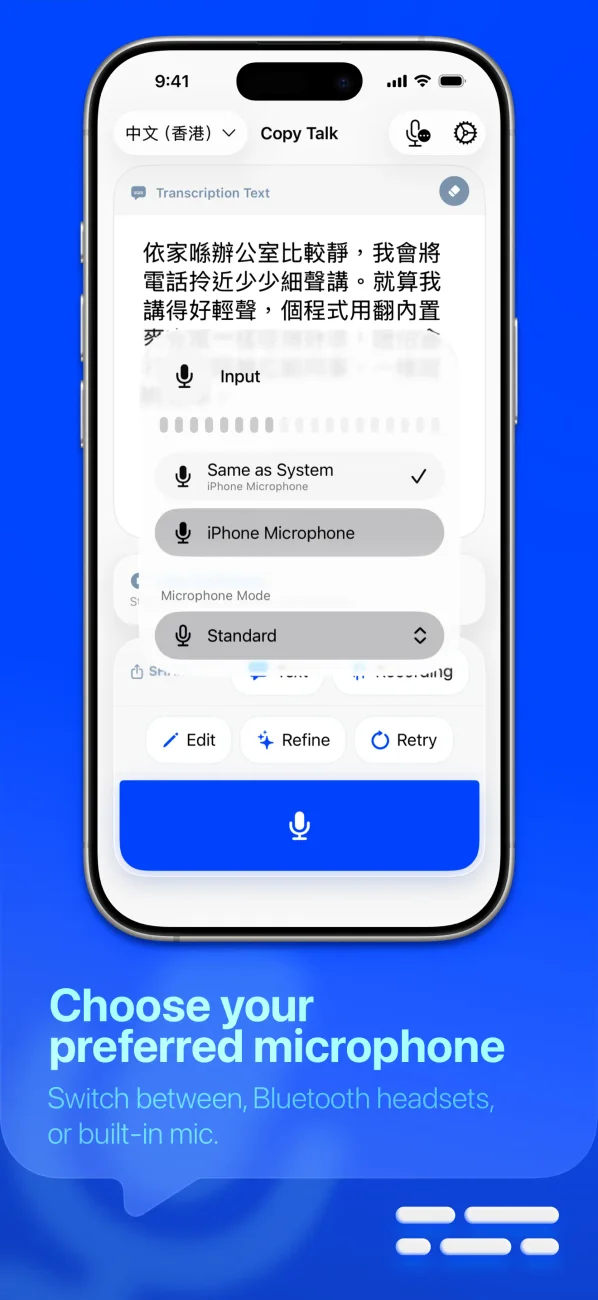
Audio Input Selection
Choose your preferred microphone—built-in, AirPods, Bluetooth headsets, or other connected devices. Optimized for high-quality recording on compatible hardware.
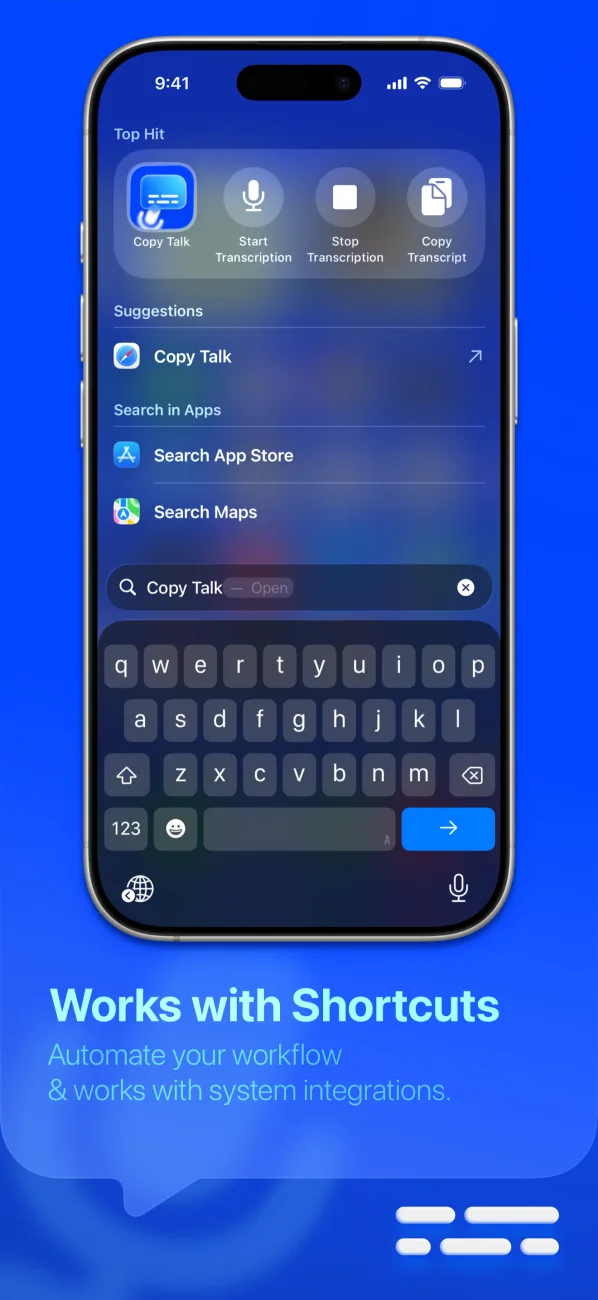
Shortcuts & Automation
Create custom shortcuts to start recording, stop transcription, copy text, or re-transcribe—all hands-free or from the Shortcuts app.
High-Accuracy Re-transcription
Need better results? Use the "Re-transcribe" feature to process your recording again with higher precision models.
On-device & Private
Powered by the native iOS Speech Framework. Your voice never leaves your device.
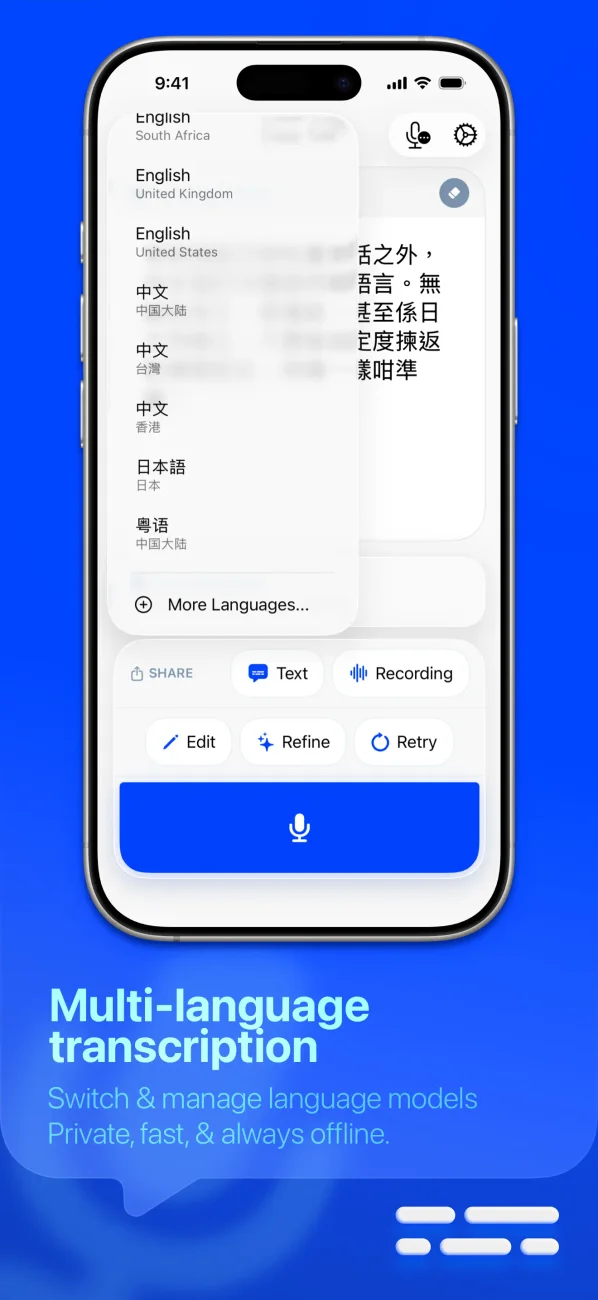
Multi-Language Support
Transcribe in multiple supported high-quality language models. Download up to 5 languages for offline use.
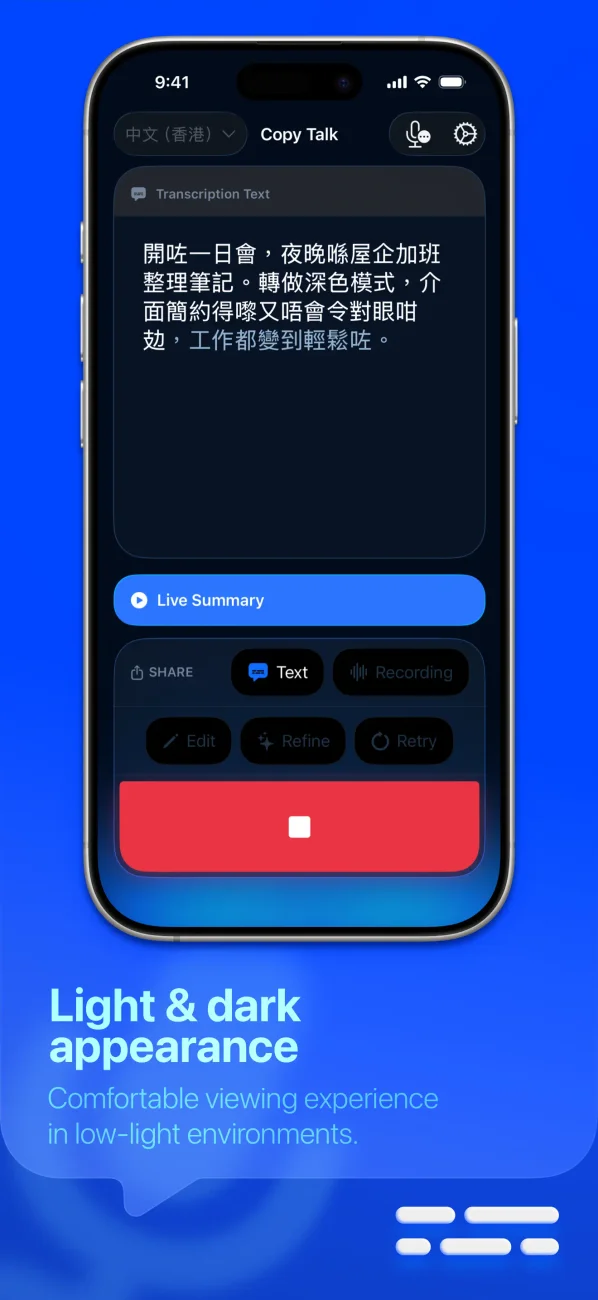
Modern Design
Beautiful Liquid Glass aesthetic with haptic feedback.
Perfect for:
• Quick notes
• Meetings and study
• Hands-free writing
• Accessibility workflows
• Quiet environments using Universal Clipboard
Nouveautés
Version 1.3 · 04/03/2026
Version 1.3
• Added Edit Transcript flow for post-transcription text editing.
• Added audio playback inside the editor with time-synced transcript highlighting for easier correction.
• Added/updated settings for a smoother experience (including editor behavior and workflow controls).
• Minor UI polish and stability improvements.
Confidentialité de l’application
Ce que Wa Hong Lui déclare sur l’App Store au sujet du traitement des données par cette application.
-
Données non collectées
Le développeur ne collecte aucune donnée à partir de cette application.
Les pratiques en matière de confidentialité peuvent varier, notamment en fonction des fonctionnalités que vous utilisez ou de votre âge.
Informations
- Vendeur
- Wa Hong Lui
- Catégorie
- Utilitaires
- Version
- 1.3
- Mis à jour
- 04/03/2026
- Publié
- 28/01/2026
- Taille
- 7,4 Mo
- Nécessite
- iOS 26.0 ou version ultérieure
- Classification d’âge
- 4+
- Prix
- Gratuit
- Langues
- Anglais, Chinois simplifié, Chinois traditionnel
- Copyright
- © 2026 LAB015
Vous aimerez peut-être aussi
-
 dictpasteUtilitaires
-
 AutoSummarize!Résumés IA dans Safari
-
 Summary For SafariUtilitaires
-
 PhyModelUtilitaires
-
 Link Widget - Quick Access WebUtilitaires
-
 Text Reader: StudioVoice ttsUtilitaires
-
 Extension AIUtilitaires
-
 Kipzy : Navigateur privéBloqueur de publicités
-
 FlyVox: Traducteur IA liveInterprétation simultanée
-
 Foldic - Photos BackupUtilitaires