
Crosslate
Compare translation engines
Conçue pour iPhone, iPad
Gratuit · Achats intégrés
- Classification d’âge4+
- CatégorieUtilitaires
- Développeur楠翔 金
- LanguesAnglais+ 1 de plus
- Taille5,4 Mo
Renvoie vers la page App Store officielle
Download.org n’héberge aucun fichier de Crosslate. Le bouton ouvre la page de l’application sur App Store, où 楠翔 金 la publie. Fiche vérifiée pour la dernière fois le 20/11/2026.
Captures d’écran


À propos
Le développeur n’a pas fourni ce texte dans votre langue.
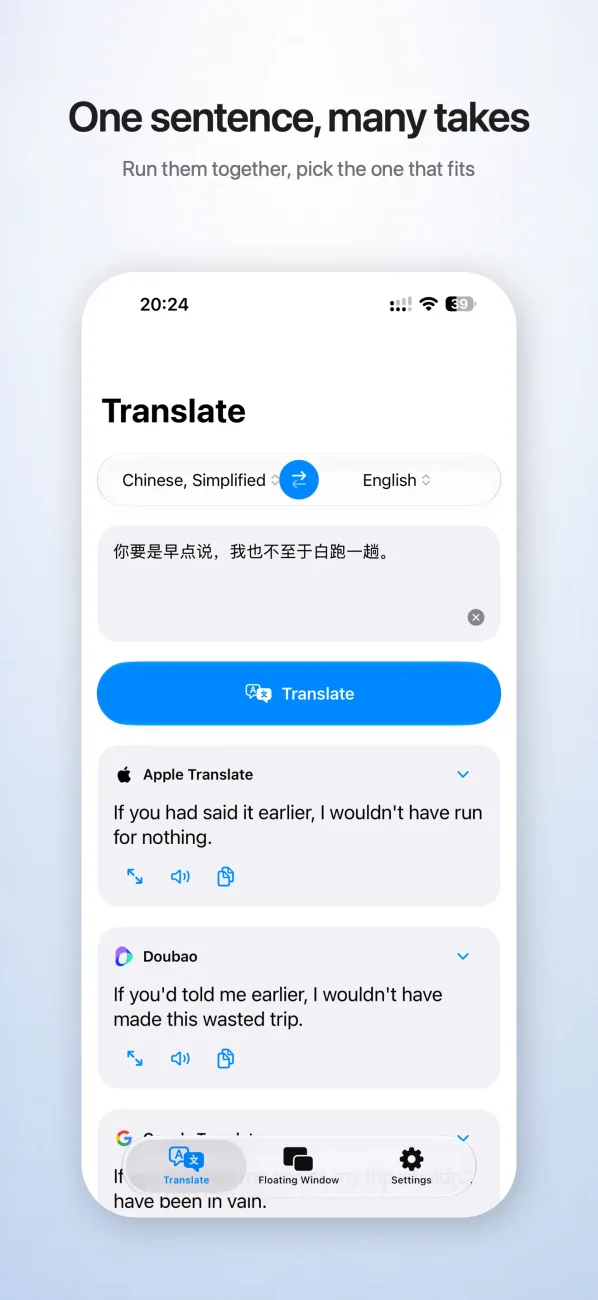
Crosslate hands the same text to several translation engines at once and puts their results side by side, so you can pick the one that actually fits.
It brings no engine of its own. The translating is done by services you choose, on your own keys and your own quota, and nothing passes through a server in between.
Several engines, one screen
Dedicated engines like Apple Translation, Google Translate and DeepL, alongside language model services from a range of providers — all of them can be connected. Turn on as many as you want; results arrive in the order you arranged them, streaming in as they are written.
Your own keys
Apart from Apple Translation and Google Translate, every service runs on your own account and quota. Keys are stored in your device's Keychain and used only to reach the provider they belong to. No middleman server, no account to create, no subscription.
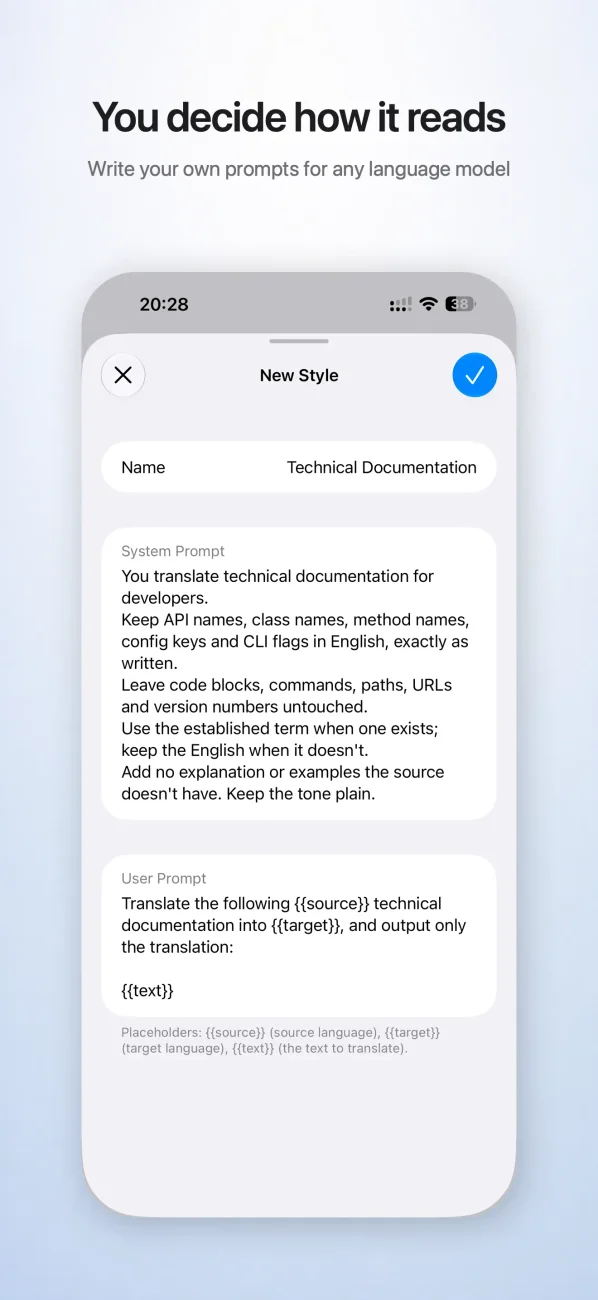
Translation styles
Give any language model your own system and user prompts, so translations land in the register you need: technical documentation, casual conversation, formal correspondence. Keep a style for each and switch between them.
Floating window
Start it, switch to any other app, and copy some text. The translation appears in the floating window as it arrives, scrolling up on its own when the text runs long. Text size, scrolling speed and window shape are all adjustable.
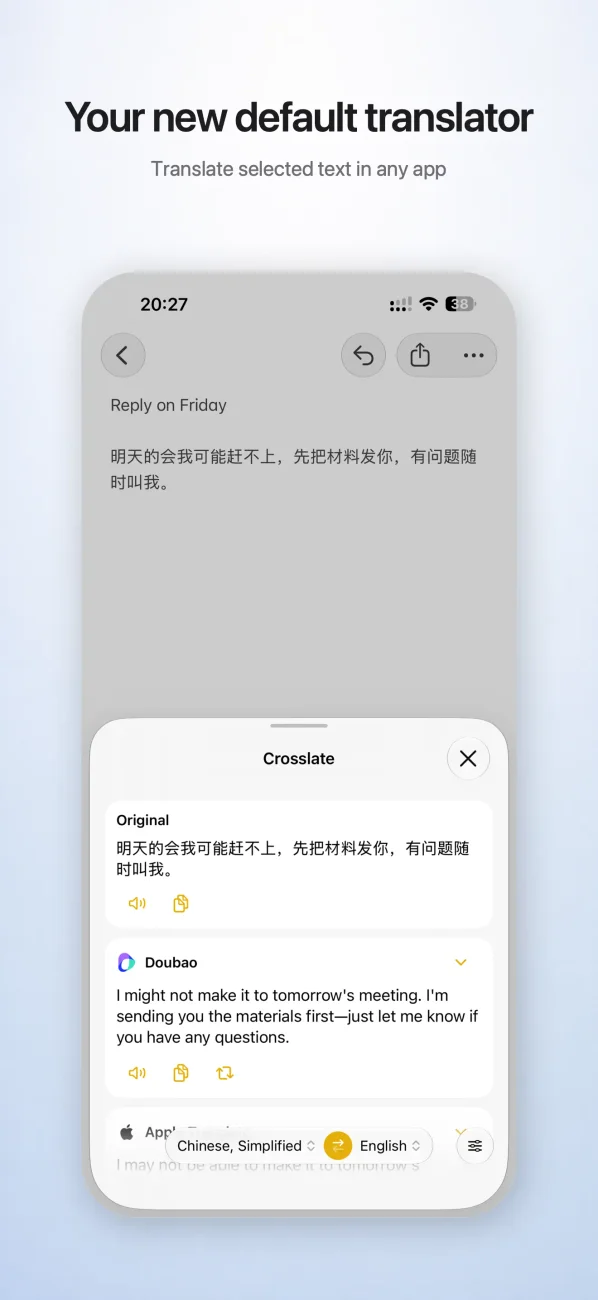
Translate anywhere on iPhone
Set Crosslate as the default translation app, then select text in any app and choose Translate from the system menu.
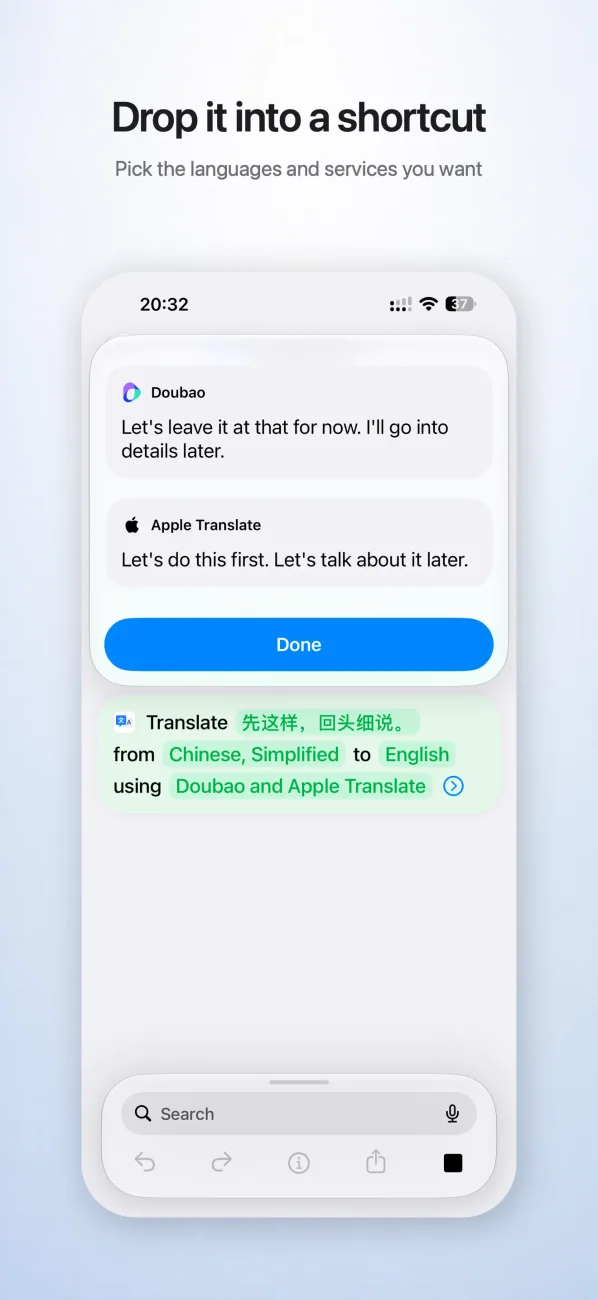
Shortcuts and Control Center
The Translate Text action takes a source language, a target language and any number of services. It shows each result as a card when it runs, or hands the translations to later steps in your shortcut. Two Control Center controls are available: one opens the app straight to the text field, the other starts and stops the floating window.
About Pro
The free version runs one translation service at a time. Pro is a one-time purchase that unlocks running several at once and comparing them on a single screen.
Privacy
Crosslate collects nothing. No server, no account, no analytics, no device identifiers. Your text goes only to the services you chose yourself.
Confidentialité de l’application
Ce que 楠翔 金 déclare sur l’App Store au sujet du traitement des données par cette application.
-
Données non collectées
Le développeur ne collecte aucune donnée à partir de cette application.
Les pratiques en matière de confidentialité peuvent varier, notamment en fonction des fonctionnalités que vous utilisez ou de votre âge.
Informations
- Vendeur
- 楠翔 金
- Catégorie
- Utilitaires
- Version
- 1.0
- Mis à jour
- 31/08/2026
- Publié
- 31/08/2026
- Taille
- 5,4 Mo
- Nécessite
- iOS 18.0 ou version ultérieure
- Classification d’âge
- 4+
- Prix
- Gratuit
- Achats intégrés
- Oui
- Langues
- Anglais, Chinois simplifié
- Copyright
- © 2026 Nanxiang Jin
Vous aimerez peut-être aussi
-
 Ponte Translator-Aggregated AIUtilitaires
-
 Termark - SSH & SFTP ClientUtilitaires
-
 VonodeUtilitaires
-
 Masked : Floutez vos photosFichiers de travail avant l'IA
-
 SpotRangeUtilitaires
-
 Wallet LibreUtilitaires
-
 MyShareUtilitaires
-
 ATransUtilitaires
-
 Lumo transcriptionsAudio en Texte, 100% Local
-
 悬浮提词器-AI智能提词器&专业直播口播字幕提字器Utilitaires