
Crosslate
Compare translation engines
Được thiết kế cho iPhone, iPad
Miễn phí · Mua hàng trong ứng dụng
- Độ tuổi4+
- Danh mụcTiện Ích
- Nhà phát triển楠翔 金
- Ngôn ngữTiếng Anh+ 1 ngôn ngữ khác
- Kích thước5,4 MB
Liên kết đến trang App Store chính thức
Download.org không lưu trữ tệp nào của Crosslate. Nút này mở trang ứng dụng trên App Store, nơi 楠翔 金 phát hành ứng dụng. Trang được kiểm tra lần cuối: 20/11/2026.
Ảnh chụp màn hình


Giới thiệu
Nhà phát triển chưa cung cấp nội dung này bằng ngôn ngữ của bạn.
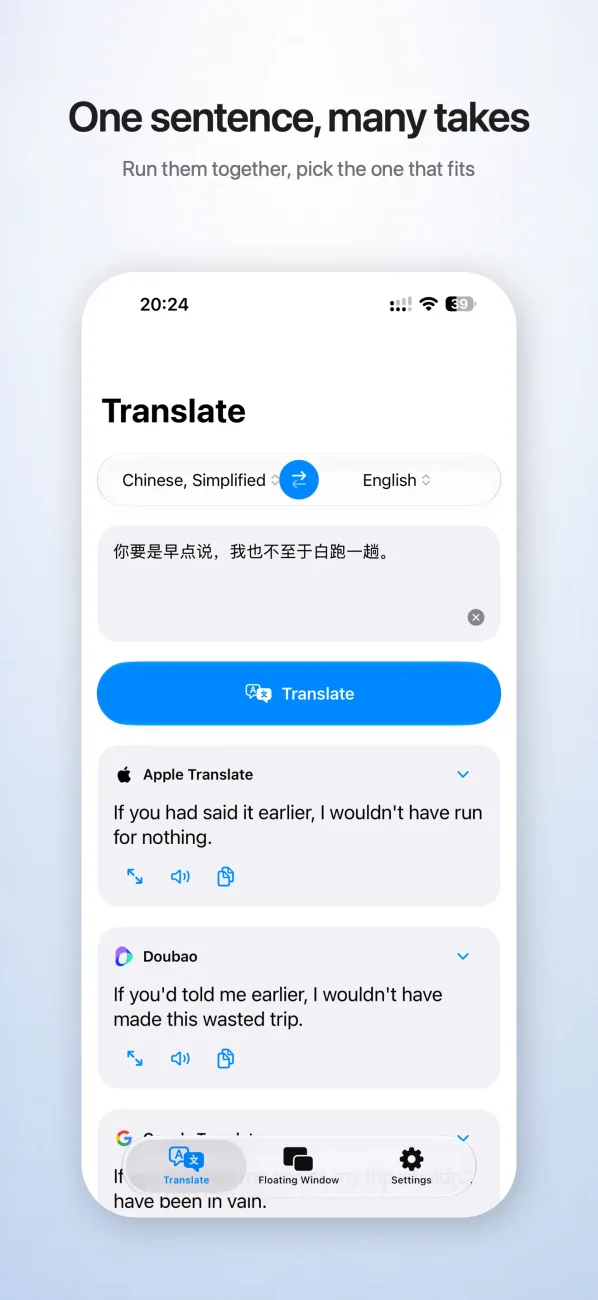
Crosslate hands the same text to several translation engines at once and puts their results side by side, so you can pick the one that actually fits.
It brings no engine of its own. The translating is done by services you choose, on your own keys and your own quota, and nothing passes through a server in between.
Several engines, one screen
Dedicated engines like Apple Translation, Google Translate and DeepL, alongside language model services from a range of providers — all of them can be connected. Turn on as many as you want; results arrive in the order you arranged them, streaming in as they are written.
Your own keys
Apart from Apple Translation and Google Translate, every service runs on your own account and quota. Keys are stored in your device's Keychain and used only to reach the provider they belong to. No middleman server, no account to create, no subscription.
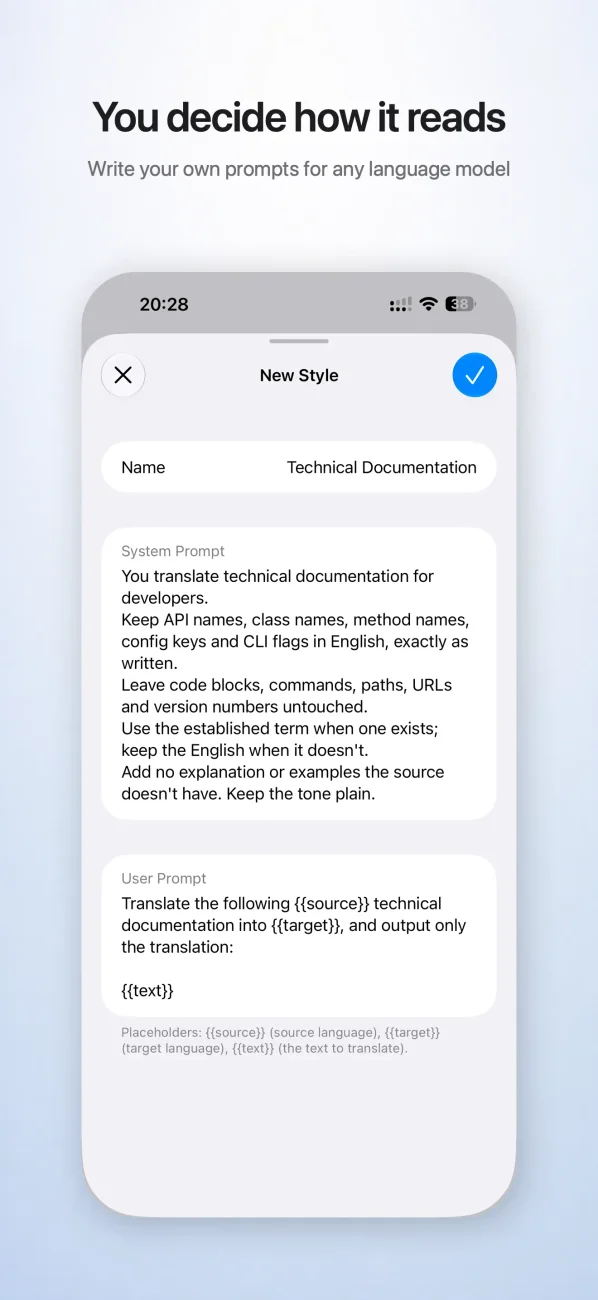
Translation styles
Give any language model your own system and user prompts, so translations land in the register you need: technical documentation, casual conversation, formal correspondence. Keep a style for each and switch between them.
Floating window
Start it, switch to any other app, and copy some text. The translation appears in the floating window as it arrives, scrolling up on its own when the text runs long. Text size, scrolling speed and window shape are all adjustable.
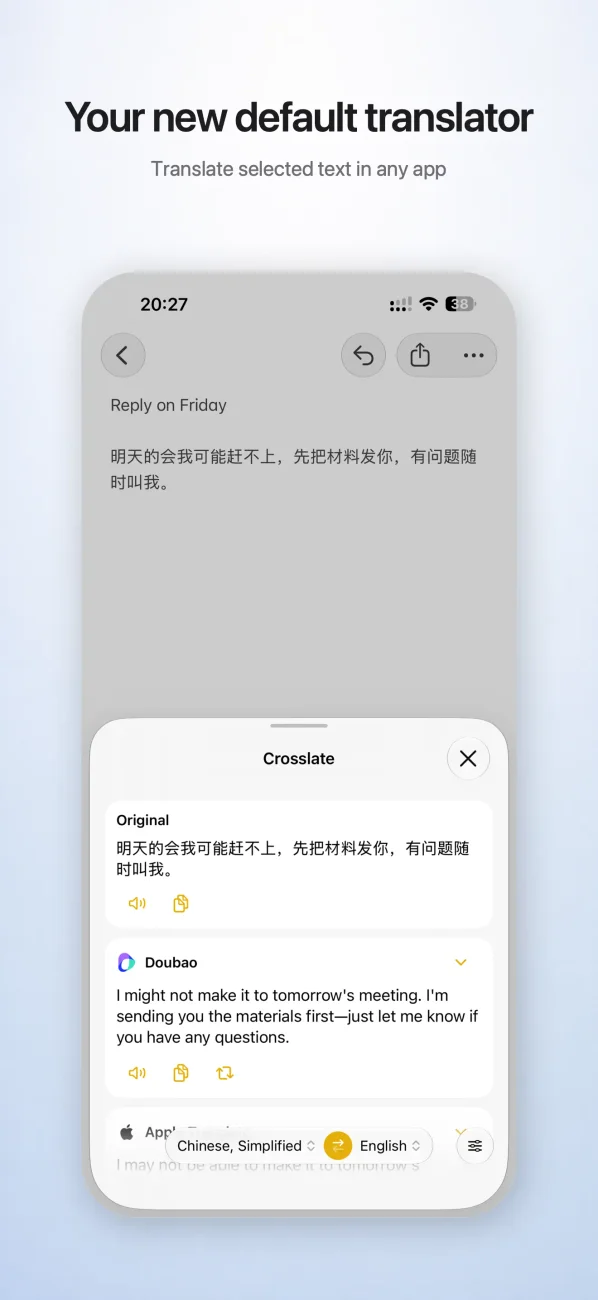
Translate anywhere on iPhone
Set Crosslate as the default translation app, then select text in any app and choose Translate from the system menu.
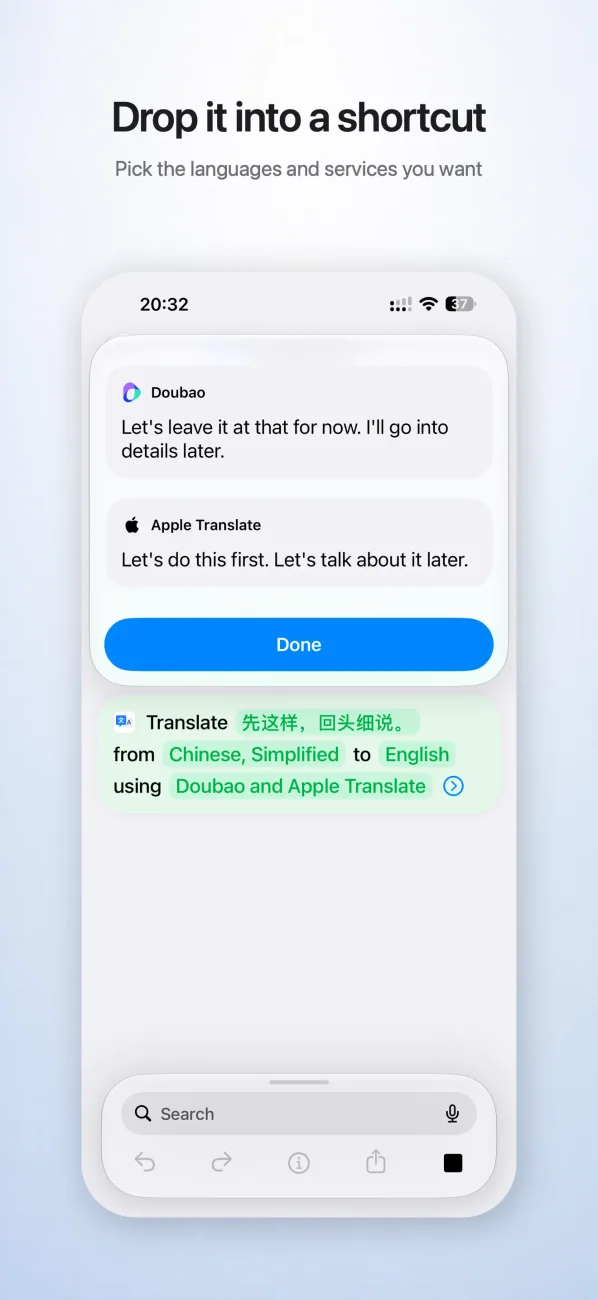
Shortcuts and Control Center
The Translate Text action takes a source language, a target language and any number of services. It shows each result as a card when it runs, or hands the translations to later steps in your shortcut. Two Control Center controls are available: one opens the app straight to the text field, the other starts and stops the floating window.
About Pro
The free version runs one translation service at a time. Pro is a one-time purchase that unlocks running several at once and comparing them on a single screen.
Privacy
Crosslate collects nothing. No server, no account, no analytics, no device identifiers. Your text goes only to the services you chose yourself.
Quyền riêng tư của ứng dụng
Những gì 楠翔 金 khai báo trên App Store về cách ứng dụng này xử lý dữ liệu.
-
Dữ liệu không được thu thập
Nhà phát triển không thu thập bất kỳ dữ liệu nào từ ứng dụng này.
Phương thức đảm bảo quyền riêng tư có thể khác nhau, chẳng hạn như tuỳ theo các tính năng bạn sử dụng hoặc độ tuổi của bạn.
Thông tin
- Người bán
- 楠翔 金
- Danh mục
- Tiện Ích
- Phiên bản
- 1.0
- Cập nhật
- 31/08/2026
- Phát hành
- 31/08/2026
- Kích thước
- 5,4 MB
- Yêu cầu
- iOS 18.0 trở lên
- Độ tuổi
- 4+
- Giá
- Miễn phí
- Mua hàng trong ứng dụng
- Có
- Ngôn ngữ
- Tiếng Anh, Tiếng Trung Giản thể
- Bản quyền
- © 2026 Nanxiang Jin