Crosslate
Compare translation engines
Dirancang untuk iPhone, iPad
Gratis · Pembelian dalam aplikasi
- Batasan usia4+
- KategoriKegunaan
- Pengembang楠翔 金
- BahasaInggris+ 1 lainnya
- Ukuran5,4 MB
Tertaut ke halaman resmi App Store
Download.org tidak menyimpan file Crosslate apa pun. Tombol ini membuka halaman aplikasi di App Store, tempat 楠翔 金 menerbitkannya. Halaman terakhir diperiksa pada 20/11/2026.
Tangkapan layar


Tentang
Pengembang belum menyediakan teks ini dalam bahasa Anda.
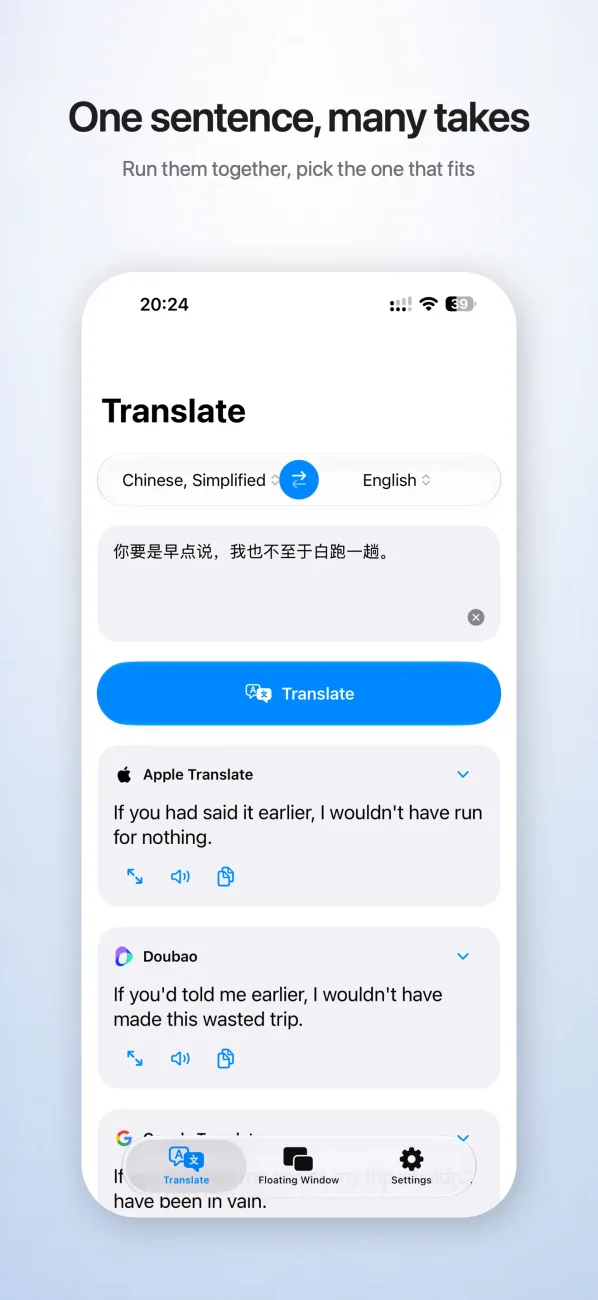
Crosslate hands the same text to several translation engines at once and puts their results side by side, so you can pick the one that actually fits.
It brings no engine of its own. The translating is done by services you choose, on your own keys and your own quota, and nothing passes through a server in between.
Several engines, one screen
Dedicated engines like Apple Translation, Google Translate and DeepL, alongside language model services from a range of providers — all of them can be connected. Turn on as many as you want; results arrive in the order you arranged them, streaming in as they are written.
Your own keys
Apart from Apple Translation and Google Translate, every service runs on your own account and quota. Keys are stored in your device's Keychain and used only to reach the provider they belong to. No middleman server, no account to create, no subscription.
Translation styles
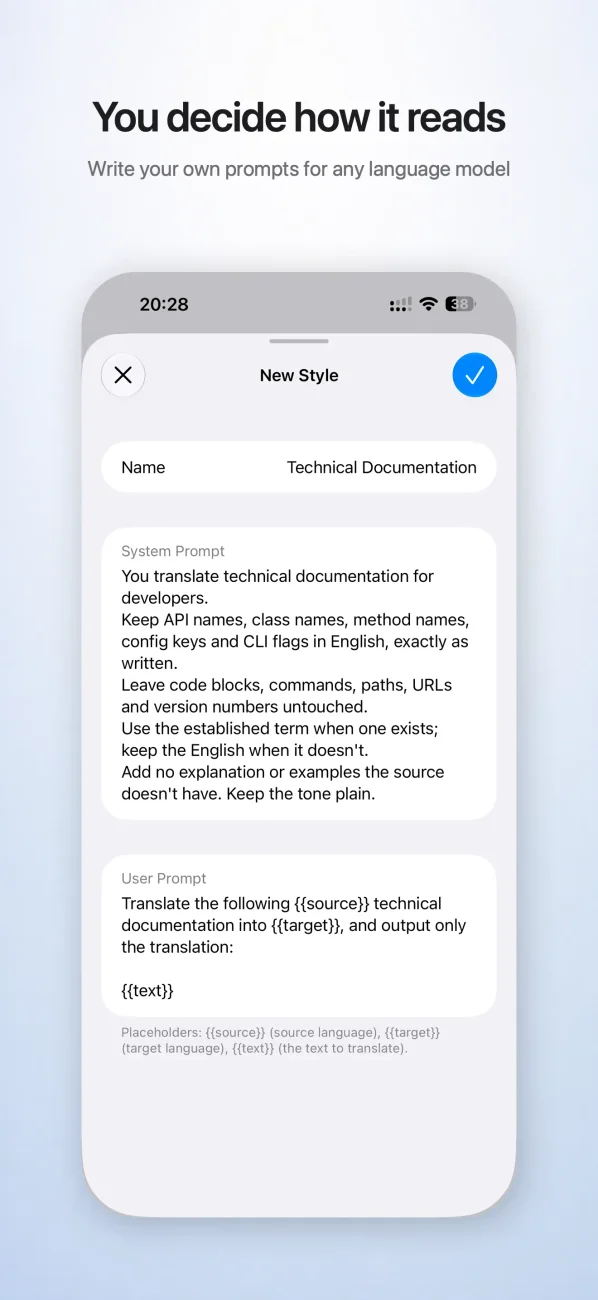
Give any language model your own system and user prompts, so translations land in the register you need: technical documentation, casual conversation, formal correspondence. Keep a style for each and switch between them.
Floating window
Start it, switch to any other app, and copy some text. The translation appears in the floating window as it arrives, scrolling up on its own when the text runs long. Text size, scrolling speed and window shape are all adjustable.
Translate anywhere on iPhone
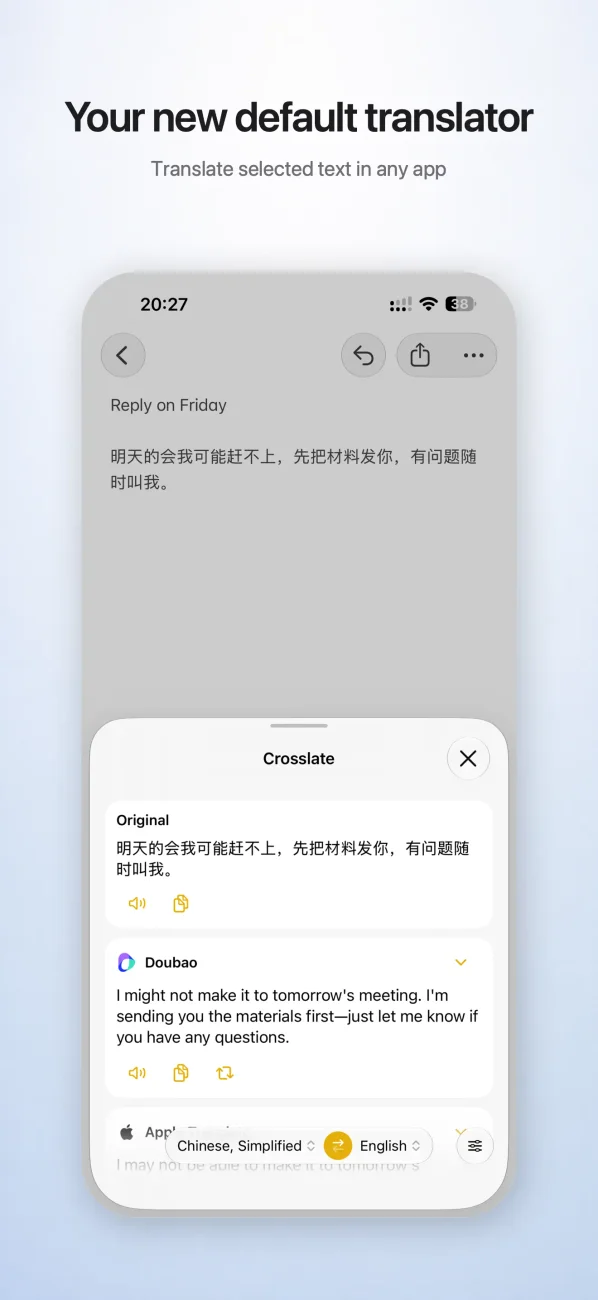
Set Crosslate as the default translation app, then select text in any app and choose Translate from the system menu.
Shortcuts and Control Center
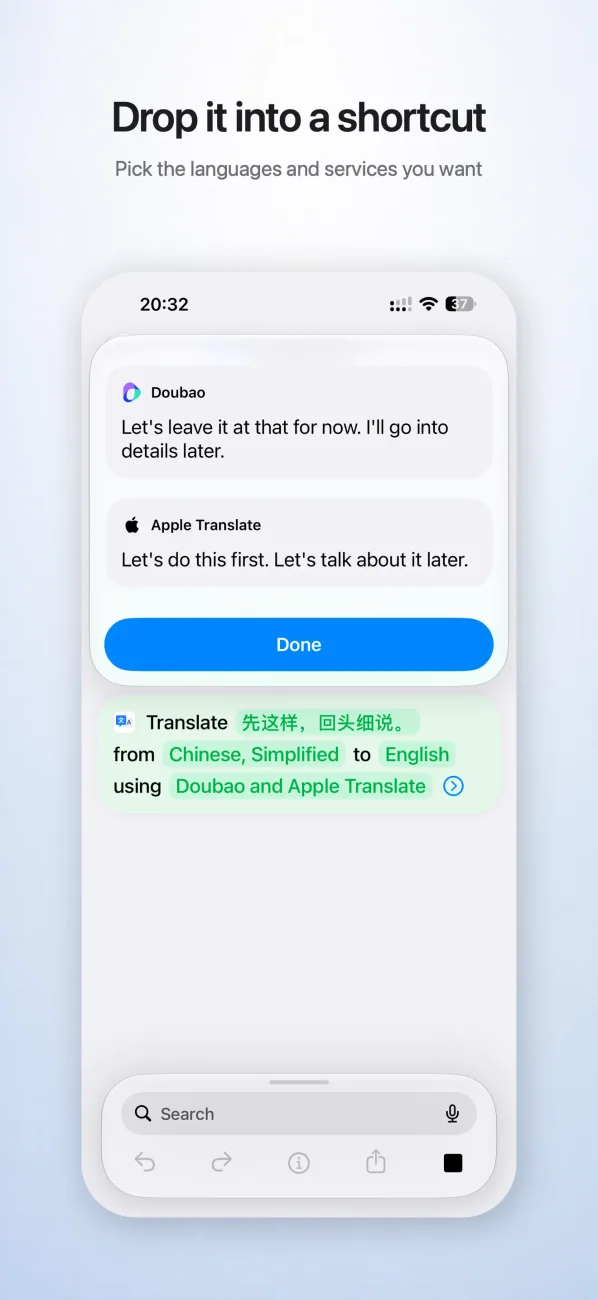
The Translate Text action takes a source language, a target language and any number of services. It shows each result as a card when it runs, or hands the translations to later steps in your shortcut. Two Control Center controls are available: one opens the app straight to the text field, the other starts and stops the floating window.
About Pro
The free version runs one translation service at a time. Pro is a one-time purchase that unlocks running several at once and comparing them on a single screen.
Privacy
Crosslate collects nothing. No server, no account, no analytics, no device identifiers. Your text goes only to the services you chose yourself.
Privasi aplikasi
Yang dinyatakan 楠翔 金 di App Store tentang cara aplikasi ini menangani data.
-
Data tidak dikumpulkan
Pengembang tidak mengumpulkan data apa pun dari aplikasi ini.
Praktik privasi dapat bervariasi, misalnya berdasarkan fitur yang Anda gunakan atau usia Anda.
Informasi
- Penjual
- 楠翔 金
- Kategori
- Kegunaan
- Versi
- 1.0
- Diperbarui
- 31/8/2026
- Dirilis
- 31/8/2026
- Ukuran
- 5,4 MB
- Memerlukan
- iOS 18.0 atau yang lebih baru
- Batasan usia
- 4+
- Harga
- Gratis
- Pembelian dalam aplikasi
- Ya
- Bahasa
- Inggris, Tionghoa Sederhana
- Hak cipta
- © 2026 Nanxiang Jin