Darkroom Assistant
Repeatable exposure & contrast
Conçue pour iPhone, iPad, iPod touch
Gratuit · Achats intégrés
- Classification d’âge4+
- CatégoriePhoto et vidéo
- DéveloppeurDistinction Photo LLC
- LanguesAnglais
- Taille60,2 Mo
Renvoie vers la page App Store officielle
Download.org n’héberge aucun fichier de Darkroom Assistant. Le bouton ouvre la page de l’application sur App Store, où Distinction Photo LLC la publie. Fiche vérifiée pour la dernière fois le 29/11/2026.
Captures d’écran

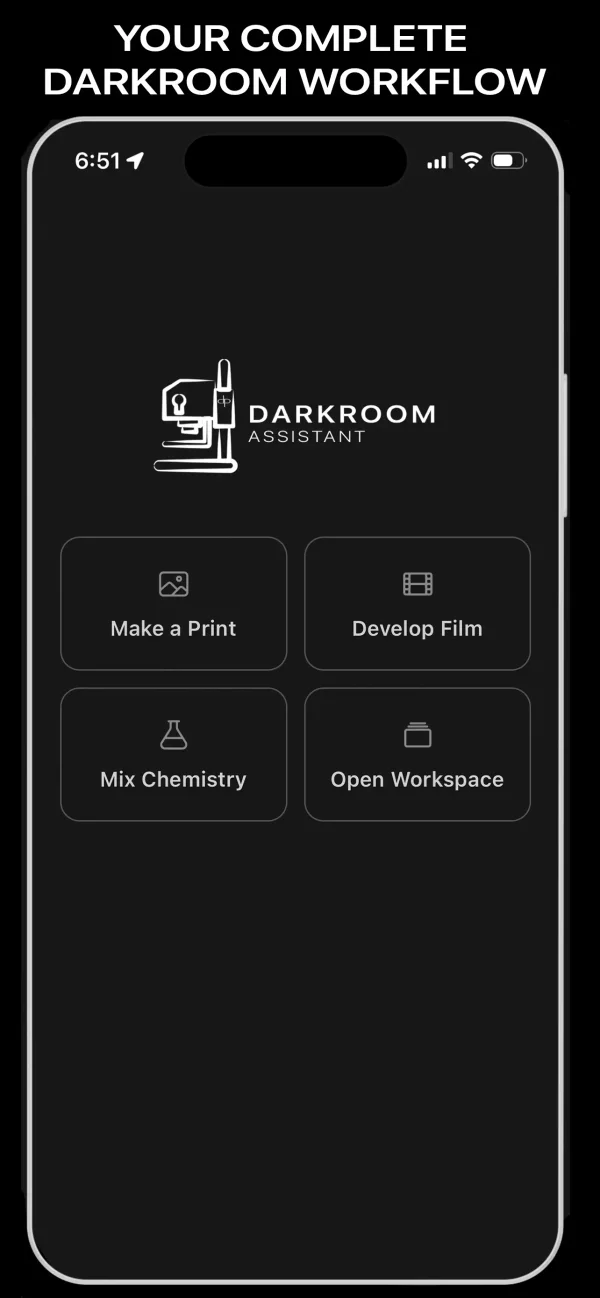
À propos
Le développeur n’a pas fourni ce texte dans votre langue.
Make better darkroom prints—and preserve every decision that got you there.
Darkroom Assistant is a purpose-built workflow app for black-and-white darkroom printers. It connects what you see in the print to the exposure, dodging, burning, and sequencing needed to make the next one.
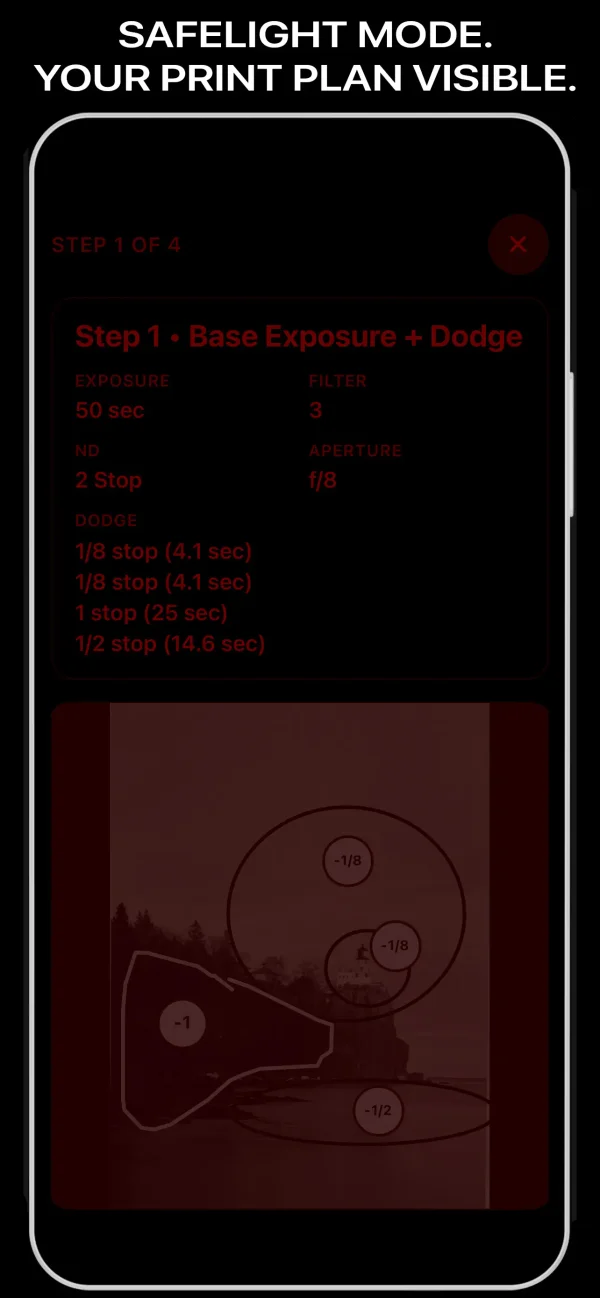
Map adjustments on the image, work in stops, and let Darkroom Assistant calculate the actual exposure times. You don’t need an expensive programmable f-stop timer to use an advanced f-stop printing workflow. Whether your timer counts in stops or only in seconds, the calculations, visual map, and printing sequence stay connected to the image.
If you have ever made a great print and struggled to recreate it, searched through scattered notes, or wasted paper rebuilding a previous result, Darkroom Assistant brings the complete printing process together.
It does not automate printing or replace your judgment. Your eye decides what the print needs. Darkroom Assistant translates that decision into the next exposure—and preserves the path when the session ends.
VISUAL DODGING AND BURNING
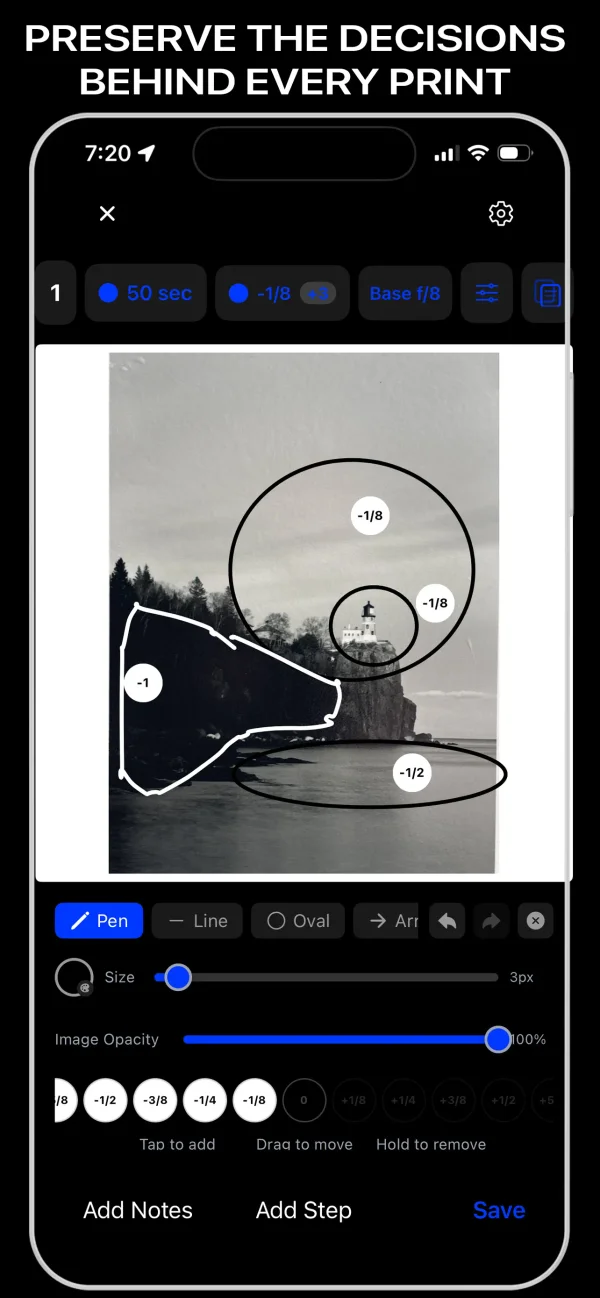
Map local adjustments on the print image instead of trying to connect handwritten times to remembered areas. Set the desired change in stops, and Darkroom Assistant calculates the corresponding dodge or burn times and organizes them into a clear printing sequence.
A programmable f-stop timer can count exposure in stops. Darkroom Assistant goes further by connecting each adjustment to the image, calculating the time for that operation, and preserving the reasoning behind the print.
PRINT PROJECTS AND PRINT LOGS
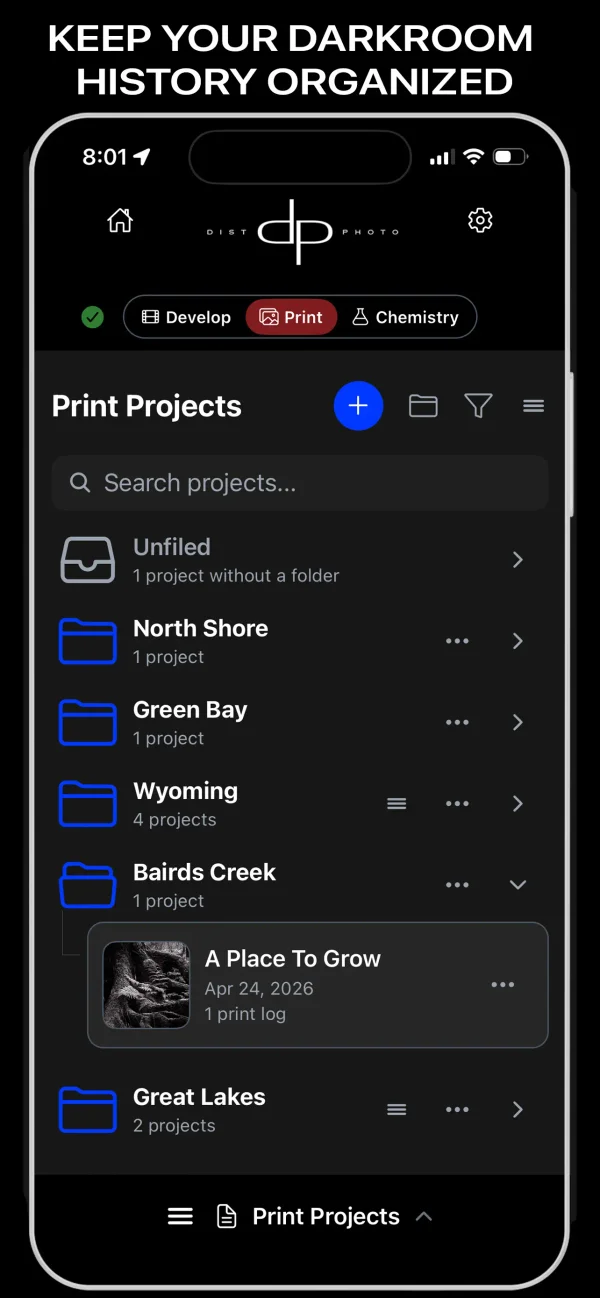
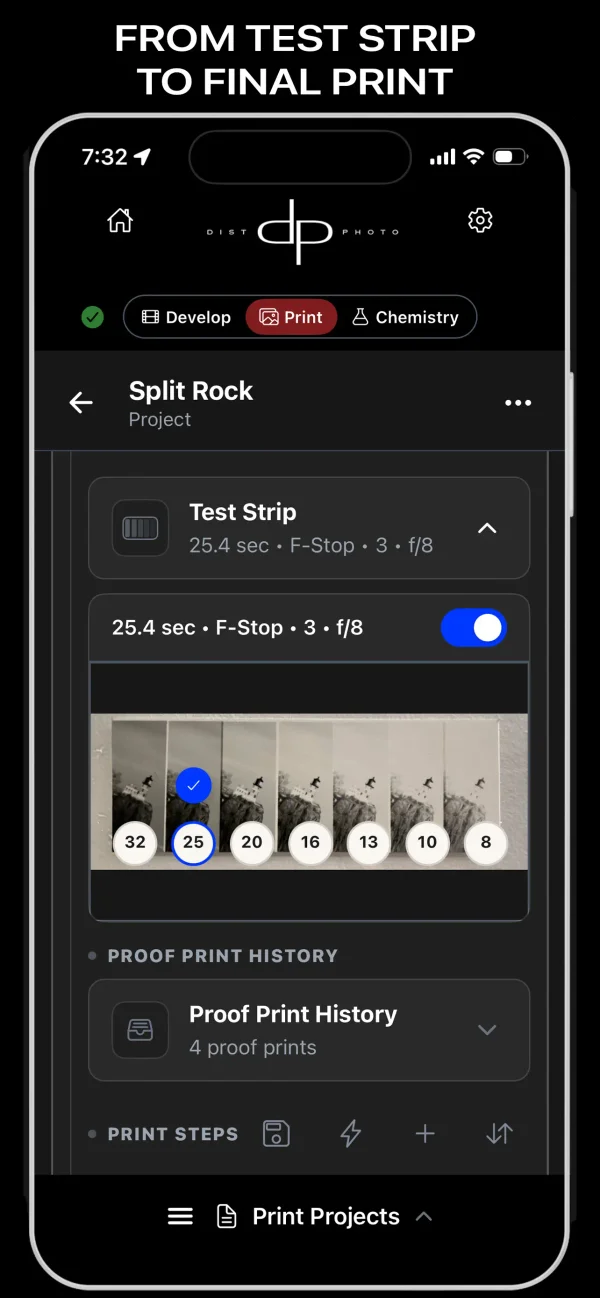
Organize each image as a project and preserve the path from test strip to final print. Keep multiple interpretations together, compare them over time, and return later without reconstructing the session from memory.
Record paper, developer, filtration, exposure, contrast, notes, and the decisions made along the way. A short version note on the physical print can lead you back to the complete plan in Darkroom Assistant.
TEST STRIPS AND SPLIT-GRADE PRINTING
Build and document test-strip and split-grade workflows inside the app. Compare results, refine exposure and contrast, and carry your decisions forward without starting over.
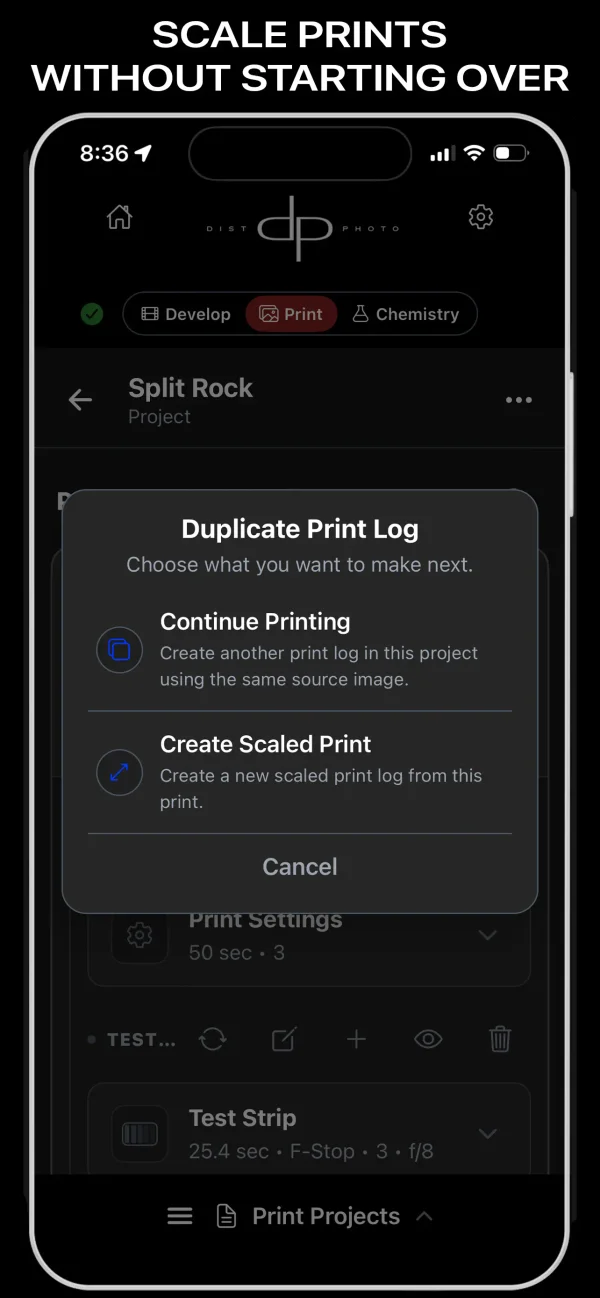
SCALE PRINTS WITHOUT STARTING OVER
When you change print dimensions, Darkroom Assistant can scale the exposure steps in the complete Print Log—not just the base exposure. Carry a successful plan into the new size and begin with a calculated starting point instead of rebuilding every exposure, dodge, and burn from scratch.
Additional calculators help with changes in exposure, aperture, filtration, neutral density, and print size.
DARKROOM TIMERS
Use focused, distraction-free timers designed for printing and film-development sessions.
FILM DEVELOPMENT
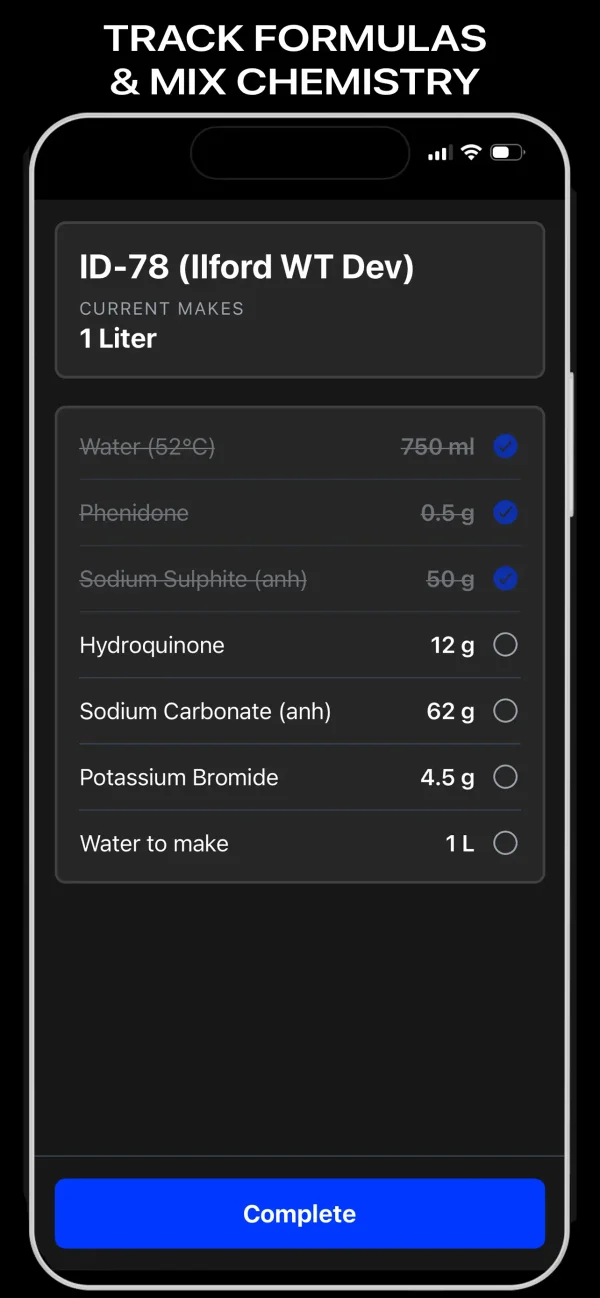
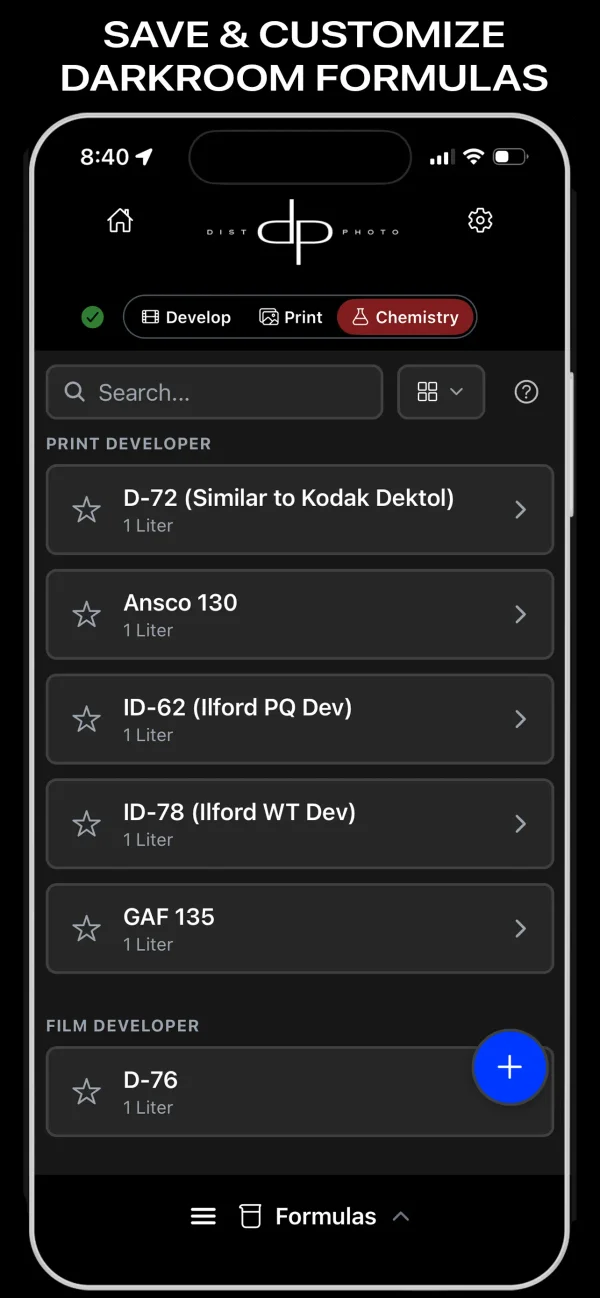
Create and run film-development workflows with organized formulas, timing, and session records alongside your printing tools.
BACKUP AND RESTORE
Protect your darkroom library with manual backup and restore.
LEARN AND GET SUPPORT
Use the video guide and subscriber community for help.
DARKROOM ASSISTANT HELPS YOU:
• Translate visual decisions into precise exposure steps
• Use an advanced f-stop workflow without an expensive programmable timer
• Plan dodging and burning without calculating every time in your head
• Scale complete printing plans when changing print size
• Reduce avoidable paper and chemistry waste
• Preserve successful prints and multiple interpretations
• Spend less time reconstructing old sessions
• Build a consistent, repeatable darkroom process
BUILT BY A DARKROOM PRINTER
Darkroom Assistant was created by a working darkroom printer with decades of hands-on experience. Its tools come from real workflows developed at the enlarger—not from an attempt to replace analog craft with automation.
Practical tools for photographers who care deeply about the craft.
Terms of Use: https://www.apple.com/legal/internet-services/itunes/dev/stdeula/
Nouveautés
Version 1.0.5 · 28/11/2026
• A smoother print step editor makes it easier to draw, move, and edit detailed print maps.
• New standalone Film Scanner: scan and adjust negatives, then save the finished images directly to Photos.
Confidentialité de l’application
Ce que Distinction Photo LLC déclare sur l’App Store au sujet du traitement des données par cette application.
-
Données non collectées
Le développeur ne collecte aucune donnée à partir de cette application.
Les pratiques en matière de confidentialité peuvent varier, notamment en fonction des fonctionnalités que vous utilisez ou de votre âge.
Informations
- Vendeur
- Distinction Photo LLC
- Catégorie
- Photo et vidéo
- Version
- 1.0.5
- Mis à jour
- 28/11/2026
- Publié
- 25/08/2026
- Taille
- 60,2 Mo
- Nécessite
- iOS 15.1 ou version ultérieure
- Classification d’âge
- 4+
- Prix
- Gratuit
- Achats intégrés
- Oui
- Langues
- Anglais
- Copyright
- © 2026 Matthew Koller
Vous aimerez peut-être aussi
-
 Darkroom ToolkitPhoto et vidéo
-
 Filter SimulationPhoto et vidéo
-
 SlowLightMeterPhoto et vidéo
-
 Frames: Notes Photo ArgentiqueJournal de pellicules & EXIF
-
 Film Logbook - Analog TrackerPhoto et vidéo
-
 Reciprocity TimerPhoto et vidéo
-
 Lightme - LogbookPhoto et vidéo
-
 Massive Dev Chart TimerPhoto et vidéo
-
 Develop! Film TimerPhoto et vidéo
-
 FilmMeterPhoto et vidéo