DateSmith: Date Widgets
Lock & Home Screen Countdowns
Conçue pour iPhone, iPad
Achats intégrés
- Classification d’âge4+
- CatégorieProductivité
- DéveloppeurBenjamin Staab
- LanguesAnglais
- Taille7,7 Mo
DateSmith: Date Widgets n’est peut-être pas disponible sur App Store pour le moment
La fiche de la boutique était inaccessible lors de notre dernière vérification. Le lien mène toujours à la page App Store officielle.
Captures d’écran




À propos
Le développeur n’a pas fourni ce texte dans votre langue.
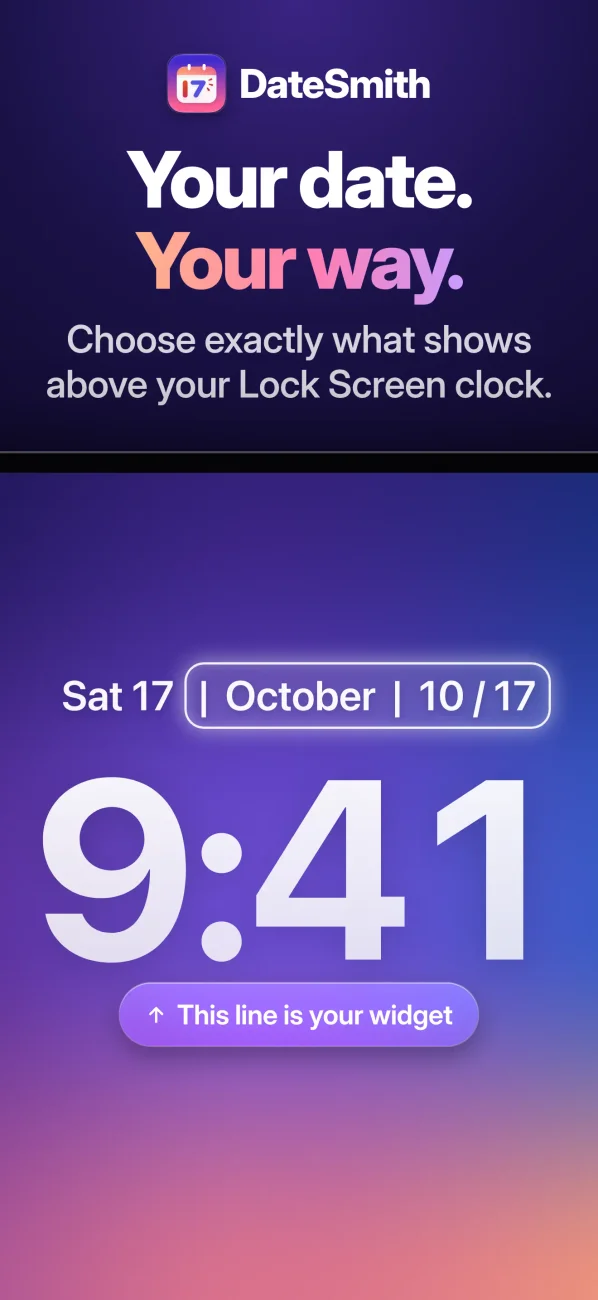
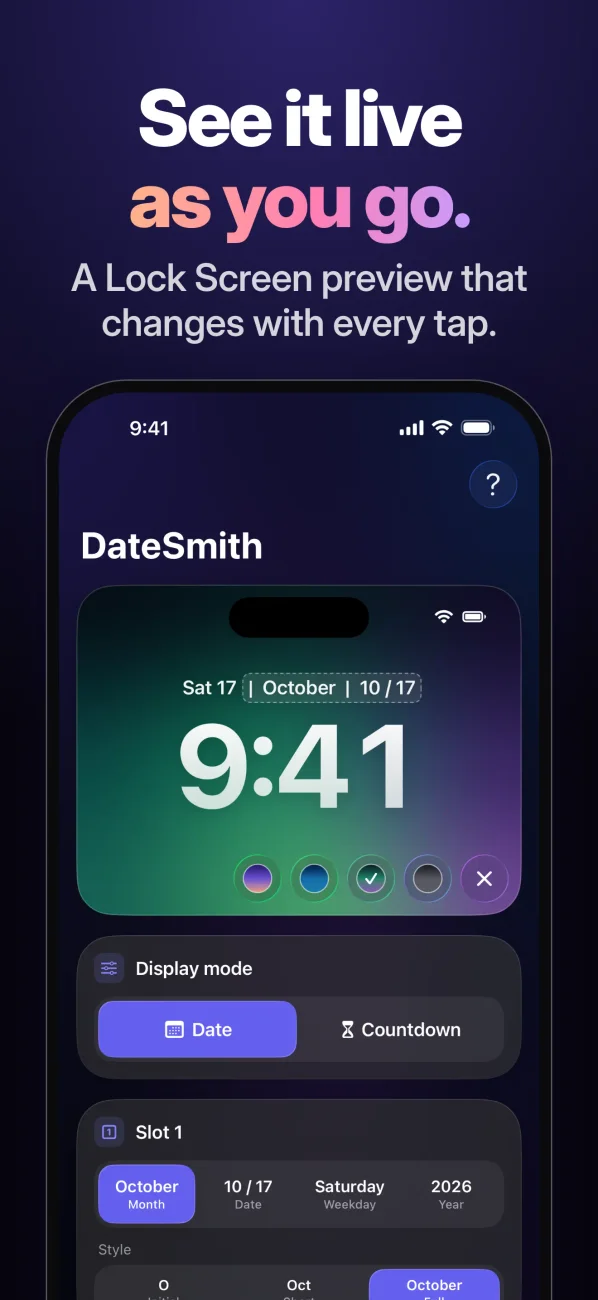
Your date, above the clock. DateSmith puts a clearer, fuller date in the line above your Lock Screen clock, or a countdown to the day you are looking forward to. Now optimized for iPhone Duo, with bold Home Screen widgets you can make your own.
YOUR FORMAT, YOUR WAY
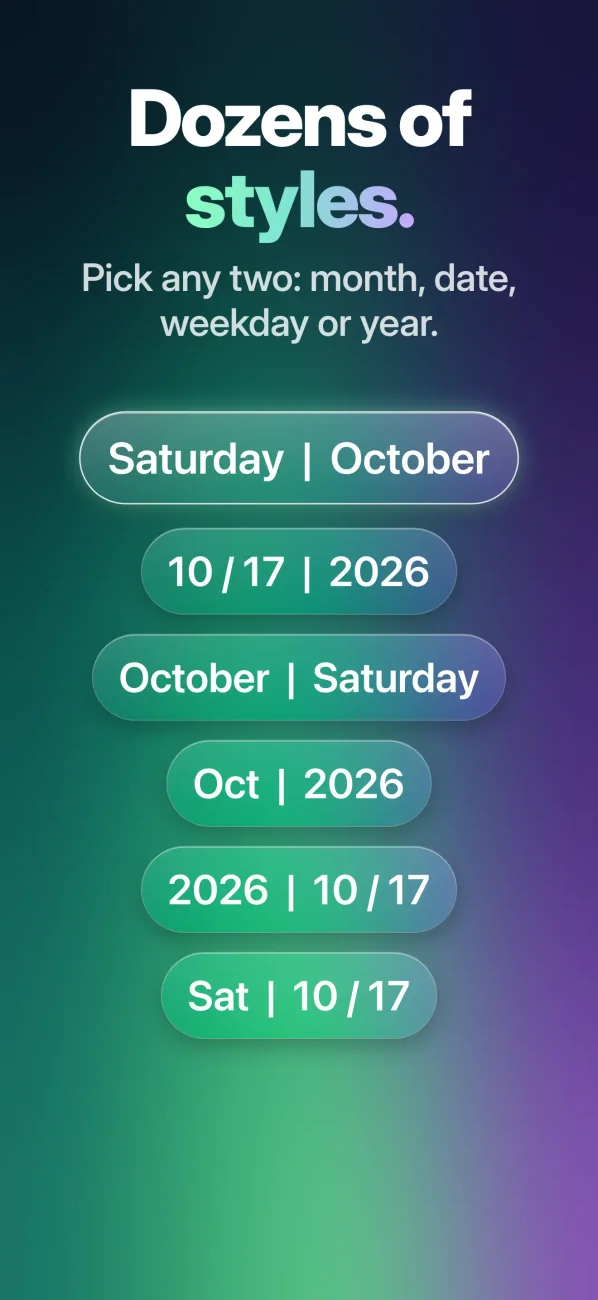
Pick any two of month, date, weekday and year, each in the style you like. See it live in a Lock Screen preview that changes with every tap.
COUNTDOWNS
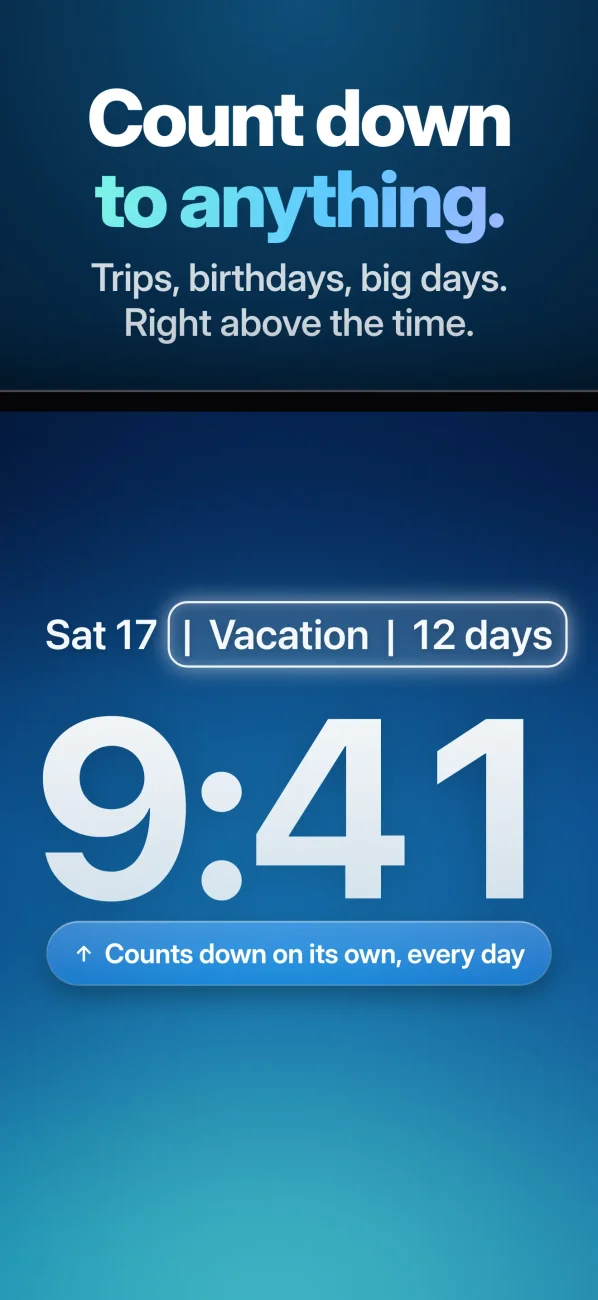
Name it and pick the day. DateSmith shows the days left until a trip, a birthday or a big day.
HOME SCREEN WIDGETS
Small, medium and large widgets show your date or countdown in big, clear type, with a week strip on the medium size, a month calendar on the large size and a date page on medium countdowns.
- Themes: Dawn, Ocean, Aurora, Graphite and System
- Your own photo, framed for the square and wide widget shapes
- A different photo for Dark Mode if you like
- Liquid Glass style text with a soft highlight and depth, or crisp solid text
OPTIMIZED FOR IPHONE DUO
DateSmith fits both displays, folded or open, in portrait and in landscape. Open it and hold it sideways to see your Lock Screen preview and every setting side by side.
UPDATES ON ITS OWN
DateSmith prepares the week ahead, so your widgets change each day, even when the app is closed.
PRIVATE BY DESIGN
No accounts, no ads and no analytics. Your widgets need no internet connection. DateSmith never uploads your photo.
SIMPLE SETUP
1. Touch and hold your Lock Screen
2. Tap Customize
3. Tap the date above the time
4. Choose DateSmith
5. Tap Done
For the Home Screen, touch and hold an empty area of your Home Screen, tap Edit, tap Add Widget, then choose DateSmith.
PLANS
Try every format, countdown, theme, photo and text style free for 7 days. When the preview ends, your widgets show Preview Ended in place of your date or countdown until you subscribe. DateSmith Monthly or DateSmith Yearly keeps your widgets working. DateSmith Monthly includes a one-week free trial for eligible new subscribers. Payment is charged to your Apple Account. Subscriptions renew automatically unless canceled at least 24 hours before the end of the current period. Manage or cancel anytime in your Apple Account settings.
Terms of Use: https://www.apple.com/legal/internet-services/itunes/dev/stdeula/
Privacy Policy: https://ben637482548.github.io/datesmith/#privacy
Nouveautés
Version 13.0 · 29/10/2026
DateSmith 13.0 is optimized for iPhone Duo, and brings a couple of improvements you will notice on every iPhone.
OPTIMIZED FOR IPHONE DUO
DateSmith now fits both displays, folded or open, in portrait and in landscape. Open it and hold it sideways to see your Lock Screen preview and every setting side by side. The preview also matches the iPhone Duo Lock Screen.
A FIXED MEDIUM WIDGET
The glass bar on the Medium Home Screen widget now fills with the month, just like the Small and Large widgets.
SMOOTHER SUBSCRIBING
Subscribing is more reliable. If something goes wrong, the message now explains what happened and what to try next. Prices also reload on their own when you come back to the app.
Thank you for using DateSmith!
Confidentialité de l’application
Ce que Benjamin Staab déclare sur l’App Store au sujet du traitement des données par cette application.
-
Données non collectées
Le développeur ne collecte aucune donnée à partir de cette application.
Les pratiques en matière de confidentialité peuvent varier, notamment en fonction des fonctionnalités que vous utilisez ou de votre âge.
Informations
- Vendeur
- Benjamin Staab
- Catégorie
- Productivité
- Version
- 13.0
- Mis à jour
- 29/10/2026
- Publié
- 02/06/2025
- Taille
- 7,7 Mo
- Nécessite
- iOS 18.2 ou version ultérieure
- Classification d’âge
- 4+
- Achats intégrés
- Oui
- Langues
- Anglais
- Copyright
- © 2026 Benjamin Staab
Vous aimerez peut-être aussi
-
 Date Today: Date WidgetProductivité
-
 MyDayWidget Calendrier WidgetRappels et écran verrouillé
-
 WidgetCal-Calendar WidgetProductivité
-
 Analog Clock - Desk WidgetProductivité
-
 ClockZ | Horloge + RéveilAlarme | Minuteur | Widget
-
 Lock + Home Widgets widgetopiaProductivité
-
 DraftsProductivité
-
 Superlist: To-Do & Notes AppTâches, Listes et Projets
-
 Widget Custom HomeScreenProductivité
-
 Analog Clock Widget - Clock SDProductivité